

Keeper Password Manager
com.callpod.android_apps.keeper
by Keeper Security, Inc.
Screenshots







Ad slot: Top Leaderboard
About this app
Keeper Password Manager keeps your passwords and data secure on any device. The Keeper app maximizes your password security and strengthens your password protection, keeping your personal data secure. Utilize our secure password generator, store passkeys and 2fa codes, autofill your passwords anywhere and sync across all of your devices. Keeper is the proven cybersecurity leader that protects millions of people and thousands of companies globally.
Keeper Password Manager lets you create strong, random passwords and passphrases with its built-in password generator, secure them in an encrypted digital vault you can open on any device, and instantly autofill or securely share credentials across all your sites and apps. Save and sync passkeys and 2FA codes right inside Keeper for one-tap login anywhere. Zero-knowledge, AES-256 encryption shields every password and piece of sensitive data from breaches, ransomware, and other cyber-attacks.
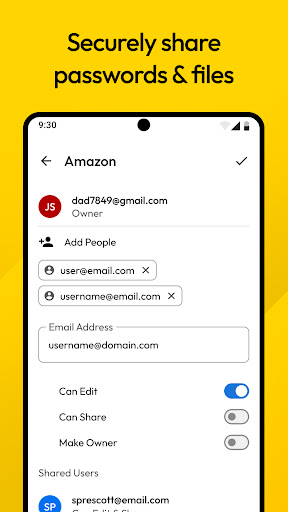
Keeper Password Manager stores unlimited passwords, passkeys, 2fa codes, files, and payment cards in a zero-knowledge, AES-256–encrypted digital vault that syncs to every phone, tablet, and computer you use. Unlock your password vault instantly with fingerprint or face ID, then autofill or securely share records with fellow Keeper users—or send a “One-Time Share” link to family, friends, or colleagues who don’t have the app.
The Keeper app supports two-factor authentication (2FA) into your Vault, along with storing and protecting TOTP codes for autofilling two-factor codes into other websites and apps. Use security keys like YubiKey NFC to secure your Vault using the highest level of MFA and 2FA protection.
Keep your passwords safe by having BreachWatch monitor the Dark Web for breached accounts and passwords. Get notified immediately if you have been exposed in a public data breach so you can take quick action to protect your online accounts.
Easily switch between multiple Keeper Password Manager accounts to separate your business and personal data.
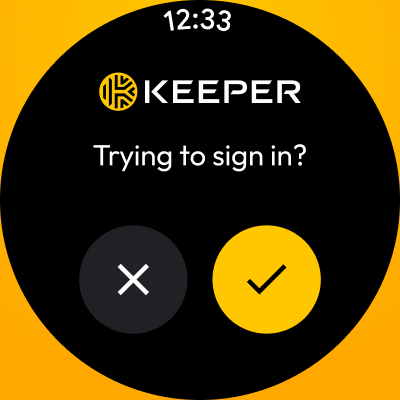
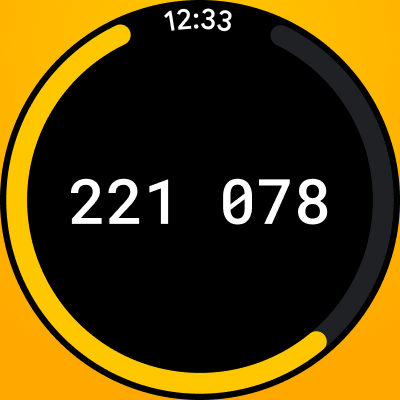
Keeper integrates with Android Wear OS, letting you log in using your smartwatch as a second factor of authentication. Through KeeperDNA, it verifies your identity via your connected device. To enable it, go to Settings on your mobile, select Two-Factor Authentication, and choose "Smartwatch (KeeperDNA)."
Trusted by Millions of Users Globally
• "Password Manager of the Year" by PCMag
• "Best Overall" by U.S. News & World Report
• "Best Security" by Tom's Guide
The World’s Most Secure Password Manager
• Keeper’s patented zero-knowledge security ensures that your Keeper Vault and all of the data in it is fully encrypted.
• Supports two-factor authentication methods such as Google Authenticator, Microsoft Authenticator, Duo, RSA, YubiKey and more.
• Utilizes AES-256-bit encryption, Elliptic Curve and PBKDF2 technology.
• SOC-2, ISO 27001, ISO 27017 and ISO 20718 certified.
• FedRAMP and StateRAMP Authorized.
• Secrets Management, SDKs, CLI and DevOps integrations for Enterprise customers.
Keeper is compatible with all browsers including:
• Chrome
• Brave
• DuckDuckGo
• Opera
• Internet Explorer
• Firefox
• Safari
• Edge
Easily import your passwords from:
• Apple iCloud Keychain
• Google Chrome
• Dashlane
• 1Password
• LastPass
• Bitwarden
• Nordpass
• and more!
Keeper Password Manager Supports the following Record Types:
• Login & password credentials
• Payment and credit cards
• Address
• Bank account
• Secure files and notes
• Photo
• Driver's license and identity cards
• Birth certificate
• Database credentials
• Server
• Membership
• Passport
• Software license
• SSH Key
Keeper uses the AccessibilityService API for KeeperFill, which allows you to securely autofill login credentials across mobile apps and browsers. Keeper is a zero-knowledge security platform.
Need assistance? Visit https://keepersecurity.com/support.
Privacy Policy: https://keepersecurity.com/privacypolicy.html
Terms of Use: https://keepersecurity.com/termsofuse.html
Keeper Password Manager lets you create strong, random passwords and passphrases with its built-in password generator, secure them in an encrypted digital vault you can open on any device, and instantly autofill or securely share credentials across all your sites and apps. Save and sync passkeys and 2FA codes right inside Keeper for one-tap login anywhere. Zero-knowledge, AES-256 encryption shields every password and piece of sensitive data from breaches, ransomware, and other cyber-attacks.
Keeper Password Manager stores unlimited passwords, passkeys, 2fa codes, files, and payment cards in a zero-knowledge, AES-256–encrypted digital vault that syncs to every phone, tablet, and computer you use. Unlock your password vault instantly with fingerprint or face ID, then autofill or securely share records with fellow Keeper users—or send a “One-Time Share” link to family, friends, or colleagues who don’t have the app.
The Keeper app supports two-factor authentication (2FA) into your Vault, along with storing and protecting TOTP codes for autofilling two-factor codes into other websites and apps. Use security keys like YubiKey NFC to secure your Vault using the highest level of MFA and 2FA protection.
Keep your passwords safe by having BreachWatch monitor the Dark Web for breached accounts and passwords. Get notified immediately if you have been exposed in a public data breach so you can take quick action to protect your online accounts.
Easily switch between multiple Keeper Password Manager accounts to separate your business and personal data.
Keeper integrates with Android Wear OS, letting you log in using your smartwatch as a second factor of authentication. Through KeeperDNA, it verifies your identity via your connected device. To enable it, go to Settings on your mobile, select Two-Factor Authentication, and choose "Smartwatch (KeeperDNA)."
Trusted by Millions of Users Globally
• "Password Manager of the Year" by PCMag
• "Best Overall" by U.S. News & World Report
• "Best Security" by Tom's Guide
The World’s Most Secure Password Manager
• Keeper’s patented zero-knowledge security ensures that your Keeper Vault and all of the data in it is fully encrypted.
• Supports two-factor authentication methods such as Google Authenticator, Microsoft Authenticator, Duo, RSA, YubiKey and more.
• Utilizes AES-256-bit encryption, Elliptic Curve and PBKDF2 technology.
• SOC-2, ISO 27001, ISO 27017 and ISO 20718 certified.
• FedRAMP and StateRAMP Authorized.
• Secrets Management, SDKs, CLI and DevOps integrations for Enterprise customers.
Keeper is compatible with all browsers including:
• Chrome
• Brave
• DuckDuckGo
• Opera
• Internet Explorer
• Firefox
• Safari
• Edge
Easily import your passwords from:
• Apple iCloud Keychain
• Google Chrome
• Dashlane
• 1Password
• LastPass
• Bitwarden
• Nordpass
• and more!
Keeper Password Manager Supports the following Record Types:
• Login & password credentials
• Payment and credit cards
• Address
• Bank account
• Secure files and notes
• Photo
• Driver's license and identity cards
• Birth certificate
• Database credentials
• Server
• Membership
• Passport
• Software license
• SSH Key
Keeper uses the AccessibilityService API for KeeperFill, which allows you to securely autofill login credentials across mobile apps and browsers. Keeper is a zero-knowledge security platform.
Need assistance? Visit https://keepersecurity.com/support.
Privacy Policy: https://keepersecurity.com/privacypolicy.html
Terms of Use: https://keepersecurity.com/termsofuse.html
What's New
Stay Logged In: We've added a new setting that reduces how often you need to log in on trusted devices, making your experience smoother.
Enhanced Enterprise Controls: The app now enforces administrator settings that restrict the creation of Two-Factor Codes.
Various bug fixes.
Enhanced Enterprise Controls: The app now enforces administrator settings that restrict the creation of Two-Factor Codes.
Various bug fixes.
App Information
Version Name
app 16.8.40.128801
Version Code
12880101
File Size
79.6 MB
Minimum OS
Android 9+
Target SDK
Android 34
Developer
Keeper Security, Inc.
Contact
Website
Content Rating
Everyone
Package Name
com.callpod.android_apps.keeperPermissions Required
This app may request the following permissions:
Recent Reviews

Paul Krane
5.0★
They give you so many ways to recover, you are never without your passwords. Somebody designed a critical app that fits all the absent-minded, uninformed, non-technical users. I wouldn't trade this app for any of the other pw "boxes". New phone - no worries. Haven't created a pass-key (24 words} yet, still have options to recover. Very usable ui, and plenty of options to see your passwords any way you like, or not see them too.

Just Sayin'
1.0★
Well, it WAS working perfectly. Then, some update or something broke the app to where I can't read my secure notes. Actually, they ARE readable if you want to scroll a single line and hope the thing doesn't "jump" to the end of the line while you're trying to scroll. I've been told that this is a known problem and they are working on it???? It's been happening for a couple months - what's the holdup? I'll change my rating if and when they restore the app to its former glory...

Star Edwards
3.0★
Update: 10/3/25 I've been using this app since 2012/early 2013 & while I 💙 it.. 👇to 3 ⭐b/c the 💲 keeps going UP! At a time when budgeting is an absolute must! $39.99 p/y is crazy for an app that's not even used EVERY day, & the basic functions haven't changed much/more than other similar apps. This now costs more than my 3 TV streaming svc combined. Sadly I will have to cancel & find a diff PW app ASAP B4 this renews. Why is there no reasonable 1x lifetime purchase option?

Liz “crafty_mom”
2.0★
After the recent update everything looks different. I don't like the new format. It's just not as easy to read. I just want my records listed again with no details showing unless I open that record. Also, all of my passwords are hidden even though I have changed the setting to not hide them. Please just put the app back how it used to be, and this becomes a 5 star app again. It was much simpler.

Dave Bluder
3.0★
I like the app when it works. About 2 - 3 weeks, or so, ago something changed with the autofill function. I'm using this on Samsung Galaxy S24. The issue is when going to log in to fill username, it takes multiple presses on the link to get a response. Auto fill fails more than it works now The advice given was it's a known issue on Chrome, try downloading the Beta Chrome browser until it's fixed. This was working, please fix it soon.

Shannon Payne
5.0★
Update: since they are now charging $40/year, I am out - especially since there are free apps out there that work just as well as this one. Plus, they just did a price increase not long ago and are only giving me 2 days' notice that they're doing yet another price increase.. Too bad as I really did love using this app. ---------------------------- I don't think I could survive without this app. Been using it for years and would be completely lost in life if I didn't have it.
Ad slot: In-Content