
Wireless Display
com.WifiDisplay.TV
by Flavapp
Screenshots
Ad slot: Top Leaderboard
About this app
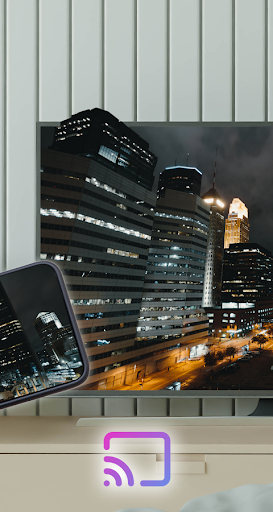
Little smartphone and tablet screens are good on the run, but when you’re in your family area then why not use your TV’s much larger screen instead? Sharing your phone screen With the Television now is easier with this Connect Phone To TV App.
Easy to use, just choose your all-media and press to play, a step to play it on your TV!
Anytime and anywhere, from any device's Wireless Display enjoy
with your friends and family with Wireless Display on your wifi phone
stream, you can play your favorite photos, videos, and music any
the way you like, like all screen TV nearby. Moments with everyone to
see and hear
Features:
* Cast Android screen to TV screen (Smart TV must support Wireless Display / Miracast).
* Find devices support show screencast in the current wifi network.
* The custom curve of the phone corner and quick access to the application form notification bar.
- Simply open the application, and tap Start "WiFi Display" and then sync
your device to the desired display which you want to mirror your screen
- This app will help you scan and reflect your phone's screen or Android
tab on TV / Display (cast Mira enabled) or Wireless dongles or
adapters
Please follow the steps below to display your mobile screen on your TV:
* - Make sure your TV and your Phone are Connected to the same wifi network
* - Enable Miracast Display on your TV
* - Enable Wireless Display option on your phone
* - Click Select button and choose your TV
* - Enjoy!
Screen Mirroring is supported by all Android devices and Android Versions.
Easy to use, just choose your all-media and press to play, a step to play it on your TV!
Anytime and anywhere, from any device's Wireless Display enjoy
with your friends and family with Wireless Display on your wifi phone
stream, you can play your favorite photos, videos, and music any
the way you like, like all screen TV nearby. Moments with everyone to
see and hear
Features:
* Cast Android screen to TV screen (Smart TV must support Wireless Display / Miracast).
* Find devices support show screencast in the current wifi network.
* The custom curve of the phone corner and quick access to the application form notification bar.
- Simply open the application, and tap Start "WiFi Display" and then sync
your device to the desired display which you want to mirror your screen
- This app will help you scan and reflect your phone's screen or Android
tab on TV / Display (cast Mira enabled) or Wireless dongles or
adapters
Please follow the steps below to display your mobile screen on your TV:
* - Make sure your TV and your Phone are Connected to the same wifi network
* - Enable Miracast Display on your TV
* - Enable Wireless Display option on your phone
* - Click Select button and choose your TV
* - Enjoy!
Screen Mirroring is supported by all Android devices and Android Versions.
App Information
Version Name
20.0
Version Code
20
File Size
7.8 MB
Minimum OS
Android 7.0+
Target SDK
Android 34
Developer
Flavapp
Contact
Website
Content Rating
Everyone
Package Name
com.WifiDisplay.TVPermissions Required
This app may request the following permissions:
Recent Reviews

Wally K
5.0★
My 5-star rating posted earlier is withrawn and replaced with zero star. This app is questionable as it asks for a 5-star rating before allowing full functionality. But, after a 5-star rating is posted, it just keeps showing the adv without casting the phone screen to the TV. Not recommended.

Karma Bite
1.0★
Spam spam no way out of advertisement. No matter how many times you x out the commercial.very bad experience. Pretty much installed. Open the app. All I got was ads and forcing me to download their stupid games. Delete delete delete. Spam

Josue Chi
1.0★
just watching ads in circle, don't fall for this

Luann Kapila
5.0★
it easy to use I love the app

Jesse Barlow
1.0★
Such a stupid app.. doesn't do anything it claims and can't even spell words right. If there was a 0-star option, I would select it.

Helen Keegan
1.0★
Pretty poor show to have to give 5 stars to access. It didn't work on my TV/phone combo anyway. Uninstalled.
Ad slot: In-Content