
Motion Ninja Video Editor
com.accarunit.motionvideoeditor
by changpeng
Screenshots
Ad slot: Top Leaderboard
About this app
Motion Ninja is a Video After Effects & Motion Design Editor APP for both professionals and amateurs. Enable you to easily create the pro-quality animation and visual effect. You can also create fan edits with 3D animation and smooth slow motion or velocity editing.Even motion graphic and movie titles are possible.
● Best Multi-layer video editor, best for anime music video editing or fan edits for pop video stars.
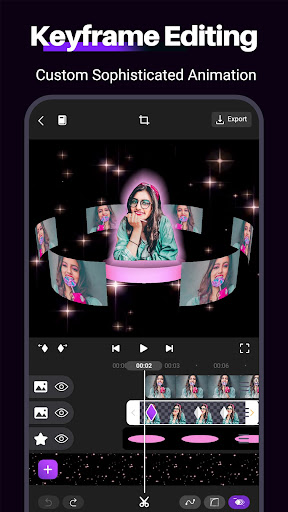
● Custom Keyframe Video Maker & Animation Editor.
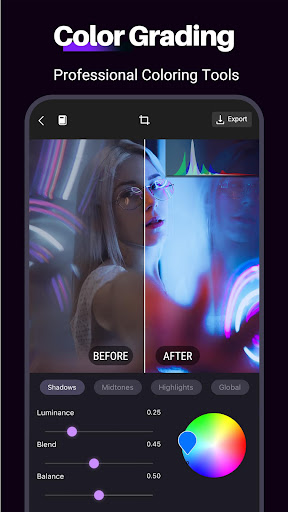
● Visual effects and Color Correction
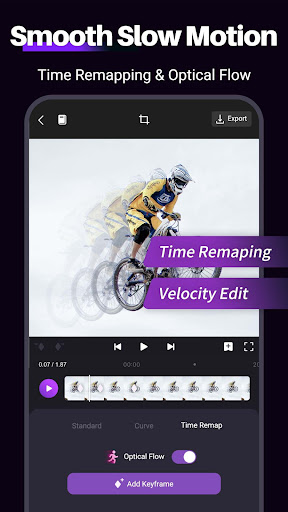
● Smooth Slow Motion which uses optical flow interpolation to create twixtor or time freeze effect. Turn your slomo video smooth like a pro.
● Quality Enhancer Support video and picture quality optimization
● Moving Photo & Photo Animator Custom animated area to make your picture flow
● Time Remap, remapping speed to slow down & speed up your footage in order to produce creative effects of trending velocity edits.
● Highly Customizable Effects,such as Motion Blur, Glow and more.
● AE Video Editor for Android
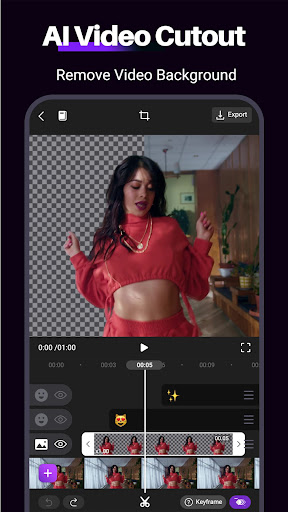
● Chroma Key & Green Screen
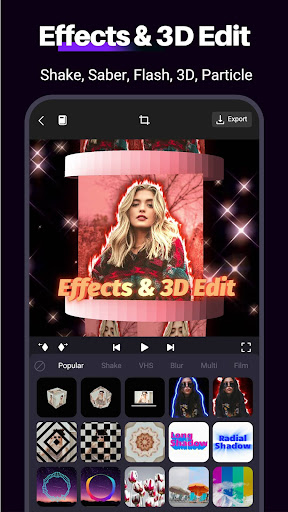
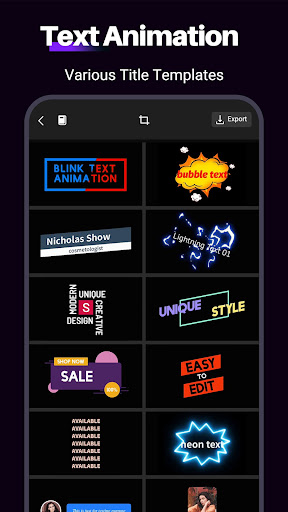
● Create 3D text easily
● Add 50+ creative transitions in one click! Select from styles like 3D, Shake and etc.
● Custom Speed Curves or Graphs
● Support 1080P and 4K export at most.
Bring your after effect edit ideas to this alight motion videos maker by applying Keyframe Animation, Transition and other pro features for android. Tools like Chroma key, Slow Motion and Lower-third titles also allow you to make dazzling blockbuster like a video star.
Want to make a AMV or fan edit music video for your favorite anime character or video star? No need to learn the complicated After Effects software. Motion Ninja, the motion effect maker for android, provides powerful and easy-to-use video editing tools that fit for any level editor and funimate your videos and make you a fan edit star!
Features:
● Keyframe Video Editor & Animation Editor
Animation movie maker as well as keyframe editor for every feature, including animations, fx 3D effects, mask and more. A great tool for editing a motion trailer.
You can also add keyframes to filter & text and materials like sticker & audio.
Easy-to-use keyframe editor, supports keyframe custom graphs & preset motion curves.
● Best Multi-layer Video Picture in Picture App
Motion Ninja offers a variety of video crop masks, including linear, radial and star etc. Edge feathering makes your video blend flawlessly.
● After Effects Video Editor for Android
Probably the best After Effects video editor mobile app you can find!
100+ preset video effects, including alight motion blur, shake, magical sky replacement, particle and create cartoon!
Use this after effect video motion editor to become a video star and get tons of likes on Instagram and TikTok!
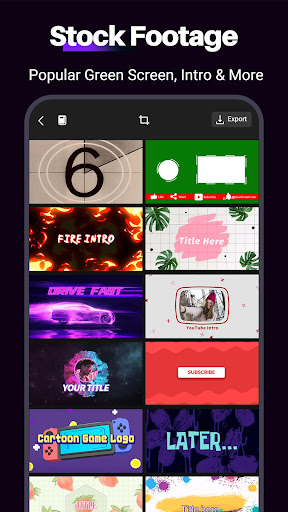
● Chroma Key & Green Screen: Motion Ninja maker offers several green screen resources in different styles.
● Music Video Editor
Want to create funimate tiktok videos with tik tok music to be a video star on social media? Gocut with Motion Ninja, a visco app offering powerful music editing and velocity video maker features.
● Video Filters & Adjustment
Add featured filters to your videos. Adjust brightness, contrast and others to further funimate your video!
Pro color correction tools like color grading, HSL and Curve editing are coming soon.
● Video Speed Tempo Control
Velocity Editor: Adjust video & music speed precisely.
Create slow/fast motion playback to present cinematic time-lapse effects.
Alight & desing your motion graphics to make a towards professional-quality animation.
If you have any questions, please email us at [email protected].
● Best Multi-layer video editor, best for anime music video editing or fan edits for pop video stars.
● Custom Keyframe Video Maker & Animation Editor.
● Visual effects and Color Correction
● Smooth Slow Motion which uses optical flow interpolation to create twixtor or time freeze effect. Turn your slomo video smooth like a pro.
● Quality Enhancer Support video and picture quality optimization
● Moving Photo & Photo Animator Custom animated area to make your picture flow
● Time Remap, remapping speed to slow down & speed up your footage in order to produce creative effects of trending velocity edits.
● Highly Customizable Effects,such as Motion Blur, Glow and more.
● AE Video Editor for Android
● Chroma Key & Green Screen
● Create 3D text easily
● Add 50+ creative transitions in one click! Select from styles like 3D, Shake and etc.
● Custom Speed Curves or Graphs
● Support 1080P and 4K export at most.
Bring your after effect edit ideas to this alight motion videos maker by applying Keyframe Animation, Transition and other pro features for android. Tools like Chroma key, Slow Motion and Lower-third titles also allow you to make dazzling blockbuster like a video star.
Want to make a AMV or fan edit music video for your favorite anime character or video star? No need to learn the complicated After Effects software. Motion Ninja, the motion effect maker for android, provides powerful and easy-to-use video editing tools that fit for any level editor and funimate your videos and make you a fan edit star!
Features:
● Keyframe Video Editor & Animation Editor
Animation movie maker as well as keyframe editor for every feature, including animations, fx 3D effects, mask and more. A great tool for editing a motion trailer.
You can also add keyframes to filter & text and materials like sticker & audio.
Easy-to-use keyframe editor, supports keyframe custom graphs & preset motion curves.
● Best Multi-layer Video Picture in Picture App
Motion Ninja offers a variety of video crop masks, including linear, radial and star etc. Edge feathering makes your video blend flawlessly.
● After Effects Video Editor for Android
Probably the best After Effects video editor mobile app you can find!
100+ preset video effects, including alight motion blur, shake, magical sky replacement, particle and create cartoon!
Use this after effect video motion editor to become a video star and get tons of likes on Instagram and TikTok!
● Chroma Key & Green Screen: Motion Ninja maker offers several green screen resources in different styles.
● Music Video Editor
Want to create funimate tiktok videos with tik tok music to be a video star on social media? Gocut with Motion Ninja, a visco app offering powerful music editing and velocity video maker features.
● Video Filters & Adjustment
Add featured filters to your videos. Adjust brightness, contrast and others to further funimate your video!
Pro color correction tools like color grading, HSL and Curve editing are coming soon.
● Video Speed Tempo Control
Velocity Editor: Adjust video & music speed precisely.
Create slow/fast motion playback to present cinematic time-lapse effects.
Alight & desing your motion graphics to make a towards professional-quality animation.
If you have any questions, please email us at [email protected].
What's New
Minor UI improvement
App Information
Version Name
4.1.6
Version Code
295
File Size
148.8 MB
Minimum OS
Android 5.0+
Target SDK
Android 33
Developer
changpeng
Contact
Website
Content Rating
Everyone
Package Name
com.accarunit.motionvideoeditorPermissions Required
This app may request the following permissions:
Recent Reviews

Adamm Padrta
5.0★
Honestly this is even better than Capcut by a long shot. The effects are all customizable, you can edit each individual image to that effects don't overlap if you wanted to, and it's very decent in the free version. I don't know if it's because I got the pro version the same day I downloaded, but pro is either 83 cents a month or a one-time fee of 18 dollars for forever pro. There is a learning curve to this app (especially for me since I used to edit on computer) but it's seriously worth it.

Jack Jensen
5.0★
Amazing video editor with tons of features. I bought Cyberlink Powerdirector a while back, only to realize this does everything that app does and more for free. I literally have no idea how this is free, It's almost too good to be true. Edit: after weeks of use, I finally found where the paid options are. Even so, this app is extremely fair about what you get for free/what you need to pay for.

Jeion Green
1.0★
So, is it possible to get a refund? This is a very serious feedback due to actually buying the pro version. I primarily downloaded this app because it is able to read 8k video format. For some reason however it's not even playing the video. It keeps pausing and not playing. Once it does play and I make a simple cut it doesn't play fully through. This is ridiculous. I should've looked more into these responses to notice that most of the 5 stars are all on the same day.

AV8R Surge
5.0★
You get pestered to rate the app after barely using the app. Then they offer free full access if you rate it as a 5. If you say "later" you get pestered again after 5 minutes with 2 options: "I don't like" or "rate". So far, I think it's good. I download it to try the Chroma feature. Seems good so far. After 10 minutes I have no complaints.

Joan Hunter iovino
5.0★
I bought a pro subscription to this app about a year ago, one of many, because I enjoy making digital art. This turned out to be the best one of all. There are so many tools, effects, and templates! There were some bugs at first, but those have been fixed in updates, and the updates include even more features added! This is a professional tool!

Chris Forest
1.0★
Really good editor, but when I exported my video the audio get all messed up. 50% of the video have the voice over at an extremely low volume, almost muted. I payed for the premium and it is super annoying! Don't use this app if you are making a video longer than 2 minutes. I got screwed over, so I really hope they fix their audio problems!!!!!
Ad slot: In-Content