

AIMP
com.aimp.player
by Artem Izmaylov
Screenshots


Ad slot: Top Leaderboard
About this app
Attention!
App may works incorrectly on devices based on M.I.U.I firmware.
Key features:
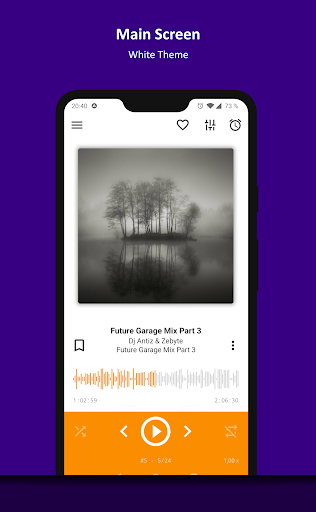
+ Supported formats: aac, ape, dff, dsf, flac, it, m4a, m4b, mo3, mod, mp2, mp3, mp4, mpc, mpga, mtm, ogg, opus, s3m, tta, umx, wav, webm, wv, xm
+ Supported playlists: m3u, m3u8, xspf, pls and cue
+ Support for Android Auto and custom Car PCs
+ Support for OpenSL / AudioTrack / AAudio output methods
+ Support for CUE Sheets
+ Support for OTG-storages and custom file providers
+ Support for user bookmarks
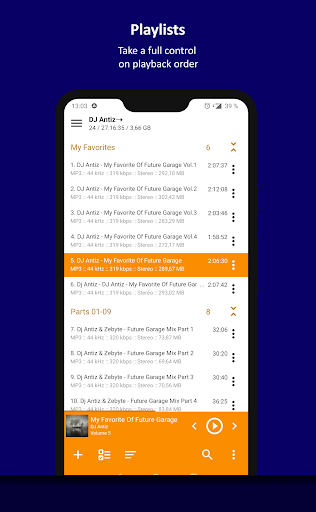
+ Support for user defined playback queue
+ Support for album arts and lyrics
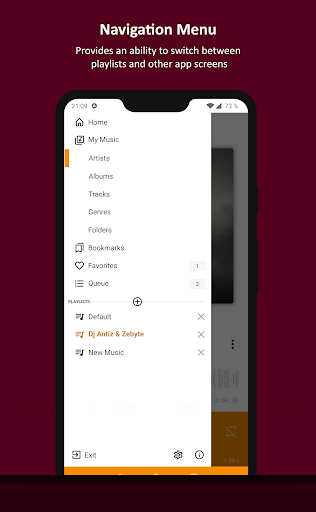
+ Support for multiple playlists and smart-playlists based on folders
+ Support for internet radio (including Http Live Streaming)
+ Automatic detection of tags encoding
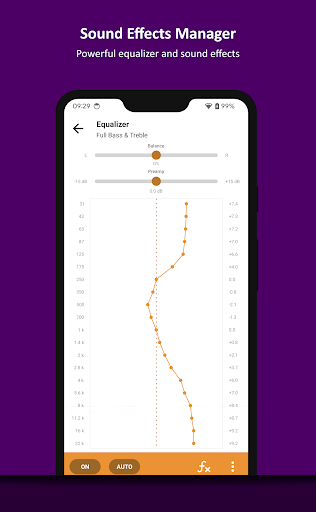
+ Built-in 20-band graphic equalizer
+ Balance, Pitch and speed control
+ A-B track part repeat
+ Volume normalization using replay gain or peak-based normalization
+ Sleep timer feature
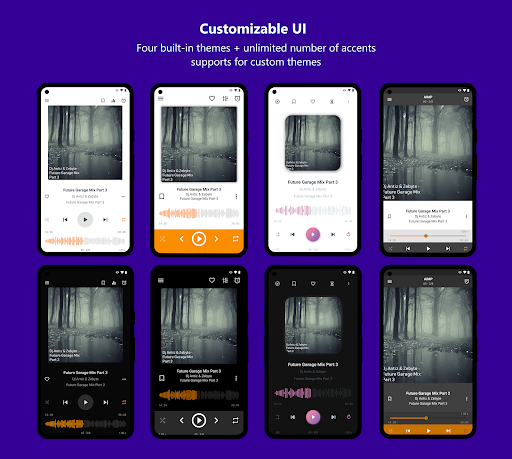
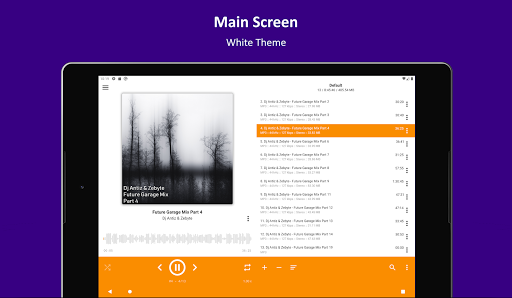
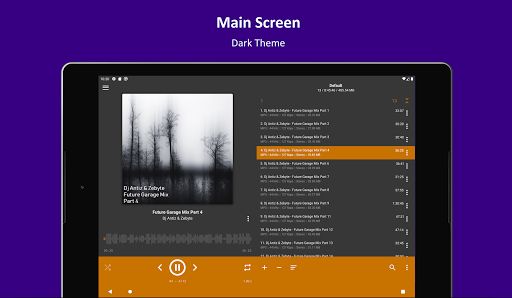
+ Custom themes support
+ Built-in light, dark and black themes
+ Support for night and day mode
Optional features:
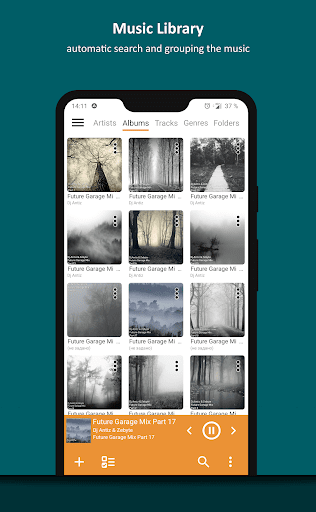
+ Automatic music search and indexing
+ An ability to cross-fade tracks
+ An ability to repeat playlist / track / playback without repeating
+ An ability to down mix multi-channels audio files to stereo
+ An ability to down mix audio files to mono
+ An ability to control playback from notification area
+ An ability to control playback via gestures in album art area
+ An ability to control playback via headset
+ An ability to switch the tracks via volume buttons
Additional features:
+ An ability to play files from the File Manager applications
+ An ability to play files from Windows shared folders (only v2 and v3 of samba protocol are supported)
+ An ability to play files from WebDAV-based cloud storage
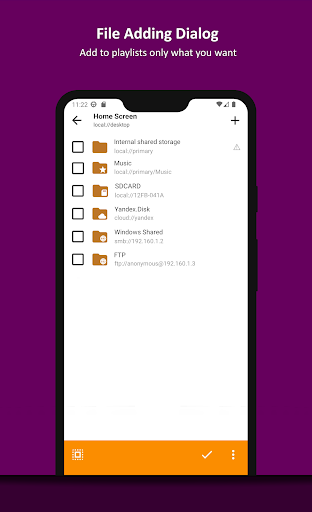
+ An ability to add to playlist only chosen files / folders
+ An ability to delete files physically
+ An ability to sort files by template / manually
+ An ability to group files by template
+ An ability to search files in filtering mode
+ An ability to share audio files
+ An ability to register playing track as ringtone from player
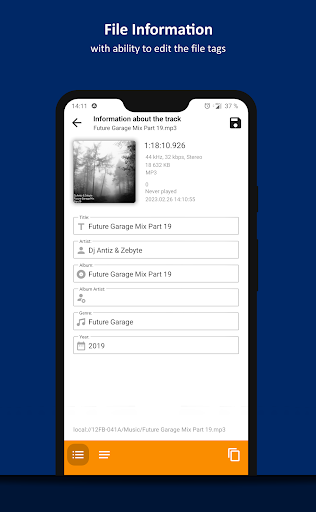
+ An ability to edit meta of APE, MP3, FLAC, OGG and M4A file formats
Additionally, our app is ads free.
App may works incorrectly on devices based on M.I.U.I firmware.
Key features:
+ Supported formats: aac, ape, dff, dsf, flac, it, m4a, m4b, mo3, mod, mp2, mp3, mp4, mpc, mpga, mtm, ogg, opus, s3m, tta, umx, wav, webm, wv, xm
+ Supported playlists: m3u, m3u8, xspf, pls and cue
+ Support for Android Auto and custom Car PCs
+ Support for OpenSL / AudioTrack / AAudio output methods
+ Support for CUE Sheets
+ Support for OTG-storages and custom file providers
+ Support for user bookmarks
+ Support for user defined playback queue
+ Support for album arts and lyrics
+ Support for multiple playlists and smart-playlists based on folders
+ Support for internet radio (including Http Live Streaming)
+ Automatic detection of tags encoding
+ Built-in 20-band graphic equalizer
+ Balance, Pitch and speed control
+ A-B track part repeat
+ Volume normalization using replay gain or peak-based normalization
+ Sleep timer feature
+ Custom themes support
+ Built-in light, dark and black themes
+ Support for night and day mode
Optional features:
+ Automatic music search and indexing
+ An ability to cross-fade tracks
+ An ability to repeat playlist / track / playback without repeating
+ An ability to down mix multi-channels audio files to stereo
+ An ability to down mix audio files to mono
+ An ability to control playback from notification area
+ An ability to control playback via gestures in album art area
+ An ability to control playback via headset
+ An ability to switch the tracks via volume buttons
Additional features:
+ An ability to play files from the File Manager applications
+ An ability to play files from Windows shared folders (only v2 and v3 of samba protocol are supported)
+ An ability to play files from WebDAV-based cloud storage
+ An ability to add to playlist only chosen files / folders
+ An ability to delete files physically
+ An ability to sort files by template / manually
+ An ability to group files by template
+ An ability to search files in filtering mode
+ An ability to share audio files
+ An ability to register playing track as ringtone from player
+ An ability to edit meta of APE, MP3, FLAC, OGG and M4A file formats
Additionally, our app is ads free.
What's New
+ Track part repeat (A-B)
+ Sleep timer: the "wait for track end" option
+ UI: appearance of context menu has been updated
+ UI: custom button for Notification / Android Auto
+ Sleep timer: the "wait for track end" option
+ UI: appearance of context menu has been updated
+ UI: custom button for Notification / Android Auto
App Information
Version Name
v4.10.1414 (14.05.2024)
Version Code
1414
File Size
19.5 MB
Minimum OS
Android 6.0+
Target SDK
Android 34
Developer
Artem Izmaylov
Contact
Website
Content Rating
Everyone
Package Name
com.aimp.playerPermissions Required
This app may request the following permissions:
Recent Reviews

My name “Name my”
5.0★
No ads and the best feature I have found so far is it askes you if you wanna search for a file that was in a Playlist and doesn't just remove it when it can't find it. Totally an amazing feature right there because I have a library of over 7000 songs on my drive and I like to move stuff around. The interface was a little tricky at first but I figured it out. I fully support this music app.

A Google user
5.0★
Best music player since Winamp (RIP)! It is user-friendly like the desktop version when navigating through menus to customize how you want the player to behave. Like one of the other users mentioned, you cannot delete a file through AIMP because it will give you an error saying you have to go through whatever other program. Therefore, you'd have to dig through your system's folder to edit. That's my only complaint about this app. Otherwise, it's worth downloading!

Philip Taylor
5.0★
Great app. The only thing that was an issue was the adding of lyrics. When in properties and adding lyrics, you have to option to upload from a .txt file. It loads in fine and I can see the lyrics but when I try to save, it doesn't. It just says no value. What I've done is when I load the .txt file I copy the txt ( bottom right corner for me), save (and it doesn't), reopen and PASTE the lyrics and save. The app pauses for a second then uploads the lyrics. Its an extra step but it works.

Jeff Cooper
5.0★
I have been looking for an MP3 \ MP4 player for a while, I have a big library of music and videos. I tried rocket player that worked great til I got a new phone and nothing but trouble since. Trust me it was bad. Every app out there seems the same with a different name. So I tried power amp. A lot of useless options and phone calls messed it up bad. On Googles recommendation I'm trying AIMP. So far it's a little tough to navigate at first but once you figure that out everything seems seem less!

Benjamin
5.0★
Huge, lovely improvement over Android's built-in music player ("File Explorer"). Love the playlist feature. Default playlist, favorite, etc. Not sure I'll ever want or need to speed up / slow down a track bit that's an option as well. Only improvement I can think of is, far as I can see, no way to rate a track. But anyways I'm very satisfied. Remembered AIMP& was happy to see it as an Android app! Edit: Would trade "find album of 'playing now' track" ...for the current speed tool.
A Google user
4.0★
I give this app a 4.5, it has worked SPECTACULARLY well. However, I do have one small criticism. I use a website to convert YouTube URLs into mp3 files that can import into the app and make playlists for. Because of this, when I play a song and the player is on my dashboard, it is registered as UNKNOWN TRACK and UNKNOWN ARTIST. I'm a very OCD person so this gets on my nerves sometimes. I realize it's a very small thing to want the ability to input that information in app. Otherwise, it's perfect
Ad slot: In-Content