

Art Camera -Cartoon,Pen Sketch
com.camera.sketch.camera.pencil
by Model X Apps
Screenshots



Ad slot: Top Leaderboard
About this app
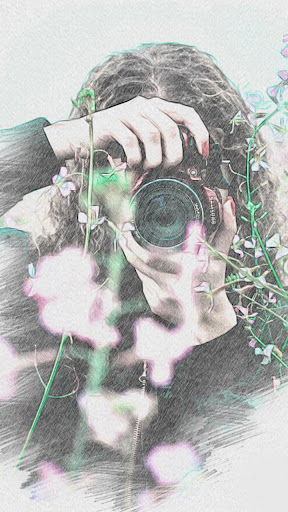
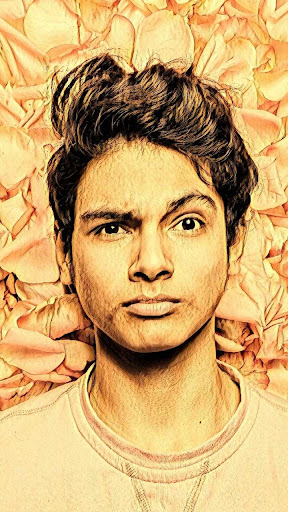
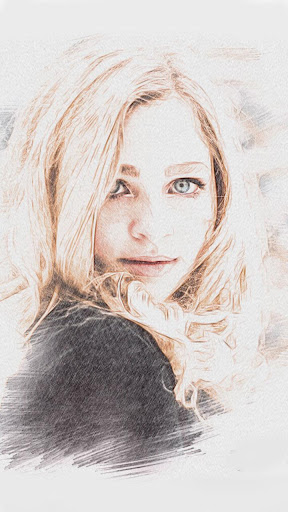
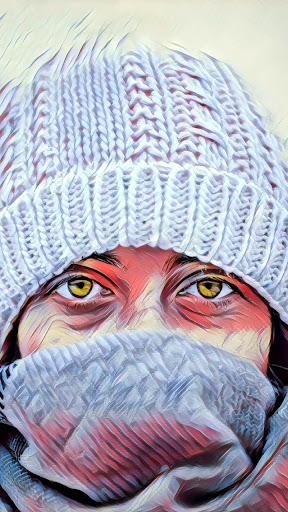
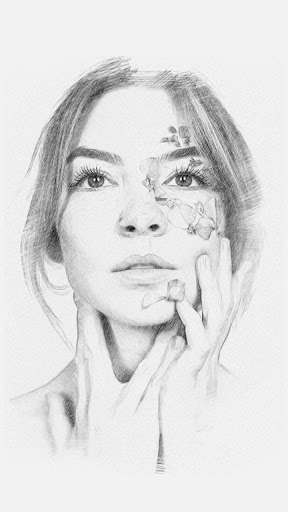
Art Cartoon Camera is an artistic effect camera which apply pencil sketch, cartoon and oil painting effects & filters for you; Art Cartoon Camera is a new better sketch art cartoon camera & photo editor for you to snap cartoon photos and edit pictures.
Wanna create an artwork or a cartoon photo with amazing filters? Art Cartoon Camera is here to make your dream come true, just choice a scene you like and click the shutter, you will get a cool painting effect picture.
You can also apply all these cool cartoon effect & filters to the existing photos in your gallery.
V2.0 feature:
Add Stylize feature which can create amazing photo effects, transform your photos into paintings. Enjoy!
★★ Art Cartoon Camera Key Features:
- Cartoon, Pencil Sketch, and Oil Art Painting effects
- 100+ wonderful filters in Art Cartoon Camera
- 30+ cartoon effects in Art Cartoon Photo Editor
- Support UHD camera
- Perfect HD selfie
- White screen flash for front camera, fill light in front camera to take better selfie
- Support take selfie handily by using volume key
- Silent capture mode
- Support burst shot and timer shot
- Floating shutter button for easy capturing
- Support HDR mode, help you take better photos
- Pinch to zoom or move shutter button left-right to zoom
- Auto-focus or Touch to focus
- One tap to share your art work to social platforms: Instagram, WhatsApp , Facebook, Twitter and so on
★★ Art Cartoon Camera also have cool photo editing and art painting features:
- Crop photo: many kinds of ratios for the common social platforms
- Photo adjustment: contrast, saturation, brightness, tone
- Support Vignette function
- Support Tilt-shift photography
- Cartoon sketch painting photo editor
- Grid line in photo editor
- Efficient album manage for your photos
- Stamp photos with time and date tags
Notes:
- Art Cartoon Camera is FREE and will help you take cool photos on all Android 4.2+ devices!
- Android™ is a registered trademark of Google, Inc.
Art Cartoon Camera permission requirement:
1. Art Cartoon Camera need take photos permission
2. Art Cartoon Camera need access files on your device permission
3. Art Cartoon Camera need access audio to record video
Wanna create an artwork or a cartoon photo with amazing filters? Art Cartoon Camera is here to make your dream come true, just choice a scene you like and click the shutter, you will get a cool painting effect picture.
You can also apply all these cool cartoon effect & filters to the existing photos in your gallery.
V2.0 feature:
Add Stylize feature which can create amazing photo effects, transform your photos into paintings. Enjoy!
★★ Art Cartoon Camera Key Features:
- Cartoon, Pencil Sketch, and Oil Art Painting effects
- 100+ wonderful filters in Art Cartoon Camera
- 30+ cartoon effects in Art Cartoon Photo Editor
- Support UHD camera
- Perfect HD selfie
- White screen flash for front camera, fill light in front camera to take better selfie
- Support take selfie handily by using volume key
- Silent capture mode
- Support burst shot and timer shot
- Floating shutter button for easy capturing
- Support HDR mode, help you take better photos
- Pinch to zoom or move shutter button left-right to zoom
- Auto-focus or Touch to focus
- One tap to share your art work to social platforms: Instagram, WhatsApp , Facebook, Twitter and so on
★★ Art Cartoon Camera also have cool photo editing and art painting features:
- Crop photo: many kinds of ratios for the common social platforms
- Photo adjustment: contrast, saturation, brightness, tone
- Support Vignette function
- Support Tilt-shift photography
- Cartoon sketch painting photo editor
- Grid line in photo editor
- Efficient album manage for your photos
- Stamp photos with time and date tags
Notes:
- Art Cartoon Camera is FREE and will help you take cool photos on all Android 4.2+ devices!
- Android™ is a registered trademark of Google, Inc.
Art Cartoon Camera permission requirement:
1. Art Cartoon Camera need take photos permission
2. Art Cartoon Camera need access files on your device permission
3. Art Cartoon Camera need access audio to record video
What's New
v6.1
1. Optimized some slider adjustments.
2. Optimized some image display issues that were too small.
3. Optimize the abnormal display issues on the edges of some pictures.
4. Updated API level to Android 15
1. Optimized some slider adjustments.
2. Optimized some image display issues that were too small.
3. Optimize the abnormal display issues on the edges of some pictures.
4. Updated API level to Android 15
App Information
Version Name
5.8
Version Code
56
File Size
18.1 MB
Minimum OS
Android 5.0+
Target SDK
Android 33
Developer
Model X Apps
Contact
Website
Content Rating
Everyone
Package Name
com.camera.sketch.camera.pencilPermissions Required
This app may request the following permissions:
Recent Reviews

Juan Aguiar
5.0★
From the start I snapped a photo of my living room and selected a filter that didn't need adjustment. Clearly a work of art visually. Never experienced difficulty moving around and exploring it's features. Simply select the effect you might like and see how it looks. If to much or to little there is a slide bar for adjustment. Once selected you can download and send. I happened to have myself under contacts so I sent to myself multiple variations, from there I choose which one I liked most.

Sarah Parent
5.0★
Just what I was looking for to help me turn my photos into paintings. I got pro within a few minutes because it wouldn't give me more than a few options without. But now I love it! I plan on painting with acrylics. One of my favorite styles is "bracha"and "American girl" along with obviously "oil paint"there about 30 or more styles to choose from. Thanks so much for making this app!

Rocketsevens
1.0★
Way too many ads. It might work good but they push premium too much. Every time I upload a picture, everything I pick a filter, and everytime I switch filter to filter. NO!! Stay away from, there's better out there anyways. This one's a complete money grab. Plus I asked a programming acquaintance to look into the code; long story short... let's just say... use a junk, unactivated phone (without service) for this one.
Kaleido Scope
2.0★
Not sure what's up. Seems like every thing requires a "prime" purchase. And I haven't been successful at even trying out any features to just get any idea whether it works. I understand economics, but it seems dishonest to claim your app is free or has free features or free for a trial, when in reality every thing you touch requires buying a premium upgrade? Coersion is not the way to get my money. Buying blind to find out you've been gypped... I can't really see if it works.

A Google user
5.0★
The filters that come standard are good. As far as the art styles go, the app leans towards Expressionism & Impressionism. I'd like a few older art styles to be included, but I think l can see the reasoning for their choices. You can combine SOME filters & styles (obviously not all will be compatible) to achieve more than the standard effects.
A Google user
3.0★
Just started playing around with this & so far the maybe 10? artistic edits made my kids (4-13 yrs for reference)look awesome but it seems not so much for a stressed out Mom w/dark circles under the eyes most of the filters & editing make it(me) look worse but that's not the apps fault.. or is it!?! 😱😉 So far it's a neat little app, going to see what else I can do with it when I'm dolled up. All in all it's an ok art editing app I just don't see myself using it everyday.
Ad slot: In-Content