

Background Eraser Photo Editor
com.cut.paste.photo.editor.photo.collage
by Photo Collage Photo Editor
Screenshots




Ad slot: Top Leaderboard
About this app
Background Remover: Remove any unwanted background from your picture in just seconds with our powerful background eraser photo editor app.
Background Changer: Change background of your photo to any image you want, or choose from our library of stunning backgrounds.
Just select the photo, the auto cut object tool will automatically cut out the object in 1 click, convert into 100% PNG file that use as stickers. Cut and Paste photos recognizes pictures well with people, animals, plants and others. No need to erase complicate backgrounds awkwardly bit by bit with fingers. This powerful photo editing tool has advanced technology and editing tools to Cut out the picture and replace background & background remove with high-quality visuals photo quality & professional-looking results.
Background Eraser Photo Editor app provided photo editor tools like
• Cut out templates
• Background changer
• Background remover
• Photo Blender
• Photo collage editor
• Photo blender and editor
• Echo mirror magic photo editor
• Emoji background photo editor
• Photo effects editor
• Photo scrapbook maker
• Auto blur background
• Advanced photo editing tools
Amazing photo editor features: background eraser, remove bg photo editor, photo lab, photo poster, cut paste photo editor background, photo mixer, photo scrapbook maker, transparent bg, png background, echo mirror magic photo editor, photo editor filters effects, photo blur and cut paste photo editor.
Use interesting photo editing tools and powerful technology to edit photos easily and have fun. Just take photo from Phone Gallery or upload a selfie and get ready to meet your different background eraser and changer of photo self. Try our photo editor.
Bring your creativity to life and edit photos with our face filters and stylish photo effects. Cut out the picture and paste it instantly! You can add them without the need for professional help and expensive editing tools! Paste photo into another photo instantly and merge them together. Smart Cutout is also a background photo editor and nature photo editor designed for you to make artworks easily and quickly photo background changer app. Creative background templates as an photo editor offers pic art ideas you want to enhance your photo and add originality to your selfie.
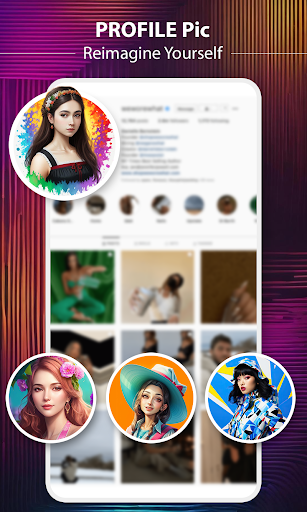
Picture art is the magnificent photo editor that edits, designs and optimizes great visual content that helps you run your business from your phone. Remove or erase the background of photos, use templates and create your profile pic for social media. Surprise your friends with your ever-changing profile pic. Change your image as often as you want and draw even more attention with this amazing app that is never out of new portrait ideas and technologies. Impress, stand out, and keep everyone interested in what's coming next!
Our photo editor is an easy-to-use background remover app & background changer of photo, which helps you to remove backgrounds from photos and make PNG in one second. Its advanced photo editing tool will cut out your picture automatically and convert photo into an artwork to create photo styles beautiful frames. In this Photo background editor, there are more than 100 HD/4K pictures and Artistic background for you to change BG. Multiple tools provided:lasso, eraser, smooth, repair, auto-cut, magic cut after then cut and paste photos give you the easiest way to cut out any objects!
Magic Photo Maker Tool is one artistic style to merge different photos family & friends into one photo to create pic collage. In this automatically cut out tools that easily remove BG from all Photos and this Cut Out Photos Paste on Other Single Background with use our automatically crop out & auto photo changer tools. Use magic auto-selection eraser tool that you can use manually to create a wonderful picture of you and your friend & family floating together in single background and make Photo collages for your family.
Background Changer: Change background of your photo to any image you want, or choose from our library of stunning backgrounds.
Just select the photo, the auto cut object tool will automatically cut out the object in 1 click, convert into 100% PNG file that use as stickers. Cut and Paste photos recognizes pictures well with people, animals, plants and others. No need to erase complicate backgrounds awkwardly bit by bit with fingers. This powerful photo editing tool has advanced technology and editing tools to Cut out the picture and replace background & background remove with high-quality visuals photo quality & professional-looking results.
Background Eraser Photo Editor app provided photo editor tools like
• Cut out templates
• Background changer
• Background remover
• Photo Blender
• Photo collage editor
• Photo blender and editor
• Echo mirror magic photo editor
• Emoji background photo editor
• Photo effects editor
• Photo scrapbook maker
• Auto blur background
• Advanced photo editing tools
Amazing photo editor features: background eraser, remove bg photo editor, photo lab, photo poster, cut paste photo editor background, photo mixer, photo scrapbook maker, transparent bg, png background, echo mirror magic photo editor, photo editor filters effects, photo blur and cut paste photo editor.
Use interesting photo editing tools and powerful technology to edit photos easily and have fun. Just take photo from Phone Gallery or upload a selfie and get ready to meet your different background eraser and changer of photo self. Try our photo editor.
Bring your creativity to life and edit photos with our face filters and stylish photo effects. Cut out the picture and paste it instantly! You can add them without the need for professional help and expensive editing tools! Paste photo into another photo instantly and merge them together. Smart Cutout is also a background photo editor and nature photo editor designed for you to make artworks easily and quickly photo background changer app. Creative background templates as an photo editor offers pic art ideas you want to enhance your photo and add originality to your selfie.
Picture art is the magnificent photo editor that edits, designs and optimizes great visual content that helps you run your business from your phone. Remove or erase the background of photos, use templates and create your profile pic for social media. Surprise your friends with your ever-changing profile pic. Change your image as often as you want and draw even more attention with this amazing app that is never out of new portrait ideas and technologies. Impress, stand out, and keep everyone interested in what's coming next!
Our photo editor is an easy-to-use background remover app & background changer of photo, which helps you to remove backgrounds from photos and make PNG in one second. Its advanced photo editing tool will cut out your picture automatically and convert photo into an artwork to create photo styles beautiful frames. In this Photo background editor, there are more than 100 HD/4K pictures and Artistic background for you to change BG. Multiple tools provided:lasso, eraser, smooth, repair, auto-cut, magic cut after then cut and paste photos give you the easiest way to cut out any objects!
Magic Photo Maker Tool is one artistic style to merge different photos family & friends into one photo to create pic collage. In this automatically cut out tools that easily remove BG from all Photos and this Cut Out Photos Paste on Other Single Background with use our automatically crop out & auto photo changer tools. Use magic auto-selection eraser tool that you can use manually to create a wonderful picture of you and your friend & family floating together in single background and make Photo collages for your family.
App Information
Version Name
1.74
Version Code
75
File Size
16.1 MB
Minimum OS
Android 7.0+
Target SDK
Android 34
Developer
Photo Collage Photo Editor
Contact
Website
Content Rating
Everyone
Package Name
com.cut.paste.photo.editor.photo.collagePermissions Required
This app may request the following permissions:
Recent Reviews

A Google user
1.0★
Disappointing. Difficult to use, automatically opens stock photo that must be deleted before you can try your own photo. No undo/redo buttons that I could find and reset option crashed the app. Offset is offset no matter where the slider is set. Other apps operate considerably simpler. Since I was not able to reach any completion, I cannot evaluate the app's effectivenss. Not recommended.
A Google user
1.0★
This app!🙄😒 As you can tell by my Emojis! I'm not happy! I'm frustrated! trying to figure out how to manually cut and paste with this app, is ridiculously HARD! The video on YouTube makes it seem easy! But, because it's a quick show...not a person explaining how you use the app! The user is lost in how you get the results you want!!🤔 I am Uninstalling this app!

Betty Dolly
5.0★
💝Must appreciate 💯Once photo is selected, it automatically cuts the image . No need to cut it manually which I have been searching. Awesome. But tell me how to save without background . I don't need any background.
A Google user
1.0★
I didn't want to crop the picture , I wanted to cut photo from background and insert to another background. Please be honest in your application you develop. This application was not useful to me. Thanks.
A Google user
5.0★
Back ground colour of edited photos management is excellent .Another features are normal to more useful. it cuts and restores smoothly and successfully pests accurately.

Waqas Ahmad
4.0★
Good app, 4 stars cz we can't properly zoom and use the eraser.. auto background removal works 90% accurate but the remaining pic can't be edited well cz of inability to use brush/zoom function
Ad slot: In-Content