

CloudPlayer™ cloud & offline
com.doubleTwist.cloudPlayer
by doubleTwist ™
Screenshots

Ad slot: Top Leaderboard
About this app
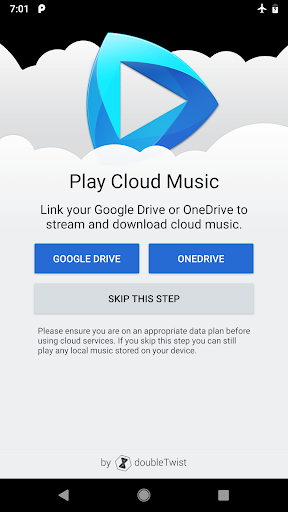
CloudPlayer is a revolutionary music player that puts you in control of your music, no matter where it's stored. Use it as an offline music player or link your Dropbox, OneDrive and Google Drive [Google Drive is supported for existing users only, not new users] to create a giant cloud jukebox for all your music. Stream or download from your cloud accounts for offline playback. Enjoy built-in cloud playlist back-up & sync, Chromecast support, hi-fidelity FLAC & ALAC lossless sound, gapless playback, 10-band EQ, Android Wear & Android Auto support and more. The basic app is free and you can use the premium features for 30 days before needing to upgrade.
CloudPlayer features:
User Interface:
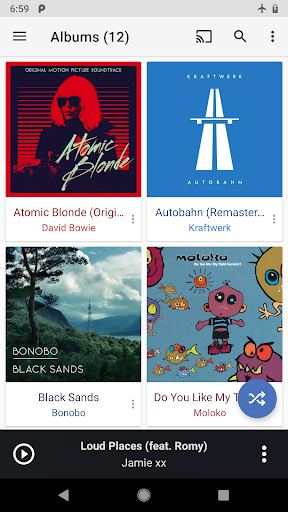
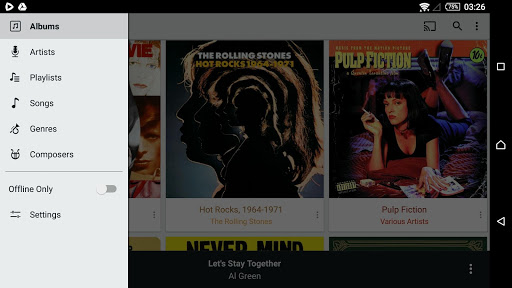
♬ Snappy material design UI
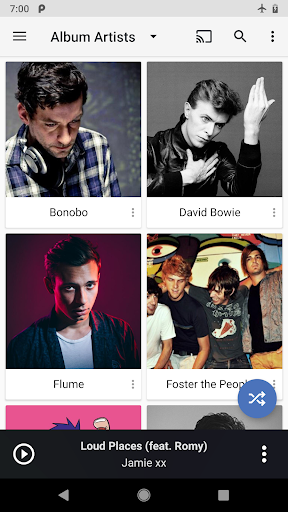
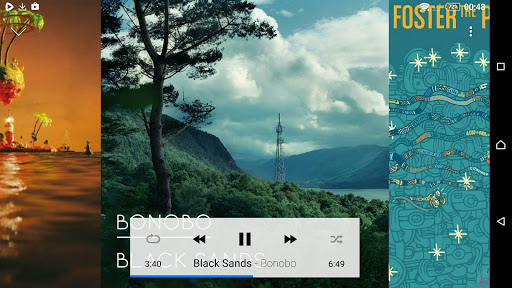
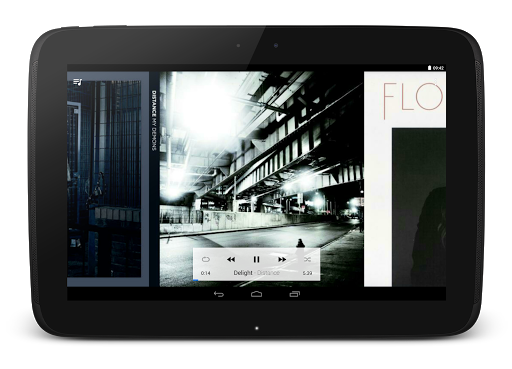
♬ High resolution Artist and album images
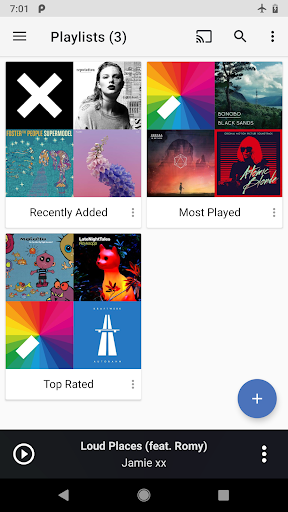
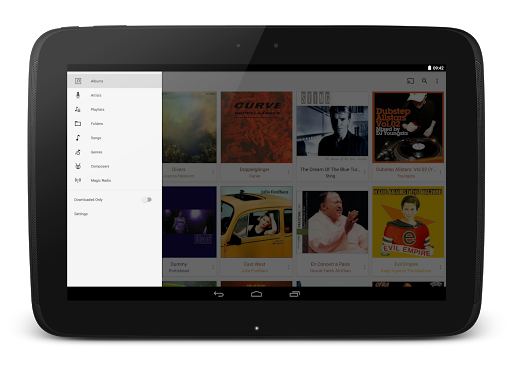
♬ Advanced sorting options for Albums, Artists, Composers, Genres and more
♬ Default screen selection
Premium Sound:
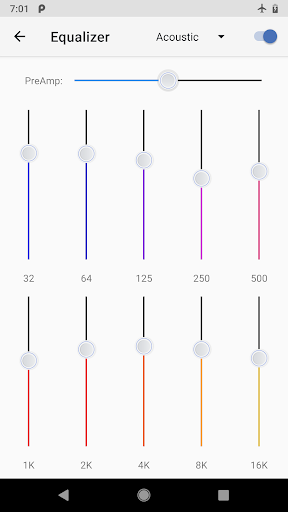
♬ Advanced 10 band equalizer with 17 presets and Preamp (premium)
♬ SuperSound™: Customize your sound with headphone enhancement, bass boost and widening effects (premium)
♬ Support for Lossless file formats such as FLAC and ALAC, including 24-bit audio files
♬ Support for Gapless playback for FLAC, ALAC and MP3/AAC tracks containing gapless metadata (premium)
♬ Support for MP3, AAC, OGG, m4a, wav and more
♬ Support for importing and streaming WMA files from the cloud
Cloud Playlists: (requires optional sign in)
♬ Free back-up of your playlists so you never lose your playlists if you change phones. (optional)
♬ Free playlist sync across your Android devices. For example, playlist changes you make on your tablet will be automatically reflected on your phone and vice versa. (optional)
Cloud music for Dropbox and OneDrive: (premium feature)
♬ Download or stream music directly from your Dropbox and OneDrive without arbitrary restrictions
♬ DOWNLOADED ONLY switch to filter out cloud songs and only show locally stored music
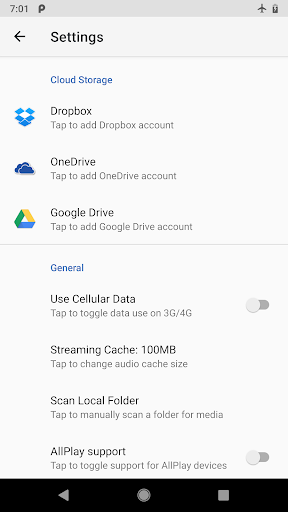
♬ Cellular Data switch disables the app from using cellular data so you can stream on WiFi without worrying about data caps
Cast to wireless speakers and devices: (premium feature)
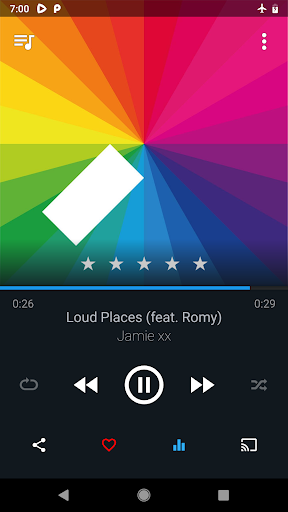
♬ Chromecast support
♬ Cast music to supported devices & wireless speakers from your phone or your Dropbox and OneDrive
Other:
♬ Android Wear support
♬ Android Auto support
♬ Scrobble to Last.fm
♬ Beautiful small and large widgets
The basic version of CloudPlayer is free and you automatically get 30 days to try CloudPlayer's premium features: SuperSound™, EQ, gapless playback, Chromecast and cloud support. If you like the premium features, please upgrade and help support future development from our Austin, Texas based team.
Use of this app is subject to the doubleTwist Terms of Use and Privacy Policy available at: http://www.doubletwist.com/legal/
doubleTwist is an authorized Dropbox and OneDrive developer. Use of Dropbox and OneDrive APIs and trademarks is consistent with the Dropbox and Microsoft TOS and TOU:
https://www.dropbox.com/developers/reference/tos
https://docs.microsoft.com/en-us/onedrive/developer/terms-of-use
CloudPlayer features:
User Interface:
♬ Snappy material design UI
♬ High resolution Artist and album images
♬ Advanced sorting options for Albums, Artists, Composers, Genres and more
♬ Default screen selection
Premium Sound:
♬ Advanced 10 band equalizer with 17 presets and Preamp (premium)
♬ SuperSound™: Customize your sound with headphone enhancement, bass boost and widening effects (premium)
♬ Support for Lossless file formats such as FLAC and ALAC, including 24-bit audio files
♬ Support for Gapless playback for FLAC, ALAC and MP3/AAC tracks containing gapless metadata (premium)
♬ Support for MP3, AAC, OGG, m4a, wav and more
♬ Support for importing and streaming WMA files from the cloud
Cloud Playlists: (requires optional sign in)
♬ Free back-up of your playlists so you never lose your playlists if you change phones. (optional)
♬ Free playlist sync across your Android devices. For example, playlist changes you make on your tablet will be automatically reflected on your phone and vice versa. (optional)
Cloud music for Dropbox and OneDrive: (premium feature)
♬ Download or stream music directly from your Dropbox and OneDrive without arbitrary restrictions
♬ DOWNLOADED ONLY switch to filter out cloud songs and only show locally stored music
♬ Cellular Data switch disables the app from using cellular data so you can stream on WiFi without worrying about data caps
Cast to wireless speakers and devices: (premium feature)
♬ Chromecast support
♬ Cast music to supported devices & wireless speakers from your phone or your Dropbox and OneDrive
Other:
♬ Android Wear support
♬ Android Auto support
♬ Scrobble to Last.fm
♬ Beautiful small and large widgets
The basic version of CloudPlayer is free and you automatically get 30 days to try CloudPlayer's premium features: SuperSound™, EQ, gapless playback, Chromecast and cloud support. If you like the premium features, please upgrade and help support future development from our Austin, Texas based team.
Use of this app is subject to the doubleTwist Terms of Use and Privacy Policy available at: http://www.doubletwist.com/legal/
doubleTwist is an authorized Dropbox and OneDrive developer. Use of Dropbox and OneDrive APIs and trademarks is consistent with the Dropbox and Microsoft TOS and TOU:
https://www.dropbox.com/developers/reference/tos
https://docs.microsoft.com/en-us/onedrive/developer/terms-of-use
What's New
New in v1.8.7:
♬ Added support for Android 14.
♬ Updates to playback engine.
♬ Fixed Chromecast issue caused by recent Google update to web player running on Chromecast devices.
♬ Added support for Android 14.
♬ Updates to playback engine.
♬ Fixed Chromecast issue caused by recent Google update to web player running on Chromecast devices.
App Information
Version Name
1.2.1
Version Code
10080
File Size
29.9 MB
Min SDK
Android 16+
Target SDK
Android 23
Developer
doubleTwist ™
Contact
Website
Content Rating
Everyone
Package Name
com.doubleTwist.cloudPlayerPermissions Required
This app may request the following permissions:
Recent Reviews

John Reinke
3.0★
A new issue recently is that the application no longer caches the Dropbox files correctly - even for files which I have keep downloaded. I connect to a speaker, I start a playlist, and it just skips through the entire list to the end, as if the files don't exist or they are empty. I even tried recreating the playlist, and it's still happens. This is frustrating because I normally have different playlists for when I go to bed, and it won't play anything.

Fabian Valdez
1.0★
I just brought this because the trail ended, and all sudden it stopped working. I keep unstalling and installing and refreshing the app. It's still not working at all. it was working perfectly fine before the expiration trail. what happened? All my music files are there and work over the phone audio. They practically stole our money since we can't get a refund back. This is unethical. There's no customer reach out. where's our money? I read that customers have the same problem now. false adverti

Stephen Christian
1.0★
This app worked great... until it didn't. It seems to sync with my OneDrive music folder, but when I try to play anything, it won't play the file. It used to work, but doesn't anymore. I have tried CloudBeats and it partially syncs (doesn't get EVERY file). Frustrating because neither app is allowing me complete access to my OneDrive music files. UPDATE: Customer support is non-existant.

A Google user
2.0★
As a player, has all the features one could want, and it's ability to 'read' my OneDrive music folder is a real plus. It falls down though, in that it creates its own, local playlist files on the device rather than continue to just use the playlist files on OneDrive, so there's no sync possible. I know that's a common feature for most music apps, but in finding a replacement for Groove, this seems like such a simple missed opportunity to provide the perfect replacement that will completely remove the need for any duplication of playlist edits on my PC and app, Pity Hmm, I'm also finding out in succeeding days that the playlists did not import properly, numerous missing songs, and some WMA files are freezing in mid-play, even though they play fine on Groove. Less happier still

Matthew Rodriguez
3.0★
Good, but lacking some basics. It's the only one I can find which plays music directly from my OneDrive! It streams directly from my cloud drive without having to download. There is a bug though. Some tracks I own don't play on this app. The app just doesn't "see" them, even though they are in the same folder as other songs that the app does see. Same format, same bitrate (ripped myself). It also won't shuffle artists. It just shuffles albums or playlists.

Catherine G.
3.0★
Update for 2024… Casting straight up doesn't work. I love this app so much and was SO READY to fork over some $ once the trial ended. This is really just a perfect solution for replacing Google Play Music. Honestly it's better all around, I wish I had made the switch sooner. I miss having the podcasts, but it's a minor thing that Magic Radio more than makes up for.
Ad slot: In-Content