

Drawing Apps: Draw, Sketch Pad
com.drawing.pad.desk.app.coloring.book.paint.sketch
by Photo Editor Apps Maker Studio
Screenshots




Ad slot: Top Leaderboard
About this app
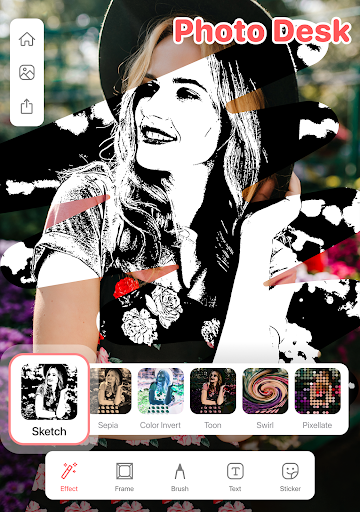
Drawing Apps is a professional drawing and canvas painting 🎨 game, it focuses on realistic drawings. You can start doodling, painting, draw on photo, paint on canvas, make picture art, photo sketch, doodle, scribble, writing, and coloring book on your phone, tab or pad.
Features:
Drawing Desk app features 5 pro digital art drawing pads: 1) Sketch Pad, 2) Kids Pad, 3) Coloring Pad (Color by Number Pad), 4) Photo Pad, and 5) Doodle Pad.
- Sketch Pad: It supports multiple layers. Pro artist sketching tools like pencil, crayons, pen, watercolor brush, fill bucket, roller, etc.
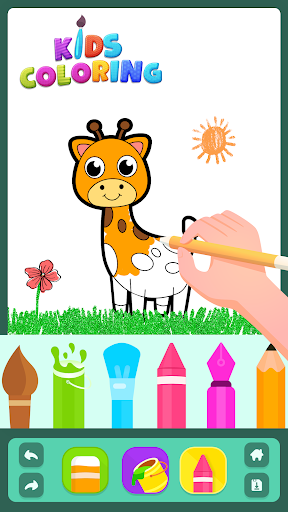
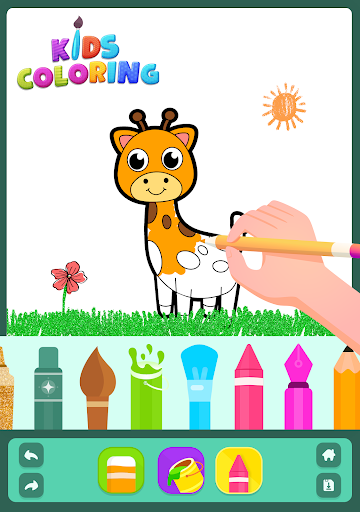
- Kids Pad: Let your kids fun with Color Fill, Fun Paint, Kids Drawing, Glow Pen, and Number Paint.
- Coloring Pad: It supports fully featured Colour Palette to draw art. Including 500+ Colouring pages of animals, alphabet, numbers, fruits for kids & adults.
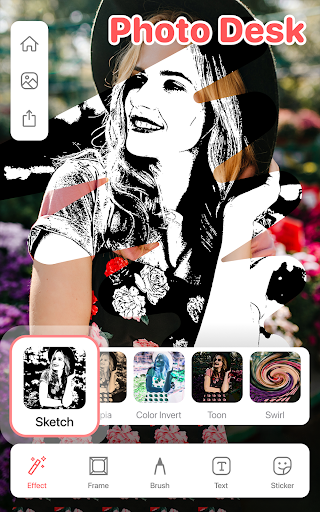
- Photo Pad: Allows you to draw on any photo, with a group of brushes
- Doodle Pad: It provides you a simple pad to draw and allows you to fill color with different brush sizes and strokes.
- App works offline & online!
- Share your directly with your friends and family directly from the app.
- Additionally: The Drawing Apps provides you a simple canvas pad to draw on and allows you to fill in color.🎨 Multiple colors are provided to make your better experience. 40+ Brushes 🖌️ allow you to make various sketches. Take notes in your handwriting and save it for later reference.
Why Drawing Apps is different from other apps?
Canvas Sizes 🖼️ : You can choose from the different canvas sizes like 7 inch tablet, landscape, Portrait, iPad size, iPad PRO, Square, Large Postcard etc. you can have various options to choose from different canvas sizes.
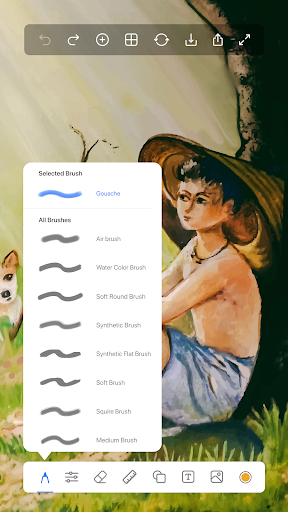
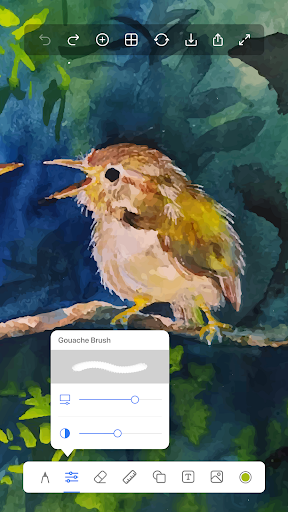
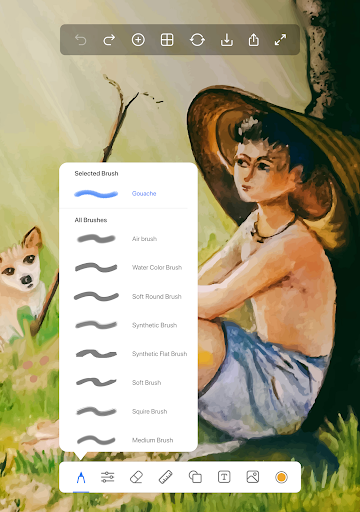
40+ Brushes🖌️: Our unique collection of pro tools such as Pencils, Pen, Fountain Pen, Chalk, Tattoo Ink, Marker, Water Color, Pattern Brushes, Glow Brushes and many more to help kids & adults to create amazing artworks.
Ruler📏: This tool is used to make straight lines on the canvas and also you can draw line art. An extremely free and liberating technique that relies of areas of repeated lines to create light and darker areas. Ruler is great for fast sketching and is easy to create and great light to dark gradient.
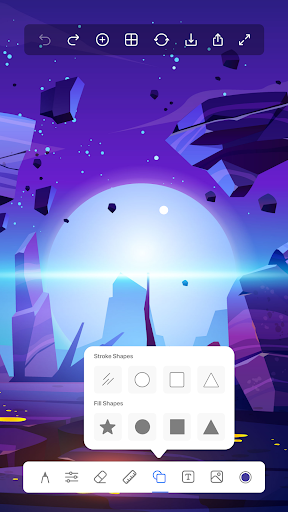
Shapes⭕: Shape tool to create perfect shape without taking help of drawing tools. You can draw a straight line, a perfect circle, a square/rectangle, an oval. You can have all the tools with filled and without filled effects.
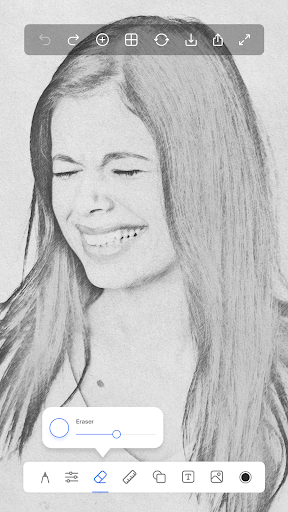
Draw on Photos📷: You can import a photo and trace the image and draw above it. That makes it a good way to draw on photos and also a decent way to learn for kids, newbies, and artists.
Text on Photos💬: Text is the all-in-one tool for text on photos creation. Texts can be added to a photo, gradient, solid color or transparent background. Text tool makes it easy to insert text to photos, be it a quote, a three-statement or wishes you want to send to someone through a photo text editor.
Support
If you have any questions or queries, you can get in touch with our development team and will get back to you within 24 hours. Write your ideas about more drawing features and share your feedback to us at : [email protected]
Features:
Drawing Desk app features 5 pro digital art drawing pads: 1) Sketch Pad, 2) Kids Pad, 3) Coloring Pad (Color by Number Pad), 4) Photo Pad, and 5) Doodle Pad.
- Sketch Pad: It supports multiple layers. Pro artist sketching tools like pencil, crayons, pen, watercolor brush, fill bucket, roller, etc.
- Kids Pad: Let your kids fun with Color Fill, Fun Paint, Kids Drawing, Glow Pen, and Number Paint.
- Coloring Pad: It supports fully featured Colour Palette to draw art. Including 500+ Colouring pages of animals, alphabet, numbers, fruits for kids & adults.
- Photo Pad: Allows you to draw on any photo, with a group of brushes
- Doodle Pad: It provides you a simple pad to draw and allows you to fill color with different brush sizes and strokes.
- App works offline & online!
- Share your directly with your friends and family directly from the app.
- Additionally: The Drawing Apps provides you a simple canvas pad to draw on and allows you to fill in color.🎨 Multiple colors are provided to make your better experience. 40+ Brushes 🖌️ allow you to make various sketches. Take notes in your handwriting and save it for later reference.
Why Drawing Apps is different from other apps?
Canvas Sizes 🖼️ : You can choose from the different canvas sizes like 7 inch tablet, landscape, Portrait, iPad size, iPad PRO, Square, Large Postcard etc. you can have various options to choose from different canvas sizes.
40+ Brushes🖌️: Our unique collection of pro tools such as Pencils, Pen, Fountain Pen, Chalk, Tattoo Ink, Marker, Water Color, Pattern Brushes, Glow Brushes and many more to help kids & adults to create amazing artworks.
Ruler📏: This tool is used to make straight lines on the canvas and also you can draw line art. An extremely free and liberating technique that relies of areas of repeated lines to create light and darker areas. Ruler is great for fast sketching and is easy to create and great light to dark gradient.
Shapes⭕: Shape tool to create perfect shape without taking help of drawing tools. You can draw a straight line, a perfect circle, a square/rectangle, an oval. You can have all the tools with filled and without filled effects.
Draw on Photos📷: You can import a photo and trace the image and draw above it. That makes it a good way to draw on photos and also a decent way to learn for kids, newbies, and artists.
Text on Photos💬: Text is the all-in-one tool for text on photos creation. Texts can be added to a photo, gradient, solid color or transparent background. Text tool makes it easy to insert text to photos, be it a quote, a three-statement or wishes you want to send to someone through a photo text editor.
Support
If you have any questions or queries, you can get in touch with our development team and will get back to you within 24 hours. Write your ideas about more drawing features and share your feedback to us at : [email protected]
What's New
• AR Drawing: Use your camera as a transparent canvas • Trace Real Objects: Draw over anything you see through your camera • Real-time View: See your drawing and reality together • Perfect for References: Trace photos and objects easily • Adjustable Transparency: Control camera view • Save Progress: Continue your AR drawings later Previous Updates: • Smart Kids Coloring: Perfect coloring within borders • Advanced Zoom: Detailed work and coloring • Save & Share: Keep your artwork
App Information
Version Name
1.8.5
Version Code
45
File Size
40.1 MB
Minimum OS
Android 7.0+
Target SDK
Android 33
Developer
Photo Editor Apps Maker Studio
Contact
Website
Content Rating
Everyone
Package Name
com.drawing.pad.desk.app.coloring.book.paint.sketchPermissions Required
This app may request the following permissions:
Recent Reviews

Jacqlynn Ann Marie
5.0★
simple easy to use love that I can save to gallery and share with my friends on Facebook at the same time.

Aansa Kashif
4.0★
all features are good but where's the option of mixing colors together
Sunil Productions
5.0★
Excellent drawing and painting app. I used it to paint on one of my photo images, it did an excellent job. Just take care not to pull back your brush tool on a line you have already drawn. If you pull back, the app generates a straight line connecting both ends of the line automatically. Hope you got the point! And, there was no watermark of any sort in the final output!🙂👍

Gladys Dela cruz
5.0★
this is very easy to use and it's free! unlike ibispaint it's very helpful to use you if you have no cash in your bank account I prefer this more than ibispaint thank you for listening
Aaron King
2.0★
I have accidentally hit the 'save image' button about a dozen times on 'Sketch', and it asks me to rate the app every time...before I can even finish a dang sketch. So... Here are two frustrated little stars for ya. Happy? Not to mention that button is in an inconvenient spot and there's no popup to ask if that's what the user meant to click on. Definitely add that. That's a star there, as well as a way to change the size of the normal drawing brush. Being stuck on one size isn't great for art.

Jayla Miller
4.0★
It's a good app, but it can't zoom in.
Ad slot: In-Content