

AI Photo Editor Pic BG Eraser
com.energysh.onlinecamera1
by VIDEOSHOW Video Editor & Maker & AI Chat Generator
Screenshots
Ad slot: Top Leaderboard
About this app
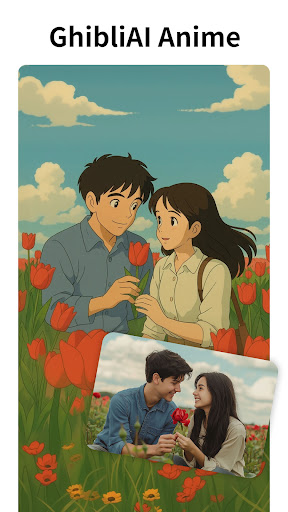
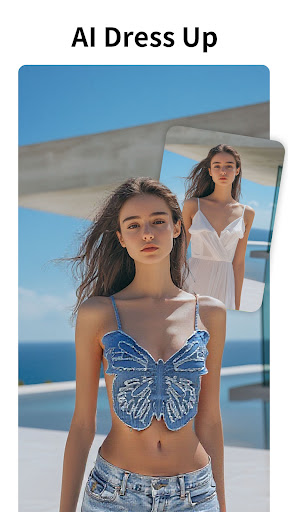
Magicut AI Photo Editor presents the exclusive GhibliAI limited-edition stickers, filters, and photo frames to light up your fantasy! With AI Photo Enhancer and Background Eraser, create stunning images effortlessly. This all-in-one AI Photo Editor is perfect for cutout, retouch, and remove BG tasks. Whether you want to cartoon yourself, clean a background, or apply professional filters, Magicut does it all.
🔥 Features of Magicut AI Photo Editor:
• AI Photo Enhancer – Upgrade blurred, low-res, or old photos to sharp HD in a tap.
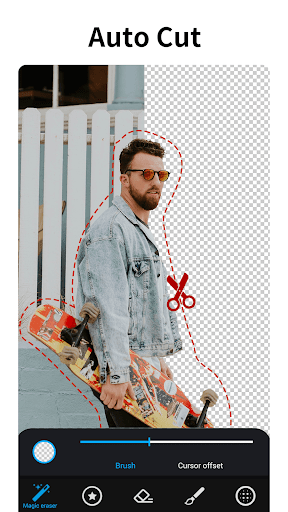
• Cutout Tool – AI-powered cutout lets you isolate subjects with precision.
• Background Eraser – Instantly remove BG, swap scenes, or make PNGs with transparent background.
• Retouch Tools – Smooth skin, reshape facial features, and apply AI retouch effects easily.
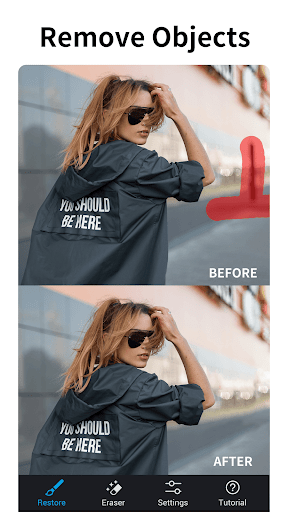
• Remove Objects – Use the retouch brush to remove unwanted people or elements in photos.
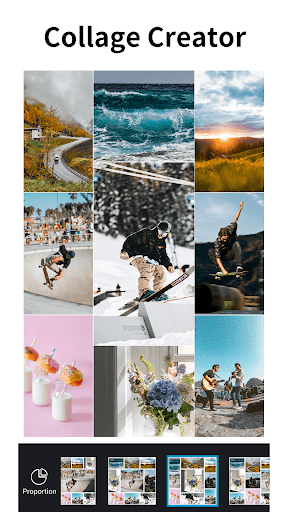
• Photo Collage Maker – Combine images using creative grids, frames, and stickers.
• 3D Cartoon Effect – Turn selfies into anime avatars or artistic cutout illustrations.
• Colorize B&W Photos – Revive your old memories with vibrant color.
• Magic Brush – Apply filters, bokeh, and blur effects creatively.
• Filter Studio – Over 100+ filters for any vibe: vintage, film, cyber, dreamy, and more.
• Sticker Library – Add fun, themed, or Ghibli-inspired stickers to express personality.
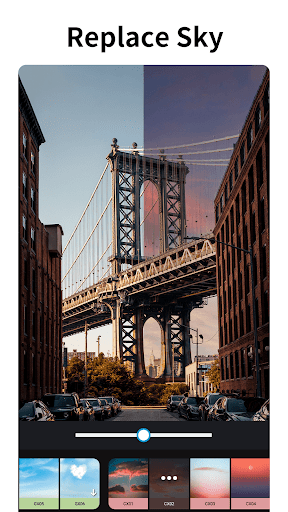
• Remove BG & Sky – Smart AI can detect and remove BG or even change the sky.
• Professional Photo Editor – Adjust brightness, contrast, HDR, and apply AI photo enhancer auto-fixes.
• Text Tool – Add quotes, memes, or titles with stylized fonts.
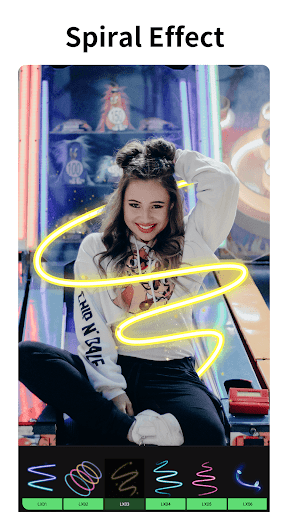
• Graffiti & Blur – Doodle on photos or use artistic blur to highlight subjects.
• Templates & Layouts – Choose from 100+ designer photo collage maker templates.
🎨 Smart AI Cutout Editor
With cutout and background eraser, make montages, clone yourself, or teleport to new locations. Combine filters, overlays, and stickers for dynamic results. The AI photo editor ensures precise retouch and creative control.
📷 Face Retouch & Beauty Filters
Built-in AI photo enhancer improves facial detail, while retouch features enhance eyes, lips, and skin. Use beauty filters or try the auto cutout to change backgrounds in portraits.
📸 Remove BG, Objects & Imperfections
Erase clutter or remove BG with one tap. Retouch brush lets you remove acne, wrinkles, shadows, or background distractions quickly and precisely.
✨ Filters, Stickers & Photo Collage Maker
Upgrade your photos with trending filters, themed stickers, and use photo collage maker to merge memories into one artwork. Whether it’s daily moments or special events, your creativity flows with every tap.
🌟 Why Magicut AI Photo Editor?
• All-in-one AI photo editor & cutout tool
• Industry-grade background eraser & retouch capabilities
• 12+ built-in AI engines: from remove BG, auto enhance, to cartoon and aging
• Lightweight, powerful, and updated with new filters and stickers weekly
• Ideal for photo editing, content creation, and visual storytelling
🎉 Download Magicut AI Photo Editor now and start creating magic! Whether it’s a pro-level cutout, simple retouch, or artistic photo collage maker, your photos will always shine.
📩 Contact us: [email protected]
🔥 Features of Magicut AI Photo Editor:
• AI Photo Enhancer – Upgrade blurred, low-res, or old photos to sharp HD in a tap.
• Cutout Tool – AI-powered cutout lets you isolate subjects with precision.
• Background Eraser – Instantly remove BG, swap scenes, or make PNGs with transparent background.
• Retouch Tools – Smooth skin, reshape facial features, and apply AI retouch effects easily.
• Remove Objects – Use the retouch brush to remove unwanted people or elements in photos.
• Photo Collage Maker – Combine images using creative grids, frames, and stickers.
• 3D Cartoon Effect – Turn selfies into anime avatars or artistic cutout illustrations.
• Colorize B&W Photos – Revive your old memories with vibrant color.
• Magic Brush – Apply filters, bokeh, and blur effects creatively.
• Filter Studio – Over 100+ filters for any vibe: vintage, film, cyber, dreamy, and more.
• Sticker Library – Add fun, themed, or Ghibli-inspired stickers to express personality.
• Remove BG & Sky – Smart AI can detect and remove BG or even change the sky.
• Professional Photo Editor – Adjust brightness, contrast, HDR, and apply AI photo enhancer auto-fixes.
• Text Tool – Add quotes, memes, or titles with stylized fonts.
• Graffiti & Blur – Doodle on photos or use artistic blur to highlight subjects.
• Templates & Layouts – Choose from 100+ designer photo collage maker templates.
🎨 Smart AI Cutout Editor
With cutout and background eraser, make montages, clone yourself, or teleport to new locations. Combine filters, overlays, and stickers for dynamic results. The AI photo editor ensures precise retouch and creative control.
📷 Face Retouch & Beauty Filters
Built-in AI photo enhancer improves facial detail, while retouch features enhance eyes, lips, and skin. Use beauty filters or try the auto cutout to change backgrounds in portraits.
📸 Remove BG, Objects & Imperfections
Erase clutter or remove BG with one tap. Retouch brush lets you remove acne, wrinkles, shadows, or background distractions quickly and precisely.
✨ Filters, Stickers & Photo Collage Maker
Upgrade your photos with trending filters, themed stickers, and use photo collage maker to merge memories into one artwork. Whether it’s daily moments or special events, your creativity flows with every tap.
🌟 Why Magicut AI Photo Editor?
• All-in-one AI photo editor & cutout tool
• Industry-grade background eraser & retouch capabilities
• 12+ built-in AI engines: from remove BG, auto enhance, to cartoon and aging
• Lightweight, powerful, and updated with new filters and stickers weekly
• Ideal for photo editing, content creation, and visual storytelling
🎉 Download Magicut AI Photo Editor now and start creating magic! Whether it’s a pro-level cutout, simple retouch, or artistic photo collage maker, your photos will always shine.
📩 Contact us: [email protected]
What's New
Hey, guys,
With this update:
We provide you with the following functions
- The Collage function has been upgraded to include four modes: "Picsew", "Grid", "Template" and "Free".
- Improve performance and optimize experience
Let you enjoy editing!
With this update:
We provide you with the following functions
- The Collage function has been upgraded to include four modes: "Picsew", "Grid", "Template" and "Free".
- Improve performance and optimize experience
Let you enjoy editing!
App Information
Version Name
6.6.0.0-CN
Version Code
1303
File Size
244.0 MB
Minimum OS
Android 6.0+
Target SDK
Android 33
Developer
VIDEOSHOW Video Editor & Maker & AI Chat Generator
Contact
Website
Content Rating
Everyone 10+
Package Name
com.energysh.onlinecamera1Permissions Required
This app may request the following permissions:
Recent Reviews

Michael Shirk
2.0★
This is a good app. I generally don't leave reviews, but I'm a business major and $26/month is egregious. That is more than a subscription to most video game subscriptions or streaming services. If you have the money to afford this you are better off subscribing to Adobe photo plan or Capture One on PC. Polish also makes a great app where you can cut photos manually for free; although, it takes more time. But, at $312/year for Magic Cut, you are better off finding an alternative.

A Google user
1.0★
The app layouts nice and all, and there's a decent amount of features but it can't locate any of my pictures on my phone even though I gave it permission so you know you can see my art work on any local non-graffitied (spelling?) white wall around :) Edit as response to editors/creators: No, finding the finished product wasnt really the problem, finding any picture to cut/erase/paste with would not show up. Any pictures in my gallery screenshots or any of the sort would not be located by your app

Joshua Chapin
1.0★
So, free version of this app is SUPER unintuitive, I found no cut feature and very little besides stacking photos on other photos with a really annoying frame around them. Maybe you have to do the "3-day trial" to get ALL features? Still stupid: I'm not going to do the work to "cancel" pmt for something I didn't even get to try. 🥴👍 I'll gladly ADD a payment if I decide I LIKE it- which is what GOOD software trials do. But I'm not getting stuck paying for some garbage via "technicalities".

Switch HoodFreshWave
1.0★
$40 a MONTH?? Are u kidding me?! No thanks. I'll stick to Adobe Fireworks, at least it can do everything this app does and then some. Plus its a lot easier to edit on a proper PC vs a mobile phone and I don't have to pay a monthly fee smh.. The only thing I was looking to get out of this app was to see if it had the ability to create .svg files. Not paying $40 to find out...

Eli Yap
1.0★
The app was pretty decent to use at least, but what I didn't expect was that the app still charged me when I didn't subscribe to anything on the app and there is no customer service as far as I can see at least to ask for a refund, this is why I left nothing but one star. Be suspicious of any charges in your balance and check for the subscription option in play store before leaving the app idle.

Umar Sattar
4.0★
An absolutely phenomenal app for editing photos. Every action is very precise. You can cut out any picture and smooth it out to your hearts content. You can paste it to whatever you want with precision and edit colours, remove blemishes etc. BUT The price is very, very, very steep. It's as much as some TV packages. It's double that of streaming apps. The itself is perfect for editing and creating pictures. But due to the price, alas, I am unable to use it.
Ad slot: In-Content