

Automatic Tag Editor
com.fillobotto.mp3tagger
by fillobotto
Screenshots
Ad slot: Top Leaderboard
About this app
Do you remember times when you first decided to keep your music library more tidy? You found out that the only solution was to fill in manually all songs info, one by one.
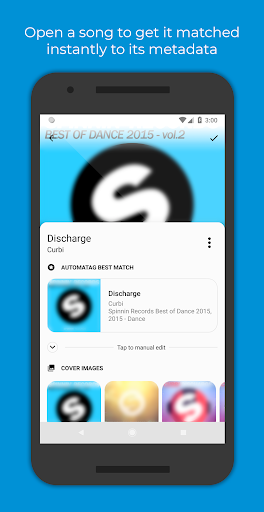
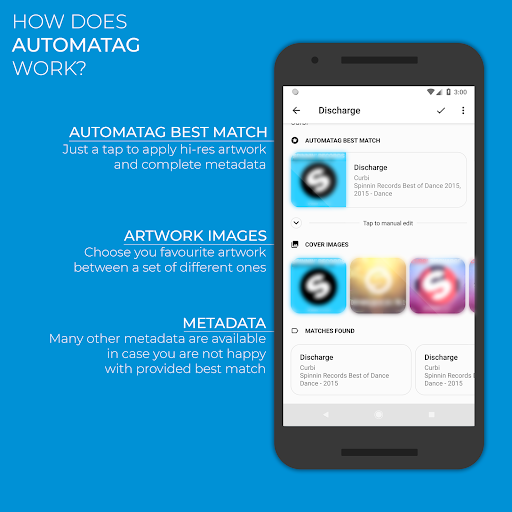
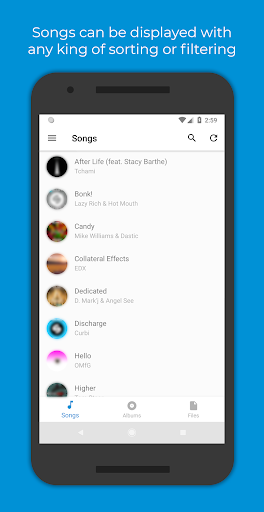
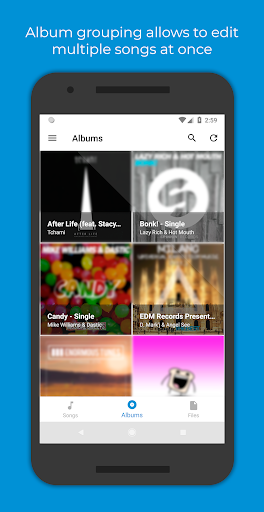
These days are over! Automatic Tag Editor analyses your library and pick for you close tag matches, just tap on the one you prefer and you are done. It will only take five seconds per song...Guaranteed! And that's not all: it also gives you some squared hi-res pictures you can use as cover art by tapping on them.
This automatic editor is perfect for editing ID3 tag of your music library. It updates the embedded tags so you don't lose them when you move files away from your phone.
Edit all the most known tag information
‣ Title
‣ Artist
‣ Album artist
‣ Album
‣ Genre
‣ Year
‣ Track number
‣ Track total
‣ Disc number
‣ Disc total
‣ Lyrics
‣ Comment
Multiple audio formats are supported:
‣ Mp3
‣ M4a
‣ Ogg
‣ Flac
‣ Wma
‣ Wav
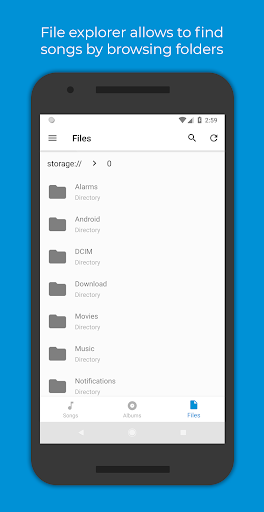
Supports editing files on SD card!
Note: Automatic Tag Editor is only intended to help users to recover metadata related to the songs they have previously bought as digital copy but for which they lost their metadata in any way. Automatic Tag Editor and its staff do not support music piracy in any way.
These days are over! Automatic Tag Editor analyses your library and pick for you close tag matches, just tap on the one you prefer and you are done. It will only take five seconds per song...Guaranteed! And that's not all: it also gives you some squared hi-res pictures you can use as cover art by tapping on them.
This automatic editor is perfect for editing ID3 tag of your music library. It updates the embedded tags so you don't lose them when you move files away from your phone.
Edit all the most known tag information
‣ Title
‣ Artist
‣ Album artist
‣ Album
‣ Genre
‣ Year
‣ Track number
‣ Track total
‣ Disc number
‣ Disc total
‣ Lyrics
‣ Comment
Multiple audio formats are supported:
‣ Mp3
‣ M4a
‣ Ogg
‣ Flac
‣ Wma
‣ Wav
Supports editing files on SD card!
Note: Automatic Tag Editor is only intended to help users to recover metadata related to the songs they have previously bought as digital copy but for which they lost their metadata in any way. Automatic Tag Editor and its staff do not support music piracy in any way.
App Information
Version Name
1.6.11
Version Code
35
File Size
3.4 MB
Minimum OS
Android 4.4+
Target SDK
Android 23
Developer
fillobotto
Contact
Website
Content Rating
Everyone
Package Name
com.fillobotto.mp3taggerPermissions Required
This app may request the following permissions:
Recent Reviews

A. Schembri
5.0★
I almost gave up on what I call old reliable. Picked up a new android and immediately went to D/L this due to an OCD with unlabeled tracks. To my dismay, I encountered the same issue as other reviewers. After a bit of toying around with it. The solution to the "access permission" hurdle. Is to pick the songs to tag via the folder icon (bottom right of center) in the Automa app. Hope this helps.

Confused?
2.0★
It does what you need it to do (once upon a time). Use to do it well, but now the app struggles to actually change any metadata (I'll fill out all fields and save only to see NOTHING was changed), forget doing it automatically. It will ask you repeatedly for file access where your desired media is stored despite you having just given it access, and then you can't proceed because it just keeps asking. It wasn't always this janky, so idk what happened.

Bournefort
5.0★
STILL WORKS GREAT - NEED TO MOVE MUSIC TO DIFFERENT FOLDER This app doesn't deserve the negative reviews. It is still the BEST automating mp3 tagging software I have found. After a recent android update, the app no longer has access to the Downloads folder. You need to move your mp3 files to a different folder (I used the Music Folder) and it will work perfectly.

William Beausoleil
5.0★
Like all apps like this, there's a bit of a learning curve at first. Unlike other similar apps, this one has everything you need all-in-one. You get free metadata changes that would typically take days into a manner of minutes. No ads as well, which is rarity nowadays. don't be deterred by the review score, this app is a five-star experience. Highly recommend for anyone into the Hi-Fi and music scene.

Bradford Freeman
4.0★
I used it to add karaoke style covers of songs to my YouTube library and it was very easy. It recognized most songs and got all the album info just from the file name, then I was easily able add details to differentiate it as a cover ("cover" tag in title, artist name and album art) Only complaint is the actual process is a bit clunky, in ways like scrolling through album art I have to move my finger in a very straight line for it to scroll through. Also some controls aren't labeled well.

Sir Vincerd
4.0★
This is a great app, not sure why some dislikes. It loads the album cover for the most part. Sometimes it doesn't because you may just need to look up the correct author if the song is lesser known. However, even that is not even a big issue because it's not all the time. Great app, and definitely a time saver since I don't have to type in everything myself.
Ad slot: In-Content