
Photo Art - Color Effects
com.funfactory.photoeditor
by Fun Factory
Screenshots







Ad slot: Top Leaderboard
About this app
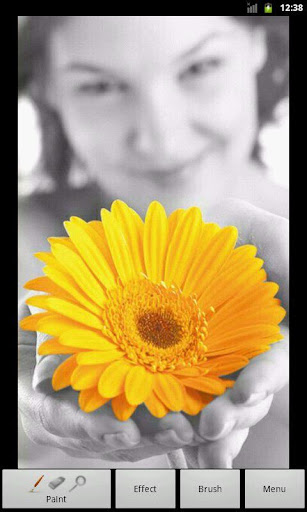
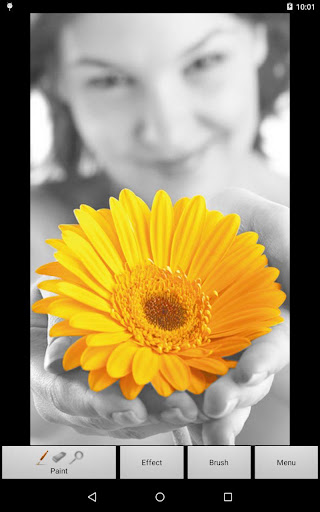
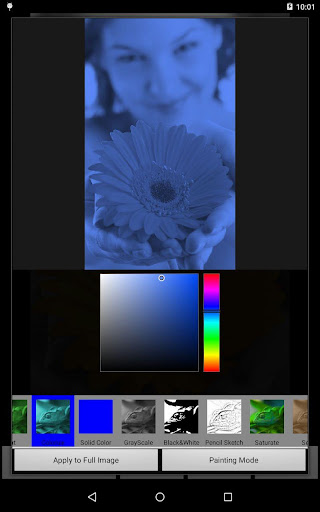
Create art photos fast and easily! Color the picture with your fingers or apply several effects. Color your old black&white photos. Everyone can be an artist!
- 32 effects (sepia, grayscale, black&white, tint, colorize, pixelize, mosaic, pencil sketch, posterize, solarize, brightness/contrast, exposure, negative, thermal, heatmap, saturate, sharpen, blur, spread, noise, dilate, erode, smear cross, smear lines, smear circles, smear squares, edge detect, emboss, laplace, sobel, solid color, flip) and more coming soon
- 12 brush types (and more coming soon), configurable opacity, size, repetition
- two fingers zoom or fast one finger zoom
- import your picture from gallery or take a photo with camera
- share with your friends via email, facebook (need facebook client) or other social networks
- 32 effects (sepia, grayscale, black&white, tint, colorize, pixelize, mosaic, pencil sketch, posterize, solarize, brightness/contrast, exposure, negative, thermal, heatmap, saturate, sharpen, blur, spread, noise, dilate, erode, smear cross, smear lines, smear circles, smear squares, edge detect, emboss, laplace, sobel, solid color, flip) and more coming soon
- 12 brush types (and more coming soon), configurable opacity, size, repetition
- two fingers zoom or fast one finger zoom
- import your picture from gallery or take a photo with camera
- share with your friends via email, facebook (need facebook client) or other social networks
What's New
- fixed a crash that occured when rotating the screen
- fixed black screen error on some devices
- fixed black screen error on some devices
App Information
Version Name
1.8.12
Version Code
43
File Size
3.6 MB
Minimum OS
Android 5.0+
Target SDK
Android 34
Developer
Fun Factory
Contact
Content Rating
Everyone
Package Name
com.funfactory.photoeditorPermissions Required
This app may request the following permissions:
Recent Reviews

A Google user
1.0★
What a crappy interface!! This app's UX is so counterintuitive, I'm basically uninstalling it soon after writing this! Any other intelligent life would expect to be able to change the color you're painting with under the 'paint' tab. Not such a thing with this developer! Also, no canvas rotation while you're at it, paint with white, as you can't figure out how to change said colour! Uninstalling this pile of dump in 3, 2, 1...

Amber Farrington
5.0★
I absolutely love this photo editing application it's so simple but yet so fabulous uploads your image already in black-and-white and all you have to do is paint the parts you want colored as well as many other effects you can paint into it It's one of the very first applications I download whenever I get a new phone I love it so much I could not be without it

L.A. NICHOLS
2.0★
Love this one more thanever but it wont allow my ohone to save and store the pics i use in its app . This is trouble over and over but i keep hoping it has fixed issue . NEED TO MAKE OT SAVE AND PHOTO FILE MY DESIGNS .
A Google user
1.0★
Garbage. If I have a black and white photo with a flower that I want to turn yellow (like your example here), how the hell do I do it? I can't as far as I can tell. And if I can, you made this app so counterintuitive, I can't figure it out. App is garbage.

Chibadiba Kiba
5.0★
I've had this app on all of my phones since the note 2 came out. I'm now on the S22 ultra and it's still the best and simplest photo editor I've used.
A Google user
1.0★
this was my favorite and most used up, but for the last week or so it saves all photos pixelated, and or blurry. now I cant edit any of my pictures
Ad slot: In-Content