

Google Play Books & Audiobooks
com.google.android.apps.books
by Google LLC
Screenshots









Ad slot: Top Leaderboard
About this app
Dive into a world of stories with Google Play Books! Explore millions of ebooks, audiobooks, comics, and manga — all in one app.
Key Features:
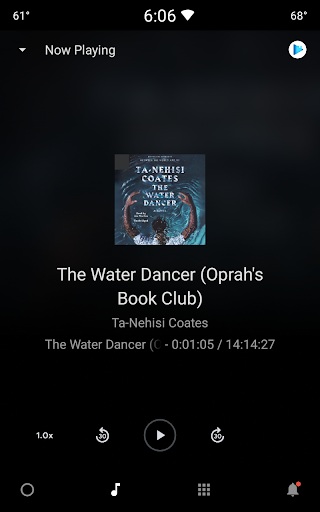
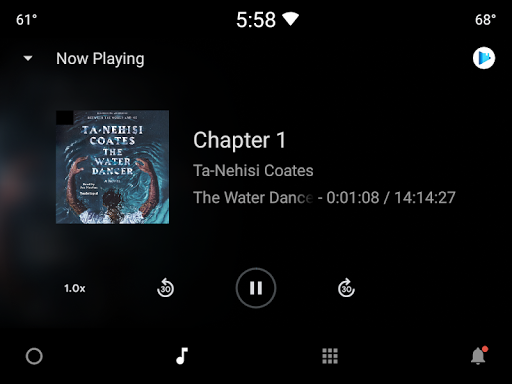
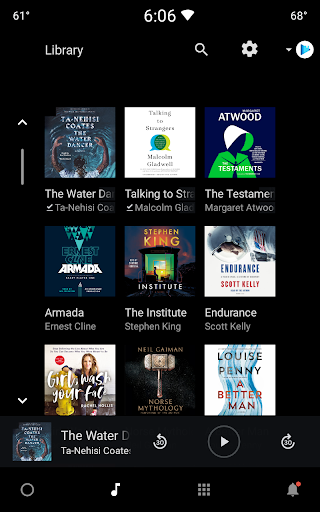
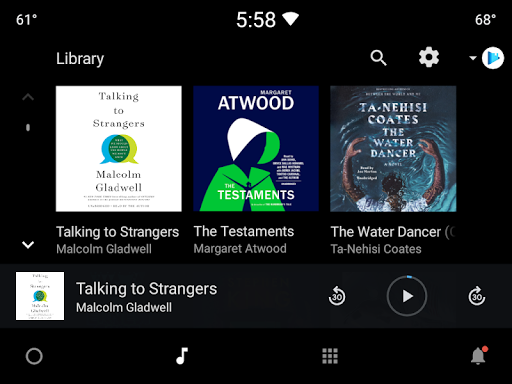
• Your library, anywhere: Enjoy books on your phone, tablet, computer, or even in your car with Android Auto. Plus, you can download books to read offline.
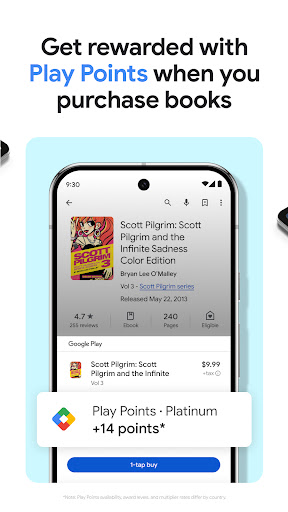
• Earn Google Play Points: Get rewarded with Play Points when you purchase books. Note: Play Points availability, award levels, and multiplier rates differ by country. Play Points isn’t available in all countries.
• Organize with shelves: Personalize your digital library with custom shelves to categorize your books by genre, author, or any theme you’d like.
• Smart notes: Jot down notes that sync with your Google Drive and can be shared for easy collaboration.
• No subscription needed: Buy only the books you want, when you want them.
• Kid–friendly reading tools: Let kids explore word definitions and listen to books aloud. Note: Reading practice tools are available in English only.
• Immersive comics: Experience Bubble Zoom for a specialized comic and manga reading experience.
• Preview before you buy: Check out samples to make sure it’s the perfect book for you.
• Hands–free reading: Control your audiobook with your voice using Google Assistant.
• Read your way: Customize your reading experience by adjusting the font, text size, brightness, and more.
Millions of stories await on Google Play Books! Download now and start reading.
Key Features:
• Your library, anywhere: Enjoy books on your phone, tablet, computer, or even in your car with Android Auto. Plus, you can download books to read offline.
• Earn Google Play Points: Get rewarded with Play Points when you purchase books. Note: Play Points availability, award levels, and multiplier rates differ by country. Play Points isn’t available in all countries.
• Organize with shelves: Personalize your digital library with custom shelves to categorize your books by genre, author, or any theme you’d like.
• Smart notes: Jot down notes that sync with your Google Drive and can be shared for easy collaboration.
• No subscription needed: Buy only the books you want, when you want them.
• Kid–friendly reading tools: Let kids explore word definitions and listen to books aloud. Note: Reading practice tools are available in English only.
• Immersive comics: Experience Bubble Zoom for a specialized comic and manga reading experience.
• Preview before you buy: Check out samples to make sure it’s the perfect book for you.
• Hands–free reading: Control your audiobook with your voice using Google Assistant.
• Read your way: Customize your reading experience by adjusting the font, text size, brightness, and more.
Millions of stories await on Google Play Books! Download now and start reading.
What's New
New in version 2025.1.10
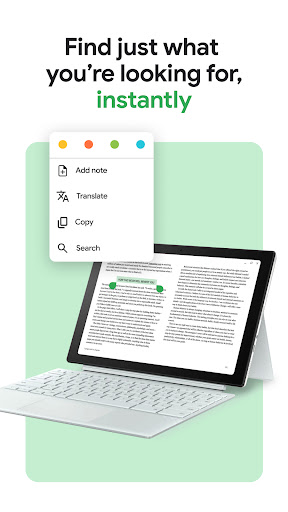
• Improved ease-of-use in ebook text selection menu
Check out these features
• Upload EPUB and PDF files and read them on all of your devices
• Download purchased ebooks and audiobooks (DRM-free if allowed by the publisher) to read on other devices such as Nook, Sony Reader, Kobo
• Improved ease-of-use in ebook text selection menu
Check out these features
• Upload EPUB and PDF files and read them on all of your devices
• Download purchased ebooks and audiobooks (DRM-free if allowed by the publisher) to read on other devices such as Nook, Sony Reader, Kobo
App Information
Version Name
2024.5.3.1 (207956)
Version Code
207956
File Size
18.9 MB
Min SDK
Android 21+
Target SDK
Android 34
Developer
Google LLC
Contact
Website
Content Rating
Teen
Package Name
com.google.android.apps.booksPermissions Required
This app may request the following permissions:
Recent Reviews

Zach Shipley
5.0★
I was unsure about audio books at first, but the more I explore the app the more books I find to listen to, and finding out what narrators are better then some. I have found myself listening to more and more books now and absolutely love the fact that there are free books as well. some prices are high, but finding out that there are sales quiet often, and being able to find a series where the first book is free gives you a chance to see if you would want to listen to the rest of the series.

Beth Spirko
2.0★
• text to voice needs more voice and speed options • home page of app should be library with a search tool. • book suggestions should be a menu item under profile, or a tab in the app. instead, it's always "greeting" me with "here! buy this!" It's hard (at first) to get back to books I've already bought. soon, we won't be able to go anywhere or do anything without damn commercials yelling at us. I'll tell you how i want to spend my money, thank you. Don't shove stuff in my face. It's rude.

William Darnell Sr. (GrandpaSwagger_FrenchFrys)
5.0★
Google Play Books to me, is a great digital book, library edition for any reader on any device. Its interface is easy to understand. However, it can be challenging for some who may suffer from certain brain conditions. The outside looks have a brand emblem that's crisp in colors. Now, I have to be candid, but I have bought some of my fav authors' books, samples, etc. But honestly, I don't like to read and I'm a writer, published. Yikes, I said that out loud! 🙊 Great Book Library, Google. 💯

A Google user
3.0★
It works well for the most basic of use cases: reading. But it lacks a lot of features that other reader apps have. For instance, if you want to highlight text on multiple pages... nope! can't do that! Compare this to what Kindle app offers, or even some of the smaller apps offers, it's very bare-bones. At least the book prices are somewhat competitive!! And syncing books and progress across multiple devices works well.

PurpleGermanShepherd13
5.0★
This app is a good place to keep and read my ebooks. I only have two problems with it; one, you can't manually sort books that are in a Shelf. And two, even though I have the "For You" notifications off, I still keep getting popups for price drops on books I don't want. Not going to be a crybaby bigot over it like some people, though. However, these few issues are not that big of a deal, so I gave the app five stars.

Derrick K.
5.0★
Does what it's supposed to do without issues most of the time. I never really used it to buy anything, but their books are fairly priced, possibly less than a physical copy in some cases. I prefer either going to the library or buying a physical copy at bargain prices, but whenever I want an e-book, this is 1 of the first places I look. Definitely can give Kindle a run for its money, but it depends on your preference & all. Excellent overall... 👍🏻😍
Ad slot: In-Content