

YouTube Kids for Android TV
com.google.android.youtube.tvkids
by Google LLC
Screenshots

Ad slot: Top Leaderboard
About this app
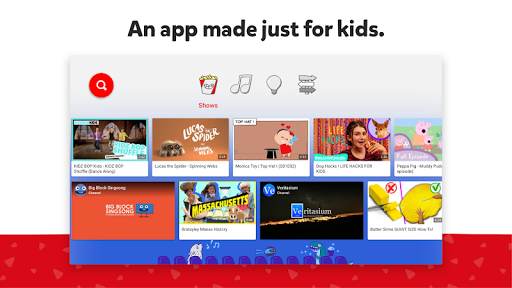
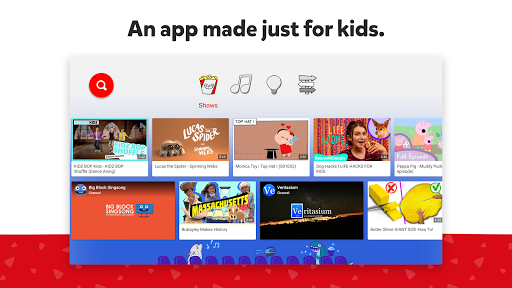
A video app made just for kids
YouTube Kids was created to give kids a more contained environment that makes it simpler and more fun for them to explore on their own, and easier for parents and caregivers to guide their journey as they discover new and exciting interests along the way. Learn more at youtube.com/kids
A safer online experience for kids
We work hard to keep the videos on YouTube Kids family-friendly and use a mix of automated filters built by our engineering teams, human review, and feedback from parents to protect our youngest users online. But no system is perfect and inappropriate videos can slip through, so we’re constantly working to improve our safeguards and offer more features to help parents create the right experience for their families. You can also customize your families experience you can turn search on or off while using YouTube Kids on TV. Or, check your child’s watch history with the ‘Watch it Again’ feature.
Customize your child’s experience with individual profiles
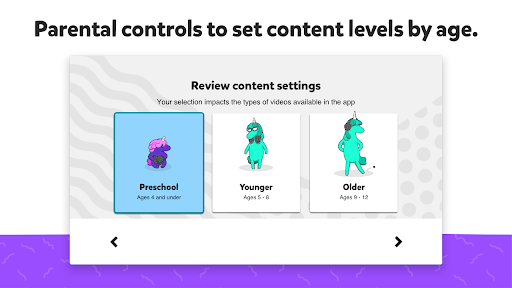
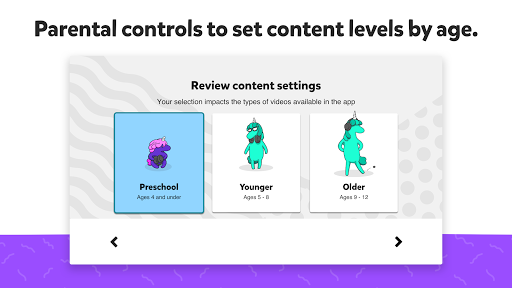
Create individual experiences as unique as your kids on our mobile app and use them on your TV or on the web. First, download YouTube Kids from the iOS App Store or Google Play store on a mobile or tablet device, then log in to create profiles. Every profile has its own viewing preferences, video recommendations, and settings. Select an age category that fits your child, "Preschool" (4 & under), "Younger" (5-8), or "Older" 9+) or choose "Approved Content Only" mode.
If you select "Approved Content Only" you can handpick the videos, channels and/or collections that you’ve approved for your child to watch. In this mode, searching for videos is unavailable. Approved videos must first be selected on your mobile or tablet device. Once chosen, they will be reflected on all your devices with YouTube Kids.
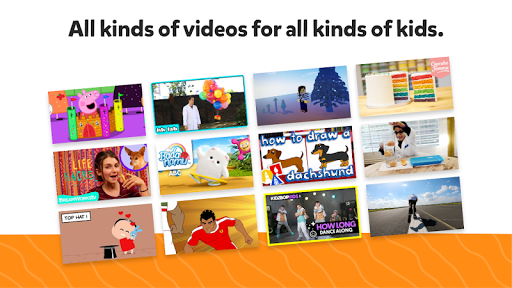
All kinds of videos for all kinds of kids
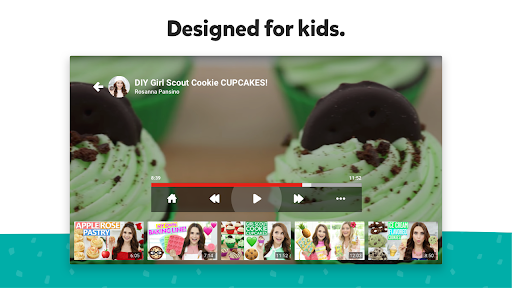
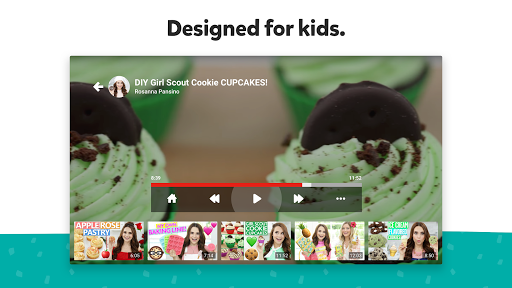
Our library is filled with family-friendly videos on all different topics, igniting your kids’ inner creativity and playfulness. It’s everything from their favorite shows and music to learning how to build a model volcano (or make slime!), and everything in between.
Other important information:
Parental setup is needed to ensure the best experience possible for your kid.
Your kid may also see videos with commercial content from YouTube creators that are not paid ads. The Privacy Notice for Google Accounts managed with Family Link describes our privacy practices when your kid uses YouTube Kids with their Google Account. When your kid uses YouTube Kids without signing into their Google Account, the YouTube Kids Privacy Notice applies.
YouTube Kids was created to give kids a more contained environment that makes it simpler and more fun for them to explore on their own, and easier for parents and caregivers to guide their journey as they discover new and exciting interests along the way. Learn more at youtube.com/kids
A safer online experience for kids
We work hard to keep the videos on YouTube Kids family-friendly and use a mix of automated filters built by our engineering teams, human review, and feedback from parents to protect our youngest users online. But no system is perfect and inappropriate videos can slip through, so we’re constantly working to improve our safeguards and offer more features to help parents create the right experience for their families. You can also customize your families experience you can turn search on or off while using YouTube Kids on TV. Or, check your child’s watch history with the ‘Watch it Again’ feature.
Customize your child’s experience with individual profiles
Create individual experiences as unique as your kids on our mobile app and use them on your TV or on the web. First, download YouTube Kids from the iOS App Store or Google Play store on a mobile or tablet device, then log in to create profiles. Every profile has its own viewing preferences, video recommendations, and settings. Select an age category that fits your child, "Preschool" (4 & under), "Younger" (5-8), or "Older" 9+) or choose "Approved Content Only" mode.
If you select "Approved Content Only" you can handpick the videos, channels and/or collections that you’ve approved for your child to watch. In this mode, searching for videos is unavailable. Approved videos must first be selected on your mobile or tablet device. Once chosen, they will be reflected on all your devices with YouTube Kids.
All kinds of videos for all kinds of kids
Our library is filled with family-friendly videos on all different topics, igniting your kids’ inner creativity and playfulness. It’s everything from their favorite shows and music to learning how to build a model volcano (or make slime!), and everything in between.
Other important information:
Parental setup is needed to ensure the best experience possible for your kid.
Your kid may also see videos with commercial content from YouTube creators that are not paid ads. The Privacy Notice for Google Accounts managed with Family Link describes our privacy practices when your kid uses YouTube Kids with their Google Account. When your kid uses YouTube Kids without signing into their Google Account, the YouTube Kids Privacy Notice applies.
What's New
Bug fixes and stability improvements
App Information
Version Name
1.21.01
Version Code
121001320
File Size
53.6 MB
Minimum OS
Android 7.0+
Target SDK
Android 35
Developer
Google LLC
Contact
Content Rating
Everyone
Package Name
com.google.android.youtube.tvkidsPermissions Required
This app may request the following permissions:
Recent Reviews

David Barham
1.0★
Our grandkids love it but it is so frustrating to use. I can only assume that developers at Google don't have young kids. When you have young kids, you don't have a lot of time. There is no way to save popular videos, no play lists so we can queue up a list for the kids to watch. And, trying to restart a long video is so frustrating. Seriously, no start from beginning? Come on guys, we need your help, not make life more difficult.

John Smith
1.0★
There is no kids app on Android TV anymore. You are now forced into the main app but the TV version still allows kids to switch freely to adult profile with no PIN control etc. Very poor and presumably deliberate to expose kids to more adult monitised content.

Furst Family
1.0★
this app lacks so much features compared to what is available on the Android app. it doesn't allow the parents to have as much control over the contact that your little one can view. the security features are disappointing. it also doesn't allow you to have more than one profile for each child.

A S (Ruff Dealer 3600)
2.0★
This is a specially designed stripped-down version of YouTube that is a safe environment for children to enjoy their favorite videos without everything grown-up mixed in, except for the parental control feature. Tried it several times, but I preferred the original counterpart, as content on YouTube Kids is restricted to child-friendly videos only.

Jay Soliman
5.0★
kids is helpful for kids that have not to see in youtube because in this youtube kids you can remove ads dirt have ads at all so it's good for your kids and this app is so amazing for kids so they couldn't find some bad things to.

A Google user
1.0★
This is a very different app from the "Youtube Kids" app for android PHONES. This one is lacking very important features such as the ability to create kids profiles, as well as the ability to hand-pick content that your child is able to watch (Approved Content Only). Pretty inappropriate stuff shows up on this app, and requires close supervision by an adult.
Ad slot: In-Content