

VidTrim Pro - Video Editor
com.goseet.VidTrimPro
by Goseet
Screenshots





Ad slot: Top Leaderboard
About this app
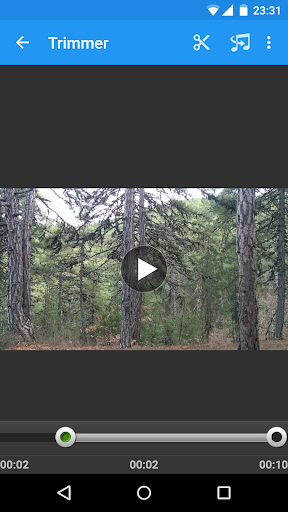
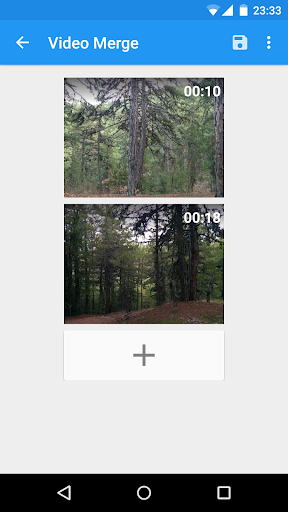
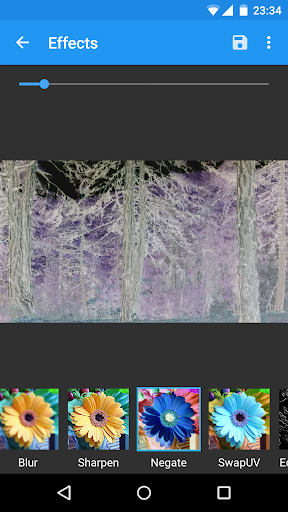
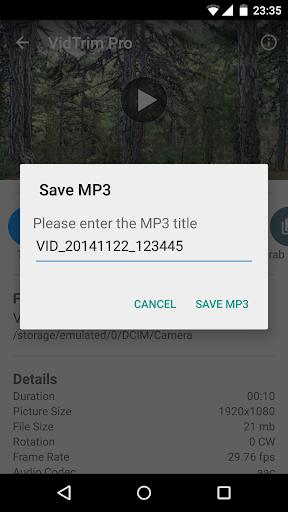
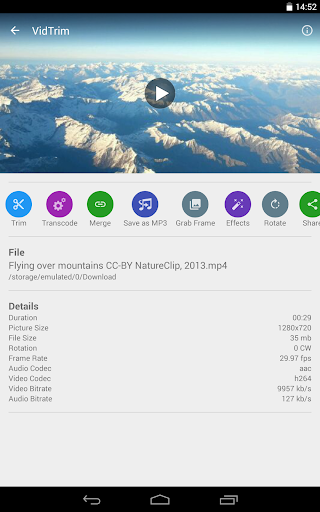
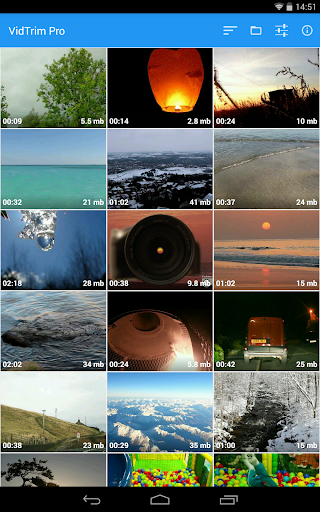
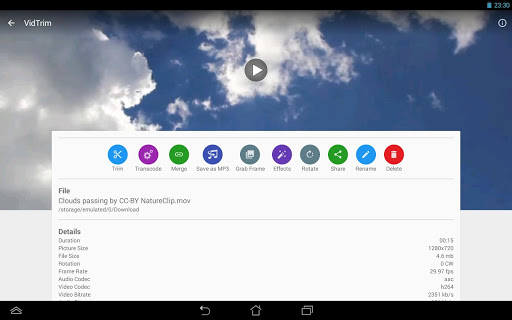
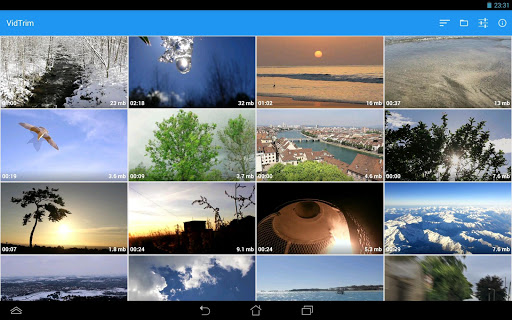
VidTrim Pro is a video editor and organizer for Android. It includes multiple features like trimming, merging, frame grabbing, video effects, extract audio (convert to MP3) and transcoding (compress and convert to MP4). You can also share your videos with your friends directly through the app.
Please try the free ad supported version first.
Features of VidTrim Pro:
- Video trimmer. Trim video clips right on your device
- Merge video clips. Join (concatenate) multiple video clips into one.
- Effects. Apply cool video effects like B/W, Negate, Vintage, Vignette, Blur, Sharpen, Edge detect, Luma, SwapUV.
- Transcode video clips. Transcoding allows to convert video to MP4, resize and compress videos.
- Add music soundtrack to your videos through transcoding feature.
- Rotate videos (Quick rotation without encoding or true rotation by encoding)
- Frame accurate frame grabber. Extract/save the exact frames from your video clips as images.
- Convert video files to MP3 audio files.
- Share video clips.
- Play video clips
- Rename video clips
- Delete video clips
- Supports both ARM and x86 CPUs in one package.
- Contains optimizations for ARMv7 NEON when available.
All videos/frames/mp3s are stored under "VidTrim Pro" folder on the internal storage.
Supported languages:
- English
- Turkish
- German
- French
- Italian
- Portuguese
- Russian
- Greek
- Hebrew
- Dutch
- Czech
- Polish
- Arabic
- Chinese (Simplified)
If you have any problems, suggestions or just simply want a refund please contact us at: [email protected]
Uses FFmpeg under permission of LGPL.
Please try the free ad supported version first.
Features of VidTrim Pro:
- Video trimmer. Trim video clips right on your device
- Merge video clips. Join (concatenate) multiple video clips into one.
- Effects. Apply cool video effects like B/W, Negate, Vintage, Vignette, Blur, Sharpen, Edge detect, Luma, SwapUV.
- Transcode video clips. Transcoding allows to convert video to MP4, resize and compress videos.
- Add music soundtrack to your videos through transcoding feature.
- Rotate videos (Quick rotation without encoding or true rotation by encoding)
- Frame accurate frame grabber. Extract/save the exact frames from your video clips as images.
- Convert video files to MP3 audio files.
- Share video clips.
- Play video clips
- Rename video clips
- Delete video clips
- Supports both ARM and x86 CPUs in one package.
- Contains optimizations for ARMv7 NEON when available.
All videos/frames/mp3s are stored under "VidTrim Pro" folder on the internal storage.
Supported languages:
- English
- Turkish
- German
- French
- Italian
- Portuguese
- Russian
- Greek
- Hebrew
- Dutch
- Czech
- Polish
- Arabic
- Chinese (Simplified)
If you have any problems, suggestions or just simply want a refund please contact us at: [email protected]
Uses FFmpeg under permission of LGPL.
What's New
* Codec Updates
* Bug fixes
* Bug fixes
App Information
Version Name
2.4.4
Version Code
56
File Size
14.3 MB
Minimum OS
Android 5.0+
Target SDK
Android 21
Developer
Goseet
Contact
Website
Content Rating
Everyone
Package Name
com.goseet.VidTrimProPermissions Required
This app may request the following permissions:
Recent Reviews
Smurphette
5.0★
Great easy to use video trimming app. No problems on my google phone at all. It has been seamless with the phone's defaults. I have not had any issues with it crashing or not working so far. I like the ability to trim from the front and back, and I use the sound remover tool a lot too. I even import other video to my phone in order to quickly trim it. I don't regret buying the pro (ad free) version!

Ryan C
3.0★
Very easy to use editor with some niggles. One, I can't choose an audio track, and once edited, I don't have the same audio tracks I started with. So looking to remove voices from the audio, I can't. It's also difficult to rely get a precise start and end point. Should be an easier way to be accurate.

Darren Bremer
1.0★
This app used to be incredible, but, like other users, I'm finding things not working properly anymore. In particular the frame grabber is all but dead. You cannot advance or back up one frame at a time like you used to be able to and it jumps around to frames you don't want. On top of that with my new phone (S25 Ultra) the frames are being distorted throughout half of them. What a big step backwards.

A Google user
1.0★
Used to be the absolute best video editing tool for Android, but with every update and improvement, it has gradually gotten worse and worse. I originally gave this app 5 stars, then reduced it to 3, and now its at 1 star because it's mostly un-useable. It constantly and consistantly crashes, fails to complete tasks, and sometimes fails to even start tasks. This used to be my 'go to' app, but sadly I have to look for alternatives now.
A Google user
5.0★
Thought the app was bad, only to find out the video I was using was to long. Turned out to be a top of the line video processor. Dubs music over video, merges several videos at a time and cut and edits in a good time range, making the scene transitions smoothe. $2.99 stops all ads and sure is a blessing the way it operates. To bad instructions aren't with it, but if a lo tec old man like me can figure it out, no doubt a brain can😎😎

frank p
2.0★
Used this app for sevrl yrs.& was very pleased. I had this app at 4 Stars,Now Only 2. I was fortunate enough to put together a video proj. from recording, to video placement, to the final editing version, for an 18 hr. video that took about a month for it's completion, which I cut into 4 sections of around 4-4.5 hours each due to the length. "Merging" everything together, the app failed horrible,video doesn't merge,nor does it save to view But Just Keep Getting A Blank Video And Says Can't Play
Ad slot: In-Content