

Hide Photos in Photo Locker
com.handyapps.photoLocker
by Handy Apps
Screenshots


Ad slot: Top Leaderboard
About this app
Hide pictures & photos securely and conveniently in Photo Locker! - The ultimate hidden gallery app for hiding photos on Android.
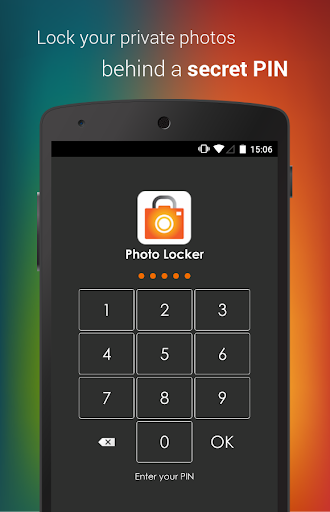
Sensitive photos from your Android photo gallery can be kept safely locked away in a secure Photo Locker accessible only via a secret PIN code.
Key features include:
1)Encryption - hidden pictures are not only moved to a secret location on your phone but are also encrypted using advanced 128 bit AES encryption. This means that even if someone manage to steal your SD card and copy the hidden picture files, they will still be unable to view the locked photos.
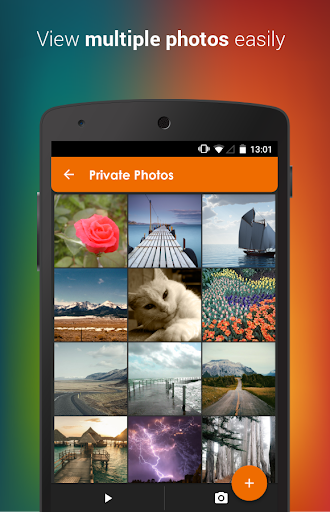
2)User friendly operation - Easily hide photos via default gallery or from within Photo Locker itself.
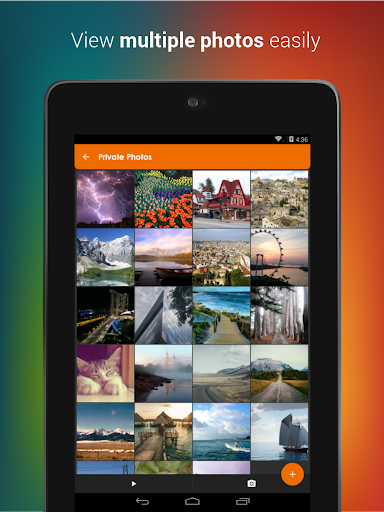
3)Fast bulk hide - Keep safe hundreds of photos quickly
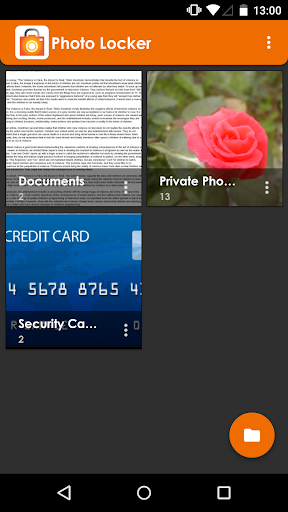
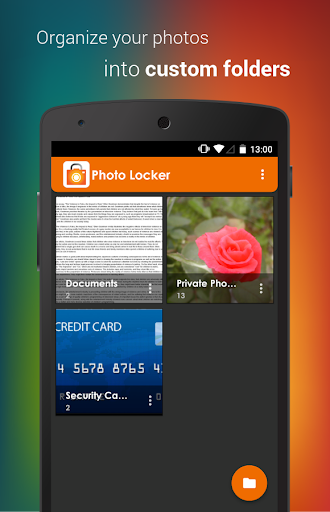
4)Folder level locking - lock individual hidden photo albums. This allows you to show only 1 hidden photo album without exposing the others.
5)Zoom in and out of hidden photos with multi-touch. Hidden photos maintain their original resolution and are not scaled down as in some other photo hiding apps.
6)Rotate hidden pictures left and right
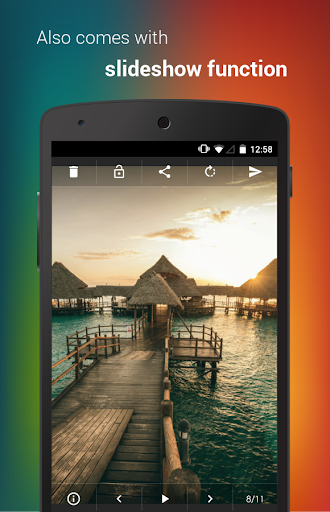
7)Slideshow - Slideshow viewing mode available with customizable delay setting
8)Removed from recent app list - Photo Locker App will not appear in 'recent apps' list
9)Lock on sleep - If you forgot to exit the Photo Locker, the app will lockout as soon as your phone goes to sleep mode.
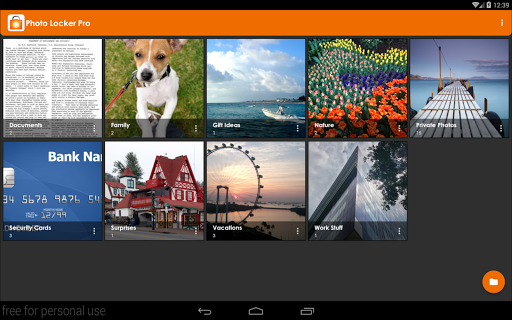
10)Tablet optimized - Photo Locker's UI has been designed with tablets in mind as well so as to provide the ultimate viewing pleasure on both Android smart phones and tablets
11)PIN recovery - With the optional PIN recovery feature, you won't lose your precious files even if you forgot your PIN code. The app will email the PIN to you in the event you forgot Photo Locker's PIN code.
12)Un-hide pictures easily - Un-hide photos just as easily as hiding them and you can decide where the un-hidden photos go.
Premium features:
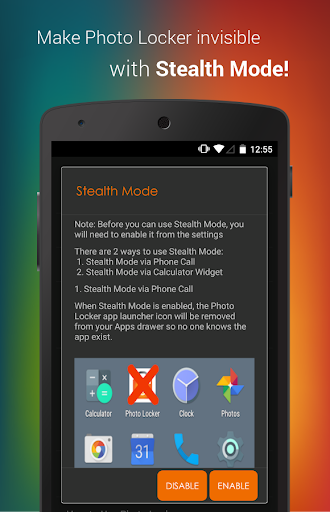
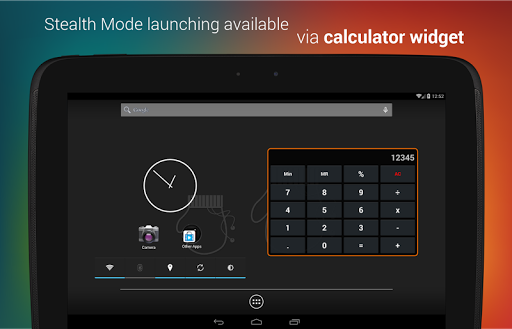
1)Stealth Mode - Hide the app itself! Photo Locker App will disappear from the app drawer as if it never exist on your phone. Access to your private photo vault can only be achieved via an innocent looking calculator widget.
2) Fingerprint log in
3) Get 2 apps for the price of 1! Upgrade either Photo Locker or Video Locker to get premium for both apps. Both apps must remain installed in the device to enjoy this promotion.
4)Ad-free viewing experience
Download Photo Locker now!
Photo Locker is brought to you by Handy Apps.
Connect with us on Facebook at: https://www.facebook.com/HandyAppsInc
-------------------------
Notes to users:
- All photos are safely hidden in the device and not saved to any cloud program for user's privacy.
- App must not be moved to SD card.
- Do not delete .PL folder.
- Not recommended for devices on custom ROM
- Devices running on Android 4.4 and above have restricted application access to SD card.
*Stealth Mode Dial Function has been disabled to comply with Google Play's policy changes: https://support.google.com/googleplay/android-developer/answer/9047303*
*Android 10 Stealth Mode users: Due to Google policy changes, icons can no longer hide in stealth mode for Android 10+. The Calculator(PL) widget will still work, and tapping on the icon only opens app settings, not the app itself.*
Having issues with Photo Locker? Check out the FAQ below for assistance!
https://www.handyappsforlife.com/photo-locker-video-locker-faqs
Sensitive photos from your Android photo gallery can be kept safely locked away in a secure Photo Locker accessible only via a secret PIN code.
Key features include:
1)Encryption - hidden pictures are not only moved to a secret location on your phone but are also encrypted using advanced 128 bit AES encryption. This means that even if someone manage to steal your SD card and copy the hidden picture files, they will still be unable to view the locked photos.
2)User friendly operation - Easily hide photos via default gallery or from within Photo Locker itself.
3)Fast bulk hide - Keep safe hundreds of photos quickly
4)Folder level locking - lock individual hidden photo albums. This allows you to show only 1 hidden photo album without exposing the others.
5)Zoom in and out of hidden photos with multi-touch. Hidden photos maintain their original resolution and are not scaled down as in some other photo hiding apps.
6)Rotate hidden pictures left and right
7)Slideshow - Slideshow viewing mode available with customizable delay setting
8)Removed from recent app list - Photo Locker App will not appear in 'recent apps' list
9)Lock on sleep - If you forgot to exit the Photo Locker, the app will lockout as soon as your phone goes to sleep mode.
10)Tablet optimized - Photo Locker's UI has been designed with tablets in mind as well so as to provide the ultimate viewing pleasure on both Android smart phones and tablets
11)PIN recovery - With the optional PIN recovery feature, you won't lose your precious files even if you forgot your PIN code. The app will email the PIN to you in the event you forgot Photo Locker's PIN code.
12)Un-hide pictures easily - Un-hide photos just as easily as hiding them and you can decide where the un-hidden photos go.
Premium features:
1)Stealth Mode - Hide the app itself! Photo Locker App will disappear from the app drawer as if it never exist on your phone. Access to your private photo vault can only be achieved via an innocent looking calculator widget.
2) Fingerprint log in
3) Get 2 apps for the price of 1! Upgrade either Photo Locker or Video Locker to get premium for both apps. Both apps must remain installed in the device to enjoy this promotion.
4)Ad-free viewing experience
Download Photo Locker now!
Photo Locker is brought to you by Handy Apps.
Connect with us on Facebook at: https://www.facebook.com/HandyAppsInc
-------------------------
Notes to users:
- All photos are safely hidden in the device and not saved to any cloud program for user's privacy.
- App must not be moved to SD card.
- Do not delete .PL folder.
- Not recommended for devices on custom ROM
- Devices running on Android 4.4 and above have restricted application access to SD card.
*Stealth Mode Dial Function has been disabled to comply with Google Play's policy changes: https://support.google.com/googleplay/android-developer/answer/9047303*
*Android 10 Stealth Mode users: Due to Google policy changes, icons can no longer hide in stealth mode for Android 10+. The Calculator(PL) widget will still work, and tapping on the icon only opens app settings, not the app itself.*
Having issues with Photo Locker? Check out the FAQ below for assistance!
https://www.handyappsforlife.com/photo-locker-video-locker-faqs
What's New
v2.2.6-139:
- Fixed force closure issues for certain devices
- Replaced obsolete storage permission for Android 13 and above
- Fixed app launch issues
- Overall minor fixes and optimization
Note:
- This app has no cloud storage. You must unhide your data before uninstalling the app as no data will be retained after uninstallation.
- See http://bit.ly/lockerwidget to launch app in Stealth Mode
- Upgrade either Photo Locker or Video Locker to get premium for both apps!
- Fixed force closure issues for certain devices
- Replaced obsolete storage permission for Android 13 and above
- Fixed app launch issues
- Overall minor fixes and optimization
Note:
- This app has no cloud storage. You must unhide your data before uninstalling the app as no data will be retained after uninstallation.
- See http://bit.ly/lockerwidget to launch app in Stealth Mode
- Upgrade either Photo Locker or Video Locker to get premium for both apps!
App Information
Version Name
2.2.4
Version Code
128
File Size
15.3 MB
Minimum OS
Android 4.4+
Target SDK
Android 31
Developer
Handy Apps
Contact
Website
Content Rating
Everyone
Package Name
com.handyapps.photoLockerPermissions Required
This app may request the following permissions:
Recent Reviews

Kelly Medina
1.0★
Worst App in the World! It doesn't let you breathe without an AD popping up after everything you do. You'll see an annoying ad, you X it out then it'll log you out of the app. Then you have to log back in to see another long annoying ad. And if it doesn't log you back in, just ever picture you click on is just constant ad. It doesn't let you breathe for 2 seconds. It's not worth it.

A Google user
1.0★
it looked nice initially, very handy and easy to use. took for granted and didn't aware the risk. Been using it for many years until recently, the app not functioning, have tried many ways but couldn't get my photos back. Lost all my photos inside. Advice: do not use this app to keep your valuable photo. You can put Rubbish inside which you won't regret if you lose it!!
A Google user
2.0★
Update #3: Slight star rating increase because after losing the ability to sign in via the calculator widget which wouldn't accept my passcode it started working again a couple of weeks later! I've now removed the calculator through fear of it happening again and just use the standard login. That's fixed that, except... Photos are taking ages to hide. Even just 2 takes 2-3 minutes 🙄 Apparently, if you pay for pro you get priority support... Weeks upon weeks later I'm still to receive a reply!!!

Dennis_Verberne
1.0★
When is this error getting fixed? I can't access any of my important pictures. It says "launch error, please restart device for new version." Someone in the reviews described a way to remove the pl. and move to a normal folder, it doesn't work. The pictures become completely unusable and garbage. I hope they fix this problem soon...

Nathan Lok
1.0★
My password has inexplicably changed on both this and Video app?? I've used both of these apps many times throughout 5 years and I would have not forgotten my passwords, I tried sending myself a recovery password to my email, and nothing in the mail, not even junk mail. Also, if you reviewers ever try to take your photos/videos out from your internal storage after unhiding your files, and renaming them or whatever, you'll corrupt your photos/videos, just a warning!!!

Britt Thurman
2.0★
Works. Bit of photo moving cause it won't use the SD card. Move photo to internal storage first. ***Update, down to 2 stars.*** WHY oh WHY when you go to import photos are the photo albums in a random jumbled order?! They should be in alphabetical order. Half my time is looking for the folder I need!
Ad slot: In-Content