

PhotoLayers-Superimpose,Eraser
com.handycloset.android.photolayers
by handyCloset Inc.
Screenshots
Ad slot: Top Leaderboard
About this app
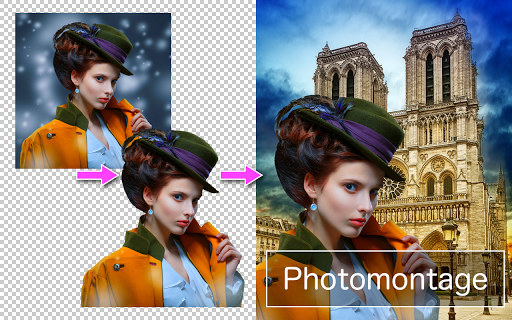
☆ This is an application for making beautiful photomontages.
☆ This app has the powerful feature of making the image's unneeded area transparent.
( Background Eraser )
☆ You can combine up to 11 pictures together at the same time in order to create a photomontage.
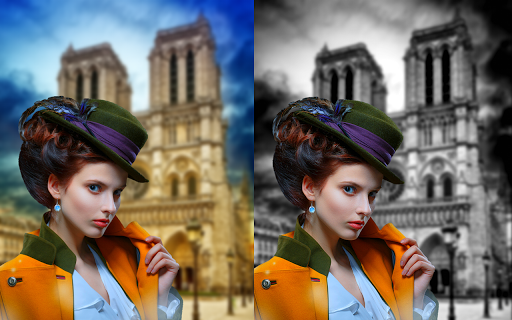
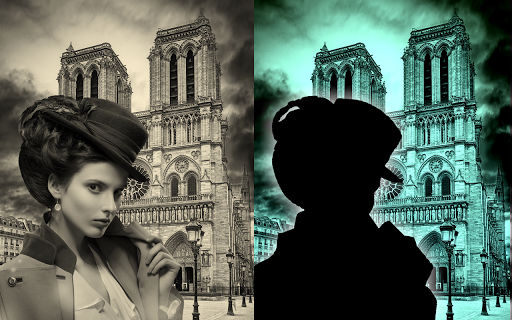
☆ This app also has a useful feature of changing the image's color tone and making it more attractive.
☆ By using this app, you can be a great artist !
☆ This app has the powerful feature of making the image's unneeded area transparent.
( Background Eraser )
☆ You can combine up to 11 pictures together at the same time in order to create a photomontage.
☆ This app also has a useful feature of changing the image's color tone and making it more attractive.
☆ By using this app, you can be a great artist !
What's New
Small bugs are fixed.
App Information
Version Name
4.3.1
Version Code
22
File Size
242.5 MB
Min SDK
Android 29+
Target SDK
Android 33
Developer
handyCloset Inc.
Contact
Website
Content Rating
Teen
Package Name
com.handycloset.android.photolayersPermissions Required
This app may request the following permissions:
Recent Reviews

Dale Travous
5.0★
Wow! Just started using and getting fantastic results already. Intuitive and responsive controls. I can see myself using this alot. Thank you! 5 years later, still use this all the time! One would think I'd spring for the pro version. I shudder to think of the hours of stupid commercials I have suffered through...time removed from my limited existance...

Katie Hutchison
2.0★
almost perfect but has glaring issues that ruin the whole thing. namely that you CAN'T ZOOM IN while adjusting images. no way to lock images in place when you're happy with the placement and then when you accidentally move something because of that there is no undo button. you can zoom and undo specifically when removing a pictures background but not on the main page. it's too frustrating to keep using

A Google user
5.0★
I was a bit skeptical at first, and i was only using the manual eraser, and then i decided to use the "Magic" eraser, and OH MY GOD. This is amazing, identifies the picture your trying to extract and erases everything else, I've only tried it with pictures with white background so far, but this exceeds my expectations fully, and i would even say, that it's even better than Photoshop. AND IT'S FREE, WITH ALMOST NO ADS. I will using this app for years to come, no doubt about it!

Sarah Ann Krause
3.0★
I want to give this app 5 stars for it's versatility and uses, but lately if I go to the final stage of my project, out pops an ad that moves like crazy and makes me want to smash the screen! If advertisers are looking for buyers, they have to give us something we want, not make us feel like we're being attacked! I'm so sick of this, I used to love this app, now I feel like their selling out.

Dillon Ewing
5.0★
It may not be a full, all-purpose suite, but for free, you get all of the functionalities necessary for layering photos together. It's easy and intuitive to use. It supports png image transparency. The ads are very minimal; they're basically just a small banner on the bottom of the app. There are no pesky watermarks. When combined with other free apps, it becomes the perfect solution to bring your visual ideas to fruition. 🌟⭐🌟⭐🌟

Saint Fresh
5.0★
Perfect app for quick composite photos. I have been using background eraser by the same company for a few years now and just recently started using photolayers. Super simple, clean, lightweight interface that is t over crowded by ads. Very user friendly. Has photo editing options, shadow effect, and resizing feature that are very straight forward. I would love to see then incorporate more effects to add to the images but for me that doesn't take away from giving 5 stars. Would recommend to all!
Ad slot: In-Content