

Screen Recorder - AZ Recorder
com.hecorat.screenrecorder.free
by AZ Screen Recorder
Screenshots

Ad slot: Top Leaderboard
About this app
🥇 Featured on Google Play Home Page, BusinessInsider, CNET, HuffPost, Yahoo News, and more.
AZ Screen Recorder is a reliable and high-quality screen recorder with audio. With many features including screen record, screen capture, video editor and live streaming, this screen recording app lets you create and share gameplay videos, save video calls or record videos that cannot be downloaded.
ADVANTAGES
★ Easy to use.
★ High-quality videos.
★ NO watermark.
★ NO time limit.
KEY FEATURES
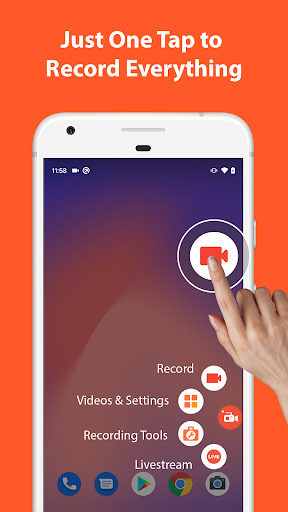
★ Screen recording: this function lets you create beautiful screen record videos.
- Easily start/stop screen record with control buttons.
- Pause/resume screen video recording at any time.
- Screen recorder with audio from the mic.
- Screen recorder with internal audio.
- Show your face in a floating window with facecam.
- Record screen video to GIF.
- Draw on screen while screen recording.
- Shake device to stop screen video recording.
- Transfer screenshot video to computers using Wifi.
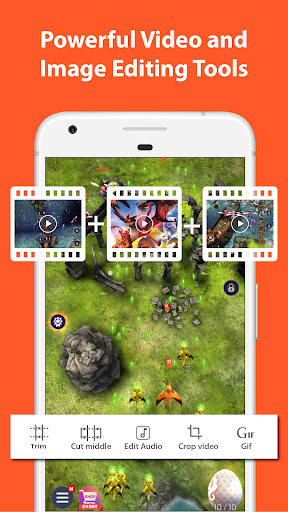
★ Video Editor: this screen video recording app also lets you edit videos.
- Trim videos.
- Remove middle parts of videos.
- Merge videos.
- Add background music.
- Add subtitles.
- Extract frames from videos.
- Crop videos.
- Rotate videos.
- Compress videos to save space for new video records.
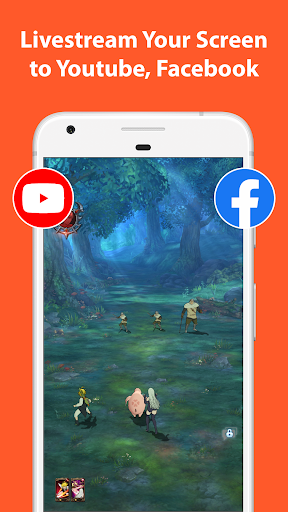
★ Livestream: this screen recording app can also be used as a live streaming app for Youtube or Facebook.
You can broadcast your phone screen to friends, followers, subscribers and other viewers. The following features are provided to help you livestream conveniently:
- Broadcast phone screen together with audio.
- Various video stream resolutions.
- Optionally show your face while live streaming.
★ Screenshots and Image Editing
AZ Recorder is more than just a screen video recorder app. It can also help you take screenshots and edit images. You can capture screen easily with one tap and use in-app image editing tools to:
- Stitch images: auto detect and combine several images into one.
- Crop images: remove unwanted parts.
- Blur image: pixelate areas you don’t want to show.
- Add text, emojis or draw directly on screenshots.
MULTI-PURPOSE
This record screen video app is made to meet your demands.
🎥 Screen recorder with audio
Since you can record screen and audio, this screen recorder app is suitable for many purposes such as to be a video call recording app or a game screen recorder.
🎧 Screen recorder with internal audio
Since Android 10, this screen video recorder also supports internal audio. Specifically, you can record screen with the original sound of any game or app. Because of that, this screen recorder with internal audio can be used as a live recorder or simply as an internal audio recorder.
🏆 Best screen recorder for gaming
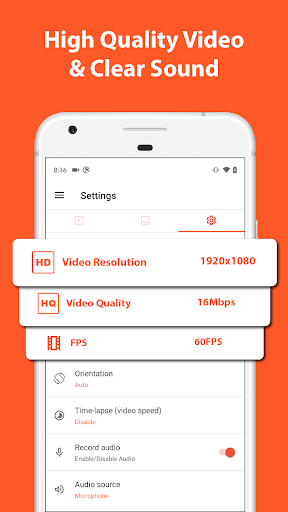
This screen recording app can be used as a game recorder because it supports many resolutions from HD, FullHD, 2K to 4K (4K screen recorder is only available to some users and devices). In addition, this screen video recorder app also supports different frame-rates: 24fps, 30fps, 60fps…
🎉 Video call recorder
This screen video recorder helps you keep important and memorable video calls with family, friends and colleagues.
If you want to use screen recorder no ads or just simply like our free screen record app, please upgrade to support this video software development.
Thanks for downloading this video screen recorder. We are striving to make AZ Screen Recorder app the best screen recorder for Android. If you have any feedback, bug reports or suggestions, please contact us at [email protected].
AZ Screen Recorder is a reliable and high-quality screen recorder with audio. With many features including screen record, screen capture, video editor and live streaming, this screen recording app lets you create and share gameplay videos, save video calls or record videos that cannot be downloaded.
ADVANTAGES
★ Easy to use.
★ High-quality videos.
★ NO watermark.
★ NO time limit.
KEY FEATURES
★ Screen recording: this function lets you create beautiful screen record videos.
- Easily start/stop screen record with control buttons.
- Pause/resume screen video recording at any time.
- Screen recorder with audio from the mic.
- Screen recorder with internal audio.
- Show your face in a floating window with facecam.
- Record screen video to GIF.
- Draw on screen while screen recording.
- Shake device to stop screen video recording.
- Transfer screenshot video to computers using Wifi.
★ Video Editor: this screen video recording app also lets you edit videos.
- Trim videos.
- Remove middle parts of videos.
- Merge videos.
- Add background music.
- Add subtitles.
- Extract frames from videos.
- Crop videos.
- Rotate videos.
- Compress videos to save space for new video records.
★ Livestream: this screen recording app can also be used as a live streaming app for Youtube or Facebook.
You can broadcast your phone screen to friends, followers, subscribers and other viewers. The following features are provided to help you livestream conveniently:
- Broadcast phone screen together with audio.
- Various video stream resolutions.
- Optionally show your face while live streaming.
★ Screenshots and Image Editing
AZ Recorder is more than just a screen video recorder app. It can also help you take screenshots and edit images. You can capture screen easily with one tap and use in-app image editing tools to:
- Stitch images: auto detect and combine several images into one.
- Crop images: remove unwanted parts.
- Blur image: pixelate areas you don’t want to show.
- Add text, emojis or draw directly on screenshots.
MULTI-PURPOSE
This record screen video app is made to meet your demands.
🎥 Screen recorder with audio
Since you can record screen and audio, this screen recorder app is suitable for many purposes such as to be a video call recording app or a game screen recorder.
🎧 Screen recorder with internal audio
Since Android 10, this screen video recorder also supports internal audio. Specifically, you can record screen with the original sound of any game or app. Because of that, this screen recorder with internal audio can be used as a live recorder or simply as an internal audio recorder.
🏆 Best screen recorder for gaming
This screen recording app can be used as a game recorder because it supports many resolutions from HD, FullHD, 2K to 4K (4K screen recorder is only available to some users and devices). In addition, this screen video recorder app also supports different frame-rates: 24fps, 30fps, 60fps…
🎉 Video call recorder
This screen video recorder helps you keep important and memorable video calls with family, friends and colleagues.
If you want to use screen recorder no ads or just simply like our free screen record app, please upgrade to support this video software development.
Thanks for downloading this video screen recorder. We are striving to make AZ Screen Recorder app the best screen recorder for Android. If you have any feedback, bug reports or suggestions, please contact us at [email protected].
What's New
🐞 Bug fixes and 🚀 Performance improvements.
👉 Join us at https://discord.gg/8ty5xTENNM
👉 Join us at https://discord.gg/8ty5xTENNM
App Information
Version Name
6.1.8
Version Code
70322
File Size
85.9 MB
Minimum OS
Android 6.0+
Target SDK
Android 33
Developer
AZ Screen Recorder
Contact
Website
Content Rating
Everyone
Package Name
com.hecorat.screenrecorder.freePermissions Required
This app may request the following permissions:
Recent Reviews

Daniel Smith
5.0★
Works really well. But if recording at highest resolution (1280 × 720) then I need to close other apps in the background or the video recording skips frames. Its my phone's fault since this requires a lot of computing power (I have 1.2 GHz Quad-Core). Even so this only affects the video while recording the audio perfectly. Lowering the res. a bit also solves the problem. So all this means -one great little app, 5 1/2 stars! EDIT 10/4/25: Sadly it does not yet work with Pixel 10 Pro (won't start)

Dakota Taylor
4.0★
The only problem I see with it is that when you open a video that you screen record, the orange circle is shown on the video. I think it would make it better if the orange circle didn't appear on the video. I like that there isn't a bunch of ads, and also that the microphone works well. I saw some ratings saying that the video would stop while your screen recording and also that there would be no indication, but that hasn't happened to me. :)

Jessica S. (darkocean)
5.0★
This is a really nice recording app! I am having some trouble with the sound recording much louder then what I'm hearing when on minecraft. I'm going to try again (3rd attempt) and turn the in game sounds down even more. So, if you're using this turn down the aps sound settings (and phone) by at least half or you'll shatter your viewers eardrums. Update: Yes, turning down the in-game volume worked well. Please consider adding a drawing tool, I need to block out some usernames. Tks.

Ali168
3.0★
This app is very easy to use and I like that there are not really any adds. It is pretty helpful and easy to use. There id only a few problems.. So when I use it I just click the app and the camera thing pops up but every once and awhile it goes away so I click the app again and most of the time it comes back but some of the time it just won't come back and the app won't even open so I have to go delete and get it again. I know it isn't just my device because I have two devices so yeah.

Thomas Barager
4.0★
Without a doubt, the best possible screen recorder out there! It comes equipped with a video compressor and basic editor. Which is extremely useful. Also, the UI is not intrusive at all. It hides itself when being used, which is a major bonus. Not to mention, the devs give a fair amount of free space to hold all your videos. Sadly, the moment you start using their music, they slap a watermark on your video. 7/10 app I highly recommend.

Logan
5.0★
Used for the past 2 years and tbh never ran into a problem and it works great. Super recommend Edit: read other views. I have a flagship phone so I never run into issues and this is free, shouldn't be an issue if they left a watermark. Understandable if it was a paid for app, or apple, but you decide to pay less on the phone so some apps won't work as well as you would hope.
Ad slot: In-Content