

Hi-Q MP3 Voice Recorder (Pro)
com.hiqrecorder.full
by Audiophile
Screenshots
Ad slot: Top Leaderboard
About this app
The Hi-Q MP3 Voice Recorder is a feature-packed, yet easy to use app that takes the mobile sound recording to the next level. The variety of customization options suggest the ultimate user experience and it’s high-fidelity 44 kHz audio sampling makes it miles ahead of any standard recording app.
What can you use the recorder app for?
From personal voice notes, group discussions, lectures, talks to band practice, concerts, and so much more — if you can hear it, this app can record it.
Top features:
• Shhh! - Discretion Mode
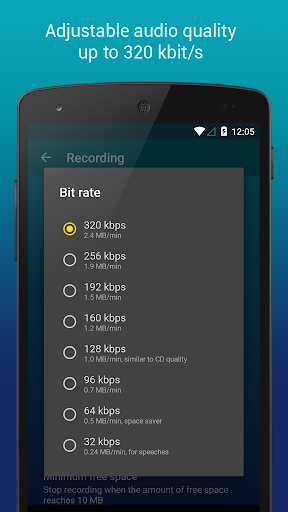
• 320 kbps recordings
• Home Screen Widgets
• Google Drive or Dropbox Auto Upload
• Clip Management
• Wi-Fi Transfer
• Control Gain Level
How does it work?
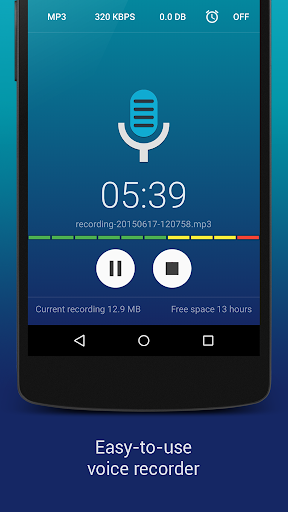
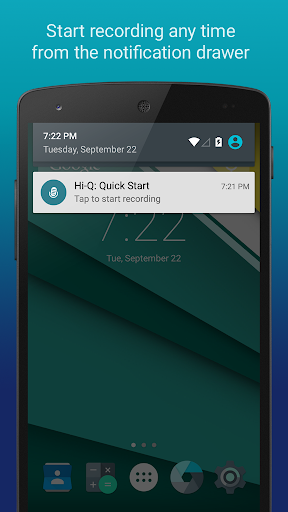
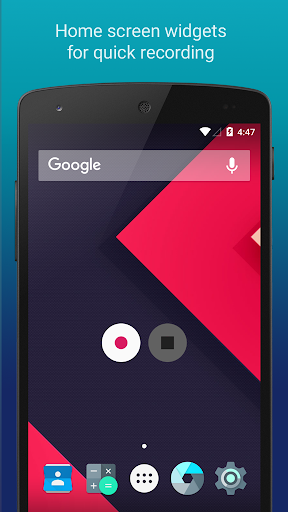
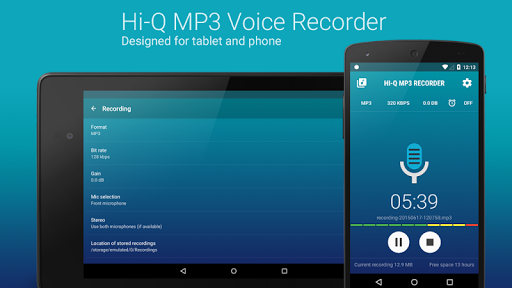
Start the app and you are good to go! Press the striking Red button, and you'll immediately start recording. Being a pro recorder app, Hi-Q MP3 Voice Recorder (Pro) allows you to customize your notification drawer for even easier access. Another great “ease-of-access” feature the app provides is the home screen widget for even quicker recordings.
With this voice recorder app, you won’t ever have to fuss with your phone to get the best recording quality. Record yourself and practice for a presentation, record song ideas and brainstorming sessions. You can record anything!
More details about the features:
MP3 clips: Your recordings are stored as MP3 files in real-time, which are compact enough and can be played almost everywhere.
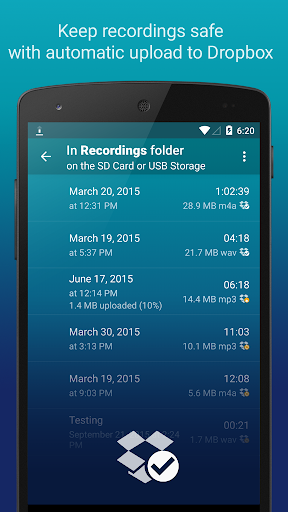
Keep Recordings Safe: With automatic upload to Dropbox and Google Drive, your recordings are stored safely and you can free up more space on your device. Sync happens when the preferred connection is available (Wi-Fi only or Wi-Fi and mobile network).
Home Screen Widgets: You can start, pause, and resume recording in a flash with the home screen widgets specially designed for your personal voice recorder.
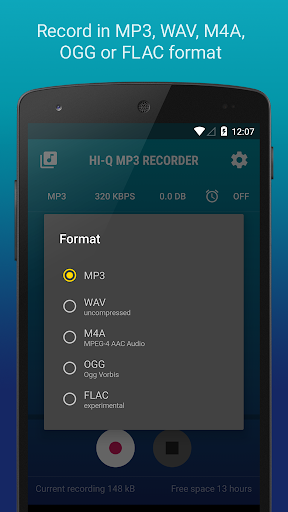
Quality Settings: Customize audio quality with a changeable bit rate up to 320 kbps. You can also record in WAV, OGG, M4A, and FLAC (experimental) formats.
Input Selection: Select the more sensitive front microphone, or the clearer back microphone as you wish (depending on individual device). Whether you only need an MP3 voice sample or you are recording a demo, this app has got you covered.
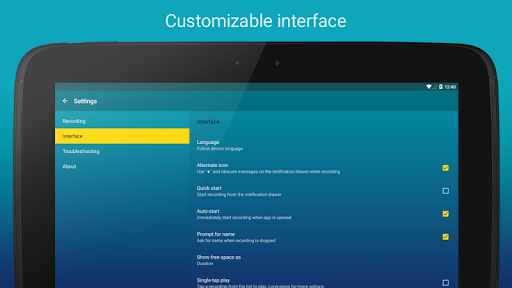
Shhh! You can switch the recording icon for discretion so nobody notices if you are pressing the record button.
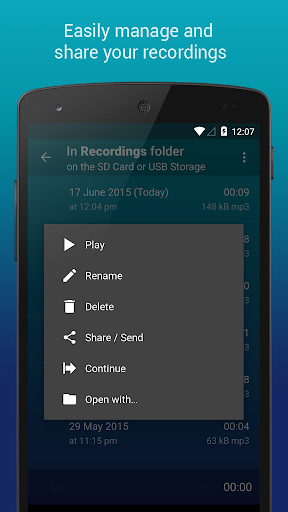
Manage Clips: Share, sort, rename and delete recordings as you please. Speed up playback to save time, or slow down to perceive details in your recordings without changing pitch.
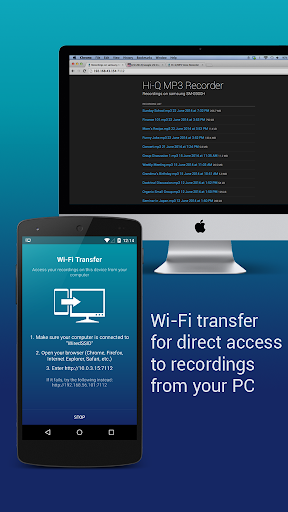
Wi-Fi Transfer: Transfer recordings to your computer and other devices wirelessly with the built-in Wi-Fi Transfer, utilizing your home Wi-Fi or your device's Wi-Fi Hotspot capability.
Gain: Specify input gain settings in real-time for optimum recording at various noise levels.
If you have any questions about the professional voice recorder app, feel free to read the FAQ Link: http://www.hiqrecorder.com/faq
Notes:
– Phone calls are not supported.
– Widgets are enabled only when the app is installed on the phone’s main storage, not an SD card. To use widgets, go to Android Settings → Apps and move the app to the phone.
What can you use the recorder app for?
From personal voice notes, group discussions, lectures, talks to band practice, concerts, and so much more — if you can hear it, this app can record it.
Top features:
• Shhh! - Discretion Mode
• 320 kbps recordings
• Home Screen Widgets
• Google Drive or Dropbox Auto Upload
• Clip Management
• Wi-Fi Transfer
• Control Gain Level
How does it work?
Start the app and you are good to go! Press the striking Red button, and you'll immediately start recording. Being a pro recorder app, Hi-Q MP3 Voice Recorder (Pro) allows you to customize your notification drawer for even easier access. Another great “ease-of-access” feature the app provides is the home screen widget for even quicker recordings.
With this voice recorder app, you won’t ever have to fuss with your phone to get the best recording quality. Record yourself and practice for a presentation, record song ideas and brainstorming sessions. You can record anything!
More details about the features:
MP3 clips: Your recordings are stored as MP3 files in real-time, which are compact enough and can be played almost everywhere.
Keep Recordings Safe: With automatic upload to Dropbox and Google Drive, your recordings are stored safely and you can free up more space on your device. Sync happens when the preferred connection is available (Wi-Fi only or Wi-Fi and mobile network).
Home Screen Widgets: You can start, pause, and resume recording in a flash with the home screen widgets specially designed for your personal voice recorder.
Quality Settings: Customize audio quality with a changeable bit rate up to 320 kbps. You can also record in WAV, OGG, M4A, and FLAC (experimental) formats.
Input Selection: Select the more sensitive front microphone, or the clearer back microphone as you wish (depending on individual device). Whether you only need an MP3 voice sample or you are recording a demo, this app has got you covered.
Shhh! You can switch the recording icon for discretion so nobody notices if you are pressing the record button.
Manage Clips: Share, sort, rename and delete recordings as you please. Speed up playback to save time, or slow down to perceive details in your recordings without changing pitch.
Wi-Fi Transfer: Transfer recordings to your computer and other devices wirelessly with the built-in Wi-Fi Transfer, utilizing your home Wi-Fi or your device's Wi-Fi Hotspot capability.
Gain: Specify input gain settings in real-time for optimum recording at various noise levels.
If you have any questions about the professional voice recorder app, feel free to read the FAQ Link: http://www.hiqrecorder.com/faq
Notes:
– Phone calls are not supported.
– Widgets are enabled only when the app is installed on the phone’s main storage, not an SD card. To use widgets, go to Android Settings → Apps and move the app to the phone.
What's New
– Update to comply with requirements to support Android 15.
– In newer Android versions, recording files are stored in app-private folder. This means that media player apps won't be able to access your recording unless you use Hi-Q to share a recording or open it with a media player app. Use a file manager to access old recordings in the "Recordings" folder. Please check the FAQ about this update: https://www.hiqrecorder.com/3-0-0-update/
– Dropbox automatic upload now works again.
– In newer Android versions, recording files are stored in app-private folder. This means that media player apps won't be able to access your recording unless you use Hi-Q to share a recording or open it with a media player app. Use a file manager to access old recordings in the "Recordings" folder. Please check the FAQ about this update: https://www.hiqrecorder.com/3-0-0-update/
– Dropbox automatic upload now works again.
App Information
Version Name
2.0.0
Version Code
1
File Size
5.7 MB
Min SDK
Android 9+
Target SDK
Android 22
Developer
Audiophile
Contact
Website
Content Rating
Everyone
Package Name
com.hiqrecorder.fullPermissions Required
This app may request the following permissions:
Recent Reviews

Jeremy Sauer
1.0★
This app was great, until an update that moved the location where recordings are stored to the app-private folder, blocking the app from being able to access any prior recordings. Supposedly it was a requirement to support Android 15, but that's not true because there are other recording apps with "full Android 15 support" that save recordings in a normal, user-selectable folder. So if the developer can't be bothered to make the app fully work on A15, I can't be bothered to keep using it.

Ce Ann
1.0★
CAREFUL! It used to be my only go to recorder. Was the best... paid for Pro used for years. Sadly, it looks like the company doesn't care when you need help, or maybe they're defunct. Their contact form is broken as the Captcha doesn't produce a code, so you can't get in touch. Nice! And with the latest upgrade, you can't access where the Recordings are stored since they're inside the Android folder. What madness! Don't waste your money!!

David Cason
1.0★
I will add my voice to other users to say that this app is ruined as of the February update. Not being able to access older recordings in the app, or to get to the folder where new recordings are stored, or to upload to my computer via USB... all these functions were things I used regularly and were important for my work. I will have to uninstall this and go looking for something else. I'm very sorry as I have loved this app for years.

Angel Lin
1.0★
Since the most recent update, it changes where I have stored my recordings, so I no longer can access my old files before the update through the app, does not allow me to file access new recordings, and it doesn't allow me to change where my recordings are stored any longer. (The FAQ's are no longer correct since the update). Is there anyway to manually switch back to the previous folder, as this has seriously hampered my work flow and has become a deal breaker for me as a musician.

Clifford Jolley
3.0★
I found this to be a very useful tool for recording my band rehearsals and for recording lectures. Playback mode is a bit cumbersome, but okay. A suggestion for improvement: An auto record level option as it can be difficult to set a proper level that won't distort and still be heard clearly, especially when going back and forth between recording lectures and music. EDIT: With the latest update, we lost the ability to set our own default folder to place our recordings. Please bring that back!

Robert Thomas (Bob)
4.0★
I bought the paid version of the app, shortly after installing and trying it, easy to use, and above all, The adjustable gain makes it great for a variety of different uses!!! But it would be great if you could add a trim function, so that you could cut out excessive Periods of silence, at the beginning or end or even in the middle of a recording, instead I have to keep a separate app for that, which requires me to transfer the files into the app for editing, and then transfer them back to Hi-Q!
Ad slot: In-Content