
Super Backup & Restore
com.idea.backup.smscontacts
by MobileIdea Studio
Screenshots

Ad slot: Top Leaderboard
About this app
The fastest data backup and restore tool on Android!
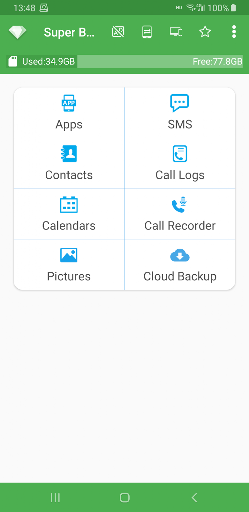
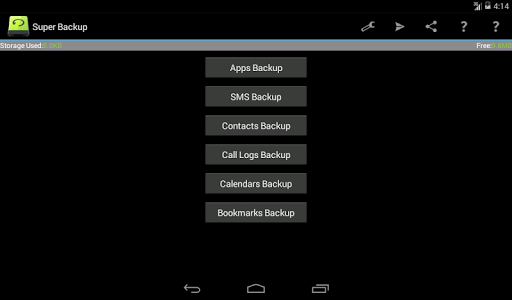
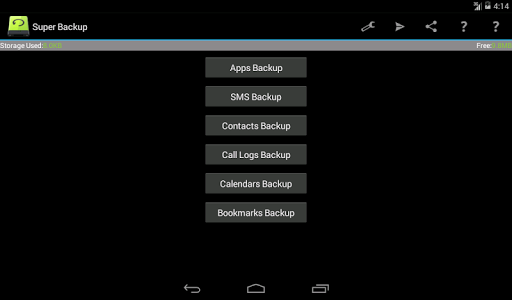
You can backup Apps, Contacts, SMS, Call Logs, Bookmarks, Calendars to your SD card.
You can share installation APK files to your friends.
You will never lose your data again!
★Important Notice #1
If you intend to do a factory reset on the phone, please make sure default backup folder is in your external SD card before doing it. If not, please copy the entire backup folder ("SmsContactsBackup" by default) to your external SD card
★Important Notice #2
Since Android M 6.0, access bookmarks from 3rd party application is disabled, so Super Backup cannot backup and restore bookmarks.
★Important Notice #3
If you schedule automatic backups, and you use some apps such as Task Killer or Memory Clear, please make sure you had add Super Backup into their White List or Ignore list. Otherwise Super Backup can not run in background, and automatic backups will not work.
★Important Notice #4
When you finished the SMS restore process, but the messages were not displayed in your default SMS app, please try to reboot your device.
Features:
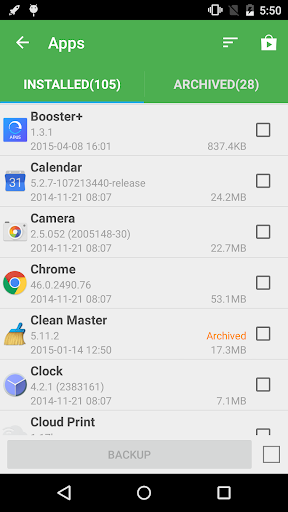
- Backup apps to SD card
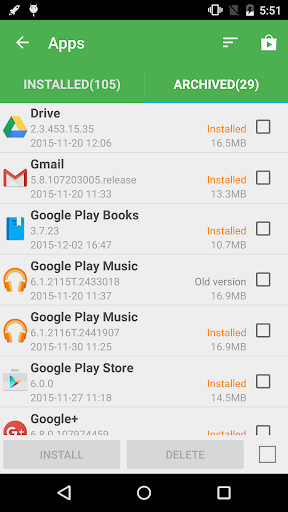
- Backup download links of your installed apps
- Backup Contacts & SMS & Call logs & Bookmarks & Calendars to SD card
- Restore Contacts & SMS & Call logs & Bookmarks & Calendars from SD card
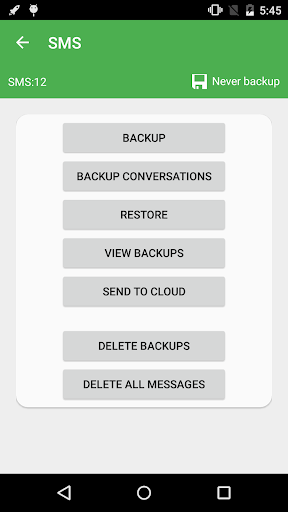
- Can select SMS conversations to backup
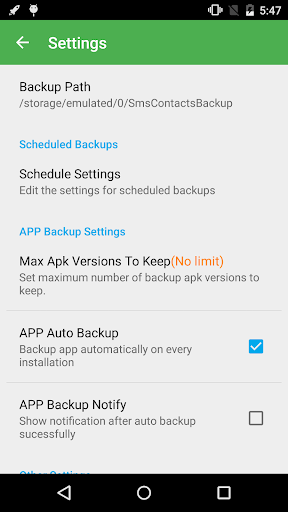
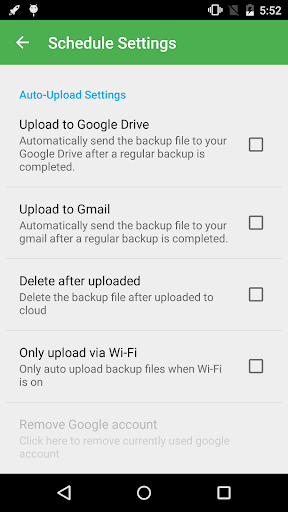
- Schedule automatic backups((★Not supported since Android 13 ★)
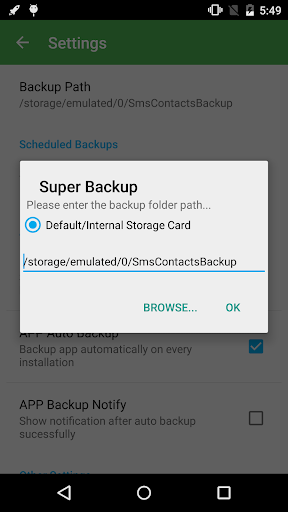
- Can change backup folder to external SD card
- Call Recorder: Support backup your voice call recording. It can perfectly record the phone call voices to mp3 files. Record both sides voice clearly! (★Not supported since Android 10 ★)
About Permissions:
READ YOUR TEXT MESSAGES (SMS OR MMS)/EDIT YOUR TEXT MESSAGES (SMS OR MMS)
These permissions are used to backup & restore your SMS
READ YOUR CONTACTS/MODIFY YOUR CONTACTS
These permissions are used to backup & restore your Contacts
WRITE WEB BOOKMARKS AND HISTORY/READ YOUR WEB BOOKMARKS AND HISTORY
These permissions are used to backup & restore your Bookmarks
READ CALENDAR EVENTS PLUS CONFIDENTIAL INFORMATION/ADD OR MODIFY CALENDAR EVENTS AND SEND EMAIL TO GUESTS WITHOUT OWNERS' KNOWLEDGE
These permissions are used to backup & restore your Calendars
READ CALL LOG/WRITE CALL LOG
These permissions are used to backup & restore your Call logs
RECORD_AUDIO
These permissions are used to recording your voice call
Location Permission
This permission is required to transfer backup files between devices by WiFi peer to peer.
Starting from Android 8, using the Wi-Fi peer-to-peer requires location permission. This is required by android system, we will never collect your location information.
Translations:
- Italian- Thanks to Emmanuel Avetta
- Portuguese - Thanks to Emmanuel Avetta
- Korean - Thanks to 장승훈
- Hungarian - Thanks to Balu & Hevesi J.
- Turkish - Thanks to Fatih Fırıncı
- Arabic - Thanks to Falcon Eye
- Polish - Thanks to Alvin Świtała
- Russian - Thanks to Сергей Приклонский, Mikhail Medvedev
- Ukrainian - Thanks to Mikhail Medvedev
- Czech - Thanks to Renek
You can backup Apps, Contacts, SMS, Call Logs, Bookmarks, Calendars to your SD card.
You can share installation APK files to your friends.
You will never lose your data again!
★Important Notice #1
If you intend to do a factory reset on the phone, please make sure default backup folder is in your external SD card before doing it. If not, please copy the entire backup folder ("SmsContactsBackup" by default) to your external SD card
★Important Notice #2
Since Android M 6.0, access bookmarks from 3rd party application is disabled, so Super Backup cannot backup and restore bookmarks.
★Important Notice #3
If you schedule automatic backups, and you use some apps such as Task Killer or Memory Clear, please make sure you had add Super Backup into their White List or Ignore list. Otherwise Super Backup can not run in background, and automatic backups will not work.
★Important Notice #4
When you finished the SMS restore process, but the messages were not displayed in your default SMS app, please try to reboot your device.
Features:
- Backup apps to SD card
- Backup download links of your installed apps
- Backup Contacts & SMS & Call logs & Bookmarks & Calendars to SD card
- Restore Contacts & SMS & Call logs & Bookmarks & Calendars from SD card
- Can select SMS conversations to backup
- Schedule automatic backups((★Not supported since Android 13 ★)
- Can change backup folder to external SD card
- Call Recorder: Support backup your voice call recording. It can perfectly record the phone call voices to mp3 files. Record both sides voice clearly! (★Not supported since Android 10 ★)
About Permissions:
READ YOUR TEXT MESSAGES (SMS OR MMS)/EDIT YOUR TEXT MESSAGES (SMS OR MMS)
These permissions are used to backup & restore your SMS
READ YOUR CONTACTS/MODIFY YOUR CONTACTS
These permissions are used to backup & restore your Contacts
WRITE WEB BOOKMARKS AND HISTORY/READ YOUR WEB BOOKMARKS AND HISTORY
These permissions are used to backup & restore your Bookmarks
READ CALENDAR EVENTS PLUS CONFIDENTIAL INFORMATION/ADD OR MODIFY CALENDAR EVENTS AND SEND EMAIL TO GUESTS WITHOUT OWNERS' KNOWLEDGE
These permissions are used to backup & restore your Calendars
READ CALL LOG/WRITE CALL LOG
These permissions are used to backup & restore your Call logs
RECORD_AUDIO
These permissions are used to recording your voice call
Location Permission
This permission is required to transfer backup files between devices by WiFi peer to peer.
Starting from Android 8, using the Wi-Fi peer-to-peer requires location permission. This is required by android system, we will never collect your location information.
Translations:
- Italian- Thanks to Emmanuel Avetta
- Portuguese - Thanks to Emmanuel Avetta
- Korean - Thanks to 장승훈
- Hungarian - Thanks to Balu & Hevesi J.
- Turkish - Thanks to Fatih Fırıncı
- Arabic - Thanks to Falcon Eye
- Polish - Thanks to Alvin Świtała
- Russian - Thanks to Сергей Приклонский, Mikhail Medvedev
- Ukrainian - Thanks to Mikhail Medvedev
- Czech - Thanks to Renek
What's New
Fix bugs
Support Android 15
Support Android 15
App Information
Version Name
2.3.64
Version Code
182
File Size
16.7 MB
Minimum OS
Android 6.0+
Target SDK
Android 33
Developer
MobileIdea Studio
Contact
Website
Content Rating
Everyone
Package Name
com.idea.backup.smscontactsPermissions Required
This app may request the following permissions:
Recent Reviews

Vince D
2.0★
The Good: No data shared. The Bad: Doesn't work completely. Lost some plain SMS messages. No group messages were saved. RCS chats aren't saved, encrypted or not. I lost from a few days to a few years of dialogue of texts. Also, it didn't back up apps to the cloud like it does everything else, so I had to reinstall apps one by one. The layout/workflow is not intuitive, so it took multiple tries to figure out how things work.

A Google user
3.0★
With the developer would answer emails. I've emailed on more than one occasion over the years and could benefit from the courtesy of a reply. My current gripe: I wish the call backup was consistent and would work. Why do some calls automatically record and not others? Why would the app say its recording the call and then when the call is over, it's gone? As if there was no phone conversation ever? Let's work out the bugs please.
A Google user
5.0★
This app is just amazing. One of the first things to make sure you have on a new phone. It's incredible but it's almost like there's nothing it won't do that you need when it comes to making sure you lose nothing on your phone: Log your calls, texts, contacts, even your apps and photos with no mistakes no glitches and with Incredible speed. Seriously if you have ever lost a phone and lamented the loss of contents, you owe it to yourself to get this app. There's just nothing comparable on the market.
A Google user
4.0★
Would be nice if it (default sett.) wouldn't pop up after every single phone call... where instead you could manually turn it on/off when needed/ wanted Ex. : when talking to customer service representatives where information is given at such a fast pace or can be difficult to get it all even with pen n ppr. Or when having to show proof that a service was canceled prior to the end of a "free trial", or be charged for a bill that u shouldn't have due to an error on the company's side of things.
A Google user
3.0★
Like the app and it appears to do as advertised (hence the 3*) but I'm not a fan of the promise of backing up everything and then having to download another app to backup pictures. My feedback is that if you're going to force someone to download a separate app, why bother asking if they want to encrypt and what have you? I don't want to do that...I just want to back up my pictures but when I cancel (say "no"), nothing happens. I'll probably uninstall and try something different. Thanks, tho

Jackie Skidmore
1.0★
Even though the app has recently been updated apks still don't backup as they used to, yet the reminder notification still appears periodically. Half the settings menu has now disappeared and only becomes available if a backup fails to upload to Drive which, unfortunately, seems to be a regular occurrence. Also, the Premium notification has vanished upon opening the app.
Ad slot: In-Content