

Image-Line Remote
com.imageline.ILRemote
by Image-Line
Screenshots



Ad slot: Top Leaderboard
About this app
NOTE: 'FL Studio Remote' replaces 'IL Remote' for FL Studio 2025.1 and above.
Image-Line Remote ( IL Remote ) is a FREE tablet or phone, user-configurable virtual MIDI controller application for FL Studio and Deckadance 2. IL Remote does not make sound, it controls FL Studio and Deckadance just like a MIDI controller does.
Open FL Studio on your computer plus IL Remote on your mobile device and the connection is automatic.
NOTE: Requires Android 4 or higher. FL Studio 11.1 OR FL Studio 12.3 for control feedback
Control FL Studio instantly or link your favorite instrument and effect plugins just as you can with any MIDI controller. Use a phone, tablet or any combination with up to 15 devices simultaneously.
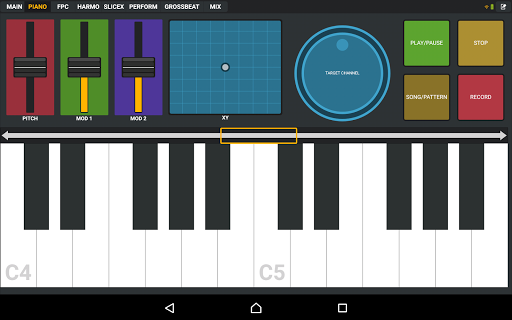
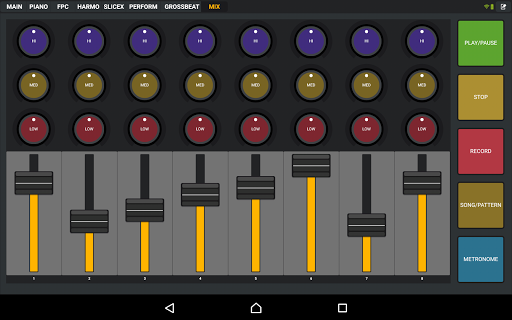
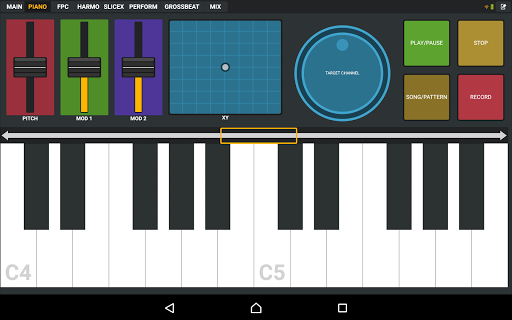
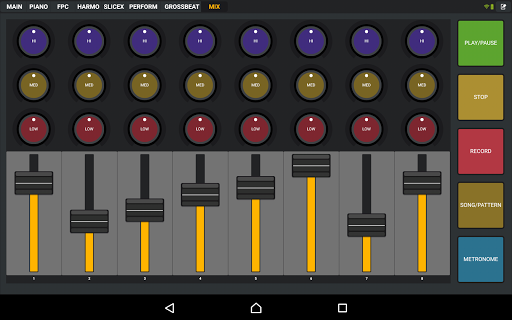
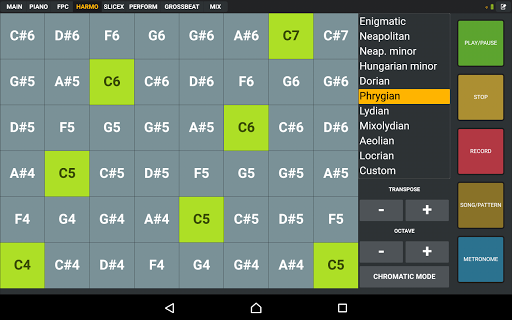
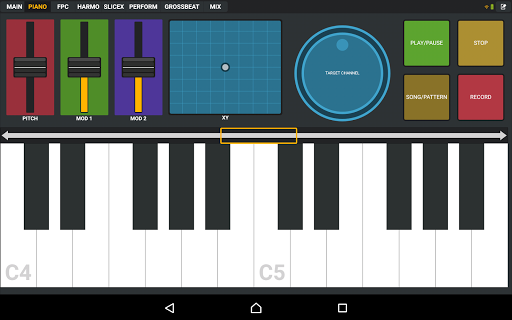
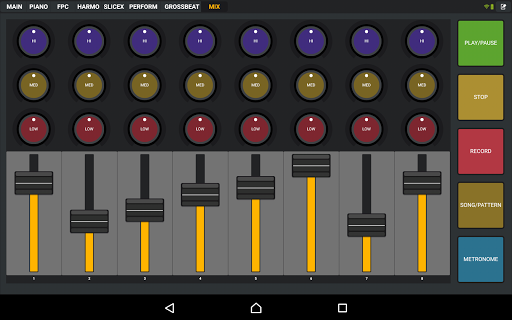
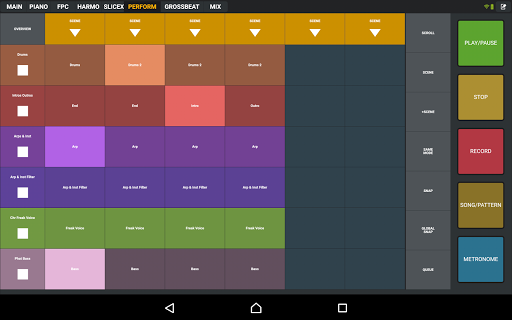
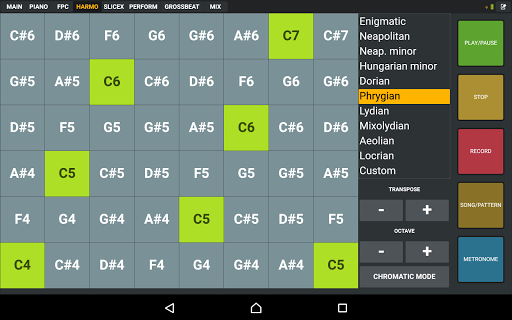
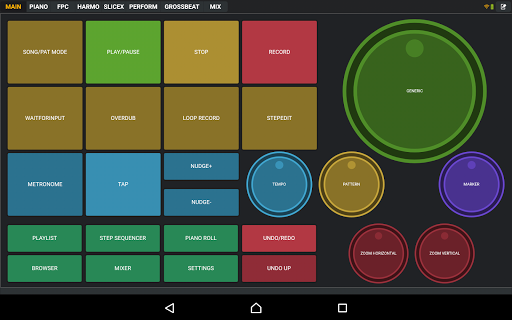
Use the included controller tabs covering functions including; Transport Controls, MIDI Keyboard, FPC control, Harmonizer Keyboard, Performance Mode (Clip Launcher), Gross Beat FX, Mixer and more. If the control you want isn't available then you can create your own.
IL Remote allows you to add custom tabs and add controls including Pads, Faders, Knobs, Jog Wheels, Mixer, Clip Launcher, X/Y Controls, Piano Keyboard, Harmonic Grid and Containers. There is a complete range of customization options for each control so that you can create virtually any virtual MIDI controller to suit your needs.
Please see the user manual here:
http://support.image-line.com/redirect/ILRemoteManual
Trouble with Wi-Fi connection see here:
http://support.image-line.com/redirect/ILRemote_WiFi_Troubleshooting
User forums (log in or create a free account to access):
http://support.image-line.com/redirect/ILRemote_Users_Forum
Video Playlist:
http://www.youtube.com/playlist?list=PLkYsB0Ki9lAdBPjGpa0vEH8PLT5CSoy8L
Enjoy!
Image-Line Remote ( IL Remote ) is a FREE tablet or phone, user-configurable virtual MIDI controller application for FL Studio and Deckadance 2. IL Remote does not make sound, it controls FL Studio and Deckadance just like a MIDI controller does.
Open FL Studio on your computer plus IL Remote on your mobile device and the connection is automatic.
NOTE: Requires Android 4 or higher. FL Studio 11.1 OR FL Studio 12.3 for control feedback
Control FL Studio instantly or link your favorite instrument and effect plugins just as you can with any MIDI controller. Use a phone, tablet or any combination with up to 15 devices simultaneously.
Use the included controller tabs covering functions including; Transport Controls, MIDI Keyboard, FPC control, Harmonizer Keyboard, Performance Mode (Clip Launcher), Gross Beat FX, Mixer and more. If the control you want isn't available then you can create your own.
IL Remote allows you to add custom tabs and add controls including Pads, Faders, Knobs, Jog Wheels, Mixer, Clip Launcher, X/Y Controls, Piano Keyboard, Harmonic Grid and Containers. There is a complete range of customization options for each control so that you can create virtually any virtual MIDI controller to suit your needs.
Please see the user manual here:
http://support.image-line.com/redirect/ILRemoteManual
Trouble with Wi-Fi connection see here:
http://support.image-line.com/redirect/ILRemote_WiFi_Troubleshooting
User forums (log in or create a free account to access):
http://support.image-line.com/redirect/ILRemote_Users_Forum
Video Playlist:
http://www.youtube.com/playlist?list=PLkYsB0Ki9lAdBPjGpa0vEH8PLT5CSoy8L
Enjoy!
What's New
- Feedback support when used with FL Studio 12.3 and later
- Fixed bug when assigning CC number for accelerometers and the microphone
- Fixed bugs in the mixer (on/off buttons all sending the same note number, errant MIDI message with "low eq" knobs)
- Updated splash screen to feature link to the manual and a new design
- Deckadance no-longer supported
- Bugfixes
- Fixed bug when assigning CC number for accelerometers and the microphone
- Fixed bugs in the mixer (on/off buttons all sending the same note number, errant MIDI message with "low eq" knobs)
- Updated splash screen to feature link to the manual and a new design
- Deckadance no-longer supported
- Bugfixes
App Information
Version Name
1.2
Version Code
1200
File Size
3.8 MB
Minimum OS
Android 3.0+
Target SDK
Android 11
Developer
Image-Line
Contact
Website
Content Rating
Everyone
Package Name
com.imageline.ILRemotePermissions Required
This app may request the following permissions:
Recent Reviews

Daymusik
3.0★
I cannot help but notice this app might be more optimized for a tablet which is unfortunate for me who has resorted to using this app on my Samsung Galaxy S9. My computer keyboard has stopped working so I have been using the osk, but when it came to using FL Studio, I remembered this app. It was all fine and well until the longer I used it, the more I realized my phone screen wasn't big enough. I mean, the words are far too small and I'm certain there are options cut off that I cannot access.

Sandy Christiawan
3.0★
Selecting target instrument is really hard, i think it's better if we can see the name of the targeted instruments, instead of using some kind of whatever it's called to point which instrument (it's really frustrating). Needs added a tab that can control more assignable fader, button, and knobs. And lastly, please add a possiblities to control more mixer fader (not just the first 8 channel). Assignable custom mixer fader would be good too. Basically this apps needs a lot improvements.

A Google user
5.0★
I entered the audio creative world, it was running studio recording for my cousins band, so I had access to a large amount of high end hardware and software. my background in tech was the source of easy adaptation that made me an option. I connected & wanted more right away, & I found "FruityLoops". A tool that got me started it was 2003, helped me investigate my interest, & nurtured as the software evolved. DAW software is a personal element, but Image-Line is one I will always recommend.
A Google user
4.0★
The app is great. I personally love it. I use it as a controller for a digital pedalboard that I made from Guitar Rig 5 and FL Studio. I can control all the knobs and switches on each of the digital effects pedal. I would love it even more if there's an update that includes using the app not only via WiFi but also via hotspot like Monect PC Remote..
A Google user
3.0★
It's a fantastic concept, however, for me everything is zoomed in and settings cut off around the sides, and I can't seem to fix this. This app apparently has many things wrong for it and I reccomend trying it, but it's likely to be bugged on some way unless you have an ancient version of Android installed, from what I hear. Plz image-line we need an update, just one, it's been 4 years!
A Google user
3.0★
Almost there. First, there seems to be no way to control pitch bend with this. Second, I especially want to rotate the screen 180 deg because everything is positioned as such that things on the leftmost edge of the screen (by default everything aligned towards the left) are partially obstructed by the notch on my ZenFone 5Z. And the slide-out menu in the top right corner also opens my soft buttons and status bar because of its positioning. Also dropdown menus need to be bigger for small screens.
Ad slot: In-Content