

Photo Editor & Effects: MagPic
com.inshot.neonphotoeditor
by InShot Inc.
Screenshots


Ad slot: Top Leaderboard
About this app
Create an amazing pics art experience with this magic photo editor pro & background changer - MagPic. Choose lovely pics in your photo lab, edit with super popular AI spiral, neon photo effects, emoji backgrounds, filters for pictures, wings of angels… Besides, massive filters, fun stickers, photo collage, text, frames, blur options all are for you to make an eye-catcher. Share your stunning artworks on Instagram, Facebook, WhatsApp, Snapchat, TikTok...
Try Magic Photo Editor Pro and get ready to be asked, if you have used magic photo editing skills :)
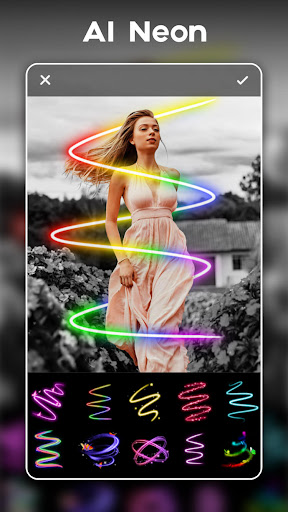
🔮 100+ Neon Effects
✦ Advanced AI tools to auto apply photo effects perfectly
✦ All effects are super pop on Insta, spiral, wings, symbols, heart…
✦ Adjust size & color, rotate effects as you like
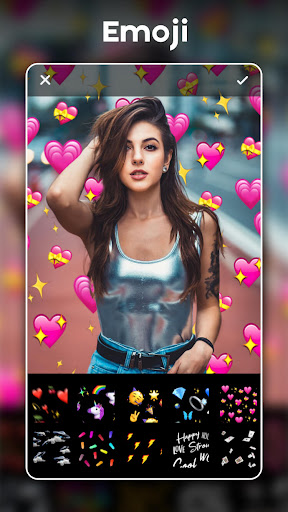
😘 Emoji Background Changer
✦ One tap to auto change photo backgrounds with cute emoji
✦ Auto background eraser, no messy background anymore
✦ Heart, crown, flower, butterfly, glitch, unicorn, thug life…
📸 All-in-one Photo Editor Pro & Collage Maker
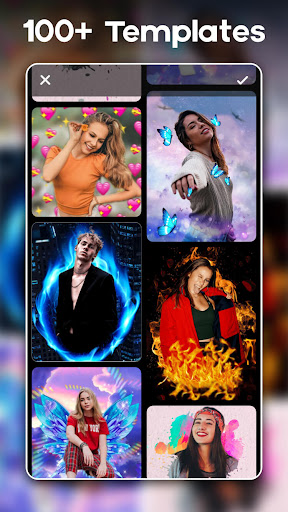
✦ 100+ Photo effects & filters to enhance pictures
✦ Tons of stylish filters for pictures: Film, Vintage, LOFI, DUO tone, etc.
✦ Tune brightness, contrast, saturation, hue, etc.
✦ Mix up to 18 pictures into a stylish photo collage
✦ 500+ Frames, backgrounds, hand-picked fonts to pick up
✦ New stickers updated every week to meet all your needs
✦ Photo on photo to maker blend effect or clip arts
✦ No crop needed, one-tap blur option to resize photos into 1:1 insta square, 9:16, 4:5, all ratios
✦ Save photos in high resolution or share them to Facebook, WhatsApp, Line, Instagram, VK, etc.
Upcoming:
+ Sketch effects with white, colorful and NEON lines
+ Create your own emoji backgrounds
Photo Editor Pro
All types of filters for pictures and photo effects to meet all your photo editing needs, such as Sketch, Retro, Cyberpunk, Foodie, Duo tone… Adjusting brightness, contrast, warmth, shadows, sharpness and exposure to enhance pictures is also available in this photo editor pro.
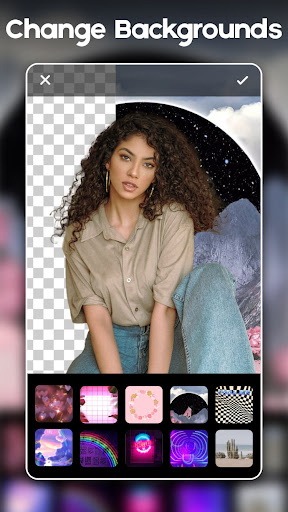
Background Changer
It's also a fantastic background photo editor. Use the advanced AI cutout tool and combine your photo with a ton of creative backgrounds.
Photo Collage Maker
Create a photo collage in seconds with various layouts and frames. And you can also edit borders of collage, change background, filters and fonts as you like in this powerful photo collage maker.
About permissions:
- To create and save photos, Neon Photo Editor Pro needs the “Storage” permission to access photos and files on your device.
- To capture beautiful photos, Neon Photo Editor Pro needs the “Camera” permission to take pictures.
Neon Photo Editor Pro deserves your try right away. It has more than 1000 photo effects and filters for pictures. With Neon Photo Editor Pro, your photo will be as brilliant as artwork. If you have any problems or suggestions, please let us know. Email: [email protected]
Try Magic Photo Editor Pro and get ready to be asked, if you have used magic photo editing skills :)
🔮 100+ Neon Effects
✦ Advanced AI tools to auto apply photo effects perfectly
✦ All effects are super pop on Insta, spiral, wings, symbols, heart…
✦ Adjust size & color, rotate effects as you like
😘 Emoji Background Changer
✦ One tap to auto change photo backgrounds with cute emoji
✦ Auto background eraser, no messy background anymore
✦ Heart, crown, flower, butterfly, glitch, unicorn, thug life…
📸 All-in-one Photo Editor Pro & Collage Maker
✦ 100+ Photo effects & filters to enhance pictures
✦ Tons of stylish filters for pictures: Film, Vintage, LOFI, DUO tone, etc.
✦ Tune brightness, contrast, saturation, hue, etc.
✦ Mix up to 18 pictures into a stylish photo collage
✦ 500+ Frames, backgrounds, hand-picked fonts to pick up
✦ New stickers updated every week to meet all your needs
✦ Photo on photo to maker blend effect or clip arts
✦ No crop needed, one-tap blur option to resize photos into 1:1 insta square, 9:16, 4:5, all ratios
✦ Save photos in high resolution or share them to Facebook, WhatsApp, Line, Instagram, VK, etc.
Upcoming:
+ Sketch effects with white, colorful and NEON lines
+ Create your own emoji backgrounds
Photo Editor Pro
All types of filters for pictures and photo effects to meet all your photo editing needs, such as Sketch, Retro, Cyberpunk, Foodie, Duo tone… Adjusting brightness, contrast, warmth, shadows, sharpness and exposure to enhance pictures is also available in this photo editor pro.
Background Changer
It's also a fantastic background photo editor. Use the advanced AI cutout tool and combine your photo with a ton of creative backgrounds.
Photo Collage Maker
Create a photo collage in seconds with various layouts and frames. And you can also edit borders of collage, change background, filters and fonts as you like in this powerful photo collage maker.
About permissions:
- To create and save photos, Neon Photo Editor Pro needs the “Storage” permission to access photos and files on your device.
- To capture beautiful photos, Neon Photo Editor Pro needs the “Camera” permission to take pictures.
Neon Photo Editor Pro deserves your try right away. It has more than 1000 photo effects and filters for pictures. With Neon Photo Editor Pro, your photo will be as brilliant as artwork. If you have any problems or suggestions, please let us know. Email: [email protected]
What's New
* Bug fixes.
App Information
Version Name
1.22.51
Version Code
51000
File Size
21.5 MB
Minimum OS
Android 6.0+
Target SDK
Android 33
Developer
InShot Inc.
Contact
Website
Content Rating
Everyone
Package Name
com.inshot.neonphotoeditorPermissions Required
This app may request the following permissions:
Recent Reviews

C Boullet
5.0★
I'm not very good at taking photos and using filters is a new thing for me. I'm having a blast learning my way around! I got lost a few times while experimenting with all this app has to offer! I didn't want to stop, but after 5 hours, it was time to get back to reality. Great fun!! I'm not crazy about Ads, but love that I was given the choice to watch an Ad and unlock for free or pay. There are plenty of worthwhile free options available to use, no Ads involved! Thank you!!

J. SMITH
4.0★
Great app. Easy to use, the "AI Cutout" works great, and there are so many backgrounds to choose from. I can even search the kind of background that I want into the search bar and it comes up with exactly what I need everytime, ( however sometimes I do have issues with the search bar or the filter. It will say "Oops.Network Timeout", which is really annoying. there are no other glitches other than that). I also love the option to make your own "stickers" out of your photos. Overall a great app.

Jon Nelson
5.0★
5 STARS! About a year ago, I got into a hobby that includes a ton of photo editing.. This app is my go to, now.. Believe me, I've tried all the apps, and this is the only app I use for cutting backgrounds out and blending pictures together.. The main thing for me is it's ability to zoom all the way in on a micro pixelated level that allows precise detail.. I hope they keep that in the app as time goes on, because I can't zoom in like that on any other apps.. 👍

Paula Hulett
5.0★
I spent some time just playing around and experimenting with the numerous features in Neon Photo Editor. I enjoyed the simple layout and overall functionality that is applied as easily as selecting a button. I noticed the ad-free Pro Version is only $4.99/year. This app offers a lot more than many other photo editors and is a good choice for kids.

Mindy
2.0★
It is a little difficult to continue uses the free option, when there continuous request to buy pro. As a free customer, we deal with the ads that pay you and that ads you want us to pay you. Also only by comparing this app to other apps of this nature; their free portions offered more. I'm sorry but I prefer to be honest to customers and developers. It's alright. I don't think I'll be using it much longer considering they want me to go premium

Leslie Barry
1.0★
Have just paid for the FULL LIFETIME Pro version of this app, and already wish that I hadn't! One of my FAVOURITE! editing tools is the Blur ( background) function. But just been using it , and it's a letdown... I get the blur effect exactly as I want it, click on Save, then when I open the saved image, a lot of the blur effect around the image has gone, and I can clearly see objects I was trying to "disguise". Tried several images, with the SAME result! NOT HAPPY!!!
Ad slot: In-Content