

ProCam X - Lite :HD Camera Pro
com.intermedia.hd.camera.professional
by Imagi Mobile
Screenshots


Ad slot: Top Leaderboard
About this app
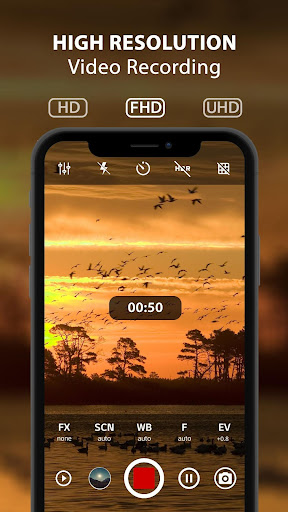
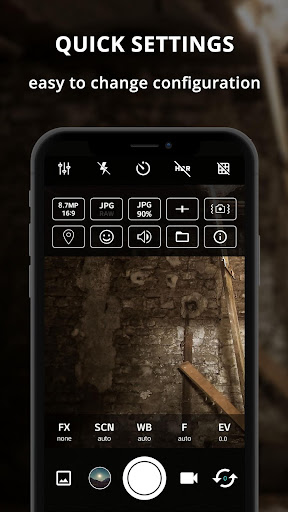
ProCam X will turn your phone into professional camera wanna be, with full control over exposure, focus, white balance, ISO and another features like a professional camera, which can bring your mobile photography to the next level. Take the best capture of your photo and even record your video in high resolution.
☆ ProCam X - HD Camera Pro : best camera features : ☆
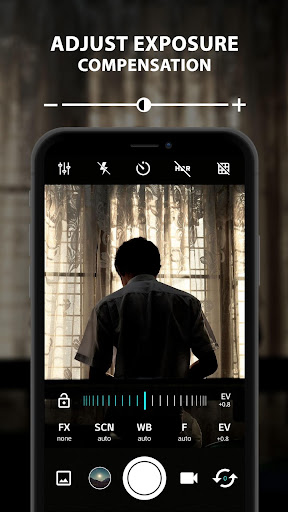
✓ Control exposure (lock / adjust value)
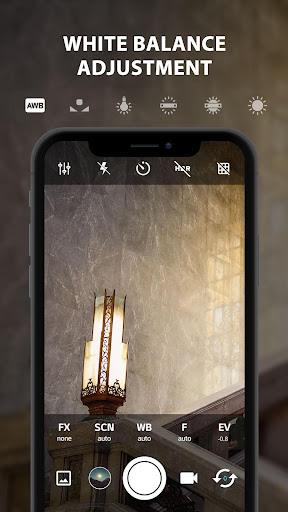
✓ Control white balance
✓ Manual ISO *
✓ Manual focus *
✓ Manual shutter speed *
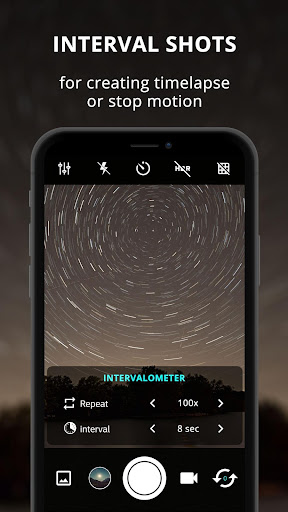
✓ Intervalometer
✓ Burst shooting mode
✓ Set custom video bit rate
✓ Realtime filter / color effect
✓ Geotagging
✓ Anti Shake
* On supported devices with camera2api enable
It's excellent fast camera features perform quickly giving your fast camera performance which is able to take many pictures at some interval in burst mode, very useful for creating stop motion or time lapse video
Create photos with different effects and another pro hd camera pro features like manual exposure lock, manual ISO, white balance, hd camera pro grid view, golden ratio grid, etc. and reach the highest level of photography with this professional camera and fast camera hd
Best camera key features are described as below :
* Burst camera mode with configurable delay to create stop motion or create time lapse video
* Face detection / facial recognition
* Front back hd camera pro selection.
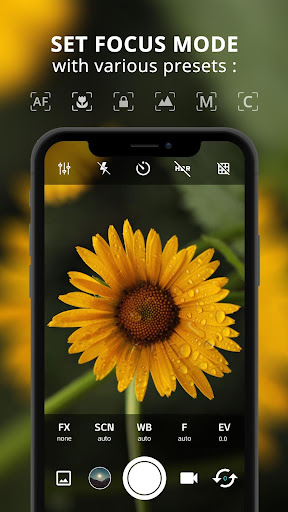
* Professional camera hd features: Scene mode, focus mode, burst mode, color effects, white balance, and manual exposure lock, manual ISO.
* Choose to and 4k video quality and resolution.
* 4K camera recording (With optional audio recording) like az camera hd
* Option to turn off the shutter sound.
* GUI to change the orientation without any pause works in any direction.
* Adjustable volume keys (image to zoom receive or change the exposure compensation).
* Excellent like the best camera hd performance
* Remote control (optional audio countdown) timer (with configurable delay) automatic repeat mode.
* Customable volume keys to perform quick operation like az camera
* DSLR camera feature to adjust shutter speed
* Manual Focus like DSLR HD camera
* DSLR camera feature to choose manual ISO
* Manual Exposure
* Interval Shot for time lapse and stop motion
* Location targeting feature
* Remove with multi-touch gesture and single-touch control.
* Option to lock the photo or 4k video in portrait or landscape orientation.
* 4K video recording on supported device, turn your phone into 4k camera
* Realtime Photo Filter
* Photo Grid : 4K camera app, golden ratio line
* Disable the shutter sound / silent camera app when take photo or record 4k video
* Optional GPS location tagging (geotagging), photos and videos; For photos that compass direction contains.
* A date and time stamp on photos, location coordinates and implements a custom text.
* (Some) external microphone support.
* Manual focusing distance
* pro camera exposure lock
* RAW (DNG) files on front az camera
* Manual ISO
* Flash mode feature
* Brightness / exposure setting
* Best camera for creating time lapse or stop motion which required interval shooting
* Unlock az camera app capability to record at 4k camera on supported devices
All complete features packaged in small compact size and clean interface,
Download this professional camera hd and start record your 4k video
Note :
To use manual features you need device with Android 5.0 and up with camera2 API enabled by your phone's vendor.
☆ ProCam X - HD Camera Pro : best camera features : ☆
✓ Control exposure (lock / adjust value)
✓ Control white balance
✓ Manual ISO *
✓ Manual focus *
✓ Manual shutter speed *
✓ Intervalometer
✓ Burst shooting mode
✓ Set custom video bit rate
✓ Realtime filter / color effect
✓ Geotagging
✓ Anti Shake
* On supported devices with camera2api enable
It's excellent fast camera features perform quickly giving your fast camera performance which is able to take many pictures at some interval in burst mode, very useful for creating stop motion or time lapse video
Create photos with different effects and another pro hd camera pro features like manual exposure lock, manual ISO, white balance, hd camera pro grid view, golden ratio grid, etc. and reach the highest level of photography with this professional camera and fast camera hd
Best camera key features are described as below :
* Burst camera mode with configurable delay to create stop motion or create time lapse video
* Face detection / facial recognition
* Front back hd camera pro selection.
* Professional camera hd features: Scene mode, focus mode, burst mode, color effects, white balance, and manual exposure lock, manual ISO.
* Choose to and 4k video quality and resolution.
* 4K camera recording (With optional audio recording) like az camera hd
* Option to turn off the shutter sound.
* GUI to change the orientation without any pause works in any direction.
* Adjustable volume keys (image to zoom receive or change the exposure compensation).
* Excellent like the best camera hd performance
* Remote control (optional audio countdown) timer (with configurable delay) automatic repeat mode.
* Customable volume keys to perform quick operation like az camera
* DSLR camera feature to adjust shutter speed
* Manual Focus like DSLR HD camera
* DSLR camera feature to choose manual ISO
* Manual Exposure
* Interval Shot for time lapse and stop motion
* Location targeting feature
* Remove with multi-touch gesture and single-touch control.
* Option to lock the photo or 4k video in portrait or landscape orientation.
* 4K video recording on supported device, turn your phone into 4k camera
* Realtime Photo Filter
* Photo Grid : 4K camera app, golden ratio line
* Disable the shutter sound / silent camera app when take photo or record 4k video
* Optional GPS location tagging (geotagging), photos and videos; For photos that compass direction contains.
* A date and time stamp on photos, location coordinates and implements a custom text.
* (Some) external microphone support.
* Manual focusing distance
* pro camera exposure lock
* RAW (DNG) files on front az camera
* Manual ISO
* Flash mode feature
* Brightness / exposure setting
* Best camera for creating time lapse or stop motion which required interval shooting
* Unlock az camera app capability to record at 4k camera on supported devices
All complete features packaged in small compact size and clean interface,
Download this professional camera hd and start record your 4k video
Note :
To use manual features you need device with Android 5.0 and up with camera2 API enabled by your phone's vendor.
What's New
Add RAW only option
User now can try Pro version using rewarded Ads
Fix some translations
Increase compatibility with Android 14
User now can try Pro version using rewarded Ads
Fix some translations
Increase compatibility with Android 14
App Information
Version Name
1.13
Version Code
14
File Size
4.1 MB
Minimum OS
Android 6.0+
Target SDK
Android 33
Developer
Imagi Mobile
Contact
Website
Content Rating
Everyone
Package Name
com.intermedia.hd.camera.professionalPermissions Required
This app may request the following permissions:
Recent Reviews

Bijon N.
5.0★
Firstly, I haven't noticed a single ad, not to mention any features greyed out-- used to lure me out of the free version & in to the buy. I was a little intimidated by all of the options, which caused me to delay familiarizing myself with this app, but I regret not putting in the minimal effort sooner. My photos are awesome now! I've never been an aspiring photographer or wondered which side is my best but, I'm ashamed to say, this app has been fun and inspiring... And it's my right side, btw.😒

Makorow
3.0★
Ok for a free app, better than many. Of course, the higher settings are off limits unless you pay. But what is available in the Lite (free) version is more than sufficient for casual photography. I like that the app seems well designed and fairly feature rich despite such a small download size, with settings that are very easy to access. However, I'm very disappointed the "anti shake" EIS feature doesn't work. I can turn it on and off, but it doesn't seem to do anything. But at least, no ads.

Henrique Barbosa
3.0★
I've been using this app for a week for astrophotography and it is quite nice. Then I tried the bracketing and it does not work. It only takes 1 photo, instead of multiple photos at different EV. I also could not configure it for doing long exposures (maximum seems to be 10.2s). This sound like things that should be working. I hope the developer fiz this, cause I want to buy the pro version.

A Google user
5.0★
Best Camera app for Android smartphones period. It's focus is a little slow, but pictures are crystal clear. You can even take nice pictures of the clouds. Some camera apps won't do that. I suggest you try yours. The app also lets you autofocus the lighting of your pictures simply by tapping on the screen. The design is also real straightforward and easy to use. I don't know what else to say, so please people, quit asking me to write more detailed reviews. I've tested 7 apps and this one wins.

Matthew Plate
5.0★
This is a super cool app, and can really help make cinematic photos and videos... HOWEVER...the app has recently been crashing evertime I try to record a video...and won't switch modes at all...and there is no reason why besides the fact that I have been using for a couple hours in a row getting shots...now it won't work so production is now slowed...my cameras are not available rn and I'm using my phone as a mobile editor/'cineam' camera', kind of...but I will update when issue is fixed.

K. Christie
1.0★
The first few days of using the app were great, but then errors started to appear. I hope the developers fix them soon. I have both the free and paid versions of the app, and whenever I make a configuration change (such as ISO or lighting), the app freezes and displays the message 'serious camera error.' After that, the app freezes and closes. The only way I can use the app now is with the settings on automatic, but the photos don't turn out well that way.
Ad slot: In-Content