

Video Surveillance Ivideon
com.ivideon.client
by Mobile Video Solutions
Screenshots




Ad slot: Top Leaderboard
About this app
Ivideon is one of the best app for video surveillance, remote video monitoring and video recording for security cameras, DVRs and NVRs.
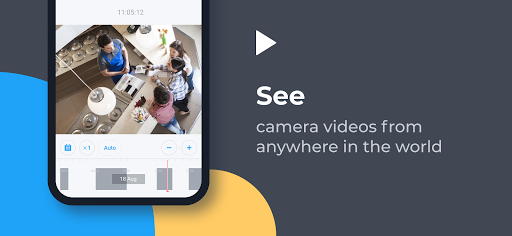
It will allow you to keep tabs on things while you’re away with event notifications and recordings stored either locally or in the Ivideon cloud.
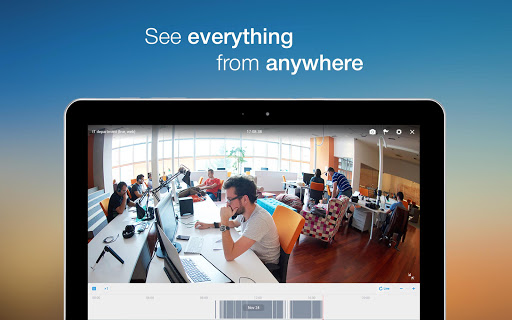
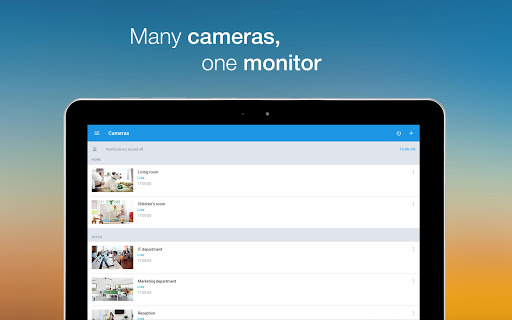
Ivideon easily supports both single and multiple locations and tracks what matters to you no matter where you are, keeping you updated on important events in real time and storing those events in the cloud for easy access.
Ivideon is scalable, simple and reliable. From a webcam to monitor a home to an IP-camera network serving an international business, Ivideon can handle it.
Every day, more than 2,000,000 individuals and businesses use Ivideon to:
• access high-quality video online (with sound) via any standard connected device including Android
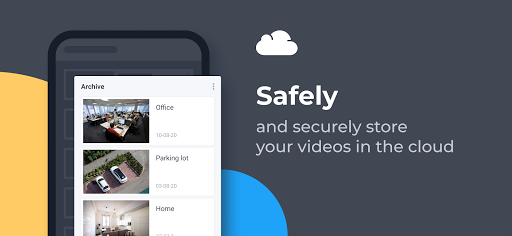
• record and store video in the cloud with guaranteed reliability and data security
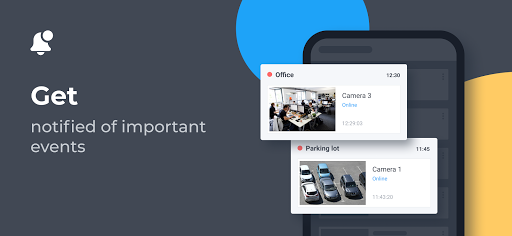
• receive automatic push- and e-mail notifications of suspicious movements or sounds
• quickly search and view recorded surveillance video
• access quality video over any bandwidth down to 3G
• easily expand to any number of cameras
• share camera access with PTZ, Archive, and Live options
• transfer and store data securely
• embed surveillance feeds on websites or blogs
• share camera links over social networks
• search video events linked to POS, Access Control and Home Automation systems
Ivideon is safe. Ivideon is simple to install and maintain. And Ivideon is accessible from anywhere. But with all the functionality of more expensive and complex solutions.
And if you get stuck, our Helpdesk is on stand-by 24/7.
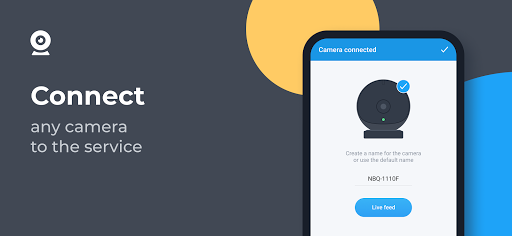
Camera connection
Big-name cameras like iLuv, Oco, Philips, Axis, Dahua, Hikvision, Milesight—and many others—love Ivideon right out of the box. Plug and play – no computer needed.
But all cameras—D-Link, Foscam, Trendnet, EasyN, Acti, Edimax, Swann, TP-Link, Logitech, Belkin and many others—can be configured to work with Ivideon quickly and easily. All you need is a computer with an Internet connection and to download our free Ivideon Server app here: http://www.ivideon.com/get/. In five minutes you’re good to go.
See how easy it is for free!
It will allow you to keep tabs on things while you’re away with event notifications and recordings stored either locally or in the Ivideon cloud.
Ivideon easily supports both single and multiple locations and tracks what matters to you no matter where you are, keeping you updated on important events in real time and storing those events in the cloud for easy access.
Ivideon is scalable, simple and reliable. From a webcam to monitor a home to an IP-camera network serving an international business, Ivideon can handle it.
Every day, more than 2,000,000 individuals and businesses use Ivideon to:
• access high-quality video online (with sound) via any standard connected device including Android
• record and store video in the cloud with guaranteed reliability and data security
• receive automatic push- and e-mail notifications of suspicious movements or sounds
• quickly search and view recorded surveillance video
• access quality video over any bandwidth down to 3G
• easily expand to any number of cameras
• share camera access with PTZ, Archive, and Live options
• transfer and store data securely
• embed surveillance feeds on websites or blogs
• share camera links over social networks
• search video events linked to POS, Access Control and Home Automation systems
Ivideon is safe. Ivideon is simple to install and maintain. And Ivideon is accessible from anywhere. But with all the functionality of more expensive and complex solutions.
And if you get stuck, our Helpdesk is on stand-by 24/7.
Camera connection
Big-name cameras like iLuv, Oco, Philips, Axis, Dahua, Hikvision, Milesight—and many others—love Ivideon right out of the box. Plug and play – no computer needed.
But all cameras—D-Link, Foscam, Trendnet, EasyN, Acti, Edimax, Swann, TP-Link, Logitech, Belkin and many others—can be configured to work with Ivideon quickly and easily. All you need is a computer with an Internet connection and to download our free Ivideon Server app here: http://www.ivideon.com/get/. In five minutes you’re good to go.
See how easy it is for free!
What's New
Bug fixes and performance improvements
App Information
Version Name
2.46.0
Version Code
3030
File Size
82.2 MB
Min SDK
Android 23+
Target SDK
Android 33
Developer
Mobile Video Solutions
Contact
Website
Content Rating
Everyone
Package Name
com.ivideon.clientPermissions Required
This app may request the following permissions:
Recent Reviews

A Google user
5.0★
Wonderful app and service. Two way talking is supported through cellular data now. It appears the developers actually read my last review so good on them. Hopefully they keep up the good work .I'd recommend it to anyone and actually have several times. It's nice having peace of mind, keeping an eye on what is important, no matter where you are at. All this coming from someone that does not write many reviews. Well worth writing this one. Now I only wish there was a package that records 24/7 specifically for residential use. It would be cool for a solar powered set up with an oco camera platform. That would be a game changer. Thanks Invideon.
A Google user
4.0★
App works great!Event notifications let me know when my son is awake or is moving in his crib. I recently changed phones and when I downloaded the app again it wasn't working. The support team spent a couple of weeks going back and forth trying to work out what was the problem with the notifications not coming up. In the end they were able to give me a version of the app that works and I couldn't be happier😊 I will say I feel a voice feature would really make this app five stars!!

scott w
5.0★
I run this on a windows 10 "stick" PC with a USB cam with integrated mic. Can view on Android phone. Polished software that just works. One of very few that are cross-platform AND will work behind a CG NAT. Only complaint? Cloud subscription prices might be a bit too high for the average home/hobby user. That being said, the free version (while having limits) is very usable and does not seem to have any crippled functionality.
A Google user
5.0★
So far so good! Installed server on a little I5 machine in my basement. Cameras went right in, configuration was super easy. Pretty awesome that there's a free option, not many companies offer this today. I don't necessarily need the pay solution at the moment, but I may in the future. Everything works seamlessly on all platforms too which is awesome. I install enterprise level camera systems for a living, this is perfect for those not needing all the bells and whistles...it just works!
A Google user
4.0★
Although getting support can be time consuming based on where support is located internationally the app is great when it is working. The free service takes a snapshot of only 10 seconds but sometimes it's not at the beginning of the motion so it can seem pointless at times. I like the real-time access but there is a 2 minute delay I've noticed. The motion sensor is works great. The talk feature for Oco 1 is great haven't tried it on my Oco 2 as of yet. Another plus is the price it's not too expensive. Overall great buy.
A Google user
4.0★
really great app! use it to monitor my 3D printer while I am not at home. the only thing that bugs me is the camera viewer orientation. If you press the fullscreen button the camera flips, but if you turn your phone to look at it then it will flip back the other direction! in other words, there is no way to view fullscreen which is really annoying! other than that, this app is simple and intuitive. I recommend.
Ad slot: In-Content