

Music Player - JukeBox
com.jukebox.music.player
by TarrySoft
Screenshots






Ad slot: Top Leaderboard
About this app
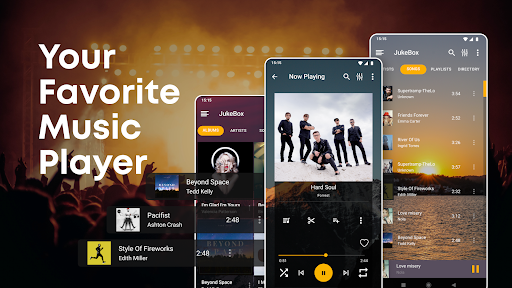
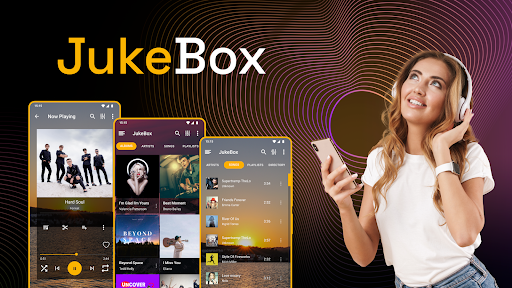
Music Player by JukeBox is a customizable, lightweight audio & music player. We know how important your music is for you, so our simple and sleek UI will make this an enjoyable music player experience. 🎵
Fantastic Music Player
Jukebox Music Player allows you to:
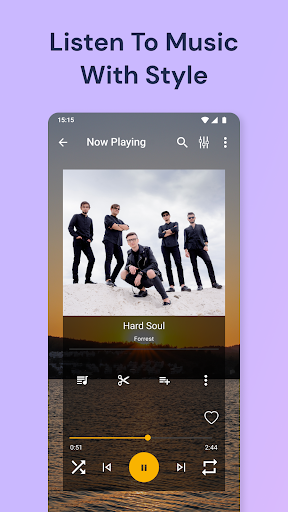
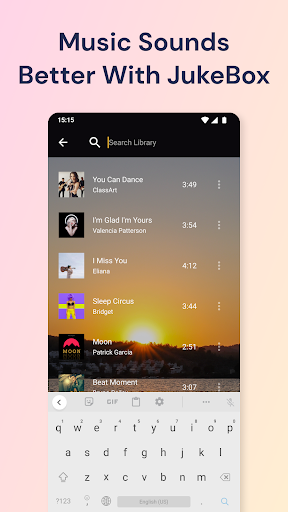
⭐ Search, sort, and browse your favorite mp3 and music files
⭐ Create your equalizer settings with a customizable music equalizer
⭐ Create and import music playlists
⭐ Control your music from your lock screen or notification
⭐ Offline music player - Play music offline
⭐ Listen to your favorite music without wifi
Discover why this is the best Music Player for Android!
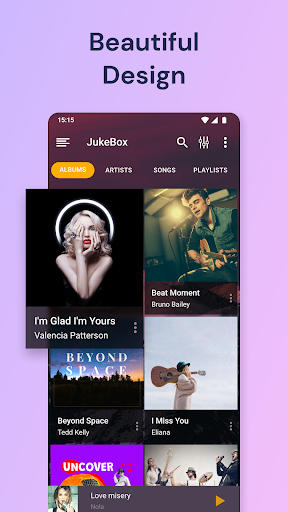
Simple but beautiful Music Player
Enjoy your music with a beautiful user interface. JukeBox Music Player is a perfect choice for you. You can choose a color theme or player theme you like in our MP3 player.
Fantastic Audio & mp3 Player by JukeBox! Discover beautiful themes and personalize Audio Player to fit all your needs! Your music sounds & looks gorgeous with our music player.
The most common user's rating after using our Music Player ⭐⭐⭐⭐⭐
🎵 Offline Music Player
Maybe you are traveling by plane, and your device is in airplane mode, no problem! Play music offline and listen to your favorite tracks without interruptions! JukeBox Audio & mp3 player works as an offline music player. Listen to music without wifi with JukeBox Music Player!
🎧Audio & mp3 Player🎧
Create or import a music playlist and listen to your favorite audio files! Audio Player with fantastic features!
🎼Unique Music Player
You can also choose from beautiful themes to create your own music listening experience. And we are always adding new themes, so make sure to check back regularly!
🎵 Start using JukeBox Music Player for a better music listening experience! 🎵
Fantastic Music Player
Jukebox Music Player allows you to:
⭐ Search, sort, and browse your favorite mp3 and music files
⭐ Create your equalizer settings with a customizable music equalizer
⭐ Create and import music playlists
⭐ Control your music from your lock screen or notification
⭐ Offline music player - Play music offline
⭐ Listen to your favorite music without wifi
Discover why this is the best Music Player for Android!
Simple but beautiful Music Player
Enjoy your music with a beautiful user interface. JukeBox Music Player is a perfect choice for you. You can choose a color theme or player theme you like in our MP3 player.
Fantastic Audio & mp3 Player by JukeBox! Discover beautiful themes and personalize Audio Player to fit all your needs! Your music sounds & looks gorgeous with our music player.
The most common user's rating after using our Music Player ⭐⭐⭐⭐⭐
🎵 Offline Music Player
Maybe you are traveling by plane, and your device is in airplane mode, no problem! Play music offline and listen to your favorite tracks without interruptions! JukeBox Audio & mp3 player works as an offline music player. Listen to music without wifi with JukeBox Music Player!
🎧Audio & mp3 Player🎧
Create or import a music playlist and listen to your favorite audio files! Audio Player with fantastic features!
🎼Unique Music Player
You can also choose from beautiful themes to create your own music listening experience. And we are always adding new themes, so make sure to check back regularly!
🎵 Start using JukeBox Music Player for a better music listening experience! 🎵
What's New
* Added more languages
* Bug fixes and support for Android 11
* USB-C headset support
* Better Bluetooth support
* Set background to your own image
* Stability improvements
* New themes!
* Folder now have options
* Adding scrollbars!
* Fixed some memory leaks
* Fixed some crashes
* Bug fixes and support for Android 11
* USB-C headset support
* Better Bluetooth support
* Set background to your own image
* Stability improvements
* New themes!
* Folder now have options
* Adding scrollbars!
* Fixed some memory leaks
* Fixed some crashes
App Information
Version Name
4.2.2.1
Version Code
15296
File Size
18.8 MB
Minimum OS
Android 4.4+
Target SDK
Android 33
Developer
TarrySoft
Contact
Website
Content Rating
Everyone
Package Name
com.jukebox.music.playerPermissions Required
This app may request the following permissions:
Recent Reviews

Tony Heald
2.0★
Cannot play downloaded songs if you are offline. It's an ok player if you have wifi or data signal, but if you want to listen to songs saved to your phone without internet, it won't work. E.g. on a plane/flight mode, the app tries to load an ad but just hangs because there's no signal, so you can't access your saved music.

A Google user
3.0★
I was using this for about a year now and I really loved it. But now it started to mess with my phone. Like, sometimes, when I click on pause button to play a song, the song doesn't want to start playing, my phone gets laggy, says that "Music FX ian't responding" and then my phone reboots. It was a good app to use, but I guess I'm gonna find another one for this.
A Google user
2.0★
Creepy how this player hijacks Samsung My Files. Uninstalled. Cannot find my music this app renames my songs incorrectly. Sorry to say ..but thank you for your time. No easy clickable link for support here, at this site. No cut and paste options. I cannot have "My Files" open and browse my files with your app open. When you click "recents" button your app displays over my files. You never see "MY Files" and "Tarrysoft" app separately. Instead your app body snatches "My Files" app by Samsung.

Zoe
3.0★
I'm not sure if this is only me but I've been using this app for a long time and all of a sudden I'm not able to create a playlist. This really returns me because I've had plenty playlists and deleted them all to make new ones. Now it says “this name already exists” but there no playlists at all please fix this... Thank you.

Alok Mystic
4.0★
This is a great player but there is only one problem hence I have given 4 stars. If a directory contains files with numbers in front of their name then this player plays song no 20 after 2 instead of 3. Other players don't have this problem, hence obviously it's not the limitation of android system. And kindly add option of selecting music visualiser at the place of album art.

Maria Justin Mathew
4.0★
I love this music player. I have been using it for 2 or 3 years but there is an issue I would like to the creator to know, it doesn't stay in the same song list when you refresh it . When you leave the page and come back again, it goes again back to the first page rather than where I was. It would be much appreciated if you could fix this issue.
Ad slot: In-Content