

Icon Changer
com.jy.iconchanger.ad
by Uncle Tools
Screenshots
Ad slot: Top Leaderboard
About this app
The easiest way to personalize and decorate your phone.
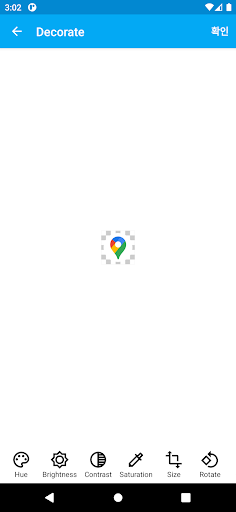
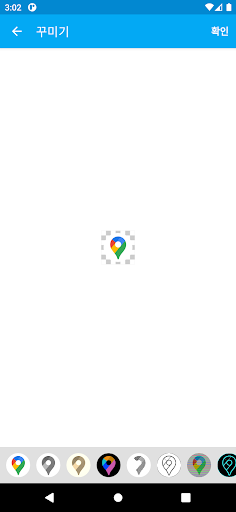
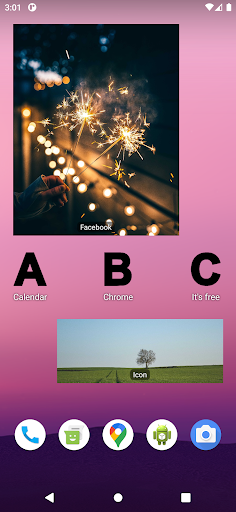
With Icon Changer, you can create custom shortcuts with new icons directly on your home screen. Choose from a wide variety of options, including icons from your gallery or a diverse range of available icon packs.
Express your unique style and give your phone a fresh look with endless customization possibilities.
Key Features:
Effortlessly change icons on your home screen
Select icons from your gallery or choose from a wide range of icon packs
Enjoy a personalized and stylish phone experience
Please Note:
The changed icon will appear on your home screen, but it is not a permanent change. Restoring the original icon is easy.
If you encounter any issues, please help us by sending crash reports if possible, or email us with crash details at [email protected]. We are dedicated to improving Icon Changer and providing the best user experience.
We kindly request that if you have an issue with Icon Changer, please refrain from leaving a review stating that it didn't work. Instead, contact us directly so we can assist you promptly.
Join thousands of users who are enjoying the ultimate icon customization experience with Icon Changer. We are continuously enhancing the app to make it the best choice for personalization on Android.
With Icon Changer, you can create custom shortcuts with new icons directly on your home screen. Choose from a wide variety of options, including icons from your gallery or a diverse range of available icon packs.
Express your unique style and give your phone a fresh look with endless customization possibilities.
Key Features:
Effortlessly change icons on your home screen
Select icons from your gallery or choose from a wide range of icon packs
Enjoy a personalized and stylish phone experience
Please Note:
The changed icon will appear on your home screen, but it is not a permanent change. Restoring the original icon is easy.
If you encounter any issues, please help us by sending crash reports if possible, or email us with crash details at [email protected]. We are dedicated to improving Icon Changer and providing the best user experience.
We kindly request that if you have an issue with Icon Changer, please refrain from leaving a review stating that it didn't work. Instead, contact us directly so we can assist you promptly.
Join thousands of users who are enjoying the ultimate icon customization experience with Icon Changer. We are continuously enhancing the app to make it the best choice for personalization on Android.
What's New
Now supports Android 15.
App Information
Version Name
3.5.2
Version Code
3520
File Size
6.3 MB
Min SDK
Android 10+
Target SDK
Android 23
Developer
Uncle Tools
Contact
Website
Content Rating
Everyone
Package Name
com.jy.iconchanger.adPermissions Required
This app may request the following permissions:
Recent Reviews

A Google user
1.0★
Puts an "Icon Changer" logo in the bottom right of the picture that takes up about 1/4 of the space. Any stock icon is better than that! I don't get it, I would be willing to pay a few dollars for an app like this to get that logo removed but they don't even offer the paid option. What's the point of the logo if not to get people to buy an ad free version? Is it just to feel good about having the logo on everybody's phone? It just doesn't make sense.
A Google user
2.0★
This app was really cool when I first downloaded it. It allows you to take your Icons abd change them by Color, style, shape, etc.. But the recent version Ive downloaded, adds the creaters Logo icon to the bottom corner of any icon yoy change. Thats ugly and kills the whole purpose of wanting to change the icon in the first place. So It went from being an app I had to have, to being uninstalled after 5minutes of downloading it. Revert it back to the way it should be without your apps logo on top.
A Google user
1.0★
They updated the app to include a watermark on created icons. It's basically this app's icon tacked onto the bottom right of whatever icon you made. I dont even understand the point. The scummy and frankly dumb thing to do is to exploit the users and have the free version with a watermark and then a "pro" upgrade, but they don't even have an upgrade! There is no paid version. They're not scummy, just beyond stupid to worsen the user experience without even attempting to reap the benefits of it..
A Google user
1.0★
I've only had this app for a short while now. And like many others, my only criticism is your icon changer you "kindly" slapped on the bottom right corner. If you do decide to fix this, I'll gladly rate 5 stars no doubt, and I'm sure many others will as well, considering the many complaints you are receiving are towards the icon changer on the bottom right.
A Google user
1.0★
Could only access one of the icon packs ("simple text") - all others "were not found." When attempting to create a new icon using simple text pack, this app kept crashing. When I finally managed to finish and save the very simple icon, it was nowhere to be found! Uninstalled. Good concept but doesn't work for me (pixel 2).
A Google user
1.0★
I loved this app as I wanted a black and white colour scheme and it allowed me to change the regular icons to B&W version but since the update it insists on stamping them all with a coloured water mark. I won't be be using it any longer. Argh! Just found out the icon stop working if you uninstall it! Pretty cheeky method of keeping it installed. Even more reason not to use it.
Ad slot: In-Content