

Skin Editor for Minecraft
com.keeratipong.skineditorminecraft
by Remoro Studios
Screenshots
Ad slot: Top Leaderboard
About this app
Skin Editor for Minecraft is a great tool for you to edit and apply Minecraft skins to all platforms.
You don't need BlockLauncher to use Skin Editor (Although you can still use it as an option)
These are Skin Editor for Minecraft features:
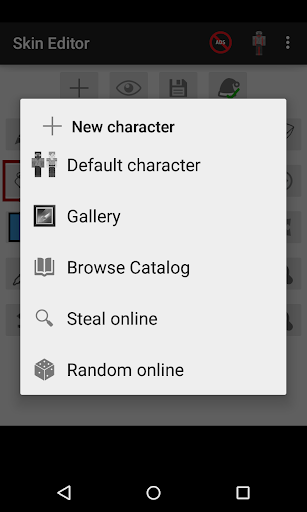
1. Create a new Minecraft skin
- Default skin (Steve, Alex, Blank skin)
- Steal player skins from the internet by typing names
- Random online skins
- Browse skins from catalog
- Import skins from your gallery
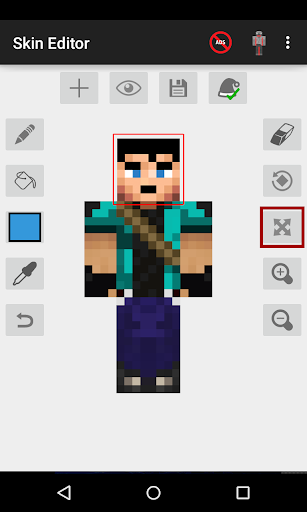
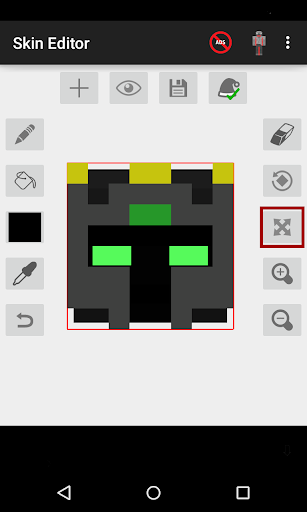
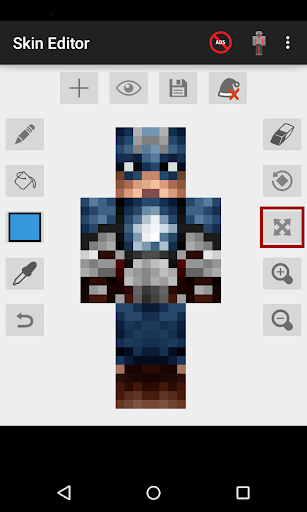
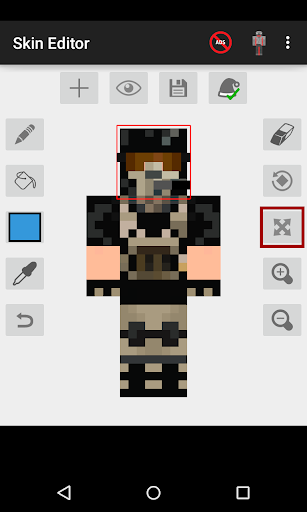
2. Edit Minecraft skins to fit your needs with these powerful tools
- Pencil
- Bucket (Fill tool)
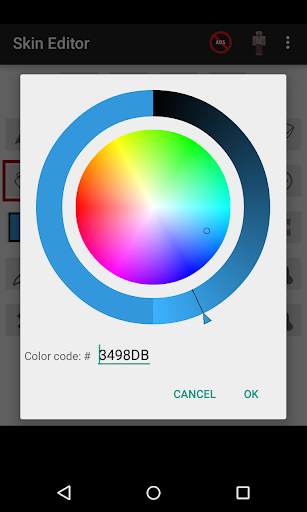
- Color wheel
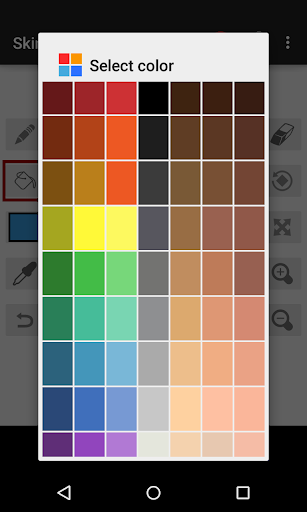
- Color palette
- Eye dropper
- Moving tools
- Zoom in/out tools
- Undo button
- 3D Hat feature
3. Rotating your character in 6 directions
- Front view
- Back view
- Left view
- Right view
- Top view
- Bottom view
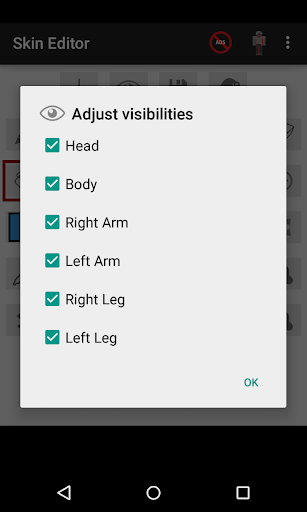
4. Adjust visibility of your character. Editing Minecraft skins had never been this easy.
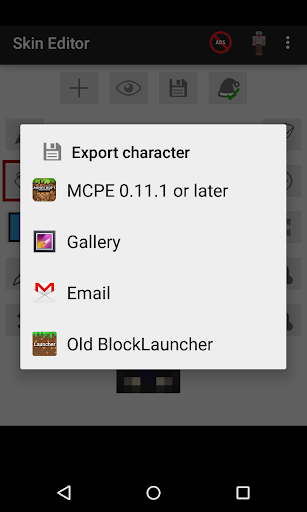
5. Export skins in 4 different ways
- Export directly to Minecraft Pocket Edition
- Export to BlockLauncher
- Export to your gallery
- Export to email
Follow me on Twitter @keeratipong. https://twitter.com/keeratipong
Skin Editor for Minecraft is not developed by Mojang. Minecraft is a trademark of Mojang AB. Please note that we are not affiliated with Mojang AB but we adhere to the terms set out by Mojang AB at https://www.minecraft.net/terms
You don't need BlockLauncher to use Skin Editor (Although you can still use it as an option)
These are Skin Editor for Minecraft features:
1. Create a new Minecraft skin
- Default skin (Steve, Alex, Blank skin)
- Steal player skins from the internet by typing names
- Random online skins
- Browse skins from catalog
- Import skins from your gallery
2. Edit Minecraft skins to fit your needs with these powerful tools
- Pencil
- Bucket (Fill tool)
- Color wheel
- Color palette
- Eye dropper
- Moving tools
- Zoom in/out tools
- Undo button
- 3D Hat feature
3. Rotating your character in 6 directions
- Front view
- Back view
- Left view
- Right view
- Top view
- Bottom view
4. Adjust visibility of your character. Editing Minecraft skins had never been this easy.
5. Export skins in 4 different ways
- Export directly to Minecraft Pocket Edition
- Export to BlockLauncher
- Export to your gallery
- Export to email
Follow me on Twitter @keeratipong. https://twitter.com/keeratipong
Skin Editor for Minecraft is not developed by Mojang. Minecraft is a trademark of Mojang AB. Please note that we are not affiliated with Mojang AB but we adhere to the terms set out by Mojang AB at https://www.minecraft.net/terms
What's New
- Fix bugs in color selector
- Add delays between ads when saving skins
- Other minor improvements
- Add delays between ads when saving skins
- Other minor improvements
App Information
Version Name
9.3
Version Code
93
File Size
37.5 MB
Minimum OS
Android 6.0+
Target SDK
Android 33
Developer
Remoro Studios
Contact
Website
Content Rating
Everyone
Package Name
com.keeratipong.skineditorminecraftPermissions Required
This app may request the following permissions:
Recent Reviews

DasJeäger
5.0★
This app is just purely amazing. I've always wanted to be able to make my own skins for minecraft and this is the perfect app to do it. There are a good bit of ads, but they only pop up after clicking the clipboard icon. And its worth it. You can search up gamertags and find their skins. You can press a button to find a random skin, which is really cool because it's hard to draw without a stylus. I don't think there's a way to export skins to other platforms so if the devs could add that plz do.

LalyBaka But cursed
5.0★
Really Good App for Minecraft skin. I like it, it's easy and simple to use, and I don't even realize there is ads in it. I'll recommend just one thing ; Some Slots, where we can have More than one skin, because I can't start another thing without deleting the actual one. Also, That's a Great Job, thank you to make an amazing app free.

StarLunarWolfi
4.0★
I LOVE this! Definitely somethinng to keep me busy, and boost up my creativity! One thing I want to suggest, is perhaps making a button of where you can make both sides loook like each other, and then a button of where the one side looks different then the other. I tried making a golden leg, but it just made the other leg golden too. If that could happen, not only will I give 5 stars for it, I am pretty sure I will recommend this to all of my friends! Amazing app devs 🙏✨👏👏🙃

mini Artist
4.0★
It's pretty good, although I don't know how the mirror function works. And for the layering I wish it worked for the whole body but it just works for the head. The colouring is nice to use. You cannot save progress, but if you do close down the game the skin you are making will stay. There is no layering function like in art programs but that's not that big of a deal. I love how you will never lose the front of the character bc of the turning system, but it can be hard to continue colouring.

A Google user
2.0★
I used it for a lot of time and now I reinstalled it after like... Two years. I tried to edit a skin I already dowloaded, and it says it supports only 64×32 pixels (this never happened before). The bad thing is that all my skins are 64×64. I don't know what to do but finding a new app, this is too annoying and it limits A LOT what I want to do with a skin editor. Anyway good if you want to create a skin by zero, fix that please. There aren't intrusive ads.

Andy Jenkins
4.0★
the 2d makes it easy to draw on. but i don't like how true white is difficult to get unless you type the hex color, the arms/legs are mirrored, the backs of the arms/legs get messed up when putting the skin in the game, and only the head can be layered. other than those little nitpicks, it's a useful editor!
Ad slot: In-Content