

LightCut -AI Auto Video Editor
com.lightcut.videoeditor
by LightCut Inc.
Screenshots


Ad slot: Top Leaderboard
About this app
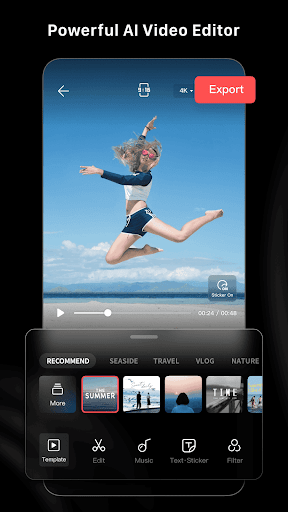
LightCut is a free AI video editor with rich video templates and video effects that helps you make stylish videos and vlogs easily. With AI video editing, you can make awesome videos with just one tap. Inspire Cam empowers you to shoot stunning videos as a PRO. You can also trim, merge your video clips with adding Text, Music, Stickers, Effects, Transitions and everything you need to make an creative video. Simple, but powerful, LightCut is an all-in-one video editor app for both beginners and professional users.
Superfast Video editor with AI Powered
- Auto video creator to edit your videos and photos in seconds.
- You just select the videos clips and photos, after analyzing them in few seconds, the AI-powered One-Tap Edit feature will turn them into a high-quality video stories.
Trendy and Rich Video Templates
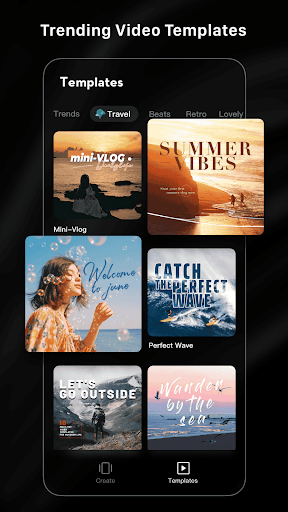
-Easy-to-use Templates: All you need to do is just choosing the template and tempo you like, then a trendy video will be made automatically.
-Multiple creative video template styles available: travel, road trip, nature, building & cIty, fashion, lifestyle vlog, sports and aerials etc. Stylish videos are available on this app in a minute.
Inspire Cam Shooting Modes Makes You like a Pro
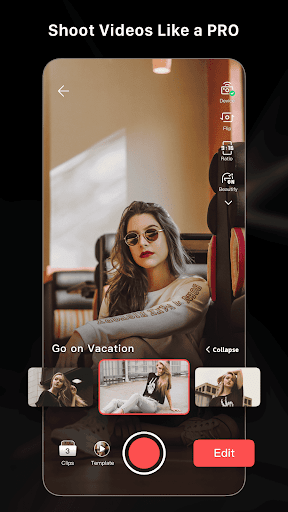
- Unsure about how to film or edit? Try it. Various creative shooting templates help you capturing fascinating footage. Step-by-step guide show you how to shoot, you just need to follow the tips.
- After shooting, a nice video will be made with simple steps. One-stop videp shooting and editing feature makes your videos eye-catching.
All-in-one Video Editor with Professional
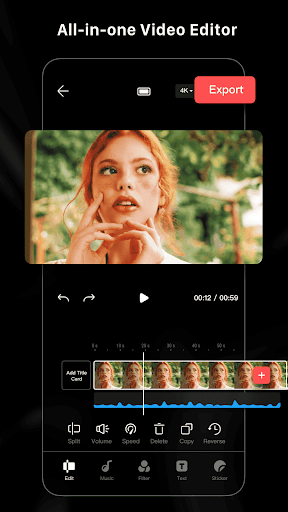
- Professional editing tools with all features help you make extraordinary videos.
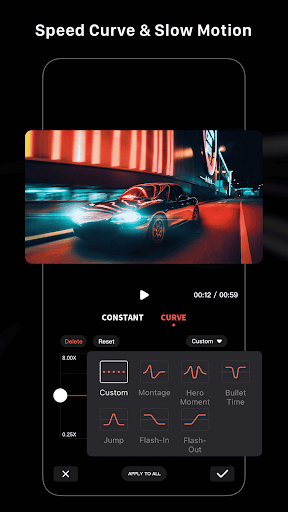
- All features like video trimmer, video cutter, slow/fast motion with adjustment make your video more attractive. Split video into multi clips
- Multiple stickers, font styles help you create awesome video anytime.
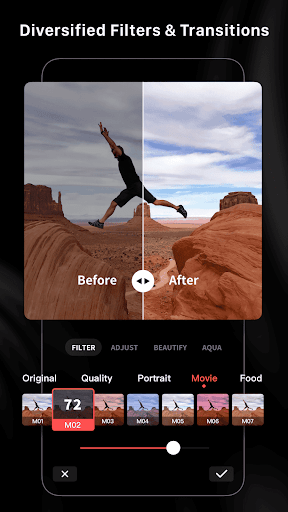
- Edit/combine videos with various filters, effects and transitions
- Free Video Editor and NO ads & watermark
-Hundreds of free music all fully licensed
Superfast Video editor with AI Powered
- Auto video creator to edit your videos and photos in seconds.
- You just select the videos clips and photos, after analyzing them in few seconds, the AI-powered One-Tap Edit feature will turn them into a high-quality video stories.
Trendy and Rich Video Templates
-Easy-to-use Templates: All you need to do is just choosing the template and tempo you like, then a trendy video will be made automatically.
-Multiple creative video template styles available: travel, road trip, nature, building & cIty, fashion, lifestyle vlog, sports and aerials etc. Stylish videos are available on this app in a minute.
Inspire Cam Shooting Modes Makes You like a Pro
- Unsure about how to film or edit? Try it. Various creative shooting templates help you capturing fascinating footage. Step-by-step guide show you how to shoot, you just need to follow the tips.
- After shooting, a nice video will be made with simple steps. One-stop videp shooting and editing feature makes your videos eye-catching.
All-in-one Video Editor with Professional
- Professional editing tools with all features help you make extraordinary videos.
- All features like video trimmer, video cutter, slow/fast motion with adjustment make your video more attractive. Split video into multi clips
- Multiple stickers, font styles help you create awesome video anytime.
- Edit/combine videos with various filters, effects and transitions
- Free Video Editor and NO ads & watermark
-Hundreds of free music all fully licensed
App Information
Version Name
4.87.6
Version Code
26801
File Size
104.7 MB
Minimum OS
Android 7.0+
Target SDK
Android 33
Developer
LightCut Inc.
Contact
Content Rating
Everyone
Package Name
com.lightcut.videoeditorPermissions Required
This app may request the following permissions:
Recent Reviews

Dale Leppert
2.0★
The app started out really cool, however the more I use it the shorter the clips it makes. I load five to seven minutes of different videos and it turns out like a 25 second video. And it remembers what it did. If you erase everything and start over you will get the same result. Different music clips will change video slightly but not by much. This is actually pretty lame. I'll play around a little more, but probably gonna uninstall in the end.

Daniel Jones
5.0★
A decent mobile editing app without tons of ads and severely limited features? Sign me up. lightCut seems to really be what you want for mobile editing. If you need a lot more power and more diverse tools you'll need a larger more powerful computer. For social media video this is absolutely perfect. Simple and easy to use, it doesn't seem buggy so far on my Pixel 6. I'll update this review if anything changes, but I am impressed so far!

Ashley Litchford
4.0★
Decent editing app. It comes with the adjustment options you would expect. (Exposure, saturation, contrast, speed, add text..etc) There are several free templates available to use in-app. While they are pretty basic, the AI option does a decent job of finding dynamic movement from selected clips, so i can see how this app could be useful for someone who makes a lot of reels, or montages. Haven't found any key frame options yet, but we'll see.

Mark du Toit
5.0★
I absolutely love this app! Although I started using it primarily for editing and uploading my DJI Mini 4K drone videos to YouTube and Facebook, I have also used it for my video blogging and cutting quick clips for reviews. I love having the ability to do everything on my phone and the video editing and royalty free music adds are a big bonus.

Simon Jurjavčič
5.0★
Good: Very easy to make cuts and delete what you don't like Bad: Slow export (compared to CapCut for instance which is quite fast). BadI saved a 6:35 draft that I could export before , opened it again, app told me it's now over an hour long (while the actual timeline time increments show the correct length) and that I don't have sufficient storage (I have several GB of space on both internal and external storage. Looks solid otherwise :)

Jeff Goebel
5.0★
I liked this app for its features, and then they upgraded it to the new version does even more. It is the best I've found to take a bunch of photos And videos and make a nice presentation to share, especially if you want something a little slower. Excellent one click edits with fine tuning.
Ad slot: In-Content