

Artisan: Cartoon Photo Editor
com.lyrebirdstudio.artisan.cartoon.photo.editor
by Prometheus Interactive LLC
Screenshots
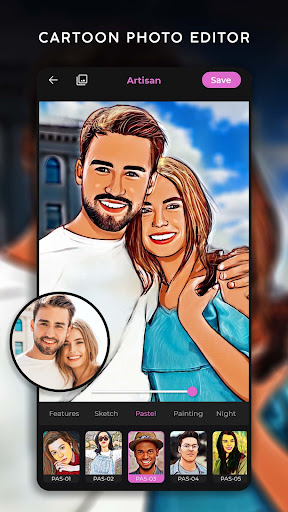
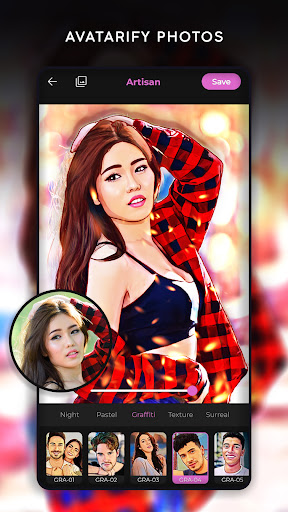
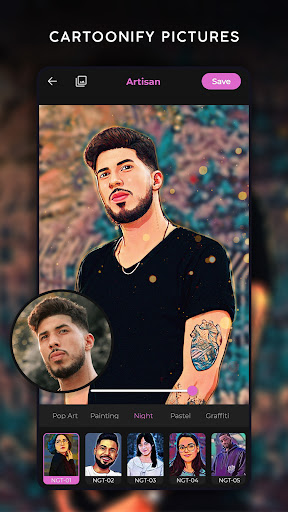


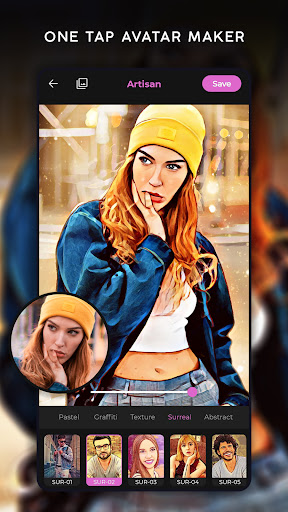
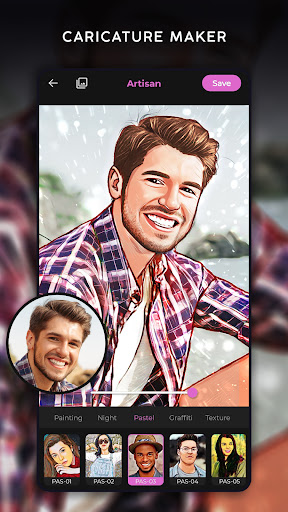


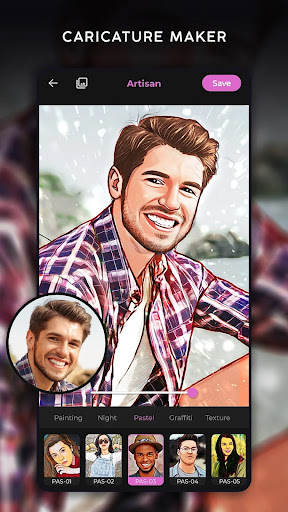


Ad slot: Top Leaderboard
About this app
Artisan Toon App: Cartoon Photo Editor - Unlock Your Creative Skills Using Cartoon Photo Editor!Now you can edit photos using Artisan Toon App: Cartoon Photo Editor. Reel in the wonders of modern technology as your images are changed into cartoons, caricatures, and even vector-style artwork in a matter of seconds. The Turn Pictures Into Cartoons: Toon Effects app can transform your selfies into cartoons or even turn them into digital portraits, making everything very simplistic and fun.
📸 Cartoon Yourself: Caricature Maker App Top Highlights: 📸
🎨 Explore the various cartoon effects and photo editing options to enhance your selfies using Photo To Cartoon App;
🎨 Quick editing with no hassle in its user-friendly interface through the Cartoonify: Cartoon Maker;
🎨 Enjoy real-time selfie effects through the camera mode with the Cartoon Me Image Editor;
🎨 Use many tools available in the Cartoon Yourself: Caricature Maker App to create fun profile pictures;
🎨 Edit with detailed toon filters from Turn Pictures into Cartoons: Toon Effects mode;
🎨 Drastically edit pictures by applying pencil sketch, oil painting, and drip effects;
🎨 Personalize artwork through photo backgrounds and layouts with the Photo Cartoon Yourself: Caricature App.
It Only Takes Seconds To Cartoon Yourself!Unleash your inner creative self with the help of the Cartoon Yourself: Caricature Maker App. Select any picture and immediately implement numerous cartoon styles that astonishingly shape your distinctive features. Be it a “comics style” cartoon portrait or a caricature, this Cartoon Yourself: Caricature Maker App assists you in changing your appearance while yielding quality results.
Artistic Filters and Realistic Effects: 🎨
With Cartoonify: Cartoon Maker tools, you get access to art filters that give the polished look of being drawn by hand. Explore matching your creative spirit with oil painting overlays, pencil sketch designs, and other animated styles. The Photo To Cartoon App allows you to transform standard photos into digital masterpieces with vibrant textures and tones.
Fun Edits with Caricatures & Layouts: 🖼️
The Photo Cartoon Yourself: Caricature App goes beyond adding filters. It provides endless entertaining possibilities. Dripping paint overlays, background modifications, and holiday-themed decor are just a few simple clicks away. Unrestricted by your imagination, add bold color splashes and even manga-inspired templates.
Excellent for Custom Profile Pictures: 📱
Searching for new profile pictures? Use Cartoon Me Image Editor or Photo Cartoon Yourself: Caricature App to make one that will be memorable. Take selfies or upload your pictures, where you can enhance them with Artisan Toon App: Cartoon Photo Editor’s most recent innovations.
From accentuating portraits to stylizing expressions, the Artisan Toon App: Cartoon Photo Editor gives every user the chance to reinvent themselves.
Begin your journey with Photo To Cartoon App today!For cool looks, we offer the Artisan Toon App: Cartoon Photo Editor. If you want to edit a specific moment, don't worry! You can add flair to your masterpieces using our fun and creative tools: Cartoonify: Cartoon Maker and Turn Pictures Into Cartoons: Toon Effects. Transform yourself and your loved ones into lively cartoons using the photo-to-cartoon app, and express yourself with the Cartoon Me image editor.
📸 Cartoon Yourself: Caricature Maker App Top Highlights: 📸
🎨 Explore the various cartoon effects and photo editing options to enhance your selfies using Photo To Cartoon App;
🎨 Quick editing with no hassle in its user-friendly interface through the Cartoonify: Cartoon Maker;
🎨 Enjoy real-time selfie effects through the camera mode with the Cartoon Me Image Editor;
🎨 Use many tools available in the Cartoon Yourself: Caricature Maker App to create fun profile pictures;
🎨 Edit with detailed toon filters from Turn Pictures into Cartoons: Toon Effects mode;
🎨 Drastically edit pictures by applying pencil sketch, oil painting, and drip effects;
🎨 Personalize artwork through photo backgrounds and layouts with the Photo Cartoon Yourself: Caricature App.
It Only Takes Seconds To Cartoon Yourself!Unleash your inner creative self with the help of the Cartoon Yourself: Caricature Maker App. Select any picture and immediately implement numerous cartoon styles that astonishingly shape your distinctive features. Be it a “comics style” cartoon portrait or a caricature, this Cartoon Yourself: Caricature Maker App assists you in changing your appearance while yielding quality results.
Artistic Filters and Realistic Effects: 🎨
With Cartoonify: Cartoon Maker tools, you get access to art filters that give the polished look of being drawn by hand. Explore matching your creative spirit with oil painting overlays, pencil sketch designs, and other animated styles. The Photo To Cartoon App allows you to transform standard photos into digital masterpieces with vibrant textures and tones.
Fun Edits with Caricatures & Layouts: 🖼️
The Photo Cartoon Yourself: Caricature App goes beyond adding filters. It provides endless entertaining possibilities. Dripping paint overlays, background modifications, and holiday-themed decor are just a few simple clicks away. Unrestricted by your imagination, add bold color splashes and even manga-inspired templates.
Excellent for Custom Profile Pictures: 📱
Searching for new profile pictures? Use Cartoon Me Image Editor or Photo Cartoon Yourself: Caricature App to make one that will be memorable. Take selfies or upload your pictures, where you can enhance them with Artisan Toon App: Cartoon Photo Editor’s most recent innovations.
From accentuating portraits to stylizing expressions, the Artisan Toon App: Cartoon Photo Editor gives every user the chance to reinvent themselves.
Begin your journey with Photo To Cartoon App today!For cool looks, we offer the Artisan Toon App: Cartoon Photo Editor. If you want to edit a specific moment, don't worry! You can add flair to your masterpieces using our fun and creative tools: Cartoonify: Cartoon Maker and Turn Pictures Into Cartoons: Toon Effects. Transform yourself and your loved ones into lively cartoons using the photo-to-cartoon app, and express yourself with the Cartoon Me image editor.
App Information
Version Name
1.1.1.1
Version Code
101101
File Size
19.5 MB
Minimum OS
Android 7.0+
Target SDK
Android 33
Developer
Prometheus Interactive LLC
Contact
Website
Content Rating
Everyone
Package Name
com.lyrebirdstudio.artisan.cartoon.photo.editorPermissions Required
This app may request the following permissions:
Recent Reviews

Becky Teale
5.0★
It's a super app & very easy to use. However, I do have a problem. When I use an art filter on the photo that I've selected, fhe photo's messed up. Here's an example, I used a filter on a photo of my favorite actor, when the process gets finished; there's a big ugly splotch on the face. If you could fiv this bug, that would be greatly appreciated. In spite of the flaw, it's a fantastic app.

ZEMO72
1.0★
Wow. Used for the first time, in months, and I don't remember having to sit through an ad, any time that ANY change was made. Go to select a pic, TEMU AD. Select 'New York', TEMU AD, want to see how version 2 looks, TEMU AD. Get so irritated that I've now seen 3 ads, within 1 picture, that I hit 'back' to exit out of the app, TEMU AD. Un-installed immediately. I understand that free versions have ads, to pay 4 it, but making app unusable unless you pay is crazy. All TEMU ads, as well.

David Dean Cain
5.0★
that free one was good and many others,gonna make room for ya in my bills just because I like the easy process ,you all keep it up and make a mix of this with space backgrounds stuff like that but with this same flare,don't veer off that ,lol,I do music so this will help on covers ,so I'll pick another pick and use the Free one,but I will consider adding you to "the I need this list" David Dean Cain Bandlab

Gary Mac
3.0★
Decent. That's about as good as it gets. Only renders a "usable photo" 1 out of 5 tries. 1. Leaves black marks/blemishes (evidently from shadows) on parts of the picture due to the app's inability to render properly no matter what choice you choose. 2. Better make sure it's a closeup because again the program does a horrid job rendering eyes. A 3yr old could color them in better than this program. Few pros/many cons for an average app which for $55/year should be so much more.

Barbara Kangas
3.0★
Decent filters, however many of them seem alike to me. I definitely wouldn't want to have to muddle through the 2,000+ offered in the pro version. Still, I would pay for it if the billing weren't automatically recurring. I'm done with apps that want free access to my bank account.

Rosanna Gray-Lion
1.0★
Listed as free. (Only 3 days are free. Limit to number of edits, etc. per day.) Not what you are led to believe. Read the fine print too. I will not be using this app or this developer. I would have given zero stars, but that was not an option.
Ad slot: In-Content