
Email for Hotmail, Outlook Mai
com.mail.hotmail.outlook.email
by TOH Talent Team
Screenshots



Ad slot: Top Leaderboard
About this app
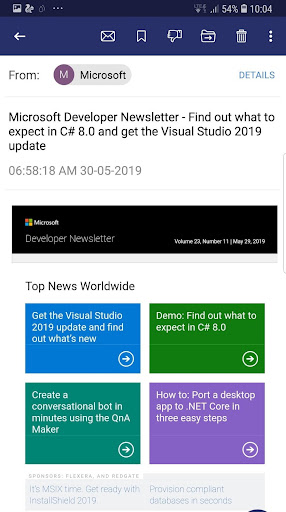
Email for Hotmail, Outlook is a professional email management application, send and receive email quickly, simply and securely, optimize for outlook, hotmail & Microsoft mail only.
Key features:
- Perfect email client support Microsoft Email Services: Hotmail, Outlook & other like Windows Live Mail, MSN Mail if correct configuration.
- Login fast, easy and securely
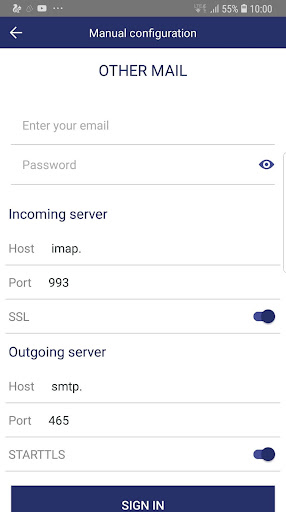
- Automatically configure mailbox email account
- Auto search contacts in your email inbox
- Search for history mail
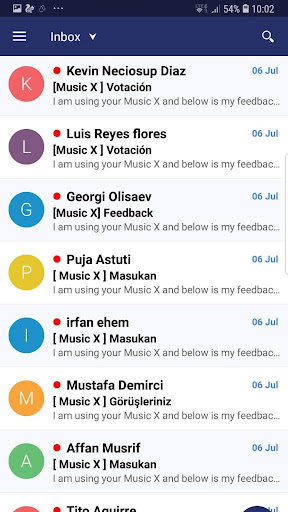
- Simply display email in mailbox by unread, starred or with attachment
- Convenient mailbox finder by subject, to, from in unread, flagged messages to help you find emails in a flash
- Create email signature for each email account easily
- Manage multiple email accounts in a unified interface
- Switch multiple e mail mailboxes quickly and easily
- Attach files (email image, doc,..) easily
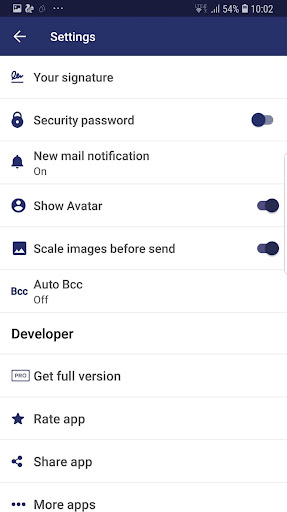
- Secure access with PIN protection mode
- Mailing and receive encrypted mails
- All email features in this app (send email, reply email, forward & reply all emails).
- Auto BCC (to yourself or others)
- Compress image before sending
- Notification with “not disturb” option
- Show or hide email avatar
- Snooze mail
Thank you for downloading & using the app.
Key features:
- Perfect email client support Microsoft Email Services: Hotmail, Outlook & other like Windows Live Mail, MSN Mail if correct configuration.
- Login fast, easy and securely
- Automatically configure mailbox email account
- Auto search contacts in your email inbox
- Search for history mail
- Simply display email in mailbox by unread, starred or with attachment
- Convenient mailbox finder by subject, to, from in unread, flagged messages to help you find emails in a flash
- Create email signature for each email account easily
- Manage multiple email accounts in a unified interface
- Switch multiple e mail mailboxes quickly and easily
- Attach files (email image, doc,..) easily
- Secure access with PIN protection mode
- Mailing and receive encrypted mails
- All email features in this app (send email, reply email, forward & reply all emails).
- Auto BCC (to yourself or others)
- Compress image before sending
- Notification with “not disturb” option
- Show or hide email avatar
- Snooze mail
Thank you for downloading & using the app.
What's New
v1.26: Upgrade login method to be more secure
v1.21: Bug fixed and performance optimization
v1.18: Updated GDPR
v1.17: Bug fixed and optimization
v1.16: Fixed policy about Target SDK
v1.14: Fixed ads issue
v1.13: Fixed crash & ANR
v1.11: Fixed ads issue to prevent accident click to interstitial ads.
v1.06: Bug fixes
v1.05: Fixed ads policy issues
v1.04: Bug fixes & improvement
v1.02: bug fixes
v1.21: Bug fixed and performance optimization
v1.18: Updated GDPR
v1.17: Bug fixed and optimization
v1.16: Fixed policy about Target SDK
v1.14: Fixed ads issue
v1.13: Fixed crash & ANR
v1.11: Fixed ads issue to prevent accident click to interstitial ads.
v1.06: Bug fixes
v1.05: Fixed ads policy issues
v1.04: Bug fixes & improvement
v1.02: bug fixes
App Information
Version Name
1.19
Version Code
19
File Size
16.6 MB
Minimum OS
Android 5.0+
Target SDK
Android 33
Developer
TOH Talent Team
Contact
Content Rating
Everyone
Package Name
com.mail.hotmail.outlook.emailPermissions Required
This app may request the following permissions:
Recent Reviews

A Google user
4.0★
Awesome: intuitive and easy to use. This app uses like 10 times less memory and data than MS Outlook official app. I personally just want to be able to read and write emails, without caring of the additional Outloook features like calendar or contacts. This app does exactly that. Not awesome: I don't get any notifications from new email. I've to manually refresh my inbox every time. However, the vast majority my emails are not urgent, so less notifications means less distractions.

John Blount (JK)
2.0★
its worked in the past. I tried logging in today for the first time in 6 months. I still dont see any of my new mail. if it updates I will change review.
A Google user
2.0★
I couldn't see emails only from specific folders. I could see again emails that I had opened before. The app took a long time to load when I wanted to open it and close it. I could not view focused (not social ) mail alone and it would take a few hours for emails to arrive though they were in my inbox if I opened it on a computer (the app is on the phone).

Chris Paddon
2.0★
All my mails are arriving instantly which didn't happen on my old app. Also the little advertising I have received has been very easy to close. October 2023 UPDATE. I only have one complaint, when I send a mail, I never know if it has actually been sent because it takes up to 24 hours to appear in the sent folder. So I never know after sending if it's actually gone or not.. UNINSTALLED. THEY DONT ANSWER YOU WHEN YOU HAVE A PROBLEM. BEEN IGNORED FOR TOO LONG. BYE BYE.

Daniel Sanderson
5.0★
Decent app that does the job, had to use old phone due to my current one breaking. outlook is not compatible, but this app works well, of course it would be better without ads, but i dont find them too intrusive, a small ad bar at bottom and every now and then an ad. sends and recieves my hotmail emails fine and easy to set up. overall a great app that does what i need and is free so no complaints! 😀👍
A Google user
5.0★
I really think you did a good job with the security in this app , and I'm truly not sure if someone does or does not have my info via this app orvanother...but somehow via play store they got into my accounts...and just to ensure that it does not happen to anyone else I suggest providing to those of us that truly need the free apps...you should add another layer of security, and that that security be for the one in need of the free service...other than that issue. I will have to evaluate again
Ad slot: In-Content