
Miracast Screen Sharing/Mirror
com.mattgmg.miracastwidget
by Matt Garnes
Screenshots


Ad slot: Top Leaderboard
About this app
Share your screen to a smart TV or miracast dongle (like Chromecast) in one click!
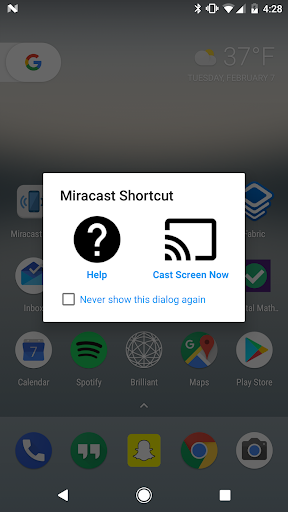
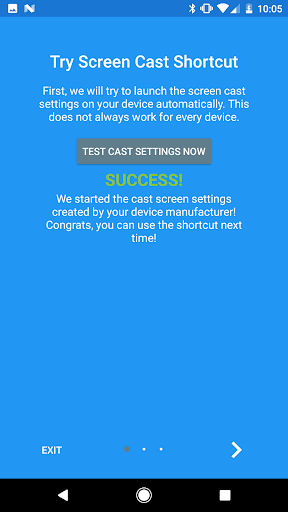
This application provides an easy shortcut and widget to use the Miracast external display screencasting feature included in Android 4.2 and above! With this app, you will more conveniently be able to mirror your screen or use the cast feature from supported applications.
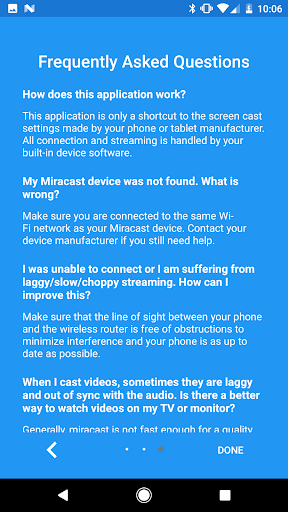
The shortcut doesn't always work, but if you need help, click the help button to get more information about how screencasting works and how to fix problems if you have them. Check out the FAQ within the app for further help if needed!
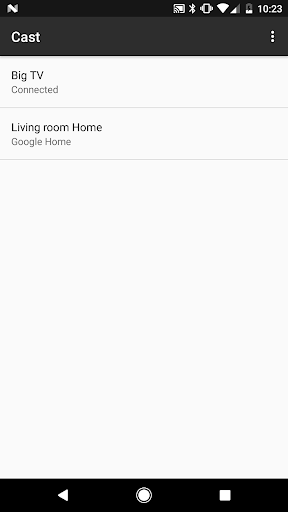
This application brings you to the Settings screen for casting to the following products and more:
- Google Chromecast
- Netgear Push2TV
- Various Smart TVs
- Asus Miracast Wireless Display Dongle
- Amazon Fire TV Stick
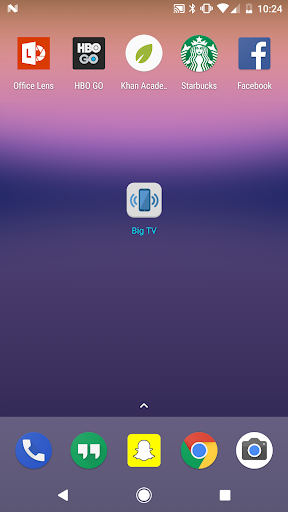
When installed, a widget is added called "Miracast Widget" that will allow you to directly to the Miracast settings screen with one click to send your device's display to your Miracast enabled external display, such as your TV or monitor! When you are casting your screen, the widget will display the name of the screen. You can click the widget again to disconnect.
Also, a launcher icon will be added to your app tray that will launch the settings app directly to the Miracast screen casting settings.
This application provides an easy shortcut and widget to use the Miracast external display screencasting feature included in Android 4.2 and above! With this app, you will more conveniently be able to mirror your screen or use the cast feature from supported applications.
The shortcut doesn't always work, but if you need help, click the help button to get more information about how screencasting works and how to fix problems if you have them. Check out the FAQ within the app for further help if needed!
This application brings you to the Settings screen for casting to the following products and more:
- Google Chromecast
- Netgear Push2TV
- Various Smart TVs
- Asus Miracast Wireless Display Dongle
- Amazon Fire TV Stick
When installed, a widget is added called "Miracast Widget" that will allow you to directly to the Miracast settings screen with one click to send your device's display to your Miracast enabled external display, such as your TV or monitor! When you are casting your screen, the widget will display the name of the screen. You can click the widget again to disconnect.
Also, a launcher icon will be added to your app tray that will launch the settings app directly to the Miracast screen casting settings.
What's New
Fixed a crash for users of the widget.
App Information
Version Name
4.1
Version Code
22
File Size
8.5 MB
Min SDK
Android 19+
Target SDK
Android 33
Developer
Matt Garnes
Contact
Website
Content Rating
Everyone
Package Name
com.mattgmg.miracastwidgetPermissions Required
This app may request the following permissions:
Recent Reviews

Nina
4.0★
The Miracast functions only on specific mobile devices. It does its job, but you can't exit the app unless you switch to another app to disconnect. Since it works on the Poco X6 Pro, I will keep using it.

A Google user
1.0★
Used to be a good app. Then a couple of months ago, it couldn't find my TV anymore. I uninstalled Mira Cast and reinstalled. Then it started finding my TV but only if I had the TV on first. It would also pause the Casting periodically and tell me I had to touch a button on the screen of my phone. There was no such button. Now, it is back to telling me there are no available devices regardless if the TV is on or off. Uninstalled and reinstalled with no effect. Galaxy S9+
A Google user
5.0★
Great app. So many clueless people out there that didn't bother reading the description. This adds a 1×1 widget to your homescreen, which means you no longer have to go into your settings to enable screen mirroring. You add this to your homescreen, press the button, choose which device you want to connect to, and that's it. The next time you press it, it connects to that device. Couldn't possibly be any easier to use.

B A Google User
5.0★
It's a shortcut to the built in screen mirror settings of your device which I need because those settings are hidden on my phone. I use this instead of the google home app. Works great! Smaller file size! Thanks for making this!!! (So many one star reviews are complaining that this is a shortcut, when THATS EXACTLY WHAT IT IS....)

Mark D
5.0★
Excellent short cut. Very useful. Edit 20 Oct 2022. I just updated and it stopped working. I rolled back to the previous version 3.7 by installing an apk. Older version 3.7 is working properly. Edit 02 Nov 2822. I decided to give it another go. Version 3.8.1 is working well. Back to 5 stars because it's such a useful short cut app that's free and no ads. Excellent.

Amy Pagnozzi
5.0★
This ad-free, seamless shortcut should get five stars and developer should call it wireless display shortcut (no ads). Xiaomi / Miui buried this setting in recent updates. Other apps like this with ads and delays that market as a Xiaomi fix get four and five star ratings. Any bad reviews this as gets are undeserved. Those reviewers do not understand it is a shortcut to an existing setting.
Ad slot: In-Content