

Microsoft Launcher
com.microsoft.launcher
by Microsoft Corporation
Screenshots
Ad slot: Top Leaderboard
About this app
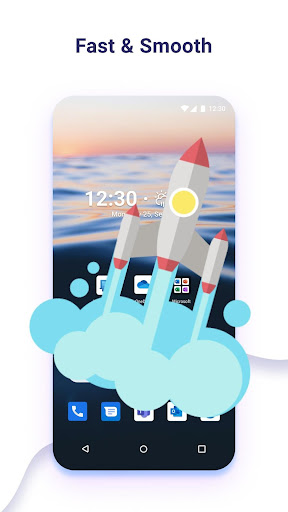
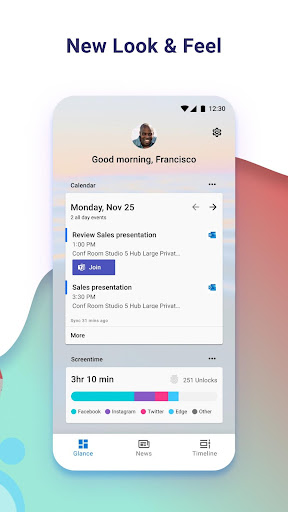
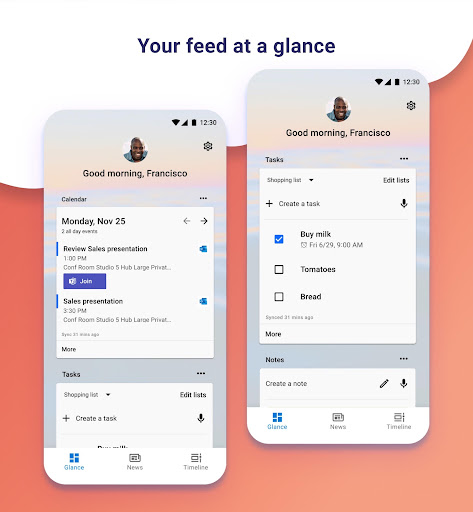
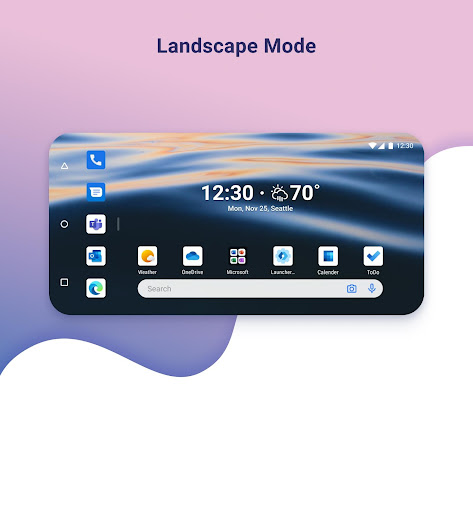
Microsoft Launcher provides a new home screen experience that empowers you to be more productive on your Android device. Microsoft Launcher is highly customizable, allowing you to organize everything on your phone. Your personalized feed makes it easy to view your calendar, to do lists, and more. Sticky Notes on the go. When you set up Microsoft Launcher as your new home screen, you can either start fresh with your favorite apps or import your current home screen layout. Need to switch back to your previous home screen? You can do that, too!
This version of Microsoft Launcher has been rebuilt on a new codebase to make new features possible, including dark mode, and personalized news.
MICROSOFT LAUNCHER FEATURES
Customizable icons:
· Give your phone a consistent look and feel with custom icon packs and adaptive icons.
Beautiful wallpapers:
· Enjoy a fresh new image from Bing every day or choose your own photos.
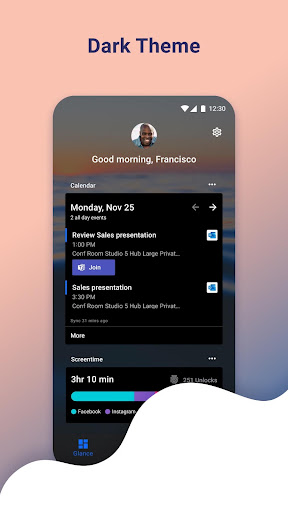
Dark theme:
· Comfortably use your phone at night or in low light environments with Microsoft Launcher’s new dark theme. This feature is compatible with Android’s dark mode settings.
Backup and Restore:
· Easily move between your phones or try Home Screen setups through Microsoft Launcher’s Backup and Restore feature. Backups can be stored locally or saved to the cloud for easy transfers.
Gestures:
· Swipe, pinch, double tap, and more on the home screen to easily navigate on the Microsoft Launcher surface.
This app uses Accessibility Service Permission for optional gesture of screen lock and recent apps view.
Microsoft Launcher asks for the following optional permissions:
· Microphone: Used for speech-to-text functionality for Launcher features, such as Bing Search, Bing Chat, To Do, and Sticky Notes.
· Photo and video: Used for getting features, such as your wallpaper, Blur Effect, and Bing Chat Visual Search, and to show recent activities and backups. On Android 13 and higher, these permissions are replaced with the ‘All file’ access permissions.
· Notifications: Needed to notify you of any update or app activity.
· Contacts: Used for searching contacts on Bing Search.
· Location: Used for the Weather widget.
· Phone: Allows you to call your contacts with a swipe in Launcher.
· Camera: Used to create image notes for the Sticky Notes card and to search for images in Bing Search.
· Calendar: Used to show calendar info for the Calendar card in your Launcher feed.
You can still use Microsoft Launcher even if you do not consent to these permissions, but some functions may be restricted.
TERM OF USE
By installing this app, you agree to the Terms of Use (http://go.microsoft.com/fwlink/?LinkID=246338) and Privacy Policy (http://go.microsoft.com/fwlink/?LinkID=248686).
Downloading Microsoft Launcher gives the option to replace the default launcher or to toggle between device launchers. Microsoft Launcher does not replicate the user’s PC home screen on the Android phone. Users must still purchase and/or download any new apps from Google Play. Requires Android 7.0+.
This version of Microsoft Launcher has been rebuilt on a new codebase to make new features possible, including dark mode, and personalized news.
MICROSOFT LAUNCHER FEATURES
Customizable icons:
· Give your phone a consistent look and feel with custom icon packs and adaptive icons.
Beautiful wallpapers:
· Enjoy a fresh new image from Bing every day or choose your own photos.
Dark theme:
· Comfortably use your phone at night or in low light environments with Microsoft Launcher’s new dark theme. This feature is compatible with Android’s dark mode settings.
Backup and Restore:
· Easily move between your phones or try Home Screen setups through Microsoft Launcher’s Backup and Restore feature. Backups can be stored locally or saved to the cloud for easy transfers.
Gestures:
· Swipe, pinch, double tap, and more on the home screen to easily navigate on the Microsoft Launcher surface.
This app uses Accessibility Service Permission for optional gesture of screen lock and recent apps view.
Microsoft Launcher asks for the following optional permissions:
· Microphone: Used for speech-to-text functionality for Launcher features, such as Bing Search, Bing Chat, To Do, and Sticky Notes.
· Photo and video: Used for getting features, such as your wallpaper, Blur Effect, and Bing Chat Visual Search, and to show recent activities and backups. On Android 13 and higher, these permissions are replaced with the ‘All file’ access permissions.
· Notifications: Needed to notify you of any update or app activity.
· Contacts: Used for searching contacts on Bing Search.
· Location: Used for the Weather widget.
· Phone: Allows you to call your contacts with a swipe in Launcher.
· Camera: Used to create image notes for the Sticky Notes card and to search for images in Bing Search.
· Calendar: Used to show calendar info for the Calendar card in your Launcher feed.
You can still use Microsoft Launcher even if you do not consent to these permissions, but some functions may be restricted.
TERM OF USE
By installing this app, you agree to the Terms of Use (http://go.microsoft.com/fwlink/?LinkID=246338) and Privacy Policy (http://go.microsoft.com/fwlink/?LinkID=248686).
Downloading Microsoft Launcher gives the option to replace the default launcher or to toggle between device launchers. Microsoft Launcher does not replicate the user’s PC home screen on the Android phone. Users must still purchase and/or download any new apps from Google Play. Requires Android 7.0+.
App Information
Version Name
6.240303.1.1134420
Version Code
1134420
File Size
48.6 MB
Minimum OS
Android 7.0+
Target SDK
Android 33
Developer
Microsoft Corporation
Contact
Website
Content Rating
Everyone
Package Name
com.microsoft.launcherPermissions Required
This app may request the following permissions:
Recent Reviews

I am Steve
4.0★
So far, so good. With the demise of Nova Launcher, I've been trying most of the major launchers available. I found that a number of them did not work well with KLWP, but this one does. Also I like folders for my apps and like to put those folders in a dock at the bottom of the screen (with the folder name visible). This one does that too. Overall, I'm impressed.

LAETH08
4.0★
It's been great up until this last month. It keeps freezing. Restarting the phone at night before bed has temporarily fixed the problem, however this is not ideal. The daily wallpaper doesn't update anymore and it'd be nice if it would. I like having a new wallpaper daily. Other than that, it is 10000 better than Samsung's OneUI 🤮

Joe Kilbreth
5.0★
This was an absolute game changer for me. My old phone broke, and I had to use an old Samsung phone with an interface that I didn't particularly like. When I discovered this app, I was a little skeptical at first, but then I was pleasantly surprised with how well you can customize all of the options and layout. It doesn't just use your phone's layout options, it provides a lot of improvements, such as allowing way more apps in the dock than the Samsung allows by default.

Ohmeed Ahi
2.0★
This launcher was working really well for many years on my phones. In the past year it's been freezing and hanging. It takes time to load apps, sometimes i have to lock my phone multiple times until the apps eventually load. The calendar app is no longer connecting to my Outlook accounts (both personal and work). I thought some of it may have been due to my phone's hardware being outdated, however i have since bought a new fastest phone with 12GB RAM, and the issues persist.

Tim Mitchell
4.0★
It was a 5 star, I love the launcher. However, since updating to UI7 on my S24 Ultra, the launcher freezes frequently. This has gotten rather annoying. I hope developers are working to address the issue. Update: After an update, it seems the launcher works better. Still intermittent freezing issues, but nowhere near what it was like. It's easily manageable now, which is good, I love this launcher!

Alexander Kozhevnikov
4.0★
I try this once in a while. TL;DR: it's really good. If you want more power/flexibility from a normal launcher, this is a great choice. One deal-breaker drives me back to the stock Google launcher: the integrated weather uses monochrome icons with no option to customize/change it --that's terrible legibility, requiring a detailed parse with good vision! (The same icons but with yellow on the sun parts and blue on the rain parts would be perfect: instantly unambiguous at a glance or as a blur.)
Ad slot: In-Content