

Gallery Lock (Hide pictures)
com.morrison.gallerylocklite
by Morrison Software
Screenshots
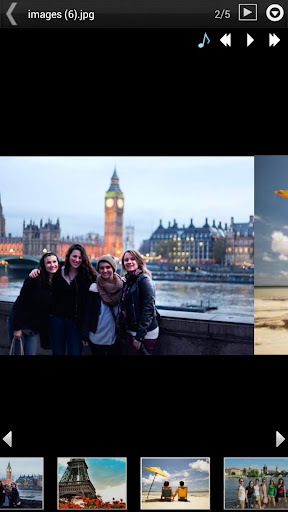
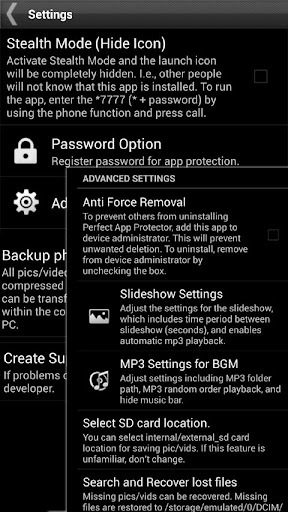
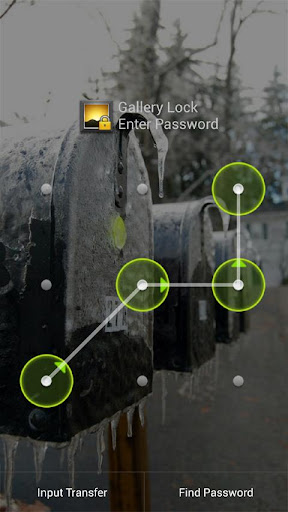
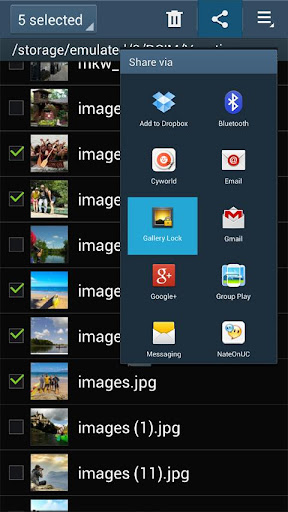
Ad slot: Top Leaderboard
About this app
★ Selected as the App of the Year by Times Magazine! ★
Hide pictures and videos!.
"Gallery Lock" hide pictures and videos and it is an app that is absolutely needed for protection of personal privacy. The product is one of the most popular apps in the world and is one of the top 10 apps sold on Google Play.
Like us ? Hit the +1 button.
Features
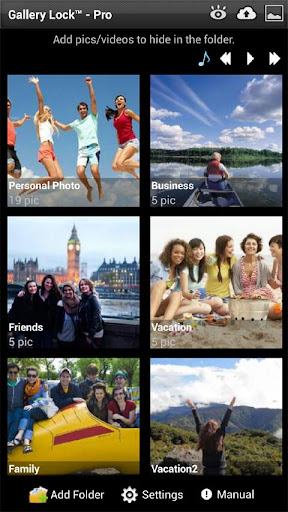
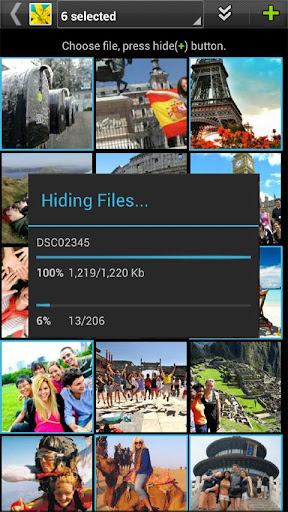
• Hide Photos & Videos
• Stealth Mode supported : this feature hides a launch icon.
• Watchdog : After 3rd failed password attempt, built-in camera takes photo of attacker.
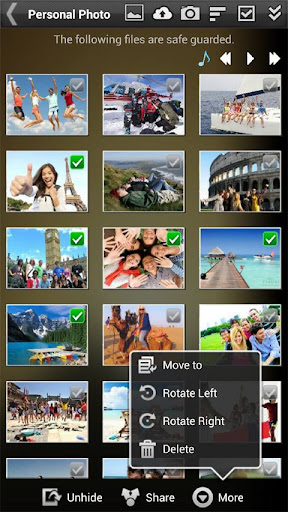
• Share pictures from Gallery Lock to any applications.
• Cloud Backup supported to Google Drive, Dropbox, Box
• Folders supported.
• Beautiful designs
• Rotate and zoom features
• Slide Show supported.
• Mp3 background music playing supported while slide show.
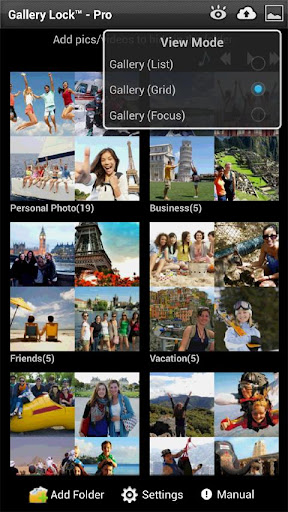
• A variety of viewing mode.
• Multi-select feature for fast hiding, un-hiding, sharing
• Easy-to-use PIN,Pattern access
# FREE version (version w/ ads)
# (Important!) Before uninstall the Lite version, undo the hide function of the photos and the videos. If you uninstall the program without undoing the hide function or Factory reset of device, the photos and videos will be lost.
# It is recommended that you purchase the app after checking to see if the free assessment Lite version runs properly.
Permissions
- Call permission : for Stealth Mode feature.
- Take Picture permission : for WatchDog feature
# Method to recover photos when problems occur
If for some reason Gallery Lock does not run, recovery can be made by following the method below.
1) Uninstall Gallery Lock
2) Download Gallery Lock from the Market and install it.
3) Go Setting in the Gallery Lock, Tap "Find/Recover Missing files" menu.
4) The missing files will be recovered to /mnt/sdcard/DCIM/recover path.
5) run default Gallery application and check whether those files are recovered properly.
# If Stealth Mode doesn't works suddenly,
Install apk of link below and tap Stealth Mode Enabler icon and try to call *+pin
https://bit.ly/2C2fP37
# Please send an email for any questions that you have. The developer of the app does not have authorization to reply to comments here.
** This app uses the Device Administrator permission.
Hide pictures and videos!.
"Gallery Lock" hide pictures and videos and it is an app that is absolutely needed for protection of personal privacy. The product is one of the most popular apps in the world and is one of the top 10 apps sold on Google Play.
Like us ? Hit the +1 button.
Features
• Hide Photos & Videos
• Stealth Mode supported : this feature hides a launch icon.
• Watchdog : After 3rd failed password attempt, built-in camera takes photo of attacker.
• Share pictures from Gallery Lock to any applications.
• Cloud Backup supported to Google Drive, Dropbox, Box
• Folders supported.
• Beautiful designs
• Rotate and zoom features
• Slide Show supported.
• Mp3 background music playing supported while slide show.
• A variety of viewing mode.
• Multi-select feature for fast hiding, un-hiding, sharing
• Easy-to-use PIN,Pattern access
# FREE version (version w/ ads)
# (Important!) Before uninstall the Lite version, undo the hide function of the photos and the videos. If you uninstall the program without undoing the hide function or Factory reset of device, the photos and videos will be lost.
# It is recommended that you purchase the app after checking to see if the free assessment Lite version runs properly.
Permissions
- Call permission : for Stealth Mode feature.
- Take Picture permission : for WatchDog feature
# Method to recover photos when problems occur
If for some reason Gallery Lock does not run, recovery can be made by following the method below.
1) Uninstall Gallery Lock
2) Download Gallery Lock from the Market and install it.
3) Go Setting in the Gallery Lock, Tap "Find/Recover Missing files" menu.
4) The missing files will be recovered to /mnt/sdcard/DCIM/recover path.
5) run default Gallery application and check whether those files are recovered properly.
# If Stealth Mode doesn't works suddenly,
Install apk of link below and tap Stealth Mode Enabler icon and try to call *+pin
https://bit.ly/2C2fP37
# Please send an email for any questions that you have. The developer of the app does not have authorization to reply to comments here.
** This app uses the Device Administrator permission.
What's New
Reported issues fixed.
App Information
Version Name
5.2.2
Version Code
160
File Size
12.3 MB
Minimum OS
Android 4.4+
Target SDK
Android 33
Developer
Morrison Software
Contact
Website
Content Rating
Everyone
Package Name
com.morrison.gallerylocklitePermissions Required
This app may request the following permissions:
Recent Reviews

A Google user
2.0★
App worked well for more than a year, but now started coming up with an error about not being an official licenced product. (I was using stealth mode). The app would no longer open. Reinstalling the app fixed the issue of opening the app, but using recovery it has not been able to find any of my precious photos... 100's of images lost. Not impressed.

Paul Short
1.0★
COMPLETELY USELESS! The first thing I noticed was after opening the app it would remain open and did not ask for a password each time I opened the app. Nothing in the settings to change that. There is a warning that if anything went wrong with the app or you uninstall it you would lose the content. To enable the stealth mode it required permissions for a third party app. I tried it. That worked. Tried again an hour later and it will not open the app using *(pass). Uninstalled this junk.
A Google user
1.0★
I had photos of someone in it that I had a falling out with and didn't want to delete in case I would regret it when I was no longer upset. As soon as I added pictures I couldn't reopen the app again. Sent a bug report. Nothing changed. Finally uninstalled the app so I lost all the pictures I was trying not to loose and can't get back. Ridiculous
A Google user
1.0★
App stops working after first use. TO RECOVER ANY LOST PICTURES OR VIDEOS: Uninstall the app and then reinstall it so you can open it again, go into the app's settings and use the recovery tool. It will move all the pictures and videos it was holding before to a recovery folder in your phone's storage, which you can then access again and move to your normal gallery, where you can then put them in a locked gallery app that actually works. Hope this helps someone who also ran into this issue!
A Google user
1.0★
I honestly was happy with the app till I decided to use it again today. I LOST EVERYTHING. I've had a whole bunch of photos saved on the app and it didn't allow me to log in. It recommends uninstalling it on this page, so I didn't but I couldn't get back in !!!!where are all my photos ???? A negative rating would still be giving them way too much.
A Google user
1.0★
The app crashes constantly, had ads everywhere (the kind designed to pop up under your finger as a cheap way to grab clicks), and the folder organization is a joke. Selecting "Sort by alphabet a-z / z-a" has no concept of alphabetization whatsoever. I am also having trouble using the call feature for stealth login. I recommend Photo Locker Pro - does not do hi-res, but it's reliable! *UPDATE: App now trying to install bloatware. Removed last star and uninstalling today.
Ad slot: In-Content