

Moto Camera 3
com.motorola.camera3
by Motorola Mobility LLC.
Screenshots
Ad slot: Top Leaderboard
About this app
Requirements - Moto Camera 3 is only compatible with select devices launched in 2020 and beyond.
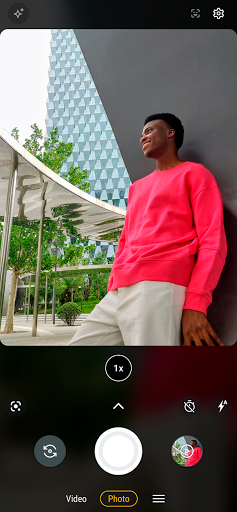
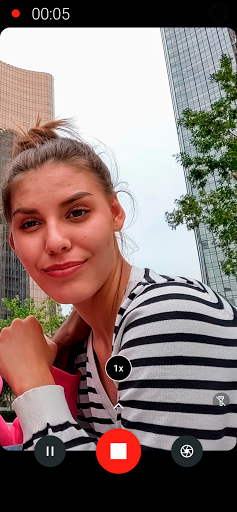
Redesigned for reachability and one hand usage, Moto Camera 3 is packed with amazing features to capture the perfect moment, each and every time.
Features:
Quick Capture - Never miss a moment. Launch the camera with a simple twist of your wrist, then twist again to switch cameras.
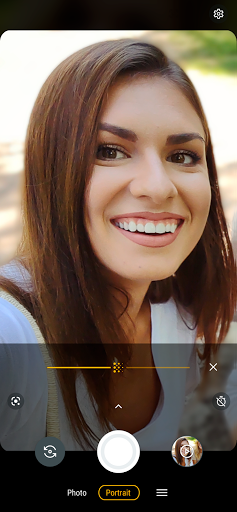
Portrait - Add a nice background blur to your photos. Also, adjust your blur level or change to black and white in Google Photos.
Pro mode - Put yourself in complete control of focus, white balance, shutter speed, ISO, and exposure.
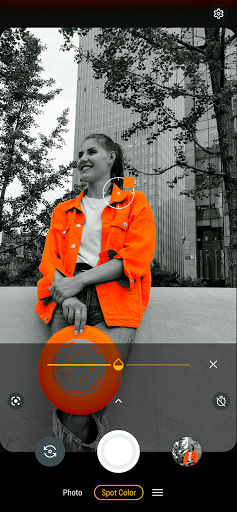
Spot Color - Select one color while everything else becomes black and white.
Google Lens - Use Lens to search what you see, scan text and translate, and interact with the world.
Google Photos - Select the thumbnail for sharing, editing, and backup in Google Photos.
And much more!
Redesigned for reachability and one hand usage, Moto Camera 3 is packed with amazing features to capture the perfect moment, each and every time.
Features:
Quick Capture - Never miss a moment. Launch the camera with a simple twist of your wrist, then twist again to switch cameras.
Portrait - Add a nice background blur to your photos. Also, adjust your blur level or change to black and white in Google Photos.
Pro mode - Put yourself in complete control of focus, white balance, shutter speed, ISO, and exposure.
Spot Color - Select one color while everything else becomes black and white.
Google Lens - Use Lens to search what you see, scan text and translate, and interact with the world.
Google Photos - Select the thumbnail for sharing, editing, and backup in Google Photos.
And much more!
What's New
• Bug fixes and stability improvements
App Information
Version Name
9.0.49.61
Version Code
90004961
File Size
195.6 MB
Min SDK
Android 31+
Target SDK
Android 33
Developer
Motorola Mobility LLC.
Contact
Website
Content Rating
Everyone
Package Name
com.motorola.camera3Permissions Required
This app may request the following permissions:
Recent Reviews

Ashley B
1.0★
Please stop automatically editing my photos when I have automatic editing turned off!! Edit: I take a picture, I immediately go to look at the picture, I see the picture as I took it, and then it processes and the colors have shifted, some things have blurred, etc. I KNOW other people have complained about this for years based on my searches. I will not be reaching out more.

Micha B
1.0★
When I take pictures, more so in dim lighting, my photos are automatically edited. On my last Motorola I was able to turn off "shot optimization" and that fixed it, but in this version there is zero option to turn it off. Add back the option to turn off the auto editing and all the reviews expressing this dislike will be resolved. It's not that hard to add a setting option, especially when it's been done with previous models.

RainyBrewster
1.0★
Stop auto smoothing, adjusting colors, etc, to all of my photos I take. Auto enhance and facial filters are completely disabled, but unless I use the cameras in 'pro' mode, when i click on a photo after ive taken it, i can see the original for a moment before it processes and removes stretch marks and smooths blemishes and adjusts colors. If I wanted my photos edited, I'd do it myself! This is a ridiculous thing to be forced on, even when all settings remotely related are disabled.

John Deere
3.0★
The app crashes when attempting to take photos of shipping labels in photo mode. I must use portrait mode to take photos of shipping labels instead. I only notice this happening maybe for the last couple of months or so perhaps, but not exactly sure as to when since time flies by so fast nowadays. If this is supposed to work, then please fix it. Thanks.

H. Reed
2.0★
This camera app is so slow and buggy, I would actually recommend you buy a different brand of cell phone. And I've had many Moto phones. This camera app has been misbehaving for years. What happens is that every third time or so, the app locks up upon opening. Or it freezes for 15-20 seconds after the first photo. You press the shutter and you hear a click 15 seconds later. Or it freezes for 15-20 seconds when switching from photo to video. I've missed many moments!

Sean Murphy
3.0★
It could be better. I keep running into places where the camera adjusts the light temperature (and balances out the white levels) on the photos I take. I don't want that. There's a reason I want to take a photo of the beige bits in the shadow when there is well-lit pure white nearby: That's where the drywall is still wet! It also messes with the visibility of the multicolor glitter on wrapping paper. Any advice on how to make it stop doing that would be appreciated.
Ad slot: In-Content