

Smart Connect
com.motorola.mobiledesktop
by Motorola Mobility LLC.
Screenshots
Ad slot: Top Leaderboard
About this app
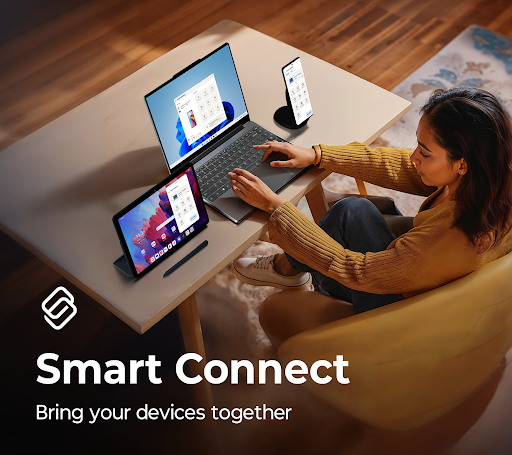
Smart Connect brings your personal ecosystem together like never before. Designed for seamless multitasking and device control. Whether you're streaming apps, searching for files, or managing accessories, Smart Connect simplifies the way you interact with your devices.
Key features:
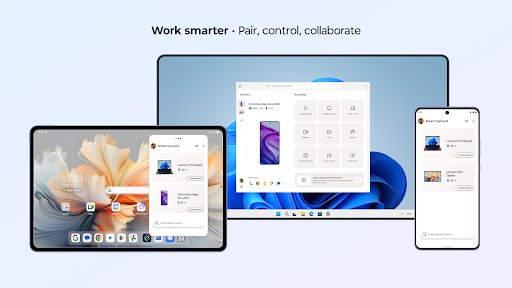
• Pair your phone, tablet, and PC to unlock cross-device control
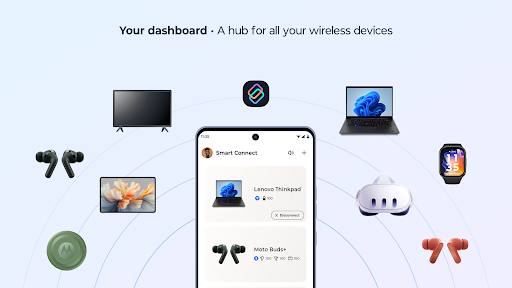
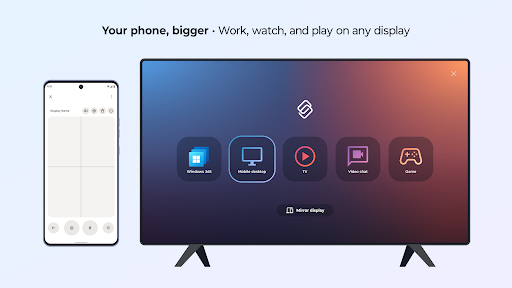
• Connect to smart TVs and displays for a lean-back experience
• Manage Motorola accessories like Buds and Tag from a single dashboard
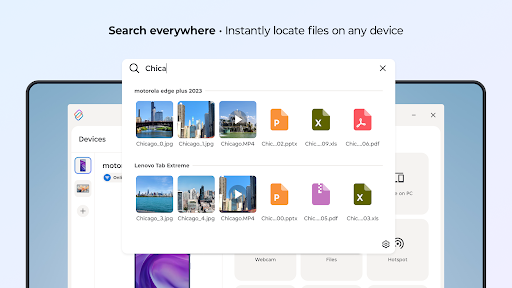
• Find files and apps instantly with cross-device search
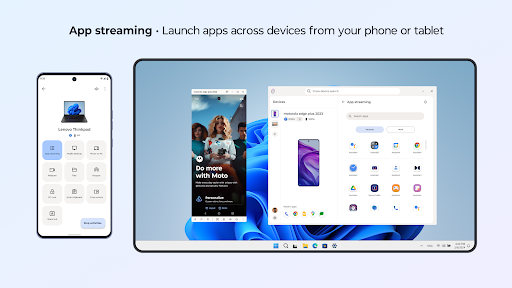
• Stream Android apps to your PC, tablet, or display
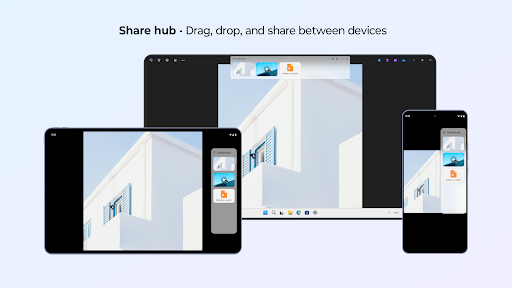
• Use Share hub to transfer files and media between devices
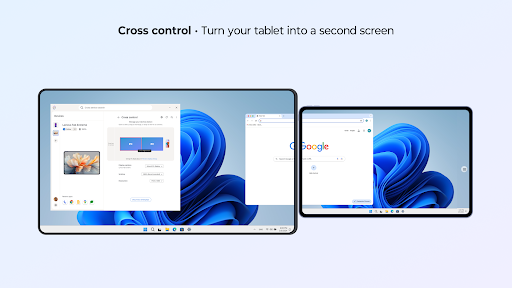
• Start Cross control to use your tablet as a second screen
• Includes advanced features like Webcam and Mobile desktop
• Now available on Meta Quest and third-party Android devices
A Windows 10 or 11 PC with Bluetooth and a compatible phone or tablet is required.
Smart Connect requires elevated permissions to install and use this app.
Feature compatibility may vary by device. Check if your phone or tablet is compatible:
https://help.motorola.com/hc/apps/smartconnect/index.php?v=&t=help_pc_compatible
Key features:
• Pair your phone, tablet, and PC to unlock cross-device control
• Connect to smart TVs and displays for a lean-back experience
• Manage Motorola accessories like Buds and Tag from a single dashboard
• Find files and apps instantly with cross-device search
• Stream Android apps to your PC, tablet, or display
• Use Share hub to transfer files and media between devices
• Start Cross control to use your tablet as a second screen
• Includes advanced features like Webcam and Mobile desktop
• Now available on Meta Quest and third-party Android devices
A Windows 10 or 11 PC with Bluetooth and a compatible phone or tablet is required.
Smart Connect requires elevated permissions to install and use this app.
Feature compatibility may vary by device. Check if your phone or tablet is compatible:
https://help.motorola.com/hc/apps/smartconnect/index.php?v=&t=help_pc_compatible
What's New
• Japanese language support for AI Smart Actions
• Thumbnail previews for file and image search across devices
• Faster device discovery when opening Smart Connect
• More reliable Wi-Fi Direct connections
• Improved connection stability and performance
• Thumbnail previews for file and image search across devices
• Faster device discovery when opening Smart Connect
• More reliable Wi-Fi Direct connections
• Improved connection stability and performance
App Information
Version Name
04.0.0.037.0
Version Code
4000370
File Size
68.8 MB
Min SDK
Android 33+
Target SDK
Android 33
Developer
Motorola Mobility LLC.
Contact
Website
Content Rating
Everyone
Package Name
com.motorola.mobiledesktopPermissions Required
This app may request the following permissions:
Recent Reviews

Wendell G
5.0★
Excellent implementation. I use it with my PC while I'm working. It's an impressive experience. I get access to all my apps, even security sensitive ones unlike with Link to Windows, so never have to pick up my phone. And thus far, the PC connection has been seemless. It's a huge step up from Link to Windows for me. I'll be using Motorola devices for the foreseeable future.

Ryan R
3.0★
So before this app updated to whatever this is. I was able to easily transfer files and such from my phone to my computer. Now since it updated. I can't do any of those things. It kinda upsets me and wish they return the old ready for back. Like literally...you tap the file option. It doesn't work. It always says "unable to start activity please restart app" which I've done and same loop error. Seriously, if it ain't broken why did you have to mess with it? Edit: They fixed it in update.

marve johnson
1.0★
I'm constantly having issues connecting to my 55" Roku TV. It's never consistently reliable. I was just casting last night, after not being able to for nearly the whole week, then I wake the next morning to cast and it can't connect to my TV. Resetting the TV's network settings doesn't work. The TV is updated. I restart my phone and that doesn't work. This is very frustrating.

Gary L
1.0★
Doesn't work following the Android 14 update. It can be very slow over WiFi - especially, for some reason, when using a touchscreen laptop. Scrolling can be impossible as it takes several seconds to register a touch and then it will suddenly scroll through huge chunks of whatever you were looking at. Edit: Android 15 fixed it! Then a bi-monthly update broke it again. Come on Motorola! This is the best feature you have - look after it.

John Hickey (jfhpsp)
5.0★
This app brings screen sharing to a whole new level! I found the UI very impressive and like how it turned my screen projecter into a laptop with all of the apps on my phone accessible. Even better was being able to use the apps without them running in the background on my phone!

Pratik Salunke
1.0★
There is no connection on the first time and sometimes even after the connection is established, it seems that there is no sync between the phone and the TV , its lagging and after some time it gets disconnected automatically. I think this problem has been occurring from the last few months. Initially thought it was a problem with my Wi-Fi network, but it's not. My Wi-Fi is capable of delivering speeds up to 5G. Please fix this as soon as possible. I am not able to connect my TV and phone now😤
Ad slot: In-Content