

My Photo Keyboard
com.mykeyboard.myphotokeyboard
by Abbott Cullen
Screenshots

Ad slot: Top Leaderboard
About this app
How amazing if you can set your own photo as keyboard background in your device
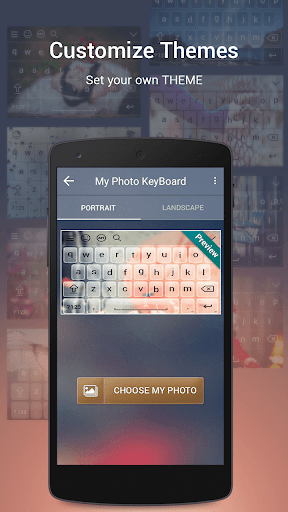
Here My Photo Keyboard app helps you to customize your keyboard and set your photo as keyboard background with best front keypad characters.
My Photo Keyboard applies to whole device and for all apps.
Change background photos from gallery or camera for keyboard.
Make your keyboard very beautiful as your choice.
Multiple Theme Support and you can free download all that theme
How to Used?
1. Open App My Photo Keyboard.
2. Select "My Photo Keyboard" Button.
3. Set input method to my photo keyboard option.
4. Set image from gallery or camera and get preview of keyboard.
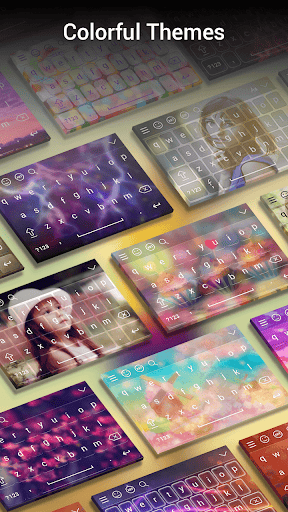
5. You can set different colorful themes for keyboards.
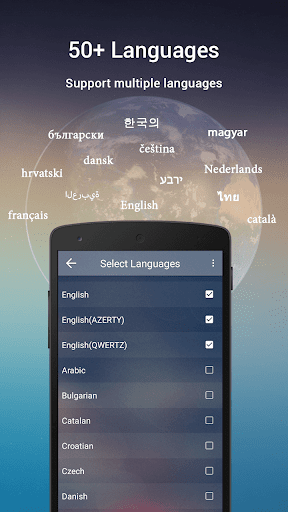
6. My Photo Keyboard come with more than 50 languages.
Features
- Set Photo From Gallery and Camera.
- Set Different Types Of Themes.
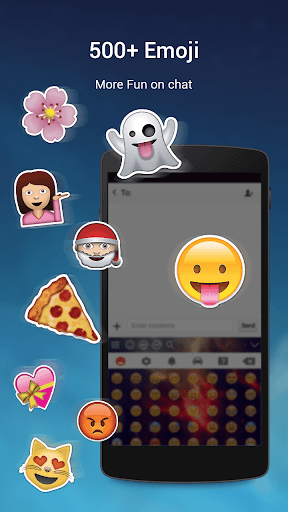
- Enjoy With 500+ Emoji.
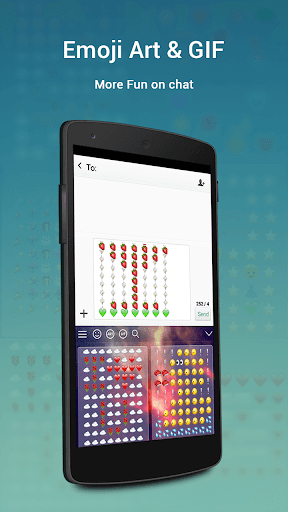
- Emoji Art For batter chat your friends.
- Emoji prediction on words.
- Swipe your finger on keyboard and type fast.
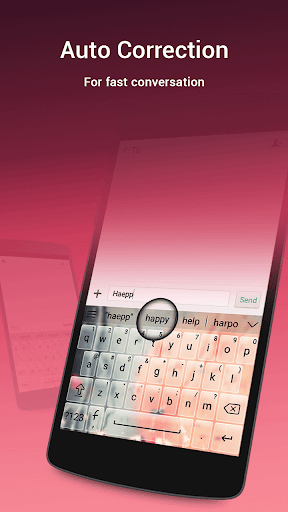
- Auto spell Check Facility.
- Next Word Prediction.
- Landscape and portrait Keyboard background Set separately.
- 50+ Language Supported.
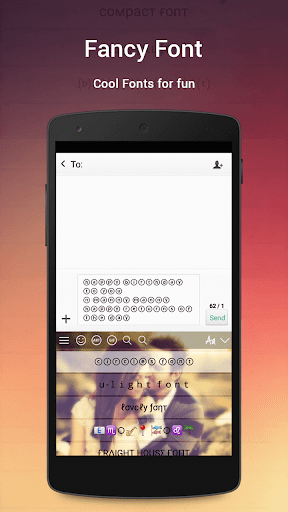
- 50+ Font Style Supported.
- Template Facility For Fast Sharing.also add new Custom Templates.
- Direct Search From Keyboard.
- Word Edit Facility as Word select,cut,copy,past,home,end,tab etc.
- Keyboard Height Setting.
- Keyboard Font Color Setting.
- Keyboard Key press setting as sound,vibration etc.
- Layout Design for Tablet.
- Speak to type
- GIF Sticker For Sharing in social Apps.
- Cool Font and Fancy Font Type facility Provided.
We will never collect any of personal information.
Enjoy new concept of keyboard.
Here My Photo Keyboard app helps you to customize your keyboard and set your photo as keyboard background with best front keypad characters.
My Photo Keyboard applies to whole device and for all apps.
Change background photos from gallery or camera for keyboard.
Make your keyboard very beautiful as your choice.
Multiple Theme Support and you can free download all that theme
How to Used?
1. Open App My Photo Keyboard.
2. Select "My Photo Keyboard" Button.
3. Set input method to my photo keyboard option.
4. Set image from gallery or camera and get preview of keyboard.
5. You can set different colorful themes for keyboards.
6. My Photo Keyboard come with more than 50 languages.
Features
- Set Photo From Gallery and Camera.
- Set Different Types Of Themes.
- Enjoy With 500+ Emoji.
- Emoji Art For batter chat your friends.
- Emoji prediction on words.
- Swipe your finger on keyboard and type fast.
- Auto spell Check Facility.
- Next Word Prediction.
- Landscape and portrait Keyboard background Set separately.
- 50+ Language Supported.
- 50+ Font Style Supported.
- Template Facility For Fast Sharing.also add new Custom Templates.
- Direct Search From Keyboard.
- Word Edit Facility as Word select,cut,copy,past,home,end,tab etc.
- Keyboard Height Setting.
- Keyboard Font Color Setting.
- Keyboard Key press setting as sound,vibration etc.
- Layout Design for Tablet.
- Speak to type
- GIF Sticker For Sharing in social Apps.
- Cool Font and Fancy Font Type facility Provided.
We will never collect any of personal information.
Enjoy new concept of keyboard.
App Information
Version Name
51.0
Version Code
51
File Size
30.6 MB
Min SDK
Android 21+
Target SDK
Android 33
Developer
Abbott Cullen
Contact
Website
Content Rating
Everyone
Package Name
com.mykeyboard.myphotokeyboardPermissions Required
This app may request the following permissions:
Recent Reviews

A Google user
3.0★
I've had this app for almost two years now and I loved it. Ads never bothered me because they only popped up when you were actually inside the app itself. But as of today you decide to stick an ad right above the keyboard while you're typing??? Talk about annoying lmao. Thanks but no thanks, I'm finding a different app for my keyboard, one that doesn't slap an ad in your face and takes up your screen space.

Ruban Matthew
5.0★
An amazing app. Hasn't given me any problem yet. Easy to change ur keyboard. No app has given me such results as this cause in the apps i have downloaded says that we have to install another app to make it work. But this app has got no problems like that. Easy to use and to understand😍😍
A Google user
1.0★
It was fine for the longest time but then it just got so riddled with ads; it's ridiculous! I mean, it even got to the point where it just threw ads onto the screen whenever I unlocked my phone.
A Google user
1.0★
Every time I use the keyboard the letters are always capitalized and you have to change it to small letters yourself everytime i try to change the letters a add pop up every time I open the app an add pop up so this app is just for advertising and a waste of time im out 👌
A Google user
1.0★
everytime I type even when I changed the settings to not autocorrect it would change what I wrote.I was trying to write a word and halfway through I pressed O and it turned the O into a different word apart from the word I was trying to spell.The only reason I gave it one star is because of the photo you are able to put.Other wise it would get negative 50 stars.BY the way it also repeats words you typed if you try to type other words it will just repeat the word from before over and over again.
A Google user
4.0★
The app itself is amazing and I've used it for a long time but all of a sudden an ad started popping up above the keyboard that won't go away and it covers a good chunk of screen
Ad slot: In-Content