

OMRON connect
com.omronhealthcare.omronconnect
by Omron Healthcare Inc
Screenshots

Ad slot: Top Leaderboard
About this app
The OMRON connect app is an important part of our Going for Zero mission to eliminate heart attacks and strokes. Monitoring your blood pressure everyday can help make this vision a reality. The app makes it easy to view your health metrics anytime, anywhere. Syncing wirelessly to your smartphone or tablet, the OMRON connect app tracks your readings and daily measurements, giving you a more clear view of your overall health.
Learn more at goingforzero.com
The OMRON connect app provides a lot of free features for you to manage your heart health (some feature availability depends on device type)
• Easily sync your readings to your smartphone via Bluetooth®
• Email readings to family, physicians, or other health care professionals and share your progress
• Keep track of your health history by storing and saving unlimited readings
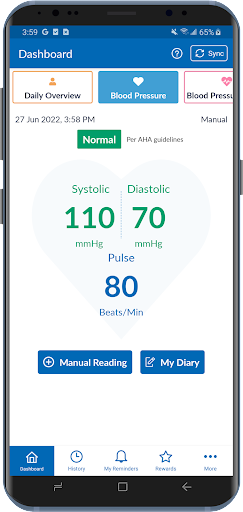
• Get a complete view of your blood pressure with systolic, diastolic and pulse readings
• Receive alerts when notable changes in blood pressure are detected
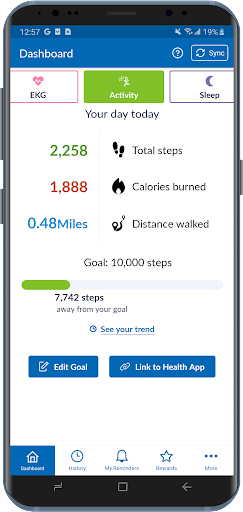
• Set physical activity goals and track your progress
• Monitor the length and quality of your sleep
• Monitor your weight and BMI (body mass index)
• Access additional historical health data around sleep, weight, EKG, activity and more
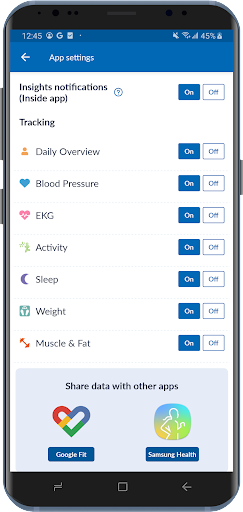
• Directly send readings to Google Fit
In addition, the app provides the following premium features:
• Gain insights into how the combination of your blood pressure, activity, sleep and weight may be affecting your heart health
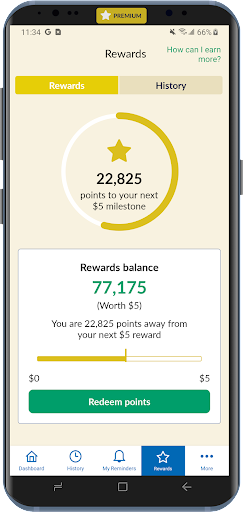
• Earn rewards for tracking your vitals and managing your health
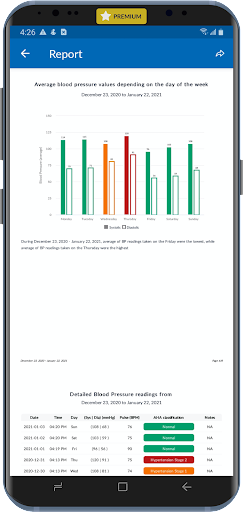
• Generate premium reports with more detailed information on vitals
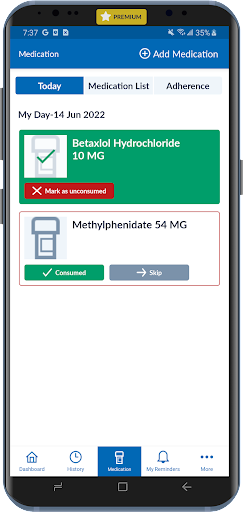
• Track medication to help rest assured that you will never miss a dose
Never diagnose or treat yourself based on this system. ALWAYS consult with your physician.
Note: The app will require SMS and Call Log permissions only for users of the HeartGuide™ device for messaging related notifications to work properly.
The following OMRON Blood Pressure Monitors can connect to this app:
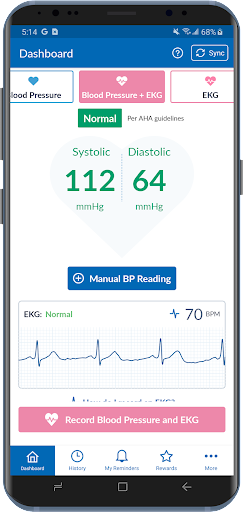
Complete™ Upper Arm Blood Pressure Monitor + EKG: BP 7900
Evolv® Upper Arm: BP7000
HeartGuide™: BP8000-M, BP8000-L
10 Series
Upper Arm: BP786, BP786N, BP786CAN, BP786CANN, BP7450, BP7450CAN
Wrist: BP653
7 Series
Upper Arm: BP761, BP761N, BP761CAN, BP761CANN, BP7350, BP7350CAN
Wrist: BP654, BP6350
5 Series
Upper Arm: BP7250, BP7250CAN
Platinum
Upper Arm: BP5450
Gold
Upper Arm: BP5350
Wrist: BP4350
Silver
Upper Arm: BP5250
Miscellaneous
BP769CAN BP Monitor
BP300 (ReliOn)
The following OMRON Body Composition Monitor will connect to this app:
BCM-500
For a full list of compatible devices, visit OmronHealthcare.com/connected
Please visit https://s3-us-west-2.amazonaws.com/ofs-terms-production-us/OCM/en-us/eula.html to view terms of use.
Learn more at goingforzero.com
The OMRON connect app provides a lot of free features for you to manage your heart health (some feature availability depends on device type)
• Easily sync your readings to your smartphone via Bluetooth®
• Email readings to family, physicians, or other health care professionals and share your progress
• Keep track of your health history by storing and saving unlimited readings
• Get a complete view of your blood pressure with systolic, diastolic and pulse readings
• Receive alerts when notable changes in blood pressure are detected
• Set physical activity goals and track your progress
• Monitor the length and quality of your sleep
• Monitor your weight and BMI (body mass index)
• Access additional historical health data around sleep, weight, EKG, activity and more
• Directly send readings to Google Fit
In addition, the app provides the following premium features:
• Gain insights into how the combination of your blood pressure, activity, sleep and weight may be affecting your heart health
• Earn rewards for tracking your vitals and managing your health
• Generate premium reports with more detailed information on vitals
• Track medication to help rest assured that you will never miss a dose
Never diagnose or treat yourself based on this system. ALWAYS consult with your physician.
Note: The app will require SMS and Call Log permissions only for users of the HeartGuide™ device for messaging related notifications to work properly.
The following OMRON Blood Pressure Monitors can connect to this app:
Complete™ Upper Arm Blood Pressure Monitor + EKG: BP 7900
Evolv® Upper Arm: BP7000
HeartGuide™: BP8000-M, BP8000-L
10 Series
Upper Arm: BP786, BP786N, BP786CAN, BP786CANN, BP7450, BP7450CAN
Wrist: BP653
7 Series
Upper Arm: BP761, BP761N, BP761CAN, BP761CANN, BP7350, BP7350CAN
Wrist: BP654, BP6350
5 Series
Upper Arm: BP7250, BP7250CAN
Platinum
Upper Arm: BP5450
Gold
Upper Arm: BP5350
Wrist: BP4350
Silver
Upper Arm: BP5250
Miscellaneous
BP769CAN BP Monitor
BP300 (ReliOn)
The following OMRON Body Composition Monitor will connect to this app:
BCM-500
For a full list of compatible devices, visit OmronHealthcare.com/connected
Please visit https://s3-us-west-2.amazonaws.com/ofs-terms-production-us/OCM/en-us/eula.html to view terms of use.
What's New
- Bug fixes and performance improvements
App Information
Version Name
7.18.1
Version Code
582
File Size
377.0 MB
Minimum OS
Android 9+
Target SDK
Android 33
Developer
Omron Healthcare Inc
Contact
Website
Content Rating
Everyone
Package Name
com.omronhealthcare.omronconnectPermissions Required
This app may request the following permissions:
Recent Reviews

Marty F.
2.0★
Marginally useful when it works. After not using it for a month, it kept crashing, then after totally erasing all data, it finally ran, got configured, and connected. But then, all the time/dates were missing on my device since the last run, and it was unable to download any recent readings. I had to go through setting time, which was already set, and now it works but I've lost a month's data. Also, for some reason, it will not even run in my doctor's office for some reason. Very disappointing!

Frank Catalano
2.0★
The Nov. 6 update made a good app unusable. After logging in, it showed a "Your privacy is important" screen. After clicking "Continue," the app displayed "Something went wrong. Please try again later." Clicking "OK" did nothing but display three dots that were animated endlessly. It did not allow accepting a privacy policy; the "Submit" button was never clickable. Had to contact support, then uninstall, reboot, reinstall, re-login and re-pair to get access to data. Frustrating to troubleshoot.

Fred Dolman
5.0★
Have been using this app(on Android) for about a year with no issues until the latest update (09/03/24). Now the app doesn't recognize any touch controls so can't access history etc. And, can only do a sync now and then. Seems that the update broke the app! UPDATE: they fixed it and it works great now! 5 stars! I love showing my history to my doctor.. he likes my numbers too!

Jarrod Brown
1.0★
Update Oct. 3, 2024: app not working again. Now it simply appears not to load. This is the second time in 3 weeks that this app has stopped functioning. Pretty unacceptable for healthcare device. Would not buy this brand until the app is fixed!! I paid for Bluetooth was a waste. Extremely disappointing. My cuff is still under warranty, will return & find another brand ASAP. I kept it after the last issue was resolved, but I don't need a piece of equipment that I can't use every 2 weeks.

G E
1.0★
For some reason it suddenly stopped sinking with Google fit a week ago and I cannot get it to work now. The app shows us linked to Google fit but no data is being transferred. Update 11/20/24. Now app doesn't even transfer data from the blood pressure monitor at all. I'm part of a medical trial and this is useless. The only way you can get data into the app is to enter it manually. I'm not going to do that anymore. There's not even enough room here to write everything that's wrong with app

Sean Flanagan
2.0★
This app keeps getting worse and worse. You can't start it without answering some popup that gives you an option to not see, yet it's back again the next time. and you have to kill it, because it repeatedly asks you if the last ekg recording was you when you attempt to run it after a day. This is followed by a black, unclosable dialog that requires you to kill the app and start all over again. This was never run through any qa process.
Ad slot: In-Content