

Slow Motion Frame Video Player
com.proframeapps.videoframeplayer
by ProFrameApps
Screenshots
Ad slot: Top Leaderboard
About this app
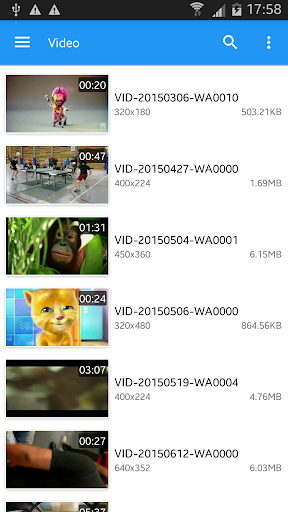
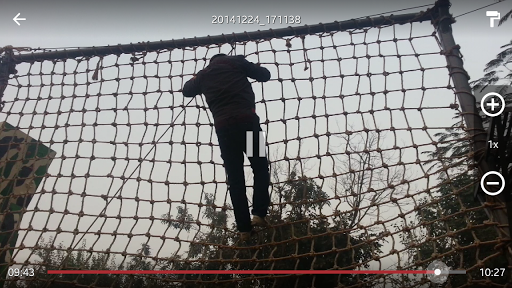
Slow Motion Frame Video Player for Android let you play HD/SD videos, control video frame rate, audio pitch and apply color filter for B/W effect. This video player take advantage of media hardware acceleration so it consumes low CPU power and uses battery power in most efficient way. Also, you can manage, search, sort and share your videos with easy to use interface.
App Information
Version Name
0.3.6
Version Code
36
File Size
4.0 MB
Min SDK
Android 19+
Target SDK
Android 33
Developer
ProFrameApps
Contact
Content Rating
Everyone
Package Name
com.proframeapps.videoframeplayerPermissions Required
This app may request the following permissions:
Recent Reviews

A Google user
4.0★
I love this app! It does exactly what I am trying to do: slow down videos so I can watch/hear then at any speed. There are a few inconveniences, though. - I can't scroll to an exact frame. I have to play it to get to the perfect frame. - When choosing a video, it doesn't sort by folders. It just shows you all your videos (it's hard to find things)

Barry Landsberg
5.0★
Easy to use, and ads don't get in the way. The search is very fast and user friendly, and I like being able to change the speed from double down to 1/8 at any time. Having given it a well-deserved five stars, I would also love a single-frame step backwards and forwards like YouTube's dot and comma feature, and perhaps the video following when the finger moves the slider. But even without those, it is the best video player I have found so far.
A Google user
5.0★
Just downloaded it so I can slow down videos of guitarists from YouTube videos so I can see where they're putting their fingers. Makes it easier to learn songs. Tip for the developers, if you could keep the sound at its normal pitch while slowing the video down, you would have an amazing app, which I'm sure budding guitarists like myself would download in their thousands. PS.. If you manage to do this, cut me in on your millions, I only want a little boat to live on... Lol 😁 ✌️

Scott Velin
1.0★
I was looking for a video player/editor that allows viewing and capturing one frame at a time, so that after pausing, you can move forward or backward one frame at at time, or go to frame #14,256, for example. This app does not have any function other than slowing down playback and changing to black and white...

Jackson Shahinian
1.0★
When I was watching my videos, the app crashed twice! One, it restarted by showing the logo like if I was starting it up, and two, the screen went black for a second and went to my home screen. Another thing, when I try set the video up to 2x speed, the audio pops. The name is also deceptive. It hasn't been updated since 2021, and we're in 2023!!! Uninstalled immediately after the second crash.

Jesse Bird
4.0★
I was taking videos of the sky during a thunderstorm using my drone to try and get some lightning photos (via screenshoting) and was initially using the android video player to analyze the frames but it was way to hard scrolling the time back and forth. I got this app and it was much easier to do. The only things it needs are a way to reverse video playing and a way to advance frames using a button.
Ad slot: In-Content