

Samsung Health
com.sec.android.app.shealth
by Samsung Electronics Co., Ltd.
Screenshots
Ad slot: Top Leaderboard
About this app
Start healthy habits for yourself with Samsung Health.
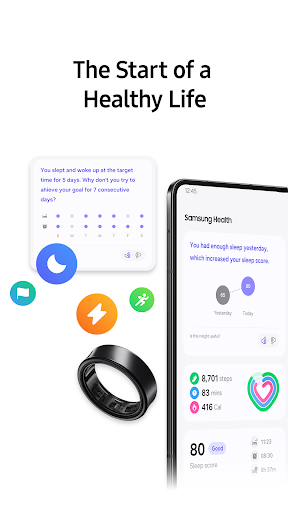
Samsung Health has various features to help you manage your health. As the app allows you to automatically record many activities, creating a healthy lifestyle is easier and simpler than ever.
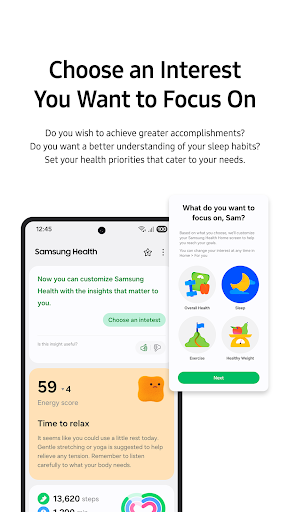
Check various health records on the home screen. Easily add and edit the items that you want to manage such as daily steps and activity time.
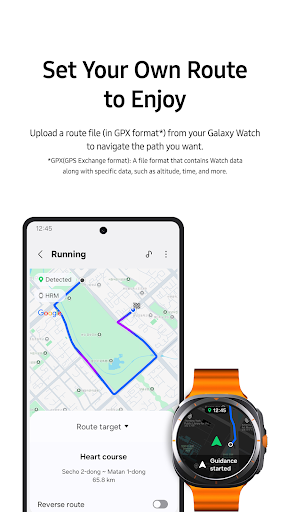
Record and manage your fitness activities, such as running, cycling, swimming, etc. Also, Galaxy Watch wearables user can now exercise more effectively through Life Fitness, Technogym and Corehealth.
Create healthy eating habits by recording your daily meals and snacks with Samsung Health.
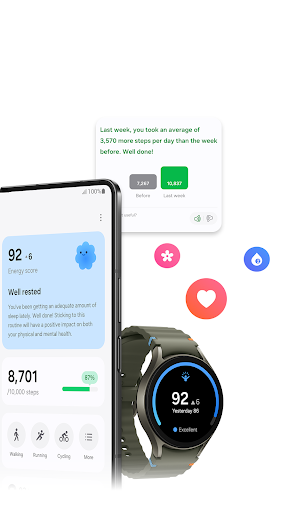
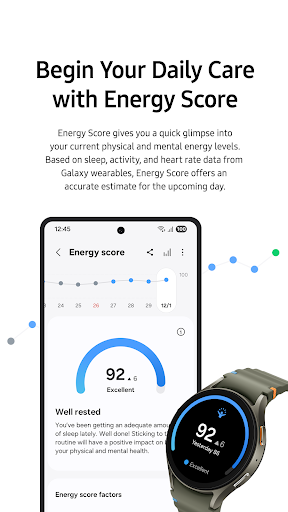
Work hard and always maintain your best condition with Samsung Health. Set goals that work for your own level, and keep track of your daily condition including your activity amount, workout intensity, heart rate, stress, oxygen level in the blood, etc.
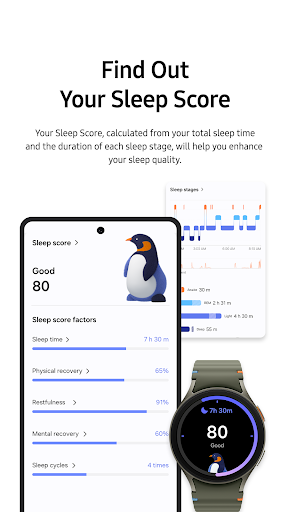
Monitor your sleep patterns in more detail with Galaxy Watch. Make your mornings more refreshing by improving the quality of your sleep through sleep levels and sleep scores.
Challenge yourself against your friends and family to become healthier in a more fun and interactive way with Samsung Health Together.
Samsung Health has prepared videos of expert coaches who will teach you new fitness programs including stretching, weight loss, and more.
Discover meditation tools on Mindfulness that will help you relieve stress throughout your day. (Some contents are only available through an optional paid subscription. Content is available in English, German, Spanish, French, Portuguese and Korean.)
Cycle tracking offers helpful support in menstrual cycle tracking, related symptom management and personalized insights and contents through your partner, Natural Cycles.
Samsung Health protects your private health data securely. All Samsung Galaxy models released after August 2016, Knox enabled Samsung Health service will be available. Please note that Knox enabled Samsung Health service will not be available from rooted mobile.
Tablets and some mobile devices are not supported, and detailed features may vary depending on the user’s country of residence, region, network carrier, model of the device, etc.
Requires Android 10.0 or later. Supports over 70 languages, including English, French, and Chinese. An English language version is available for the rest of the world.
Please note that Samsung Health is intended for fitness and wellness purposes only and is not intended for use in the diagnosis of disease or other conditions, or in the cure, mitigation, treatment, or prevention of disease.
The following permissions are required for the app service. For optional permissions, the default functionality of the service is turned on, but not allowed.
Optional permissions
- Location : Used to collect your location data using the trackers(exercises & steps), Used to display a route map for exercise, and to display the weather during exercise
- Body Sensors : Used to measure heart rate, oxygen saturation, and stress (HR&Stress : Galaxy S5~Galaxy S10 / SpO2 : Galaxy Note4~Galaxy S10)
- Photos and videos(storage) : You can import/export your exercise data, save exercise photos, save/load food photos
- Contacts : Used to check if you are logged into your Samsung account, and to create a friend list for Together
- Camera : Used to scan QR codes when you add friends using the Together, and to take photos of foods, and to recognize numbers on a blood glucose meter&blood pressure monitor(Available in some countries only)
- Physical activity : Used to count your steps and to detect workouts
- Microphone : Used to record audio for snore detection
- Nearby devices : Used to scan for and connect to nearby devices, including Galaxy Watches and other accessories
- Notifications : Used to provide you with timely information
- Phone : Used to confirm your phone number for Together.
Samsung Health has various features to help you manage your health. As the app allows you to automatically record many activities, creating a healthy lifestyle is easier and simpler than ever.
Check various health records on the home screen. Easily add and edit the items that you want to manage such as daily steps and activity time.
Record and manage your fitness activities, such as running, cycling, swimming, etc. Also, Galaxy Watch wearables user can now exercise more effectively through Life Fitness, Technogym and Corehealth.
Create healthy eating habits by recording your daily meals and snacks with Samsung Health.
Work hard and always maintain your best condition with Samsung Health. Set goals that work for your own level, and keep track of your daily condition including your activity amount, workout intensity, heart rate, stress, oxygen level in the blood, etc.
Monitor your sleep patterns in more detail with Galaxy Watch. Make your mornings more refreshing by improving the quality of your sleep through sleep levels and sleep scores.
Challenge yourself against your friends and family to become healthier in a more fun and interactive way with Samsung Health Together.
Samsung Health has prepared videos of expert coaches who will teach you new fitness programs including stretching, weight loss, and more.
Discover meditation tools on Mindfulness that will help you relieve stress throughout your day. (Some contents are only available through an optional paid subscription. Content is available in English, German, Spanish, French, Portuguese and Korean.)
Cycle tracking offers helpful support in menstrual cycle tracking, related symptom management and personalized insights and contents through your partner, Natural Cycles.
Samsung Health protects your private health data securely. All Samsung Galaxy models released after August 2016, Knox enabled Samsung Health service will be available. Please note that Knox enabled Samsung Health service will not be available from rooted mobile.
Tablets and some mobile devices are not supported, and detailed features may vary depending on the user’s country of residence, region, network carrier, model of the device, etc.
Requires Android 10.0 or later. Supports over 70 languages, including English, French, and Chinese. An English language version is available for the rest of the world.
Please note that Samsung Health is intended for fitness and wellness purposes only and is not intended for use in the diagnosis of disease or other conditions, or in the cure, mitigation, treatment, or prevention of disease.
The following permissions are required for the app service. For optional permissions, the default functionality of the service is turned on, but not allowed.
Optional permissions
- Location : Used to collect your location data using the trackers(exercises & steps), Used to display a route map for exercise, and to display the weather during exercise
- Body Sensors : Used to measure heart rate, oxygen saturation, and stress (HR&Stress : Galaxy S5~Galaxy S10 / SpO2 : Galaxy Note4~Galaxy S10)
- Photos and videos(storage) : You can import/export your exercise data, save exercise photos, save/load food photos
- Contacts : Used to check if you are logged into your Samsung account, and to create a friend list for Together
- Camera : Used to scan QR codes when you add friends using the Together, and to take photos of foods, and to recognize numbers on a blood glucose meter&blood pressure monitor(Available in some countries only)
- Physical activity : Used to count your steps and to detect workouts
- Microphone : Used to record audio for snore detection
- Nearby devices : Used to scan for and connect to nearby devices, including Galaxy Watches and other accessories
- Notifications : Used to provide you with timely information
- Phone : Used to confirm your phone number for Together.
What's New
• Be a fitness pro at home with iFit!
We are unveiling iFit, a global fitness content! Subscribe NOW and bring a positive change to your life at a discounted launch price!
• Don’t miss out on the benefits!
Swipe a recommended card at the top to find hidden discounts and events!
• A “Discover" tab, a selection of partners, has been added!
In select countries, personalized health info., meal plans, and products from premium partners are available.
Discover everything you need for a healthy life!
We are unveiling iFit, a global fitness content! Subscribe NOW and bring a positive change to your life at a discounted launch price!
• Don’t miss out on the benefits!
Swipe a recommended card at the top to find hidden discounts and events!
• A “Discover" tab, a selection of partners, has been added!
In select countries, personalized health info., meal plans, and products from premium partners are available.
Discover everything you need for a healthy life!
App Information
Version Name
6.26.9.005
Version Code
6269005
File Size
348.0 MB
Min SDK
Android 26+
Target SDK
Android 34
Developer
Samsung Electronics Co., Ltd.
Contact
Website
Content Rating
Everyone
Package Name
com.sec.android.app.shealthPermissions Required
This app may request the following permissions:
Recent Reviews

Luke Lashbrook
1.0★
this app looks nice and has a lot of features but none of them works well at all. It does a terrible job tracking workouts, even if you choose the walking option it will randomly miss large chunks of the walk. (yes I turned off power saving mode even when I shouldn't have to) Also the food tracking is unusable. Additionally you can't edit workouts. for example you play tennis, it auto detects a walk, later you want change it? Gotta manually enter a new workout and delete the old one.

Araya Heaven
1.0★
I don't like the changes made to the sleep score. I wish I could delete the upgrade and go back. I like seeing how many sleep cycles I went through, restfulness, mental recovery, etc. And I PREFER seeing actual numbers. The new metrics just make it much harder to understand the readings. I don't even want to use it anymore. Which is a bummer because I used it every day. Users should be given a choice for how they want their score calculated/displayed.

Luis Teissonniere
2.0★
I dont know what they were thinking with this last update. The app is very slow and clunky now. when I search for meals, it will just show me the list of ingredients, not the actual name. Everything was divided up into multiple menus for no reason. If I want to update a meal or check what's in it, it takes me to the name change section, so I end up typing instead of scrolling. The app takes about 5 full seconds to open the search bar after I tap it as opposed to being instant like before.

MEO
1.0★
Worked great for the first year, but some time over the last few months it stopped sleep tracking entirely. I have to manually log the hours I was asleep (it even gives me the exact times! so it knows but refuses to log it?) and hasn't shown sleep stages for ages. I have done a restart, checked all permissions, everything suggested online, and it's still useless. Would have been nice to know before I blew so much money on an overpriced watch.

Zachary Krage
2.0★
The app lacks a sort of sophistication other fitness apps have. Cartoon animals and color coded amoeba? Nah. Oura's interface is something to envy; made for adults, not children. Next issue is with sleep tracking. No, it didn't take me 3 hours to fall asleep last night. I spent some time reading. I should be able to make this adjustment without deleting the whole sleep record. I can't. Third, data trends. Not prominent or easy to get to. Shouldn't have to port data to excel to make sense of it.

william yanosh
1.0★
ever since latest update sleep tracking has been useless. all of a sudden all stages are inaccurate or missing data. I did not say anything about deleting data. I am saying all the data seems inaccurate compared to.previous data. and i see others with the same issue. so i am not sure how if I call as others have also been told that anything will get fixed for me when everyone has an issue since last update to sleep tracking. Again, my issue has nothing g to do with deleting past data.
Ad slot: In-Content