
Call Recorder - callX
com.smsrobot.callrecorder
by SMSROBOT LTD
Screenshots



Ad slot: Top Leaderboard
About this app
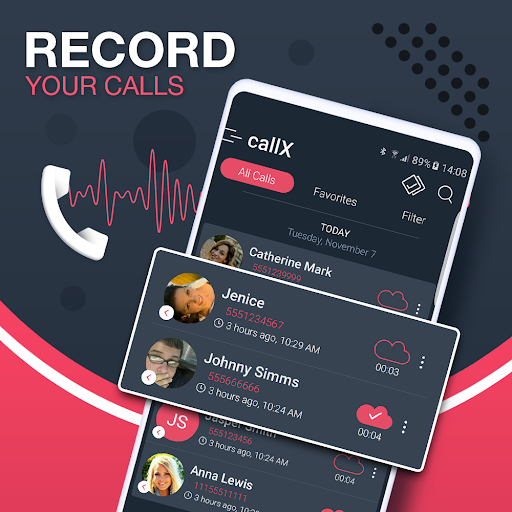
Auto Call Recorder is the best automatic call recording app that enables you to record calls to your Android device automatically. The app also feature caller ID which will help you identify phone calls and avoid spam.
Need the best solution for phone call recording on your Android device? Take control of your phone calls and choose callX, the best call recorder app in 2020 with beautiful and modern design in latest version. New version for 2020 is available.
Callrecording key features
- Record calls per phone number or contact name
- Exclude recording per phone number or contact name
- caller id identifies unknown phone numbers
- Manual and auto call recording both side voice
- Choose between high quality hd MP3 and WAV audio formats
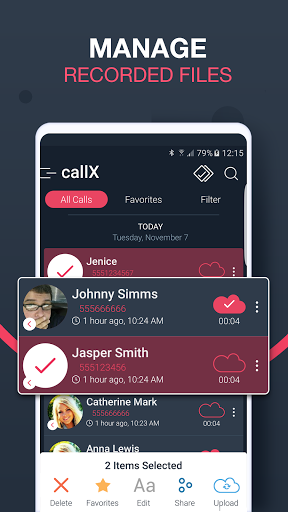
- Upload the call conversations to Dropbox or Google drive
- Play audio recorded conversations
- Recording filter option enables you to record all calls, contacts or only unknown numbers
- Playback through speaker or earpiece on your device
- Record incoming and outgoing call
Share files:
- Dropbox
- Google Drive
- SMS
- Whatsapp
- Viber
- Skype
EXTRA FEATURES:
- Records all your phone calls
- Play recorded audio
Thank you for using Automatic Call Recorder
Need the best solution for phone call recording on your Android device? Take control of your phone calls and choose callX, the best call recorder app in 2020 with beautiful and modern design in latest version. New version for 2020 is available.
Callrecording key features
- Record calls per phone number or contact name
- Exclude recording per phone number or contact name
- caller id identifies unknown phone numbers
- Manual and auto call recording both side voice
- Choose between high quality hd MP3 and WAV audio formats
- Upload the call conversations to Dropbox or Google drive
- Play audio recorded conversations
- Recording filter option enables you to record all calls, contacts or only unknown numbers
- Playback through speaker or earpiece on your device
- Record incoming and outgoing call
Share files:
- Dropbox
- Google Drive
- SMS
- Viber
- Skype
EXTRA FEATURES:
- Records all your phone calls
- Play recorded audio
Thank you for using Automatic Call Recorder
What's New
Minor improvements and fixes
App Information
Version Name
10.9
Version Code
100
File Size
17.1 MB
Minimum OS
Android 4.4+
Target SDK
Android 30
Developer
SMSROBOT LTD
Contact
Website
Content Rating
Everyone
Package Name
com.smsrobot.callrecorderPermissions Required
This app may request the following permissions:
Recent Reviews

Lexie Sheikh
3.0★
After 2 months of use, it doesn't record my calls anymore. It also started ruining the audio for calls. It sounds like radio interference. I record scam calls, so it's really frustrating when I get a "good" call and the recorded version is terrible static. My first probably 30 calls were crisp, clear and I was super happy. Then suddenly no more are recorded, I go back to listen to recent calls and they're ruined files. Disappointing.

Brandy Collins
5.0★
Used to be amazing. So amazing I stopped checking to make sure all calls were being recorded. Big mistake. Two months into running my business, to my horror I discovered that all calls were labeled "private" and no audio was recorded. Would've been nice to have some sort of warning that functionality had failed for no reason. Disappointed.

A Google user
1.0★
Mostly a very good app which is very simple to use. However, I am knocking off one star because it doesn't seem to work well with 800 numbers... Though I am not sure it is their fault. EDIT: Barely records anything anymore and every single call is now listed as "Private" where it used to actually list phone numbers or contacts. The app is worthless now. Go. Elsewhere.
A Google user
5.0★
I switched to this program after using a different one for a few years, and I'm really liking the features. My other app stopped being able to identify the caller, citing something about "Google policy changes," or some such. I couldn't even re-lable the files in a way that meant I wasn't just looking at an entire log-list of "Unknown Caller" recordings. It was highly frustrating. This program seems to have gotten around that problem. it's working great, and I'm enjoying the options. :-)

L D
2.0★
Unfortunately, this app doesn't work well at all. When you're on a voice call, you cannot hear the other end, though your end is clear. On speaker, it works better, unless there's background noise, which obliterates everything. Even with the setting turned off, a box pops up after every call, getting in your way, the setting for which must be navigated through the after call box itself. Very frustrating & difficult, when you can't hear what you just recorded. I would like this app, if it worked.

Matt Stein
1.0★
Just downloaded and have had two calls, one I called out and one I received. Both calls started recording automatically which is good, but when listening to the recordings, I can hear myself fine but the other person, the sound is so distorted and static, you can hardly hear what is being said. I was using the hands free option on both calls, so not sure how it sounds w/o. Needs work...
Ad slot: In-Content