

Sony | Music Center
com.sony.songpal
by Sony Corporation
Screenshots
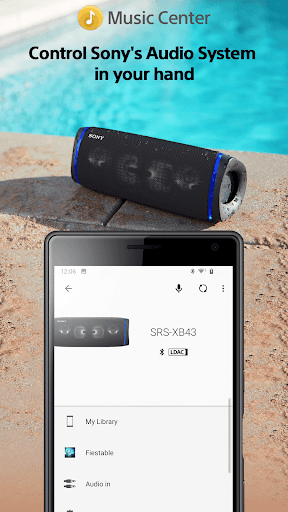
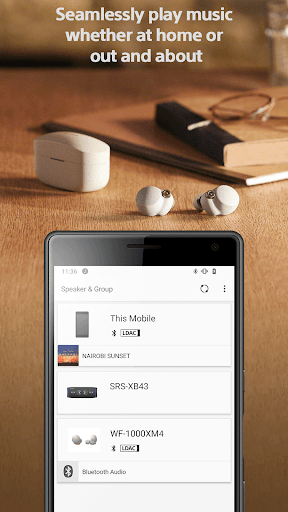
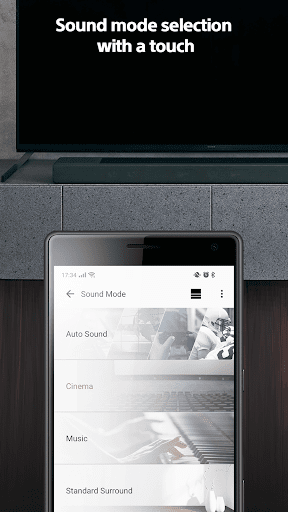
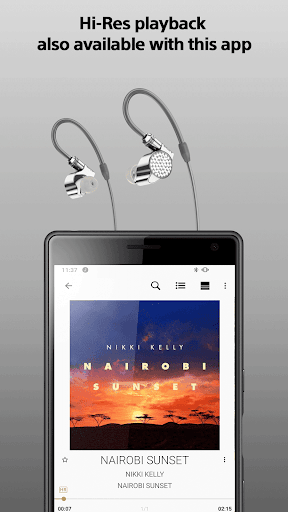
Ad slot: Top Leaderboard
About this app
- The center for all music lovers -
Do you want to fully enjoy music whether at home or out and about?
Then this Sony app is exactly what you've been waiting for.
The Sony l Music Center app will singlehandedly enable you
to listen to Hi-Res sound sources in the excellent audio quality.
You can also connect to other Sony audio devices to play music in the
best possible sound field, with the settings optimized for each individual device.
To use the control function of audio devices, an audio device compatible with Sony | Music Center is required.
Please check if your audio products are compatible with Sony | Music Center from our support site.
Devices that were compatible with SongPal are compatible with Sony | Music Center as well.
Main Feature
You can playback music including Hi-Res tracks on your smartphone.
Play the music contents from CD, USB, and Smartphone.
Access music by browsing or searching music folders stored on your computer or NAS drive thru network(DLNA)*.
You can set Multi-room, Surround, Stereo wirelessly with multiple speakers.*
Change the setting on the audio device, such as Equalizer, Sleep Timer, Network* and so on.
*Limited to compatible devices.
This application supports TalkBack.
Note
* Starting with version 7.4 of this app, it is only available on Android OS 9.0 or later.
This app does not support Atom™ processor-based mobile devices.
With the update to ver.5.2, Music Center will no longer be compatible with STR-DN850/STR-DN1050/ICF-CS20BT/XDR-DS21BT.
Some features may not be supported by certain devices.
Some functions and services may not be supported in certain regions/countries.
Please make sure to update Sony | Music Center to the latest version.
Sony | Music Center confirm the permission below.
【Device & app history】
●retrieve running apps
⇒Check if Sony | Music Center is running and launch Sony | Music Center automatically when connecting to the compatible devices or performing the initial setup.
【Photos/Media/Files】
●test access to protected storage
【Microphone】
●record audio
⇒Use the microphone when performing voice operation.
【Wi-Fi connection information】
●view Wi-Fi connections
【Device ID & call information】
●read device status and identity
⇒While Sony | Music Center is connecting to the car audio Sony | Music Center check the call status so as not to read text message during calling..
Do you want to fully enjoy music whether at home or out and about?
Then this Sony app is exactly what you've been waiting for.
The Sony l Music Center app will singlehandedly enable you
to listen to Hi-Res sound sources in the excellent audio quality.
You can also connect to other Sony audio devices to play music in the
best possible sound field, with the settings optimized for each individual device.
To use the control function of audio devices, an audio device compatible with Sony | Music Center is required.
Please check if your audio products are compatible with Sony | Music Center from our support site.
Devices that were compatible with SongPal are compatible with Sony | Music Center as well.
Main Feature
You can playback music including Hi-Res tracks on your smartphone.
Play the music contents from CD, USB, and Smartphone.
Access music by browsing or searching music folders stored on your computer or NAS drive thru network(DLNA)*.
You can set Multi-room, Surround, Stereo wirelessly with multiple speakers.*
Change the setting on the audio device, such as Equalizer, Sleep Timer, Network* and so on.
*Limited to compatible devices.
This application supports TalkBack.
Note
* Starting with version 7.4 of this app, it is only available on Android OS 9.0 or later.
This app does not support Atom™ processor-based mobile devices.
With the update to ver.5.2, Music Center will no longer be compatible with STR-DN850/STR-DN1050/ICF-CS20BT/XDR-DS21BT.
Some features may not be supported by certain devices.
Some functions and services may not be supported in certain regions/countries.
Please make sure to update Sony | Music Center to the latest version.
Sony | Music Center confirm the permission below.
【Device & app history】
●retrieve running apps
⇒Check if Sony | Music Center is running and launch Sony | Music Center automatically when connecting to the compatible devices or performing the initial setup.
【Photos/Media/Files】
●test access to protected storage
【Microphone】
●record audio
⇒Use the microphone when performing voice operation.
【Wi-Fi connection information】
●view Wi-Fi connections
【Device ID & call information】
●read device status and identity
⇒While Sony | Music Center is connecting to the car audio Sony | Music Center check the call status so as not to read text message during calling..
What's New
User interface improvements.
App Information
Version Name
7.4.0
Version Code
7040051
File Size
71.0 MB
Min SDK
Android 28+
Target SDK
Android 33
Developer
Sony Corporation
Contact
Website
Content Rating
Everyone
Package Name
com.sony.songpalPermissions Required
This app may request the following permissions:
Recent Reviews

Aaron Bauer
1.0★
Overcomplicated, probably mining music preference data. Why is the app I need to use to manage the settings of my headphones a "music center"? I just need to change the bass levels on my headphones. I DO NOT need an app to interact or be a shortcut to my music player. Who is gonna think that the Sony Headphones App is where I should go to start playing music??? If I'm buying headphones, it's a pretty good bet I already have a music app.

Dan W.
1.0★
Well Sony, new phone and the app can't find the licence agreement and I can't skip that step. So, I'm 'locked out' until you fix this. I don't care about your license, I just want to change the equalizer. In your insistance to present the agreement in real-time, you are letting customers down. Either ensure 100% uptime of the licensing server, or use a stored copy.

Caleb Rose
4.0★
Overall, I really like the app! If i could suggest a change that would essentially make this the perfect app in my opinion: 1. Currently, when you select "genre" it only lists all the tracks in that genre. I tend to brows by genre a lot so it would be so nice to be able to tap the genre button and have the option of browsing albums, or artists within the genre instead of all the tracks which is very cluttered to navigate. Hopefully you can take this into considerstion for a future update:)

A Google user
1.0★
This used to be great. Now when i change apps to choose music, if i go back to this app, it disconnects from the device. When selecting the device to reconnect, the brief disconnect causes music apps to pause the music. It's extremely frustrating! And I'm using an Xperia with two different Sony devices. I've uninstalled and reinstalled the app and still get the same problem.

Andrew
3.0★
Opened this app on a new phone because I got a speaker to use for work. The app seemingly refuses to acknowledge that I've added the speaker, automatically or manually, and the troubleshooting link doesn't work. it just keeps telling me to check my internet connection, doesn't matter if my VPN is active or disconnected. Aside from that, it probably works how it did a year ago, which was good, but I can't truly tell until this speaker connects.
A Google user
3.0★
overall the app sort of works as expected, a more accurate depiction is when you get it to work, it's great, but otherwise it's a painful process to get multiple speakers connected, in sync, and stay that way. We often experience one speaker will connect and the others won't or 2 speakers connect but the third won't. Additionally, the app is very slow/delayed (2-5 minutes) to load, connect, or respond when connecting or configuring settings. This happens on both Android and iPhone versions.
Ad slot: In-Content