
Opensignal - 5G, 4G Speed Test
com.staircase3.opensignal
by Opensignal.com
Screenshots
Ad slot: Top Leaderboard
About this app
Opensignal is a free to use, advert free mobile connectivity and network signal speed test app.
Speed test for mobile and Wifi internet
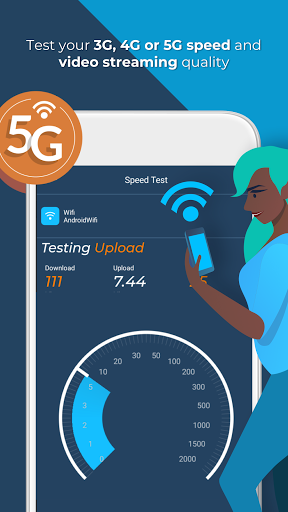
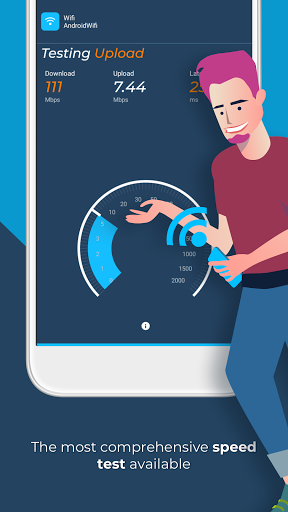
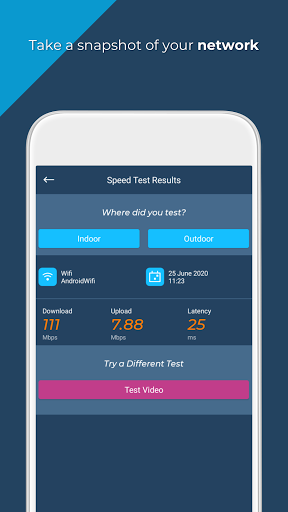
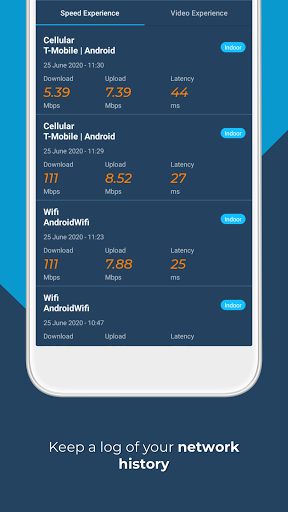
Opensignal speed tests measure your mobile connectivity and signal strength. Opensignal runs a 5 second download test, 5 second upload test and a ping test to provide a consistently accurate measurement of the internet speed you will likely experience. The speed test runs on common internet CDN servers. The internet speed result is calculated with the middle range of samples.
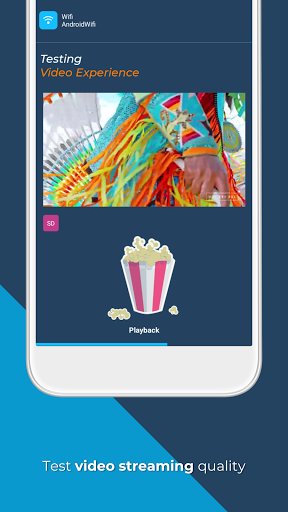
Video playback test
Slow video load time? Video buffering? More time waiting than watching? Opensignal’s video test plays a 15 sec video snippet to test and log load time, buffering, and playback speed issues in real-time to show you exactly what to expect with HD and SD videos on your network.
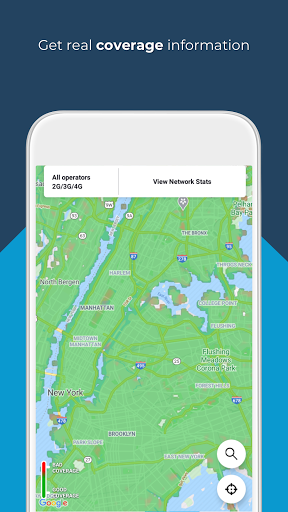
Connectivity and speed test coverage map
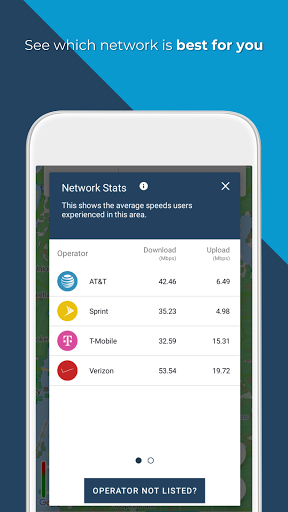
Always know where to find the best coverage and fastest speeds with Opensignal’s network coverage map. The map shows signal strength down to street level using speed test and signal data from local users. With network stats on local network operators, you can check coverage ahead of a trip, check the internet and download strength in remote areas, compare your network to other providers in the area, arrange the best local SIM.
Cell tower compass
The cell tower compass allows you to see which direction the closest or strongest signal is coming from, enabling you to more accurately use broadband and signal boosting technology.
Note: The cell tower compass uses aggregate data and accuracy issues can occur in certain areas. We’re striving to improve this feature and thank you for your patience.
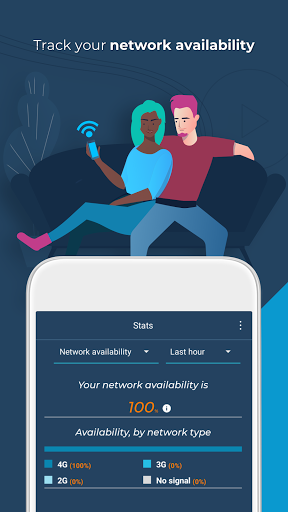
Connection availability stats
Opensignal records the time you’ve spent on 3G, 4G, 5G, WiFi or had no signal at all. This allows you to see where you are getting the service you’re paying for from your network provider. If not, use this data and the individual speed tests to highlight connectivity and signal issues to your mobile network operator.
About Opensignal
We provide an independent source of truth in mobile network experience: A data source that shows how users experience mobile network speeds, gaming, video and voice services worldwide.
To do this, we collect anonymised data on the signal strength, network, location and other device sensors. You can stop this at any time in the settings. We share this data with network operators globally and others in the industry to drive better connectivity for all.
We encourage you to read our Privacy Policy: https://www.opensignal.com/privacy-policy-apps-connectivity-assistant
CCPA
Do Not Sell My Info: https://www.opensignal.com/ccpa
Permissions
LOCATION: Speed tests appear on a map and also let you contribute to network stats and network coverage maps.
TELEPHONE: To get more accurate data on dual SIM devices.
Speed test for mobile and Wifi internet
Opensignal speed tests measure your mobile connectivity and signal strength. Opensignal runs a 5 second download test, 5 second upload test and a ping test to provide a consistently accurate measurement of the internet speed you will likely experience. The speed test runs on common internet CDN servers. The internet speed result is calculated with the middle range of samples.
Video playback test
Slow video load time? Video buffering? More time waiting than watching? Opensignal’s video test plays a 15 sec video snippet to test and log load time, buffering, and playback speed issues in real-time to show you exactly what to expect with HD and SD videos on your network.
Connectivity and speed test coverage map
Always know where to find the best coverage and fastest speeds with Opensignal’s network coverage map. The map shows signal strength down to street level using speed test and signal data from local users. With network stats on local network operators, you can check coverage ahead of a trip, check the internet and download strength in remote areas, compare your network to other providers in the area, arrange the best local SIM.
Cell tower compass
The cell tower compass allows you to see which direction the closest or strongest signal is coming from, enabling you to more accurately use broadband and signal boosting technology.
Note: The cell tower compass uses aggregate data and accuracy issues can occur in certain areas. We’re striving to improve this feature and thank you for your patience.
Connection availability stats
Opensignal records the time you’ve spent on 3G, 4G, 5G, WiFi or had no signal at all. This allows you to see where you are getting the service you’re paying for from your network provider. If not, use this data and the individual speed tests to highlight connectivity and signal issues to your mobile network operator.
About Opensignal
We provide an independent source of truth in mobile network experience: A data source that shows how users experience mobile network speeds, gaming, video and voice services worldwide.
To do this, we collect anonymised data on the signal strength, network, location and other device sensors. You can stop this at any time in the settings. We share this data with network operators globally and others in the industry to drive better connectivity for all.
We encourage you to read our Privacy Policy: https://www.opensignal.com/privacy-policy-apps-connectivity-assistant
CCPA
Do Not Sell My Info: https://www.opensignal.com/ccpa
Permissions
LOCATION: Speed tests appear on a map and also let you contribute to network stats and network coverage maps.
TELEPHONE: To get more accurate data on dual SIM devices.
What's New
Bug fixes and stability improvements.
App Information
Version Name
7.66.4-1
Version Code
7066040
File Size
9.6 MB
Minimum OS
Android 7.0+
Target SDK
Android 33
Developer
Opensignal.com
Contact
Website
Content Rating
Everyone
Package Name
com.staircase3.opensignalPermissions Required
This app may request the following permissions:
Recent Reviews

Peter K. Flores
5.0★
Although the app has a considerable array of features, it is still simple and straightforward to use. Furthermore, one of the reasons I'm giving it five stars is that there is no shortage of explanations for the technical terms having to do with telecommunications, wireless signals, data streams etc. I was never bothered by any ads, and the physical functionality of it and the extensive database of coverage maps is not lacking at all, in my opinion.

A Google user
3.0★
Sporadic updates keep me from rating this app higher. My data doesn't seem to be getting used. At one time the map was getting updated very roughly every 6 weeks, but it has been almost a year now, the old data has aged out, but none of the new data I have collected has been added. Also, the algorithm for locating a tower is pretty inaccurate. 120.degree sectors appear to be separate towers in completely different locations, some of which are out in open water, which is impossible.

Leah Claunch
5.0★
I've used this app off & on for at least 10 years, since 2010 or 2011, loved it since I 1st found it. It is accurate, the app is easy to navigate, it doesn't take a rocket scientist to understand the graphs & data, & I have found no better or more reliable app to help locate your cell towers in your general vicinity. And I have purchased the upgrade in the recent past but don't know how to get it back after factory reset. Even still, excellent choice in an app of it's type.

Isaac M
5.0★
This app is cool! It allows you to see every single tower your phone could connect to.(keep in mind you could only see your provider towers) it also came with a handy speed tester! I'm not too sure about the follow the arrow thing... It doesn't work for me but I'm sure It would work for others! Overall great way to see my cell phone tower!
A Google user
5.0★
An incredibly useful app. Essential for all of your devices. Accurate speed tests (mobile or Wi-Fi), locate towers, compare your carrier to others in your area, see how your coverage will be when you travel, and more. Excellent for troubleshooting network problems, testing performance, or simply to learn a bit more about mobile connectivity. *Remember, the maps and data are crowdsourced. The more you use it, the better the data will be, and blank map areas will be filled in & more accurate!*
A Google user
1.0★
The Open Signal Widget disappeared after the last Open Signal software update. I have been using the widget for over 10 years. In my opinion the widget makes the app so much more useful, as I know at a glance what speed I'm connected at, the signal strength, and direction to the tower. Please bring it back. I have changed to a different cellular network info app in the meantime, and have uninstalled Open Signal.
Ad slot: In-Content