

DS video
com.synology.dsvideo
by Synology Inc.
Screenshots








Ad slot: Top Leaderboard
About this app
*You must own a Synology NAS to run this app, and be running DSM 5.2 and Video Station 1.5 on your Synology NAS to get the complete list of features*
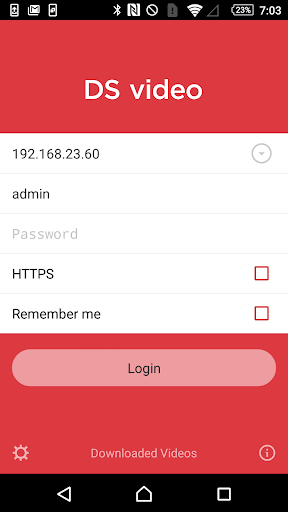
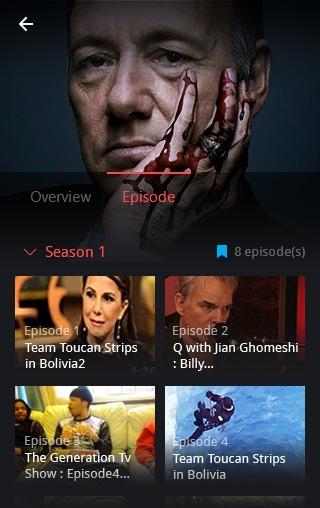
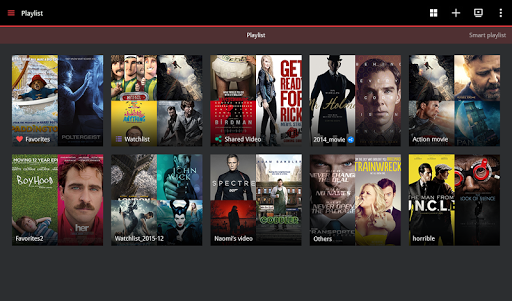
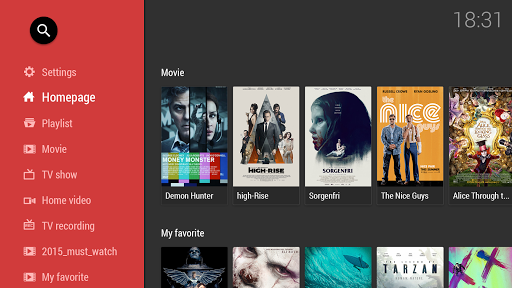
Use DS video to stream your video collection on your DiskStation to your Android device. Browsing is made easy as your videos are sorted in different libraries, and each movies has its information retrieved online automatically. And if you have plugged in a DTV dongle to your DiskStation, you will also be able to record TV programs, as well as view the TV program to manage the recording schedule even when on the move.
Find all detailed features about the app on our website:
www.synology.com > NAS > DSM 5.2 > Apps > Mobile Apps > Software Specs
https://www.synology.com/dsm/software_spec/mobile#DSvideo
Use DS video to stream your video collection on your DiskStation to your Android device. Browsing is made easy as your videos are sorted in different libraries, and each movies has its information retrieved online automatically. And if you have plugged in a DTV dongle to your DiskStation, you will also be able to record TV programs, as well as view the TV program to manage the recording schedule even when on the move.
Find all detailed features about the app on our website:
www.synology.com > NAS > DSM 5.2 > Apps > Mobile Apps > Software Specs
https://www.synology.com/dsm/software_spec/mobile#DSvideo
What's New
Bug Fixed:
1. Fixed an issue where videos couldn't play properly when reopening DS video (Android TV) after it had been running in the background for a while.
1. Fixed an issue where videos couldn't play properly when reopening DS video (Android TV) after it had been running in the background for a while.
App Information
Version Name
3.1.2
Version Code
228
File Size
19.4 MB
Min SDK
Android 14+
Target SDK
Android 22
Developer
Synology Inc.
Contact
Website
Content Rating
Everyone
Package Name
com.synology.dsvideoPermissions Required
This app may request the following permissions:
Recent Reviews

Massimo Buonaiuto
1.0★
A lot of potential features that often do not work. The search on Android Tv does not work: I click on my mobile on the textbox, type the name of the movie, the result does not come out. Another problem: you cannot download subtitles or locate in the synology. Often it freezes and I cannot see movies anymore unless I move forward the time line. I cannot delete movies I saw. The scraper is not reliable.

A Google user
3.0★
The app works well and does what it needs. But I'm removing 2 stars for the subpar user experience and lack of convenience features: all episodes have to be downloaded one by one, no possibility of selecting seasons, shows or multiple episodes at once. Also, you have to dig into an episode/movie to download it, you can't do it from the overview page. And in the downloaded videos tab, all videos are listed without grouping them per show or anything.

Magdalena Metlická
5.0★
I am very happy with the app, does its job well. However, the GUI could be more intuitive - especially search and filtering by criteria, such as genre, and selecting another media file for the same movie title. It is there, but somewhat hidden. I could use search & filtering by other tags, such as movie language, not just a country of origin, having bilingual movie collection.
A Google user
3.0★
This is one of my most used apps, because I can watch movies stored on my NAS wherever I go, over the quickconnect. Few details are bugging me though: - when I watch a video over this android app, the progress is not registered in the Video station. - when I'm casting a movie to Chromecast and browse the internets on the phone, the video playback on Chromecast stops whenever some video starts playing (youtube, video ad, instagram story, ... ), it's quite annoying - it messes with volume settings. When I'm casting to chromecast I often can't increase volume on my phone - if I have the app running in background, leave home (my wifi) and then get back, I need to close it first before casting, because I get "Unknown error" otherwise. Despite these issues, I really like this app.
A Google user
2.0★
Beautiful app, but it seems to be impossible to download a video without transcoding it first, even when transcoding is disabled in the settings. That seems like a basic feature, and the app is already able to play the video files without transcoding them, so I don't understand why this feature isn't available... It is also impossible to download several episodes of a TV show at once.

Craig Sanchez
4.0★
I enjoy using it and have it setup on my TV and tablets. Stream all of our local content and have the option for hardware transcoding when needed. I don't really use it to stream outside my house though so i can't comment on that. I have used the offline mode a couple times and it worked fine. Occasionally has issues logging out on its own, and then refreshing certificates whenever my let's encrypt renews, but overall it works well for my family and me.
Ad slot: In-Content