

MagiConnect T-cast TV Services
com.tcl.MultiScreenInteraction_TV
by TCL Group
Screenshots

Ad slot: Top Leaderboard
About this app
MagiConnect T-Cast Smart TV Remote TCL Android TV and Roku TV Remote is a Cast-to-TV function for TV users.
Nscreen ( TV Remote ) is the current MagiConnect T-Cast, which is designed for TCL and Android Smart TV, and Roku TV. T-Cast allows you to control your TV by your phone.
What's MagiConnect T-Cast?
• Multi-function remote control and Home Entertainment Hub for TCL Smart TVs including TCL Android TV and TCL Roku TV.
T-Cast is a Universal Remote Control for Smart TCL TV. T-Cast universal TV remote control brings flawless experience as an alternative to a tangible TV remote control with much more handy and variable functionalities. T-Cast remote control aims to support all the available TV Models provided more than just a remote APP.
HOW TO USE [IMPORTANT]:
• Please make sure you open T-Cast on TCL Smart TV, finding it on the 'TCL Channel' or 'APPLICATIONS' lane on the home page of your launcher
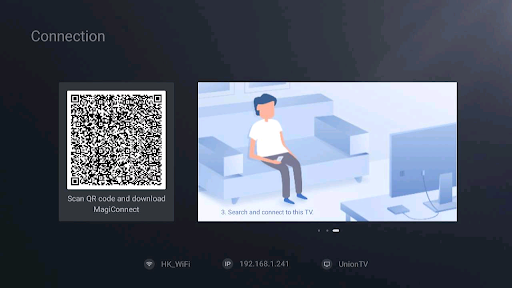
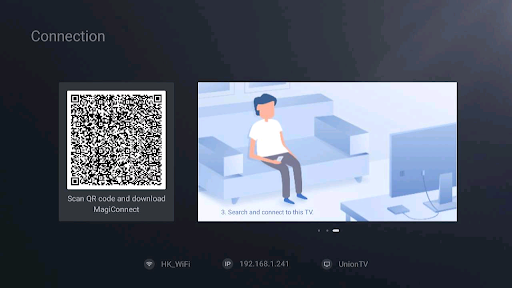
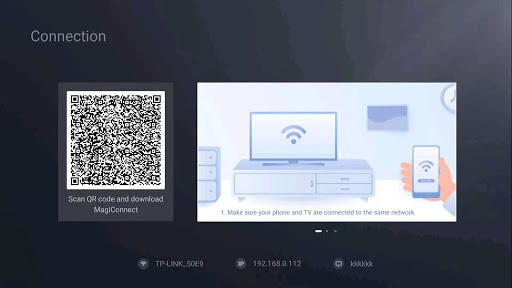
• Please make sure your TV and phone are connected to the same Wi-Fi network.
• Disable the AP isolation option on Router (if applicable)
• Please click 'TV Connection' to identify your device
Our Points:
1、Use your phone to control the TV;
2、Cast the latest movies and TV series (even Websites) to the big screen;
3、Share your photos, videos and music to the TV;
Main Features:
• Multiple navigation modes, including Button Remote with Direction, Touch Remote and Mouse Remote(only support some specific models)
• Not only cast your local files (Photos, GIF Pictures, Videos, etc.) from phone to TV but also support cast Websites to the screen
• Quick launch TV apps through one click on the phone
• Share screen capture when you are watching social media or save it to your phone
• Cast YouTube Videos to TV with just one click
Supported Devices:
(included but not limited to the following Models)
TCL P65 Series 4K UHD TV : L50P65US, L43P65US
TCL S6500 Series FHD AI SMART TV : L43S6500, L40S6500, L32S6500
TCL P6 Series 4K UHD TV: L55P6US, L50P6US
TCL P8M Series 4K UHD ANDROID TV: 50P8M, 43P8M
TCL P8S Series 4K UHD Android Smart TV: 55P8S, 50P8S
TCL C6 Series 4K U
All Chormecast and Roku TV
Help & Support:
• Messenger Group: https://m.me/join/AbbEyPXk7GJSz1Tt
• Telegram Group: https://t.me/tcastapp
• Email: [email protected]
We are always and sincerely looking forward to hearing from you!
Nscreen ( TV Remote ) is the current MagiConnect T-Cast, which is designed for TCL and Android Smart TV, and Roku TV. T-Cast allows you to control your TV by your phone.
What's MagiConnect T-Cast?
• Multi-function remote control and Home Entertainment Hub for TCL Smart TVs including TCL Android TV and TCL Roku TV.
T-Cast is a Universal Remote Control for Smart TCL TV. T-Cast universal TV remote control brings flawless experience as an alternative to a tangible TV remote control with much more handy and variable functionalities. T-Cast remote control aims to support all the available TV Models provided more than just a remote APP.
HOW TO USE [IMPORTANT]:
• Please make sure you open T-Cast on TCL Smart TV, finding it on the 'TCL Channel' or 'APPLICATIONS' lane on the home page of your launcher
• Please make sure your TV and phone are connected to the same Wi-Fi network.
• Disable the AP isolation option on Router (if applicable)
• Please click 'TV Connection' to identify your device
Our Points:
1、Use your phone to control the TV;
2、Cast the latest movies and TV series (even Websites) to the big screen;
3、Share your photos, videos and music to the TV;
Main Features:
• Multiple navigation modes, including Button Remote with Direction, Touch Remote and Mouse Remote(only support some specific models)
• Not only cast your local files (Photos, GIF Pictures, Videos, etc.) from phone to TV but also support cast Websites to the screen
• Quick launch TV apps through one click on the phone
• Share screen capture when you are watching social media or save it to your phone
• Cast YouTube Videos to TV with just one click
Supported Devices:
(included but not limited to the following Models)
TCL P65 Series 4K UHD TV : L50P65US, L43P65US
TCL S6500 Series FHD AI SMART TV : L43S6500, L40S6500, L32S6500
TCL P6 Series 4K UHD TV: L55P6US, L50P6US
TCL P8M Series 4K UHD ANDROID TV: 50P8M, 43P8M
TCL P8S Series 4K UHD Android Smart TV: 55P8S, 50P8S
TCL C6 Series 4K U
All Chormecast and Roku TV
Help & Support:
• Messenger Group: https://m.me/join/AbbEyPXk7GJSz1Tt
• Telegram Group: https://t.me/tcastapp
• Email: [email protected]
We are always and sincerely looking forward to hearing from you!
What's New
Bug fixed
App Information
Version Name
4.2.781
Version Code
20402781
File Size
29.9 MB
Minimum OS
Android 4.4+
Target SDK
Android 31
Developer
TCL Group
Contact
Content Rating
Everyone
Package Name
com.tcl.MultiScreenInteraction_TVPermissions Required
This app may request the following permissions:
Recent Reviews

JAGANNATH GS
2.0★
Overall this app is ok. It allows to cast content through hotspot connection. But it wont connects properly to my tv several times. I had to reconnect the connection by turning off and again turning my hotspot on. And also it wont show the complete contents in a file.

Angela Hedlund
1.0★
People actually need to get a work on fixing this because I was trying to upload it on my android tv box and kept saying that there was a problem with it.So people might get to work or even delete the app.If they're not gonna use.It is so frustrating

joan lacson
4.0★
it it so useful when nmour remote is always lost..but one day it always stop connecting so much I tried another day still no working.

Veselin Georgiev
1.0★
Second device, after working some time it stop connecting to TV (TCL Android). Very annoyed. With unlimited ads and behavior to cut use without any reason, or reason known only for developers?

Ashley Drew
1.0★
I brought the tlc tv and this cost money to remove adds the tlc tv isn't the cheapest with less features than ones that cost the same and don't have to pay for adds remove scammers
Darren Harper
1.0★
Never got it to work at all. Now after an error during an update I'm no longer able to install this on my phone.
Ad slot: In-Content