

Mak Book OS 14 Launcher
com.themestime.mac.ui.launcher
by Themes Time
Screenshots




Ad slot: Top Leaderboard
About this app
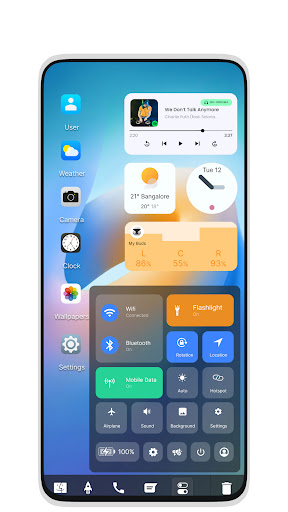
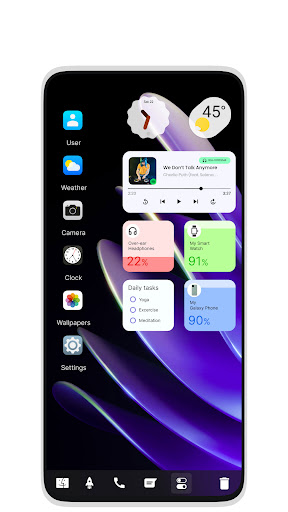
Mak Book OS 14 Launcher is the version of computer launcher that gives your Android a laptop computer style look.
Features Of App
1 - File Manager
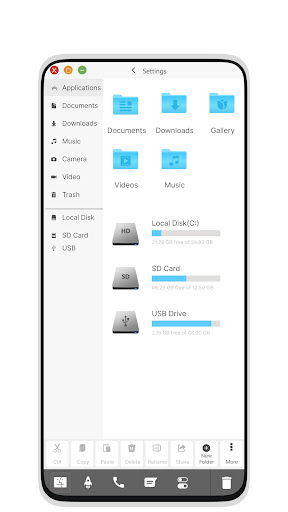
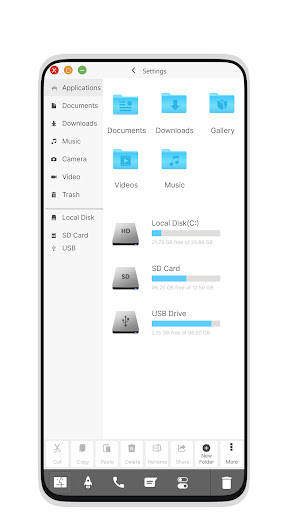
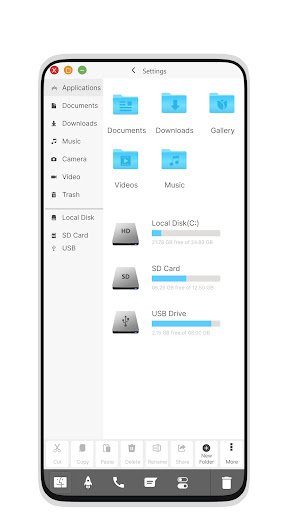
Built-in support for File Explorer in M Book OS 14 Launcher style
Create folders, cut, copy, paste, move, share, etc.
List all of your drives, SD Card, storage, audio and video files, and pictures in PC style
Put files in Recycle Bin and delete later in M Book style
Built-in ZIP support allows you to decompress or extract ZIP/RAR files
2 - Menus
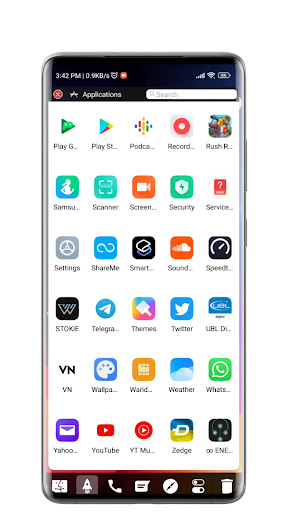
Start Menu for M Book OS 14 Launcher style
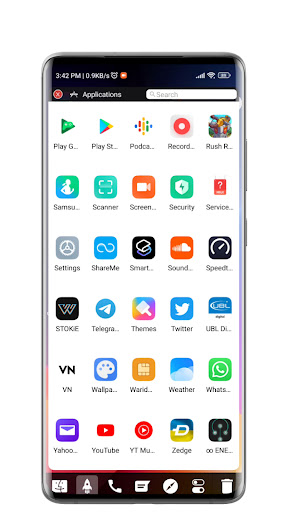
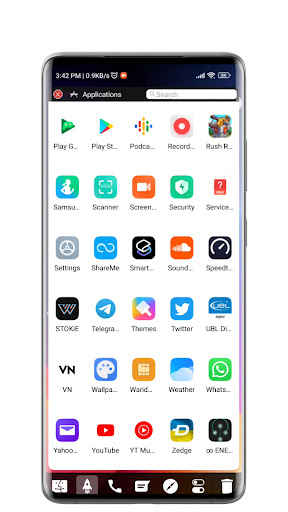
Android applications in stylish tiles - in Start Menu
Best applications available with one click - create shortcuts of most used applications on Desktop with press and hold feature
Easy navigation to the apps
Taskbar for M Book OS style
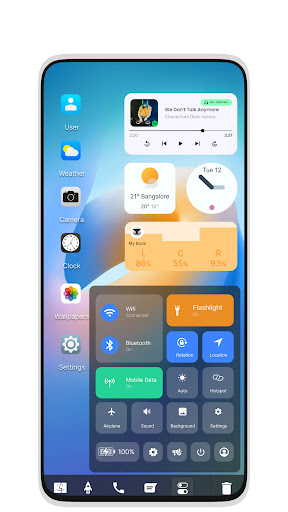
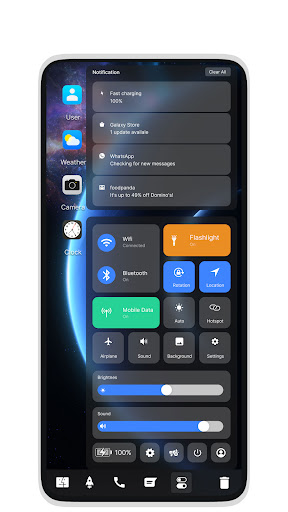
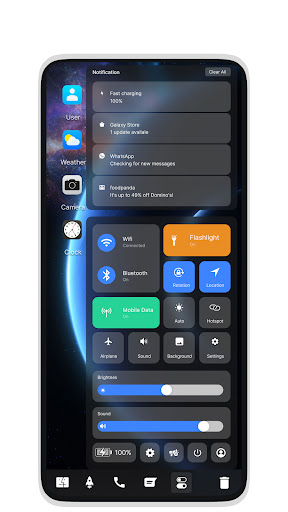
Action Center and Notification Center: Similar to Windows 10 launcher, the computer also has an action center bar. You can check the notifications of applications or system with the Notification Center.
3 - System Features
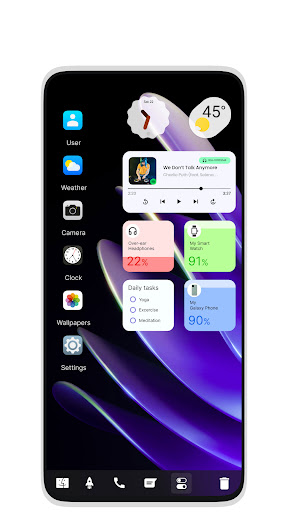
Desktop widgets
Improved drag and drop
Clock widget
Weather widget
RAM info widget
Changeable desktop folders
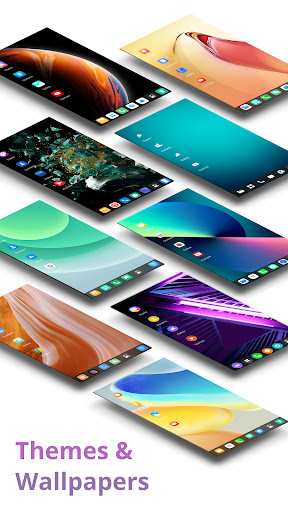
Live wallpapers
Changeable photo tiles
Removable task-bar icons
Desktop app folders
Weather, Calendar, and Photos tiles added
Task-bar transparency option added
Improved themes compatibility
Optional multi-tasking (enable/disable from settings)
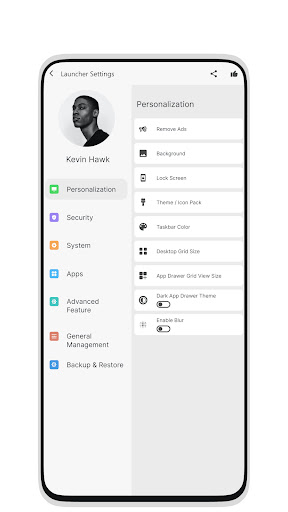
Lock screen
Multi-color support for task-bar and menu
Themes and icon pack - Android TV/Tablet support
Hide applications
Removable desktop icons
Add applications to Start Menu (Paid Only)
Change the Start Menu application (press and hold the app to change)
Change applications in Task-bar (press and hold)
Built-in gallery feature added
Changeable photo tile
Widgets in desktop mode
Built-in apps (Photo viewer)
Design
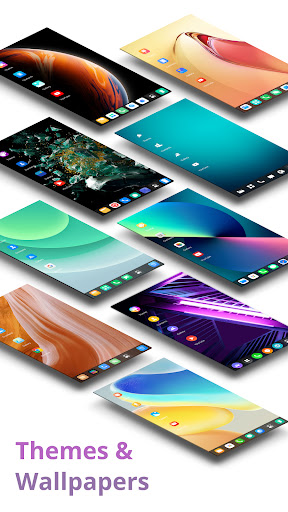
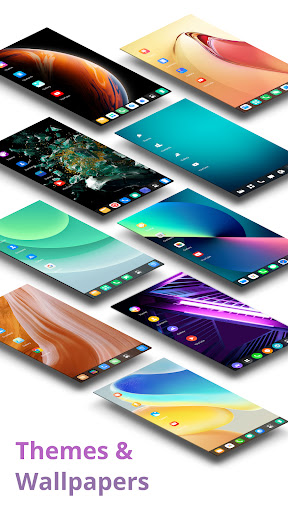
M Book OS 14 Launcher is here for you (Inspired by macOS). Customize your phone with the unique look and feel of the fastest launcher. Amaze your loved ones with the computer look of your Android and share it with them.
Features Of App
1 - File Manager
Built-in support for File Explorer in M Book OS 14 Launcher style
Create folders, cut, copy, paste, move, share, etc.
List all of your drives, SD Card, storage, audio and video files, and pictures in PC style
Put files in Recycle Bin and delete later in M Book style
Built-in ZIP support allows you to decompress or extract ZIP/RAR files
2 - Menus
Start Menu for M Book OS 14 Launcher style
Android applications in stylish tiles - in Start Menu
Best applications available with one click - create shortcuts of most used applications on Desktop with press and hold feature
Easy navigation to the apps
Taskbar for M Book OS style
Action Center and Notification Center: Similar to Windows 10 launcher, the computer also has an action center bar. You can check the notifications of applications or system with the Notification Center.
3 - System Features
Desktop widgets
Improved drag and drop
Clock widget
Weather widget
RAM info widget
Changeable desktop folders
Live wallpapers
Changeable photo tiles
Removable task-bar icons
Desktop app folders
Weather, Calendar, and Photos tiles added
Task-bar transparency option added
Improved themes compatibility
Optional multi-tasking (enable/disable from settings)
Lock screen
Multi-color support for task-bar and menu
Themes and icon pack - Android TV/Tablet support
Hide applications
Removable desktop icons
Add applications to Start Menu (Paid Only)
Change the Start Menu application (press and hold the app to change)
Change applications in Task-bar (press and hold)
Built-in gallery feature added
Changeable photo tile
Widgets in desktop mode
Built-in apps (Photo viewer)
Design
M Book OS 14 Launcher is here for you (Inspired by macOS). Customize your phone with the unique look and feel of the fastest launcher. Amaze your loved ones with the computer look of your Android and share it with them.
What's New
- Bug fixes
App Information
Version Name
17.0
Version Code
170
File Size
10.9 MB
Minimum OS
Android 7.0+
Target SDK
Android 34
Developer
Themes Time
Contact
Website
Content Rating
Everyone
Package Name
com.themestime.mac.ui.launcherPermissions Required
This app may request the following permissions:
Recent Reviews

Francis Onyebuchi
3.0★
Looks like desktop and I like the dock feature and control panel. The desktop is glitchy. Using widgets is very difficult because they are much smaller than usual, they overlap each other and get stuck, and difficult to resize. I don't think someone who uses a lot of widgets would like this launcher. Also app drawer cannot create folders. The main screen is clean. I think the best thing is the control panel within the dock. Also each time I restart my phone, all the icons wipe away.

Alex Cheung
1.0★
please correct the ad block that is still showing under the battery level, eventhough i already paid, it is still showing. Also, new app installed is not showing in the app list. email to developer without reply. dissapointed.

A Google user
3.0★
Not a bad little launcher, feels like a desktop although would not replace a desktop. However, if I've paid to remove the ads; I don't want to see any ads. Its that simple. They went from the home screen, which was great but not from the setting page; which was seriously annoying! I uninstalled it for that reason. Miffed is not the word 😡

Cody Li
5.0★
best launcher for macOS X and with few additions you could run Mac mode but that's for you guys to figure out 😁🤣

Sajin A Rasheed
4.0★
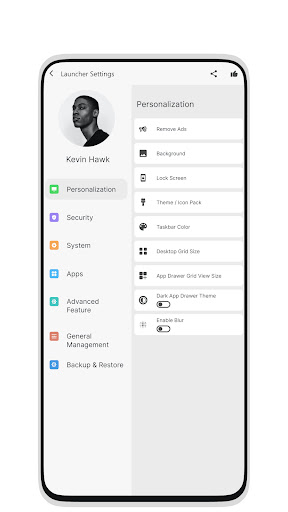
Overall Good Please allow the user to add the users' own color or pattern or picture in color option in personalization tab under settings menu.. That small rectangular area is different from a wallpaper I srlect. There ate few icons arranged at the bottom horizontally. We can srlect colors only the app provides. If i select a wallpaper and if i could select the wallpapers bottom area in a rectangular shape instead of srlecting a specified color, i feel it would be something better.

Brandon East
5.0★
I absolutely love this app never have had a launcher like this before and it is amazing
Ad slot: In-Content