

To-Do Calendar Planner
com.timleg.egoTimerLight
by TIMLEG
Screenshots



Ad slot: Top Leaderboard
About this app
The ultimate personal organizer!
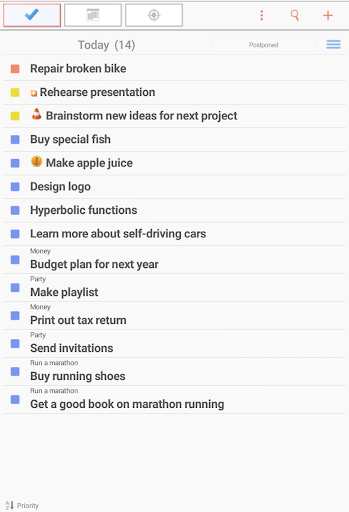
• Use a powerful task list that supports batch operations
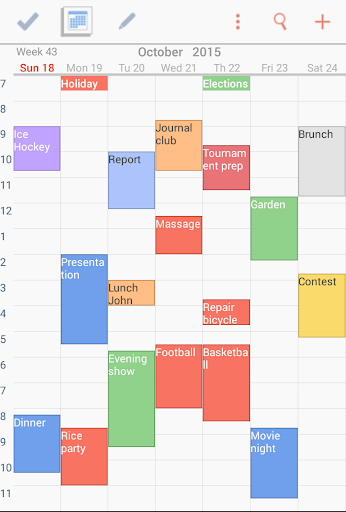
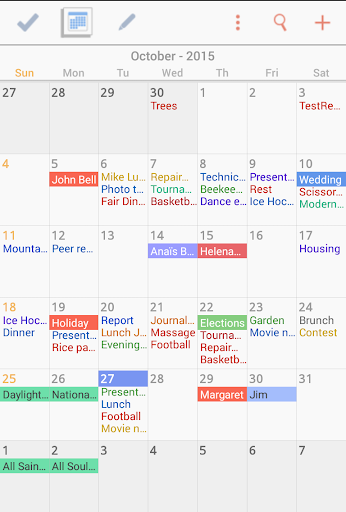
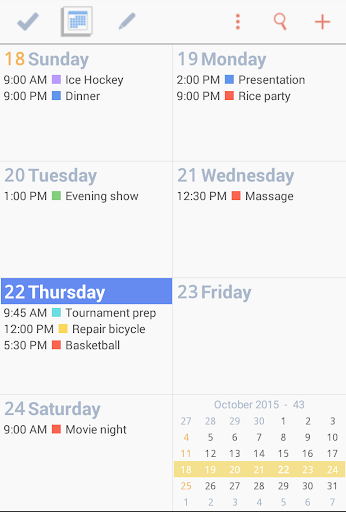
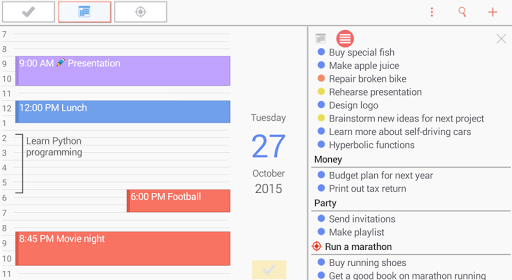
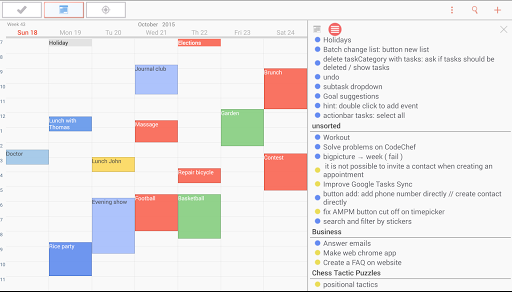
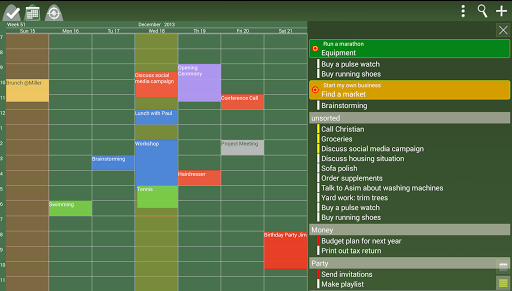
• Enjoy a fully scrollable calendar with daily, weekly, monthly and agenda view
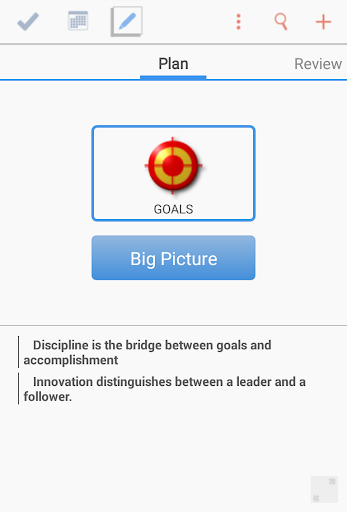
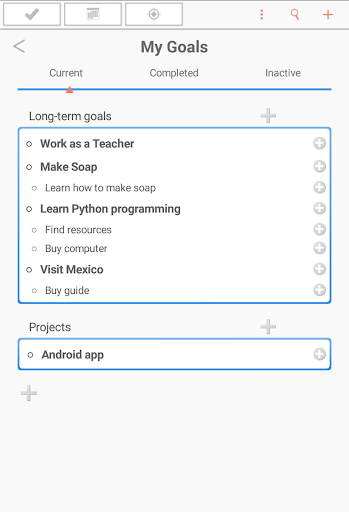
• Define your personal goals and add tasks to them
• Set multiple reminders for tasks and events
• Divide your tasks into subtasks
• Set repeating tasks and events
• Use resizable Widgets in 4 different formats
• Attach files and photos to your tasks and appointments
• Sync your data between devices without effort
• Attach Google Maps locations to your tasks and events
• Use a daily journal to keep track of your life
• Never forget the birthdays of your friends
• Apply GTD principles to your daily life
• Schedule your tasks directly on the calendar
• Draw your own notes and attach them to tasks and events
• Convert your tasks, goals, notes and events into each other
• Create audio recordings and attach them to your tasks and events
• Access your data from a PC (web version www.isotimer.com)
Advanced features (Premium Upgrade):
- Plan your goals in project view
- Collaborate on tasks, projects, events.
- Track your progress with detailed progress reports
- Get organized with a daily step-by-step routine
- Use the Clean-Up feature to easily prioritize your task list
- Create backups and restore them
- Protect your data with a password
- Export your data to CSV files
With isoTimer you can:
...orient yourself toward your goals
...prepare each day with care using a calendar and a to-do list
...balance your professional and your private life
...focus on the most important tasks
...never forget ideas or events
IsoTimer organizer is the ideal companion for planning all parts of your life!
The perfect ToDo Calendar Planner for personal and business use.
• Use a powerful task list that supports batch operations
• Enjoy a fully scrollable calendar with daily, weekly, monthly and agenda view
• Define your personal goals and add tasks to them
• Set multiple reminders for tasks and events
• Divide your tasks into subtasks
• Set repeating tasks and events
• Use resizable Widgets in 4 different formats
• Attach files and photos to your tasks and appointments
• Sync your data between devices without effort
• Attach Google Maps locations to your tasks and events
• Use a daily journal to keep track of your life
• Never forget the birthdays of your friends
• Apply GTD principles to your daily life
• Schedule your tasks directly on the calendar
• Draw your own notes and attach them to tasks and events
• Convert your tasks, goals, notes and events into each other
• Create audio recordings and attach them to your tasks and events
• Access your data from a PC (web version www.isotimer.com)
Advanced features (Premium Upgrade):
- Plan your goals in project view
- Collaborate on tasks, projects, events.
- Track your progress with detailed progress reports
- Get organized with a daily step-by-step routine
- Use the Clean-Up feature to easily prioritize your task list
- Create backups and restore them
- Protect your data with a password
- Export your data to CSV files
With isoTimer you can:
...orient yourself toward your goals
...prepare each day with care using a calendar and a to-do list
...balance your professional and your private life
...focus on the most important tasks
...never forget ideas or events
IsoTimer organizer is the ideal companion for planning all parts of your life!
The perfect ToDo Calendar Planner for personal and business use.
What's New
Bugfixes
App Information
Version Name
9.5.52.2.1
Version Code
11228
File Size
8.4 MB
Minimum OS
Android 8.0+
Target SDK
Android 23
Developer
TIMLEG
Contact
Website
Content Rating
Everyone
Package Name
com.timleg.egoTimerLightPermissions Required
This app may request the following permissions:
Recent Reviews

cheryl bowens
5.0★
This calendar is almost perfect for my needs. The journal, task, color coding and notes. The only thing I have to use another calendar for, is an ICS function were by I can share a date on the calendar and the other person doesn't have to copy and paste they just click the add button and it is added to their calendar. I do recommend this calendar

A Google user
1.0★
I have used this app for years and rated it 5 stars. Recently items added to the app are not recorded, but if I add something to other calander apps they are added to the To-Do (isotimer) app. Other items that I knew were added have disappeared. This has caused great difficulty with my schedule due to lost appointments. E-mailed developer but no response. Had to uninstall.

Maryanne Blakely
4.0★
Well I finally figured out to click on the 4.99 on the To Do timleg version and my card had expired. I fixed that and paid 4.99 and all my events on my calendar were still in place and one reminder worked so far. I hope it continues! Sure would have appreciated the heads up about it as I wasted a lot of time I didn't have. Hope this helps others cuz I love this calendar.... that's probably why I didn't want to give up.

Mariel
2.0★
I've been noticing for a while (several months now) that I set reminders but don't get any reminder notifications (app notif are on in my phone settings and reminders are enabled in app). Please fix. I will then give it 5 stars again. The week view is EXACTLY as I like it. Free version also allows for nice customization (like dark mode). Cannot find another app that comes close. And I looked!

Ash
5.0★
I absolutely love it, I've stopped using all other calendar apps cuz this one integrates everything! :D

Jenelle Walker
5.0★
I have had this for quite some time now and it does everything I need and even some things I really don't. Though it is nice to have the ability to make a to do list with sub lists ordered by importance and date due. It has never once failed me, it keeps track of my calendars, yes multiple, and several alarms. Sends me reminders when I need them and is very easy to use.
Ad slot: In-Content