
Mi Control Center
com.treydev.micontrolcenter
by ZipoApps
Screenshots






Ad slot: Top Leaderboard
About this app
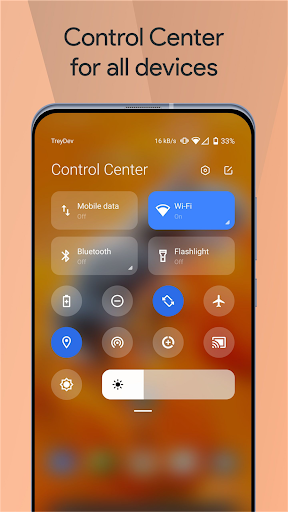
Mi Control Center is a unique phone customizer and it will change the way you use your device. Personalize your phone to MIUI or iOS design easily with a powerful control center!
Fantastic Control Center - Customize Your Device!
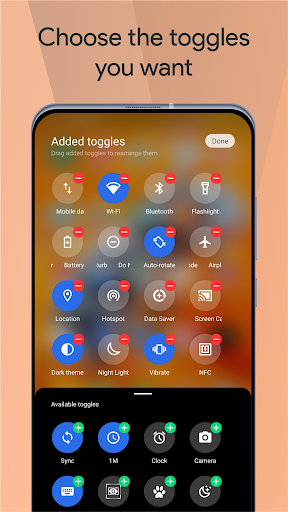
Quick access to the camera, clock, and other settings in the control center. Powerful options to customize your mobile with quick access to settings and actions.
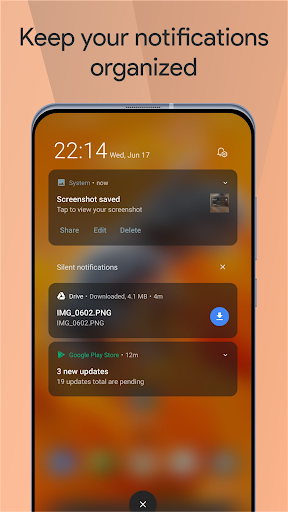
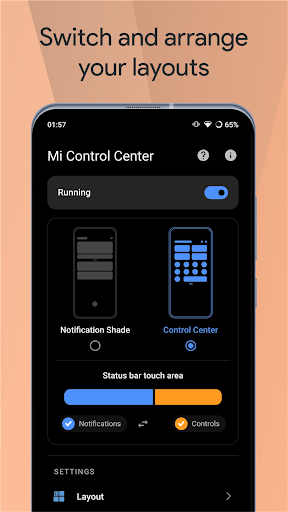
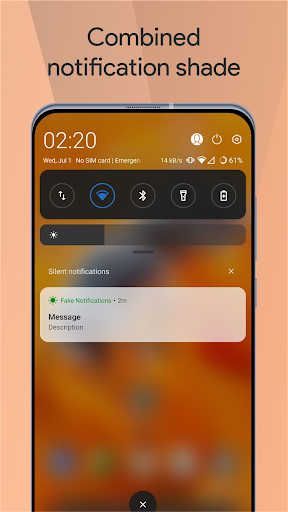
Separate your quick settings from your notifications. Swipe down from the left of the status bar to read your notifications and from the right side to control your device settings and perform meaningful actions. Trigger areas can be customized as you wish.
MIUI and iOS Control Center for Your Android Device!
You can change your phone to MIUI and iOS design very easily and in few steps, then configure everything to your preferences.
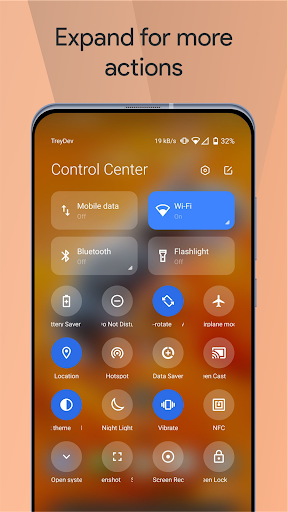
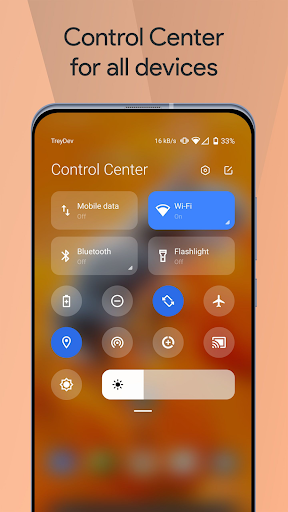
Mi Control Center gives you quick access to settings, screen recorders, screenshots, night mode changes, screen locks, volume controllers and your favorite applications.
Features
Two different layouts: combined notifications and quick toggles, or separate with control center Similar to MIUI 12+.
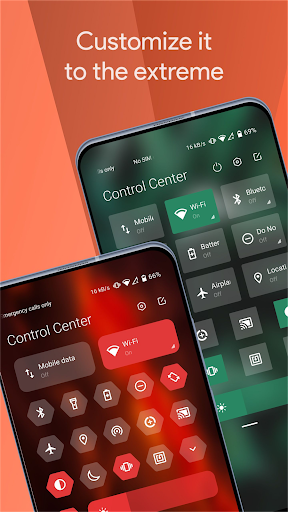
◎ Full color customization: Take the base layout and color all the elements how you like.
◎ Powerful options to customize mobile
- Useful icons with your current device information
- Choose your own profile picture to be displayed in the shade.
- Choose between a number of tile icon shapes (circle, square, teardrop, gradients and more)
- (Pro) Change quick settings grid layout (ie. number of columns and rows).
◎ Adjustable background types: Choose a solid color, live or image static blur. Change the transparency and blur amount.
◎ Advanced custom notification bar: Get, read, snooze or dismiss it.
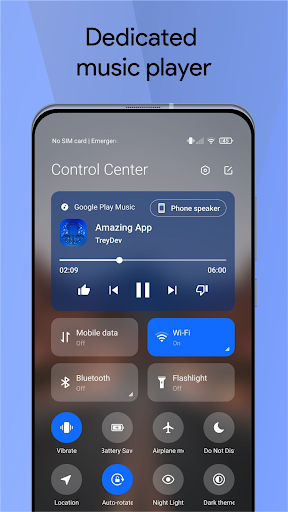
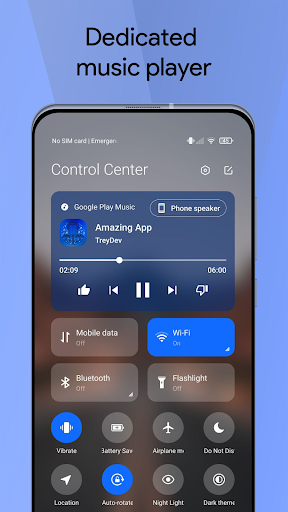
◎ Advanced music: Dynamic colors based on the currently playing album artwork. You can skip to any part of the track right from the notification's progress bar.
◎ Quick reply: Reply to your messages as soon as you see them. For all Android devices.
◎ Auto bundled: Tired of that one app that spams you with notifications? Now they're all grouped together, for easy control.
◎ Custom background picture: Pick your favorite image to be displayed in the shade. Customize mobile with unique control center easily!
Completely change the way your use your Android phone today with Mi Control Center! Personalize your device and enjoy it every second you use it! Amazing notification bar and quick actions!
Use of Accessibility Service:
Mi Control Center app uses the AccessibilityService API to provide the best possible experience.
- We do not collect any personal information through accessibility services.
- We will not read your screen's sensitive data or any content.
- For this app to function properly, we need the Accessibility Permission. Accessibility services are required to receive a response from the system when the top of the screen is touched to trigger the shade and to retrieve window content: Required for automatic clicking of some settings after the user chooses they want to toggle them in the app-provided interface.
Fantastic Control Center - Customize Your Device!
Quick access to the camera, clock, and other settings in the control center. Powerful options to customize your mobile with quick access to settings and actions.
Separate your quick settings from your notifications. Swipe down from the left of the status bar to read your notifications and from the right side to control your device settings and perform meaningful actions. Trigger areas can be customized as you wish.
MIUI and iOS Control Center for Your Android Device!
You can change your phone to MIUI and iOS design very easily and in few steps, then configure everything to your preferences.
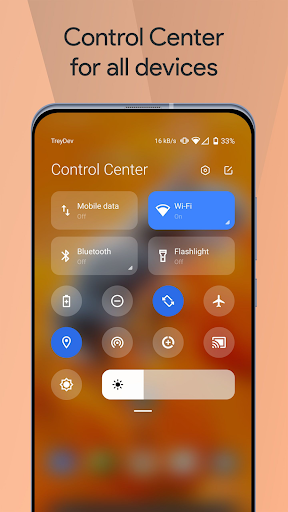
Mi Control Center gives you quick access to settings, screen recorders, screenshots, night mode changes, screen locks, volume controllers and your favorite applications.
Features
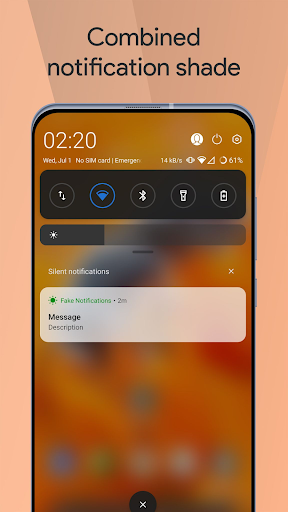
Two different layouts: combined notifications and quick toggles, or separate with control center Similar to MIUI 12+.
◎ Full color customization: Take the base layout and color all the elements how you like.
◎ Powerful options to customize mobile
- Useful icons with your current device information
- Choose your own profile picture to be displayed in the shade.
- Choose between a number of tile icon shapes (circle, square, teardrop, gradients and more)
- (Pro) Change quick settings grid layout (ie. number of columns and rows).
◎ Adjustable background types: Choose a solid color, live or image static blur. Change the transparency and blur amount.
◎ Advanced custom notification bar: Get, read, snooze or dismiss it.
◎ Advanced music: Dynamic colors based on the currently playing album artwork. You can skip to any part of the track right from the notification's progress bar.
◎ Quick reply: Reply to your messages as soon as you see them. For all Android devices.
◎ Auto bundled: Tired of that one app that spams you with notifications? Now they're all grouped together, for easy control.
◎ Custom background picture: Pick your favorite image to be displayed in the shade. Customize mobile with unique control center easily!
Completely change the way your use your Android phone today with Mi Control Center! Personalize your device and enjoy it every second you use it! Amazing notification bar and quick actions!
Use of Accessibility Service:
Mi Control Center app uses the AccessibilityService API to provide the best possible experience.
- We do not collect any personal information through accessibility services.
- We will not read your screen's sensitive data or any content.
- For this app to function properly, we need the Accessibility Permission. Accessibility services are required to receive a response from the system when the top of the screen is touched to trigger the shade and to retrieve window content: Required for automatic clicking of some settings after the user chooses they want to toggle them in the app-provided interface.
What's New
◎ Fixed live blur error on some Android 10 devices
◎ General crash fixes
◎ General crash fixes
App Information
Version Name
18.5.8.1
Version Code
16701778
File Size
16.1 MB
Minimum OS
Android 9+
Target SDK
Android 33
Developer
ZipoApps
Contact
Website
Content Rating
Everyone
Package Name
com.treydev.micontrolcenterPermissions Required
This app may request the following permissions:
Recent Reviews

Harrison Bobek
2.0★
Looks awesome, except there's a small problem. The controls don't work. For example, airplane mode can be turned on, but not off. Pressing the battery saver button puts my phone on silent instead. Also, it only covers up things like notifications, so if I dismiss one I have to clear it a second time. Giving it 2 Stars until these problems are fixed.

Christopher Reisner
2.0★
Mostly pointless. The basic version doesn't do anything many other free apps won't do -- other than throw a ton of ads at you. To get the real features you need to pay. ($0.99/wk + tax). You can't see the premium features, except in the screenshots, unless you subscribe. The free version didn't do anything to inspire me to buy the upgrade.

Rocco Davis
4.0★
If I could give 3 and a half stars I would. I have a Motorola (moto g 2024), so it may be the phone I have, but there's glitches a little frequently but they're not a big bother. And when the notifications pop up it won't let me tap my screen until I look at the notification or swipe it away. Idk if there's a way to fix this. I also made some observations that certain buttons don't work without opening the app such as low power mode. Other than this, great and cute app. It works

Kwami A.
3.0★
This app is good, brings much needed organization to the notification panel. There's a lag when I use it to replace the default notification panel however. The original panel appears briefly, then disappears and this one appears. I guess it's bring dismissed when detected? Also, whenever i revive a phone call, the notification persists even after the call is dismissed, and the popup flashes every so often during the call itself...

Khanz Family
5.0★
Overall, this app is great! There is a bug that keeps bringing up the quick settings when I touch my status bar. Whenever I get a notification, I try to click on it, but I can't because the quick settings panel keeps popping up. If you can fix this bug, that would be awesome. Or at least add a feature that lets you enable/disable tapping the status bar to bring down quick settings. And please don't make it a premium only feature. Edit: issue fixed, developer responded within 2 hrs. Thank you!

Jacob Brokes
1.0★
This could be a great app... except all the basic features are locked behind the pro SUBSCRIPTION! I'm not subscribing for a basic function of my phone. Want to change the grid layout? Gotta pay. Want to make the handle transparent? Gotta pay. What!?! Edit: the absolute minimum is included with the free version. But if you want any real customization at all, even simple things, you'll need the paid version.
Ad slot: In-Content