

Video to Audio Mp3 Converter
com.tricore.video.audio.converter
by Tri Core
Screenshots


Ad slot: Top Leaderboard
About this app
💎Video to Audio-Mp3 Converter
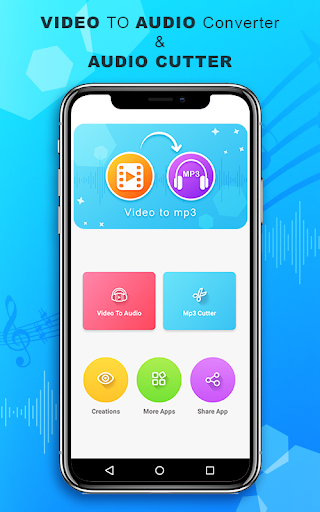
Found interesting musical videos, want to set as your ringtone, but unable to find mp3 of it? Relax, No worries! Video to Audio-Mp3 Converter is an elegant and easy to use interface that allows you to browse through your files and select the video you want to convert into MP3 with one click.
Don't waste your time in searching for the mp3 / ringtone.
You can convert ONLY videos that are in your device.
👑Key Features of the mp3 Audio converter
❤️Video To Audio converter
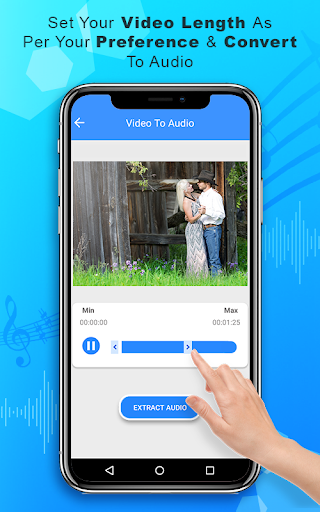
It is an audio extracting feature that allows you to extract the audio from any video clip that you choose from the device.
❤️Mp3 cutter Extractor
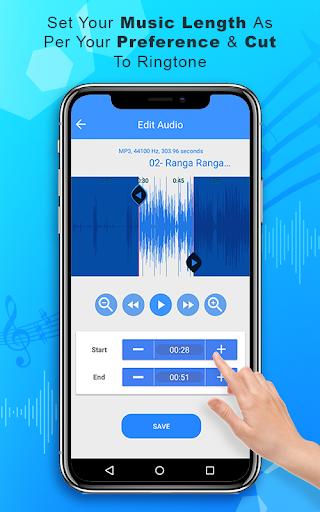
This feature helps you in trimming the audio file which you want to edit. You have an option to trim the extracted files and you can set it as a ringtone too.
Once you finish the editing or Extraction from the video you can set it as ringtone, or contact tone or notifications tone.
👑How to Use this audio converter
❤️ Select the video from the gallery which you to convert into mp3.
❤️ Click on the audio extract audio button.
❤️ Rename it while you save it.
❤️ Select any audio file or extracted file to trim it.
❤️ Set the exact time limit and click on Trim audio button.
❤️ Rename the file while saving it.
❤️ You can set as a mobile ring tone or notifications or a contact ring tone.
❤️ Simple mp3 converter app with simple features.
Hope you love our free video to audio mp3 converter... rate us if like us... thank you..
Found interesting musical videos, want to set as your ringtone, but unable to find mp3 of it? Relax, No worries! Video to Audio-Mp3 Converter is an elegant and easy to use interface that allows you to browse through your files and select the video you want to convert into MP3 with one click.
Don't waste your time in searching for the mp3 / ringtone.
You can convert ONLY videos that are in your device.
👑Key Features of the mp3 Audio converter
❤️Video To Audio converter
It is an audio extracting feature that allows you to extract the audio from any video clip that you choose from the device.
❤️Mp3 cutter Extractor
This feature helps you in trimming the audio file which you want to edit. You have an option to trim the extracted files and you can set it as a ringtone too.
Once you finish the editing or Extraction from the video you can set it as ringtone, or contact tone or notifications tone.
👑How to Use this audio converter
❤️ Select the video from the gallery which you to convert into mp3.
❤️ Click on the audio extract audio button.
❤️ Rename it while you save it.
❤️ Select any audio file or extracted file to trim it.
❤️ Set the exact time limit and click on Trim audio button.
❤️ Rename the file while saving it.
❤️ You can set as a mobile ring tone or notifications or a contact ring tone.
❤️ Simple mp3 converter app with simple features.
Hope you love our free video to audio mp3 converter... rate us if like us... thank you..
What's New
📽️💿 Batch convert video to audio.
🎼 Audio Editor with all formats supported
🎵 aac, m4a, flac, ogg and mp4 formats sustained
🐞 Bug fixes and performance enhancements.
🎼 Audio Editor with all formats supported
🎵 aac, m4a, flac, ogg and mp4 formats sustained
🐞 Bug fixes and performance enhancements.
App Information
Version Name
1.15
Version Code
16
File Size
122.1 MB
Minimum OS
Android 7.0+
Target SDK
Android 33
Developer
Tri Core
Contact
Content Rating
Everyone
Package Name
com.tricore.video.audio.converterPermissions Required
This app may request the following permissions:
Recent Reviews

Deepa Negi
4.0★
I like this app, it's terribly amazing, but once extracting of audio from video is done, it shows that particular audio on the top, and it can easily be shared, but after I close the app, it doesn't appears on the top "it's ok" but when I check my creations no option comes to share the audio, for this problem what I use to do is, I just share the audio at the same time when it's made, kindly add the sharing feature in the creations section. 4 Stars.

George Kokkalis
4.0★
I hardly ever give over 3 stars but this app is straight to the point however when you decide to cut the video in order to fit with your preferences and you are pretty sure that this is when the audio ends it decreases the already set time as a result you need to do it again that's the main reason I'm giving it 4 instead of 5 stars

Sikander Ali
1.0★
This is very bad full app. Only 3 or 4 Videos convert to audio, after 3 or 4 Videos the convertor Will be stop on 99%. I wait for complete the convert video to audio, but after 1 hour that is not complete. So please not Download this app , try to another app. Thanks for view and read.

backup
5.0★
A lotta ads but works perfectly fine(so far) and overall amazing! Completely free and easy to use. Font is a bit weird but not that bad! Hope to see more functions in the future~😍

EKANE EMMANUEL
2.0★
Poorly designed, cannot perform the required task it was designed for. Takes a lengthy period of time to load, not user friendly. I do not recommend video to audio- mp3, much amendment needs to be done to better improve it.

Antony Immanuel
5.0★
This is a super app. But one problem we using video for converting in only files. Don't panic a good idea. Friends screen record your item and then go to this app. 😊
Ad slot: In-Content