
TV remote control for Roku
com.universal.tv.remote.control.smart.tv.remote.controller
by Soft Droid
Screenshots




Ad slot: Top Leaderboard
About this app
The Number-1 TV remote control for Roku and Universal TV Remote Control (Wifi and IR Remotes) in All countries.
Want a TV remote that supports WIFI and IR? Then Universal Remote Control For TV is for you.
Remote control for roku and all TV is one of the best apps to support all your smart TVs. Using universal TV Remote Control you can access your tv with WIFI and IR functionalities. This universal tv the provides all functionalities that you need to control your TV. One of the best TV Remote app that supports almost all TV brands. Now monitor your smart television using the smart TV remote app
The main setting required to connect your mobile with your TV is, your mobile has IR or you have a WIFI network. Your Mobile and TV will be connected to the same network. Also If there is IR functionality in your mobile then you can easily connect with the TV through universal remote control for all tv. With the infrared (IR) feature, your phone sends signals to the TV so your device works like a common remote TV.
So don’t worry, if your original remote is missing or not working properly. Now you can control smart TV from your smartphone. This universal TV remote control for any TV supports all TV brands in every country. You can watch your favourite channels and controls volume and other functionalities through this Universal remote Control.
Main TV Brands Supported by Universal Remote control for all TV:
✔️ Smart TV remote for Samsung TV
✔️ Remote for Sony TV
✔️ TV remote for LG TV
✔️ Universal TV remote for Philips TV
✔️ TV Remote for TCL TV
✔️ Smart TV remote for Gree TV
✔️ Universal TV remote for Kenwood
✔️ TV remote for Panasonic
✔️ smart tv remote for Tcl Roku tv
✔️ Remote for Haier Tv
✔️ TV remote for Xiaomi TV
✔️ Remote control for EcoStar TV
✔️ TV remote for Toshiba
✔️ Smart TV remote for Orient TV and many more.
How to Use Universal Smart TV Remote Control App:
Install TV remote control app.
Select WIFI or IR Mode
After that, search for your smart tv.
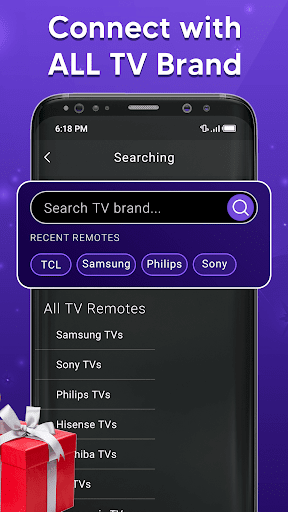
Select the TV brand from the available list.
Select remote for your required device.
Code appears on tv, put it on your phone
Tap on pair, your remote is ready to use
Feature of Universal Remote control for any TV:
• Universal TV remote control supports all TV brands.
• Easily control your smart TV through WIFI and IR
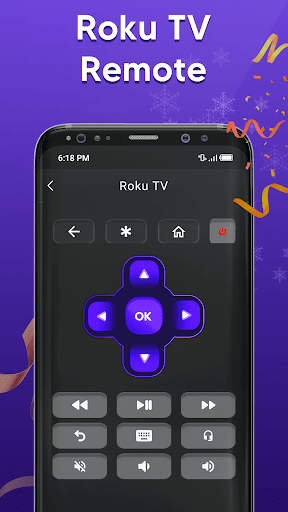
• Up / Down / Left / Right Navigation.
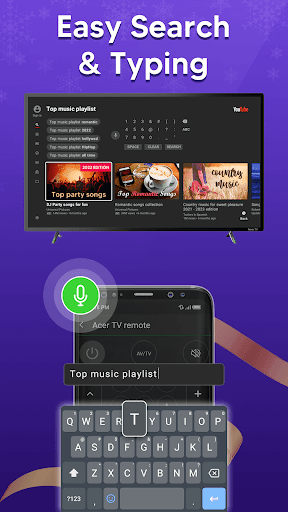
• Touchpad and keyboard functionality
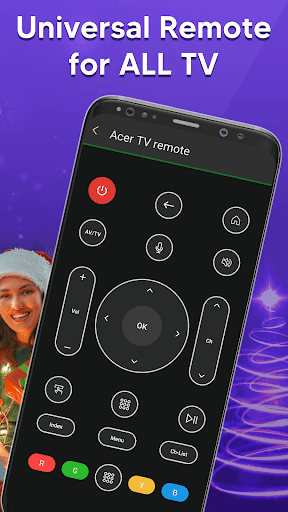
• Easily control Volume and channels of all TV
• Both IR and Wi-Fi functionalities supported
• Button for muting and unmute
• Each and every remote control function in this app
• Beautiful design with simple UI.
It is always good and easy to use a single Universal remote control for tv to control all your smart TVs. Now a day’s mobile phone has become a major gadget that people always carry with them, it becomes a part of our life, so having a remote application installed on your mobile device that works as a smart remote control for tv will make your life easier.
Important Notice with smart TV Remote:
Your smartphone requires an IR feature or WIFI connection. If your mobile does not have an IR sensor it works with a WIFI network. Make sure your smartphone and TV must be connected to the same WIFI network. Also, if your TV brand is not listed or the universal TV remote control app is not working with your television, please email us at [email protected] your TV brand and remote model. We will work to make this application compatible with your TV brand. Enjoy the Universal TV Remote For all Tv.
Want a TV remote that supports WIFI and IR? Then Universal Remote Control For TV is for you.
Remote control for roku and all TV is one of the best apps to support all your smart TVs. Using universal TV Remote Control you can access your tv with WIFI and IR functionalities. This universal tv the provides all functionalities that you need to control your TV. One of the best TV Remote app that supports almost all TV brands. Now monitor your smart television using the smart TV remote app
The main setting required to connect your mobile with your TV is, your mobile has IR or you have a WIFI network. Your Mobile and TV will be connected to the same network. Also If there is IR functionality in your mobile then you can easily connect with the TV through universal remote control for all tv. With the infrared (IR) feature, your phone sends signals to the TV so your device works like a common remote TV.
So don’t worry, if your original remote is missing or not working properly. Now you can control smart TV from your smartphone. This universal TV remote control for any TV supports all TV brands in every country. You can watch your favourite channels and controls volume and other functionalities through this Universal remote Control.
Main TV Brands Supported by Universal Remote control for all TV:
✔️ Smart TV remote for Samsung TV
✔️ Remote for Sony TV
✔️ TV remote for LG TV
✔️ Universal TV remote for Philips TV
✔️ TV Remote for TCL TV
✔️ Smart TV remote for Gree TV
✔️ Universal TV remote for Kenwood
✔️ TV remote for Panasonic
✔️ smart tv remote for Tcl Roku tv
✔️ Remote for Haier Tv
✔️ TV remote for Xiaomi TV
✔️ Remote control for EcoStar TV
✔️ TV remote for Toshiba
✔️ Smart TV remote for Orient TV and many more.
How to Use Universal Smart TV Remote Control App:
Install TV remote control app.
Select WIFI or IR Mode
After that, search for your smart tv.
Select the TV brand from the available list.
Select remote for your required device.
Code appears on tv, put it on your phone
Tap on pair, your remote is ready to use
Feature of Universal Remote control for any TV:
• Universal TV remote control supports all TV brands.
• Easily control your smart TV through WIFI and IR
• Up / Down / Left / Right Navigation.
• Touchpad and keyboard functionality
• Easily control Volume and channels of all TV
• Both IR and Wi-Fi functionalities supported
• Button for muting and unmute
• Each and every remote control function in this app
• Beautiful design with simple UI.
It is always good and easy to use a single Universal remote control for tv to control all your smart TVs. Now a day’s mobile phone has become a major gadget that people always carry with them, it becomes a part of our life, so having a remote application installed on your mobile device that works as a smart remote control for tv will make your life easier.
Important Notice with smart TV Remote:
Your smartphone requires an IR feature or WIFI connection. If your mobile does not have an IR sensor it works with a WIFI network. Make sure your smartphone and TV must be connected to the same WIFI network. Also, if your TV brand is not listed or the universal TV remote control app is not working with your television, please email us at [email protected] your TV brand and remote model. We will work to make this application compatible with your TV brand. Enjoy the Universal TV Remote For all Tv.
App Information
Version Name
1.6.1
Version Code
61
File Size
8.8 MB
Minimum OS
Android 6.0+
Target SDK
Android 33
Developer
Soft Droid
Contact
Website
Content Rating
Teen
Package Name
com.universal.tv.remote.control.smart.tv.remote.controllerPermissions Required
This app may request the following permissions:
Recent Reviews

Ekta Tiwari
5.0★
we don't have to download another app and it not has a premium upgrade!!!!!!!!!!!🥳🥳🥳🥳🥳 and all the buttons work which are unnecessary buttons , they don't work I think but this app is the most useful app

Mazhar Iqbal
5.0★
I have a much better chance of always having my TV remote in my phone because I frequently misplace the remote. Have lost several times and never recovered. I always have my phone with me. Thus, The tv remote application is very effective. The change channel functions are very well supported on my Samsung TV. On my Samsung TV, the channel-changing features are very nicely supported. I kindly ask that the share screen feature be added. I genuinely enjoy it. Highly suggested. The application .🍓🍓

Alix Nelix
5.0★
Universal TV Remote Control is a lifesaver for those who often misplace their physical remotes and need a quick solution to control their TV. The app is incredibly user-friendly, with a simple interface that makes it easy to navigate and control your TV with just a few taps. With a wide range of TV models supported and seamless connectivity, Universal TV Remote Control is a must-have app for any TV owner looking for convenience and ease of use. 🌻🌻

Larry Chappell
4.0★
I have no problem with the amount of ads on this. I don't find them intrusive or overbearing. Most of the buttons don't do anything and the ones that work can be difficult to use. It handles only the most basic functions. There's no program info. It works in conjunction with my Blu ray player, so I'm able to mirror novels, which is very cool.

Bigman Dennis
2.0★
Here's what's wrong. The ads, when u find ur tv and u put in the code to connect and u power off, u can't power it back on via app and when u cut it back on manually or u close out the app, u have to go through the entire process all over again. When u do a search for smart tv remote, it doesn't even save ur tv selection so u have to use the search bar again. This is for a TCL tv in the living room. I'm using a different app for my Vizio in my bedroom and I have no issue with that app.

Kat Higgins
1.0★
All these Roku universal remotes are complete garbage. They only pair the first attempt, don't save the connection and then won't ever reconnect or find the previously connected device again. I don't get where these five star reviews come from. There must be some kind of subroutine programmed in to prevent reconnecting after the first time. My guess is to artificially inflate downloads as the only way to get it to work again is to uninstall then reinstall to connect again.
Ad slot: In-Content