

Sleep as Android: Smart alarm
com.urbandroid.sleep
by Petr Nálevka (Urbandroid)
Screenshots









Ad slot: Top Leaderboard
About this app
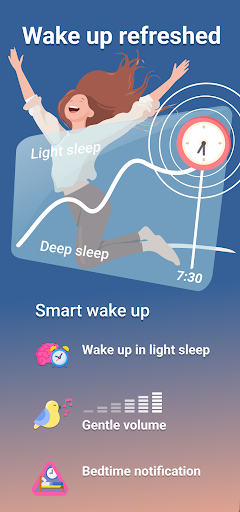
Smart alarm clock with sleep cycle tracking. Wakes you gently at the optimal time for a pleasant morning.
Sleep as Android is a Swissknife tool for your sleep.
Enjoy 5 days premium, then keep the freemium or upgrade.
FEATURES:
Sleep
✓ Based on 12 years of experience
✓ Validated algorithms https://bit.ly/2NmJZTZ
✓ Get to bed on time with Bedtime notification
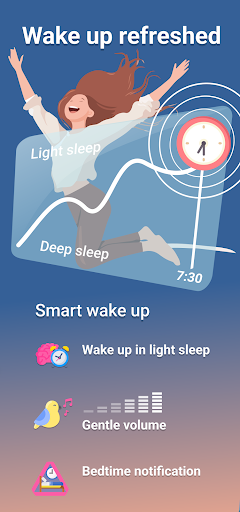
✓ Smart wake-up feels natural!
✓ Sonar contactless tracking: No need for a phone in bed!
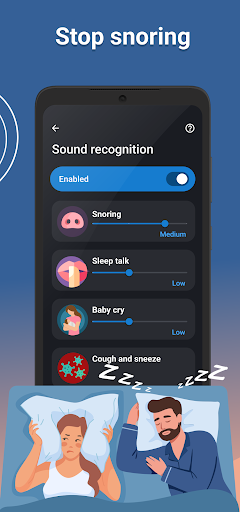
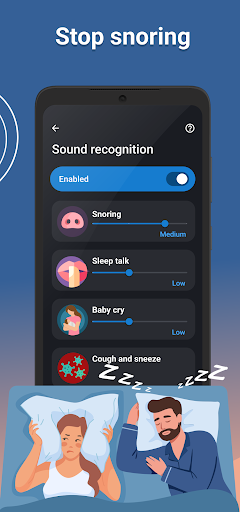
✓ AI-powered sound recognition: Anti-snoring, Sleep talk, Sickness
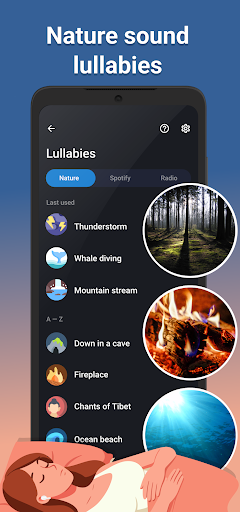
✓ Nature sound lullabies
✓ Sleep respiration analysis with low breath rate alarm
✓ Lucid dreaming, Anti-Jetlag...
Wakeup
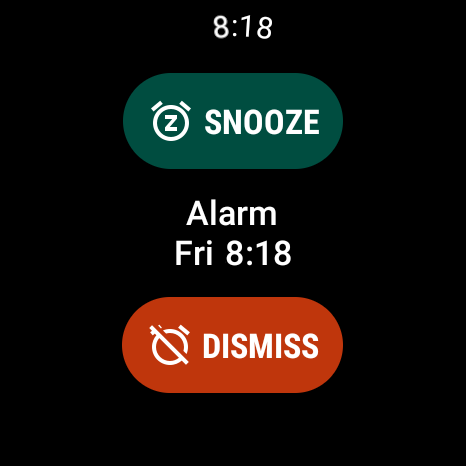
✓ Alarm clock with all the features
✓ Gentle alarm sounds
✓ Spotify songs or playlists
✓ Sunrise alarm
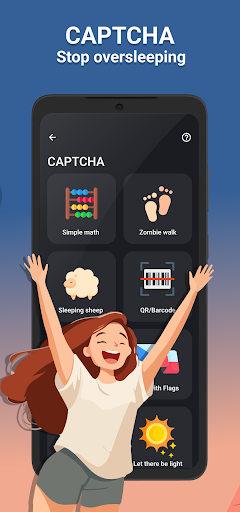
✓ Never oversleep again: CAPTCHA tasks, Snooze limit
Data
✓ Sleep Score: deficit, regularity, efficiency, phases, snoring, breath rate, SPO2, HRV
✓ Trends, Tags, Chronotype detection and Advice
✓ Privacy first
Integrations
✓ Wearables: Pixel Watch, Galaxy, Wear OS, Garmin (ConnectIQ), Mi Band + Amazfit + Zepp (needs 3rd party app), Polar (H10, OH10, Verity Sense), FitBit (Ionic, Sense, Versa), PineTime
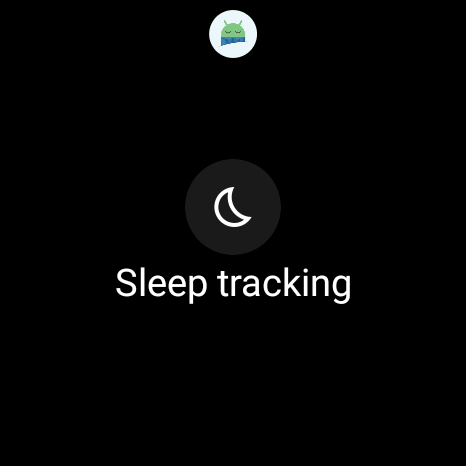
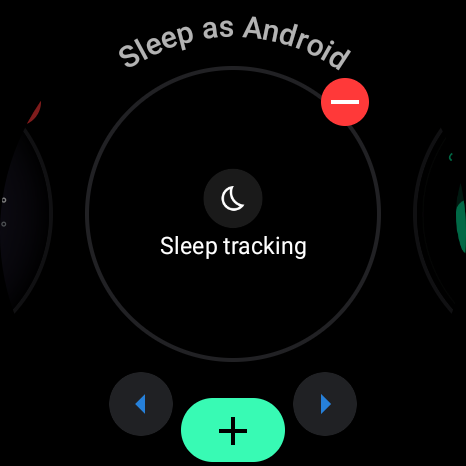
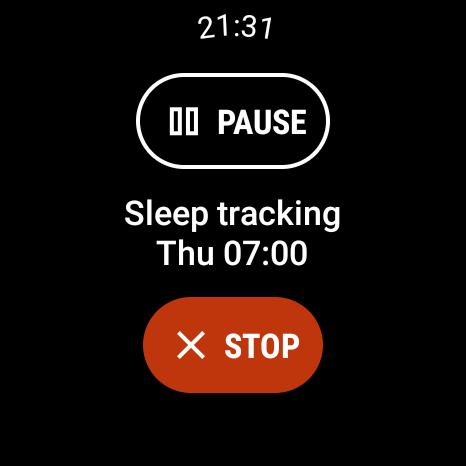
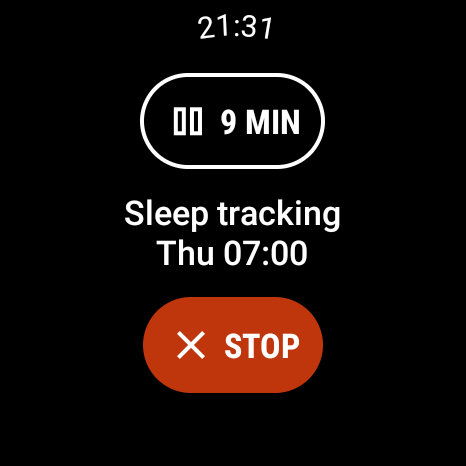
✓ You can install Sleep as Android on your Wear OS watch and use the watch sensors for better data. A Wear OS Tile allows you to start/stop/pause sleep tracking and check your progress without interacting with your phone.
✓ Spotify
✓ Smartlight: Sunrise wake up with Philips HUE, IKEA TRÅDFRI
✓ Automation: IFTTT, MQTT, Tasker or custom Webhooks
✓ Services: Google Fit, Samsung Health, Health Connect
✓ Backup: SleepCloud, Google Drive, DropBox
Quick start
https://sleep.urbandroid.org/docs/faqs/quick_start.html
Video tutorial
https://www.youtube.com/watch?v=whUibMSqkO4
Documentation
https://sleep.urbandroid.org/docs/
FAQ
https://sleep.urbandroid.org/docs/faqs/
Permissions explained
https://sleep.urbandroid.org/docs/general/permissions.html
See how we do contact-less sleep and breath tracking with Sonar
https://www.youtube.com/watch?v=cjXExBj6VcY
How we designed our neural networks for sleep sound classification
https://www.youtube.com/watch?v=OVeT0KIXp2k
Watch our latest smartwatch integration progress
https://sleep.urbandroid.org/docs/devices/supported_wearable.html
Accessibility Service
The accessibility service is necessary for a series of alarm tasks called CAPTCHA. Completing tasks such as sheep counting, doing math, or scanning a barcode on your toothpaste will ensure you get up on time and are fully awake.
The accessibility Service prevents you from cheating the CAPTCHA tasks by force stopping the app or turning off the device before completing them. No personal information is collected.
Device Admin
This app may also use the Device Administrator permission to prevent you from cheating CAPTCHA tasks (see above) by uninstalling the app.
Health Disclaimer
Sleep as Android is not intended for medical use, but rather to improve general fitness and well-being, especially in terms of better sleep. Any oxygen saturation tracking is done with compatible oximeter devices such as the TicWatch, BerryMed oximeters... more at https://sleep.urbandroid.org/docs/devices/wearables.html
Sleep as Android is a Swissknife tool for your sleep.
Enjoy 5 days premium, then keep the freemium or upgrade.
FEATURES:
Sleep
✓ Based on 12 years of experience
✓ Validated algorithms https://bit.ly/2NmJZTZ
✓ Get to bed on time with Bedtime notification
✓ Smart wake-up feels natural!
✓ Sonar contactless tracking: No need for a phone in bed!
✓ AI-powered sound recognition: Anti-snoring, Sleep talk, Sickness
✓ Nature sound lullabies
✓ Sleep respiration analysis with low breath rate alarm
✓ Lucid dreaming, Anti-Jetlag...
Wakeup
✓ Alarm clock with all the features
✓ Gentle alarm sounds
✓ Spotify songs or playlists
✓ Sunrise alarm
✓ Never oversleep again: CAPTCHA tasks, Snooze limit
Data
✓ Sleep Score: deficit, regularity, efficiency, phases, snoring, breath rate, SPO2, HRV
✓ Trends, Tags, Chronotype detection and Advice
✓ Privacy first
Integrations
✓ Wearables: Pixel Watch, Galaxy, Wear OS, Garmin (ConnectIQ), Mi Band + Amazfit + Zepp (needs 3rd party app), Polar (H10, OH10, Verity Sense), FitBit (Ionic, Sense, Versa), PineTime
✓ You can install Sleep as Android on your Wear OS watch and use the watch sensors for better data. A Wear OS Tile allows you to start/stop/pause sleep tracking and check your progress without interacting with your phone.
✓ Spotify
✓ Smartlight: Sunrise wake up with Philips HUE, IKEA TRÅDFRI
✓ Automation: IFTTT, MQTT, Tasker or custom Webhooks
✓ Services: Google Fit, Samsung Health, Health Connect
✓ Backup: SleepCloud, Google Drive, DropBox
Quick start
https://sleep.urbandroid.org/docs/faqs/quick_start.html
Video tutorial
https://www.youtube.com/watch?v=whUibMSqkO4
Documentation
https://sleep.urbandroid.org/docs/
FAQ
https://sleep.urbandroid.org/docs/faqs/
Permissions explained
https://sleep.urbandroid.org/docs/general/permissions.html
See how we do contact-less sleep and breath tracking with Sonar
https://www.youtube.com/watch?v=cjXExBj6VcY
How we designed our neural networks for sleep sound classification
https://www.youtube.com/watch?v=OVeT0KIXp2k
Watch our latest smartwatch integration progress
https://sleep.urbandroid.org/docs/devices/supported_wearable.html
Accessibility Service
The accessibility service is necessary for a series of alarm tasks called CAPTCHA. Completing tasks such as sheep counting, doing math, or scanning a barcode on your toothpaste will ensure you get up on time and are fully awake.
The accessibility Service prevents you from cheating the CAPTCHA tasks by force stopping the app or turning off the device before completing them. No personal information is collected.
Device Admin
This app may also use the Device Administrator permission to prevent you from cheating CAPTCHA tasks (see above) by uninstalling the app.
Health Disclaimer
Sleep as Android is not intended for medical use, but rather to improve general fitness and well-being, especially in terms of better sleep. Any oxygen saturation tracking is done with compatible oximeter devices such as the TicWatch, BerryMed oximeters... more at https://sleep.urbandroid.org/docs/devices/wearables.html
What's New
We are constantly improving this app with several updates monthly. Bringing timely fixes and new features you ask for. Detailed release notes at:
https://sleep.urbandroid.org/docs/general/release_notes.html
https://sleep.urbandroid.org/docs/general/release_notes.html
App Information
Version Name
20240424
Version Code
230420
File Size
33.5 MB
Min SDK
Android 24+
Target SDK
Android 33
Developer
Petr Nálevka (Urbandroid)
Contact
Website
Content Rating
Everyone
Package Name
com.urbandroid.sleepPermissions Required
This app may request the following permissions:
Recent Reviews

Anthony Visiko
4.0★
Pretty good! No ads (which is so rare these days) and it does track my sleep! I don't know how it does the sleep cycles, but even tracking the times which I sleep at has let me know I always go to bed too late. Sadly, there is a premium version, even if they have to pay the bills, so I can't give 5 stars, at least until I've experienced all that has to offer. But that's a ways off, given the price (though it is a one time purchase, again so rare these days!)

Brian Saghy
5.0★
I've been using Sleep as Android as my primary alarm clock app for over 10 years now. I really like the ability to set specific days, to default alarm sounds, and to solve math problems to disable the alarm or go past your snooze limits to make sure you're actually (somewhat) awake and on time. Maybe it's because I'm 10+ years older, but it does seem to help me to not be late in the mornings.
Rebecca Foster
5.0★
I've used this app for a few years now, and it has everything I need: smart wakeup options, various alarm tones, the ability to set and save way too many alarms throughout the week, etc. And it continually evolved throughout the years, getting better with each update! It's the only alarm app I use anymore.

Blake Snodgrass
5.0★
I've been using Sleep as Android for over a decade now. No other alarm app comes close. As a heavy sleeper, the CAPTCHA options to turn off an alarm are invaluable. Mine is set up so I have to scan an NFC tag in my bathroom before I can dismiss an alarm, forcing me to get out of bed. Otherwise I can dismiss an alarm and never even remember. Love this app!

Daniel Park
5.0★
Great and full featured app. I've been a long time user and got it initially for basic sleep tracking, but through the years the devs really packed in lots more features. My favorite is the radio station alarm, it's always a different song and the songs seem really effective at getting me awake. The sleep tracking is also quite detailed, and the snoring and sleep talk tracker have been really useful in trying to improve my sleep quality. Highly recommended! Edit: still going strong in 2025

Victoria
4.0★
Overall, this is a pretty good app! However, here are a few things i realized 1. Make sure sleep tracking is running in order for the optimal wake up phase alarm to work 2. Make sure to set a notification sound for a wake-up check in system settings.. 3. There aren't that many alarm options that come with it, but you can use any sound you have on your device. I haven't used sleep tracking yet. Thank you to the one who gave me this info
Ad slot: In-Content