

Compress Video Size Compressor
com.video_converter.video_compressor
by Inverse AI
Screenshots
Ad slot: Top Leaderboard
About this app
Supported Video Formats
MP4, MKV, AVI, 3GP, FLV, MTS, MPEG, MPG, WMV, M4V, MOV, VOB
KEY FEATURES
🎬 Compress an uncompressed video by keeping original quality.
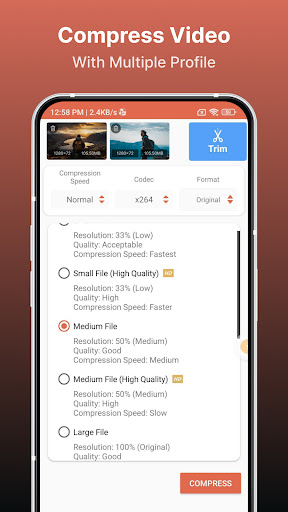
🎬 Choose from predefined multiple compression profiles with different quality and size settings.
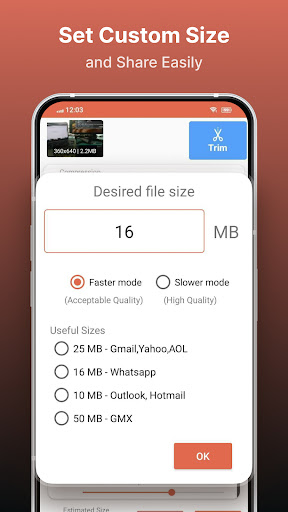
🎬 Compress video to a manually inputted size.
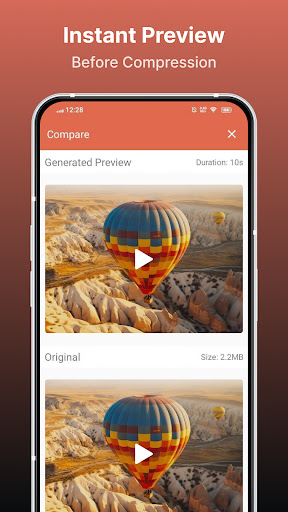
🎬 Shows a preview of small duration for the chosen compression settings before the compression process starts. Helps users to understand the quality of the compression beforehand.
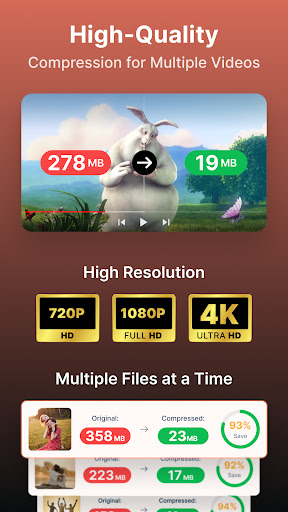
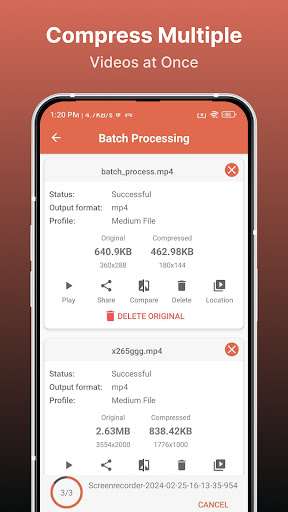
🎬 Queue multiple videos to compress them in batch mode.
🎬 Choose between X264 and X265(HEVC) codec for compression. HEVC codec provides much more compression than X264 codec. But X264 is much faster than X265 in terms of compression speed.
🎬 Choose Compression process speed. Higher the speed larger the compressed video size.
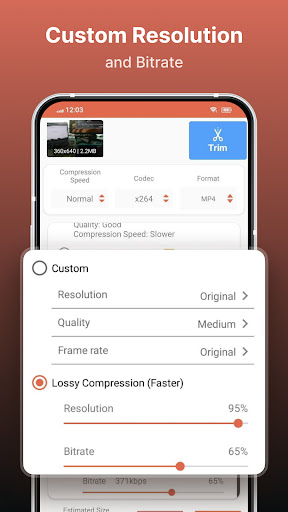
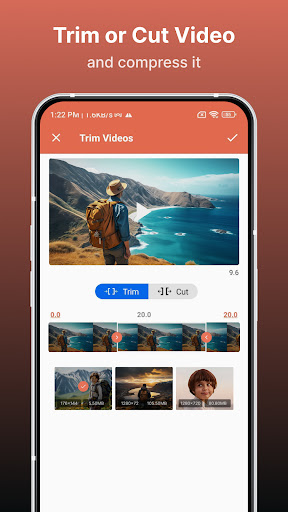
🎬 Choose custom resolution.
🎬 Compresses a video by decreasing resolution, video bitrate. In this option the user can see the estimated compressed video size before compressing. This doesn’t preserve original quality.
🎬 Compare compressed and original video by playing them simultaneously in the same screen.
🎬 Delete compressed or original file after compression from the app.
🎬 Reduces video size, shrink video, save and clear device's storage space.
🎬 High quality video compression and Low quality video compression.
🎬 Convert video to MP4, MKV, AVI, 3GP, FLV, MTS, M4V, MOV formats.(PRO Feature)
🎬 Convert video from MP4, MKV, AVI, 3GP, FLV, MTS, MPEG, MPG, WMV, M4V, MOV, VOB formats.
🎬 Play Compressed and Converted Video.
🎬 Share compressed, converted and size reduced videos.
Video Compressor - Compact Video application can compress and convert almost any format of videos. It provides users with default compress/preset profiles. Users can choose desired compression quality, compression speed, video resolution, bitrate etc. Also this compressor and converter lets the user input the desired compressed video size and it compresses the video to that size. Also you can compress videos in batch mode by queuing multiple videos.
This Video Compressor can compress an uncompressed video without losing quality using X264 and X265(HEVC) codec. It can also compress a compressed video by decreasing the quality which is Resolution, Bitrate. This video compressor gives the user a transparent and flexible way to choose the compression level by customizing resolution and bitrate of the video. It shows the estimated size of the compressed video before the compression begins. This helps you decide how much space you want to save with what quality of the compression. It supports many video formats.
This is the best Video compressor and converter app in the market which provides every possible settings for compressing your video.
MP4, MKV, AVI, 3GP, FLV, MTS, MPEG, MPG, WMV, M4V, MOV, VOB
KEY FEATURES
🎬 Compress an uncompressed video by keeping original quality.
🎬 Choose from predefined multiple compression profiles with different quality and size settings.
🎬 Compress video to a manually inputted size.
🎬 Shows a preview of small duration for the chosen compression settings before the compression process starts. Helps users to understand the quality of the compression beforehand.
🎬 Queue multiple videos to compress them in batch mode.
🎬 Choose between X264 and X265(HEVC) codec for compression. HEVC codec provides much more compression than X264 codec. But X264 is much faster than X265 in terms of compression speed.
🎬 Choose Compression process speed. Higher the speed larger the compressed video size.
🎬 Choose custom resolution.
🎬 Compresses a video by decreasing resolution, video bitrate. In this option the user can see the estimated compressed video size before compressing. This doesn’t preserve original quality.
🎬 Compare compressed and original video by playing them simultaneously in the same screen.
🎬 Delete compressed or original file after compression from the app.
🎬 Reduces video size, shrink video, save and clear device's storage space.
🎬 High quality video compression and Low quality video compression.
🎬 Convert video to MP4, MKV, AVI, 3GP, FLV, MTS, M4V, MOV formats.(PRO Feature)
🎬 Convert video from MP4, MKV, AVI, 3GP, FLV, MTS, MPEG, MPG, WMV, M4V, MOV, VOB formats.
🎬 Play Compressed and Converted Video.
🎬 Share compressed, converted and size reduced videos.
Video Compressor - Compact Video application can compress and convert almost any format of videos. It provides users with default compress/preset profiles. Users can choose desired compression quality, compression speed, video resolution, bitrate etc. Also this compressor and converter lets the user input the desired compressed video size and it compresses the video to that size. Also you can compress videos in batch mode by queuing multiple videos.
This Video Compressor can compress an uncompressed video without losing quality using X264 and X265(HEVC) codec. It can also compress a compressed video by decreasing the quality which is Resolution, Bitrate. This video compressor gives the user a transparent and flexible way to choose the compression level by customizing resolution and bitrate of the video. It shows the estimated size of the compressed video before the compression begins. This helps you decide how much space you want to save with what quality of the compression. It supports many video formats.
This is the best Video compressor and converter app in the market which provides every possible settings for compressing your video.
What's New
+ Fixed crashes causing process failures and improved stability.
+ Targeted Android 16 with full compatibility
+ Targeted Android 16 with full compatibility
App Information
Version Name
8.5.0
Version Code
2000277
File Size
29.5 MB
Minimum OS
Android 7.0+
Target SDK
Android 33
Developer
Inverse AI
Contact
Website
Content Rating
Everyone
Package Name
com.video_converter.video_compressorPermissions Required
This app may request the following permissions:
Recent Reviews

Johnny Ryerson
5.0★
Love all the great features. It's a one stop app, where you can do it all. Compression, format change, clip, merge, and much more. Bought the pro version of this app years ago, and it is good to see an app NOT go to the Dark Side by changing over to subscription as so many are doing these days. When this happens, any full or pro app purchase becomes null and void, and one must now subscribe to get all the pro features they used to own....SMH

Tony Scheer
3.0★
I REALLY wish I could rate the app higher. Because when it works, it works really well. Videos do lose quality slightly, but they are shrunk dramatically. However, when this app doesn't work, it means literally hours wasted, when a compression process that's 75% of the way through decides to restart after you move around in your phone a bit (happened 2x). Given this, it's three stars max. I was very close to buying lifetime premium, and I still might, but this is SUCH a bummer. Please fix this.

Bark O'Bomber (Barko)
5.0★
I have the free version and honestly have been pleasantly surprised with this app. I expected to be swamped with ads, and while there obviously are »some« ads, they don't occur often and typically can be skipped after 5 seconds or 6. As for the app itself, it works perfectly and there are multiple methods to compress files. Simply put, it's a great app and I wish other apps were as straightforward as this one.

Jessica S. (darkocean)
5.0★
Works beautifully, this keeps the clarity when shrinking it, nice! I was able to send all my vids to my email and gain back storage space on this tiny phone. It's hard to find a video compressor app that doesn't pull the free trial bit. I mean seriously? You can go on a browser and compress videos on websites for free after all, so it's nice when a compressor app does the same. Tks! 😘 Now to go see if I can install that game app I regretted taking out for space... *crosses fingers*

Barry Rodrigues
3.0★
Quite a few options when choosing compression sizes, which is great, and the batch processing feature is a time saver. The only issue that prevents me from giving this app 5 stars is I had bought the lifetime deal and used it for a few months. When I installed it on a new phone, it doesn't seem to recognise my lifetime subscription. I've emailed support, and it's been 4 days, and I haven't heard from them, which is a bit of a concern. I'm happy to upgrade my rating if this is resolved.

melissa McCulloh
3.0★
Works great, did just what I needed HOWEVER.... I signed up for the free trial, fully intending to cancel after converting one video. There's no way to do so within the app. I got charged twice before I figured out I had to do it from my playstore account. Maybe I'm not very clever, maybe this is common knowledge, but I felt tricked. It was only the $0.99 weekly plan, so not a big loss, but it was frustrating.
Ad slot: In-Content